
How to Choose RFP Software: 8 Factors Every Buyer Should Consider (2026)
Choosing RFP software? Compare vendors using 8 essential evaluation criteria, including AI, knowledge management, security, integrations, pricing, and scalability.
Choosing the right RFP software is about more than automating responses. The best platforms help teams find trusted content, collaborate efficiently, and maintain consistency across every proposal. The wrong platform can create new challenges, from poor search and outdated content to low adoption and disconnected workflows.
This guide walks through the key factors to evaluate before choosing RFP software so you can compare vendors with confidence.
RFP software helps organizations manage and automate responses to RFPs, RFIs, DDQs, and security questionnaires. Modern platforms combine AI, centralized knowledge management, and collaboration workflows to help teams respond faster while maintaining accuracy.
Before comparing vendors, it's worth identifying what success looks like for your organization.
Consider questions such as:
- How many RFPs, RFIs, or security questionnaires do you complete each month?
- Which teams contribute to responses?
- Where is your proposal content currently stored?
- Which manual tasks consume the most time?
- Do you need simple questionnaire automation or enterprise-wide proposal management?
Having clear answers will help you evaluate platforms based on business needs rather than feature lists.
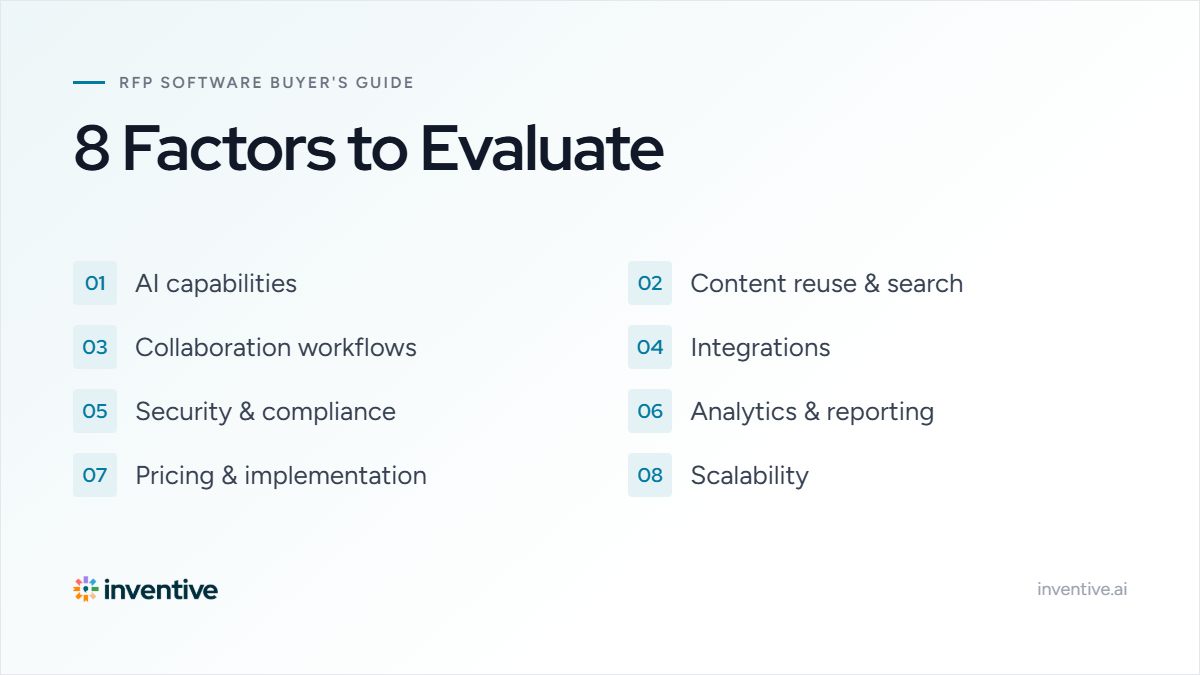
8 Factors Every Buyer Should Consider When Choosing RFP Software
1. Evaluate AI Capabilities
AI has become a standard feature in RFP software, but not every platform uses it in the same way. Some tools simply generate text from a language model, while others retrieve information from your approved knowledge base before drafting a response. The distinction matters because proposal teams need responses they can trust, especially when answering technical requirements, security questionnaires, or compliance documents.
When evaluating AI, focus on more than speed. The right platform should reduce manual effort without compromising accuracy. It should understand the intent behind a question, retrieve the most relevant approved content, and produce responses that require minimal editing. Equally important, users should be able to verify where each answer came from rather than treating AI as a black box.
During vendor demos, ask providers to respond to one of your actual RFPs instead of a sample document. This gives you a better understanding of response quality, source accuracy, and how well the AI handles your organization's content.
Look for software that can:
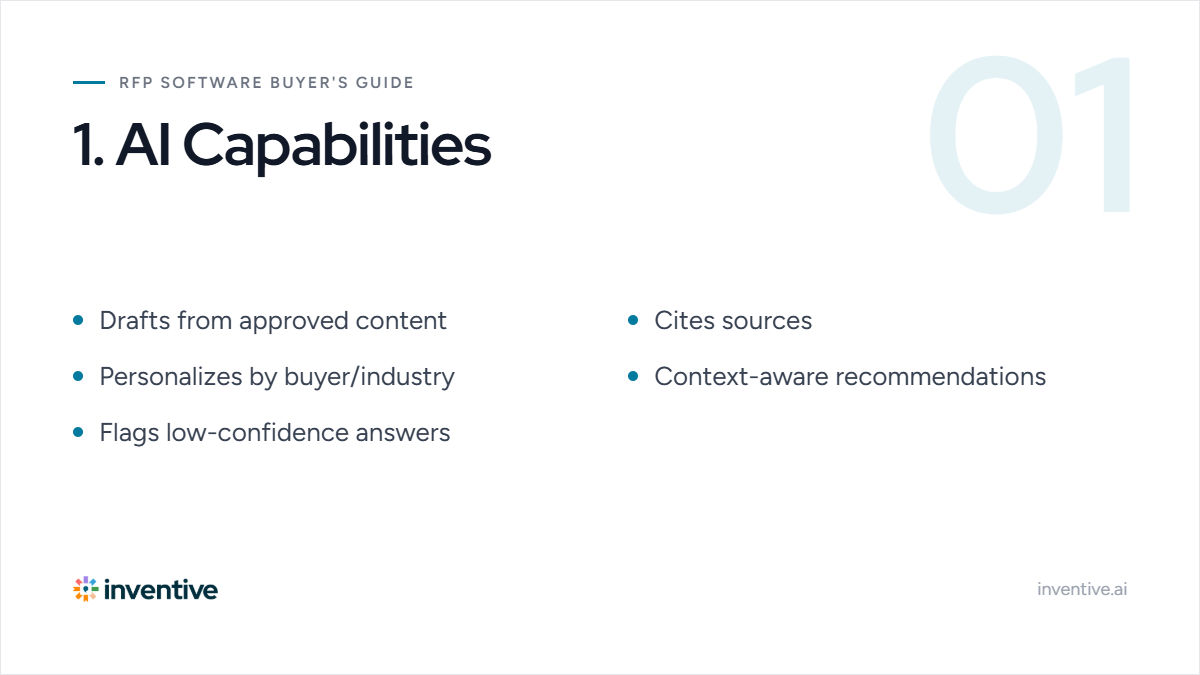
- Generate responses using approved company content instead of relying solely on generic AI-generated text.
- Cite source documents so users can verify where every AI-generated response comes from.
- Personalize responses based on the buyer, industry, or opportunity without starting from scratch.
- Recommend the most relevant answers by understanding the context of each question.
- Flag low-confidence responses that require human review before submission.
Ask vendors:
- Where does the AI retrieve information from?
- Can users verify AI-generated responses with citations?
- How does the platform minimize hallucinations?
2. Assess Content Reuse and Search Capabilities
Most proposal teams already have thousands of approved answers spread across SharePoint, Google Drive, product documentation, past proposals, internal wikis, and spreadsheets. The challenge is rarely creating new content. It's finding the right content quickly and knowing whether it's still accurate.
Search quality has a direct impact on proposal efficiency. If contributors spend time digging through folders, comparing multiple versions of the same answer, or confirming whether content is still approved, response times increase and inconsistencies become more common.
The best RFP platforms don't simply store content in another repository. They help teams surface the most relevant information regardless of where it lives, making existing knowledge easier to reuse while maintaining governance. As organizations grow, effective search often delivers more value than simply expanding the knowledge library.
Key capabilities include:
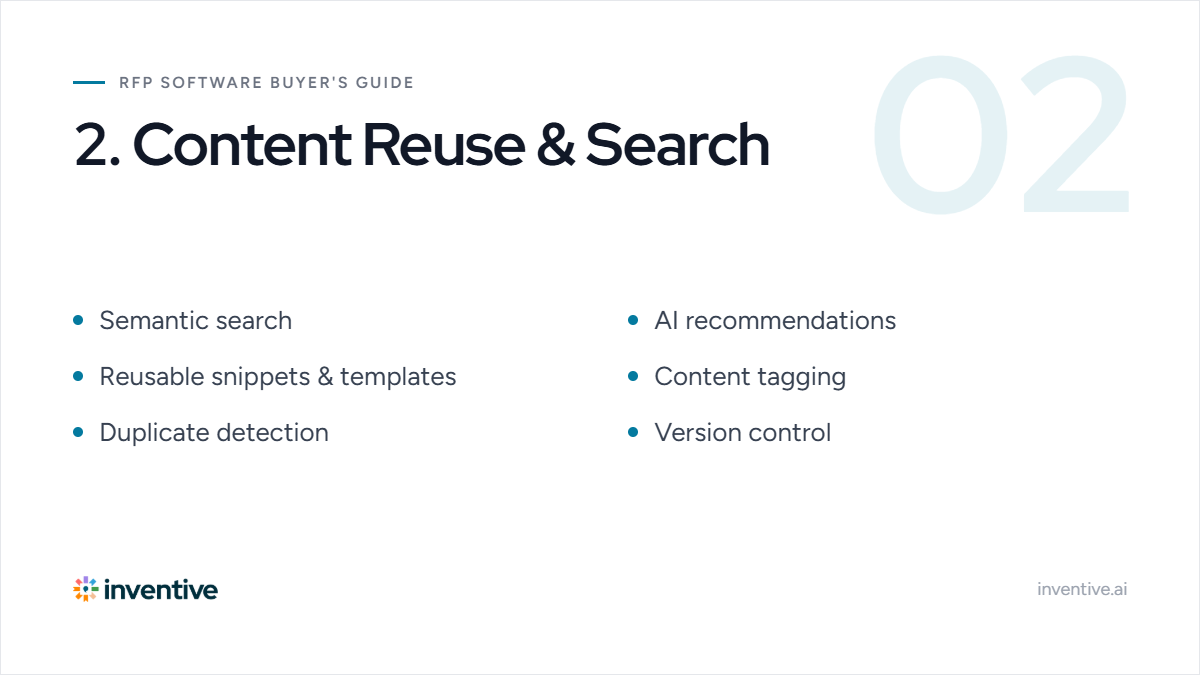
- Deal specific context that understands the intent behind questions instead of matching exact keywords.
- AI-powered recommendations that surface relevant answers as users work through questionnaires.
- Reusable answer snippets and templates to maintain consistency across proposals.
- Content tagging by product, industry, competitor, or use case for faster discovery.
- Duplicate detection to identify conflicting or outdated responses before they're reused.
- Version control to ensure contributors always access the latest approved content.
For organizations with large content libraries, search quality often has a bigger impact on productivity than the size of the library itself.
Questions to ask during the demo:
- Can you demonstrate semantic search using one of our RFP questions?
- Which repositories can the platform search?
- How does AI choose the best response?
- How are outdated or duplicate responses managed?
3. Evaluate Collaboration Workflows
Winning proposals depend on input from multiple teams. Sales, product, security, legal, finance, and subject matter experts often contribute to a single response, each with different responsibilities and deadlines. Without structured workflows, proposal managers spend significant time coordinating contributors instead of progressing the response.
Strong collaboration features keep everyone aligned while maintaining accountability. Contributors should know exactly which questions they own, reviewers should have clear approval paths, and proposal managers should be able to monitor progress without relying on manual follow-ups.
As proposal volume increases, scalable workflows become just as important as AI. A platform that reduces coordination effort can significantly shorten response cycles while improving consistency across submissions.
Look for:
- Automated task assignment that routes questions to the right SMEs based on expertise.
- Real-time collaboration so multiple contributors can work on the same proposal simultaneously.
- Built-in comments and discussions to keep reviews and clarifications within the platform.
- Configurable approval workflows that support legal, security, and executive reviews.
- Progress tracking dashboards that highlight bottlenecks and overdue tasks.
- Automated reminders to keep contributors on schedule without manual follow-ups.
Ask vendors:
- How are questions assigned to SMEs?
- Can multiple contributors work simultaneously?
- What approval workflows are supported?
4. Evaluate Integration Capabilities
RFP software should fit into your existing technology stack rather than creating another disconnected system. Proposal teams depend on CRM data, document repositories, collaboration platforms, and identity management tools throughout the response process. When systems don't work together, users spend time copying information between applications, increasing manual effort and the risk of inconsistencies.
During evaluations, look beyond the number of available integrations. Understand whether integrations are native, how data stays synchronized, and whether user permissions carry over from connected systems. Native integrations generally require less maintenance and provide a more reliable experience than custom connectors.
A well-integrated platform allows teams to work with familiar tools while ensuring proposal content stays accurate and up to date.
Prioritize integrations with:
- CRM platforms like Salesforce and HubSpot to automatically pull opportunity and account data.
- Microsoft 365 and Google Workspace for document creation and collaboration within existing workflows.
- Content repositories such as SharePoint, OneDrive, and Google Drive to access approved knowledge.
- Collaboration tools like Slack and Microsoft Teams to streamline communication with contributors.
- Single Sign-On (SSO) providers to simplify user access and strengthen security.
Ask vendors:
- Which integrations are native?
- Which require third-party connectors?
- How much implementation effort is required?
5. Review Security and Compliance
Proposal content often includes pricing strategies, product roadmaps, security documentation, customer references, and other confidential business information. For many organizations, especially enterprises, protecting this information is just as important as responding efficiently.
Security should be evaluated as a platform capability rather than a compliance checkbox. Strong access controls help ensure users only see content relevant to their role, while audit logs provide visibility into who accessed or modified sensitive information. Compliance certifications can also simplify vendor reviews and procurement processes.
If your organization regularly responds to security questionnaires or serves regulated industries, understanding a vendor's security practices early can prevent delays during implementation.
Look for:
- Role-based access controls that restrict sensitive content based on user permissions.
- SSO and multi-factor authentication to strengthen account security and simplify login.
- Encryption in transit and at rest to protect proposal content throughout its lifecycle.
- Comprehensive audit logs that track user activity and content changes.
- Compliance certifications such as SOC 2 or ISO 27001 to support enterprise security requirements.
Ask vendors:
- Which security certifications do you maintain?
- How are user permissions managed?
- What controls protect sensitive content?
6. Evaluate Analytics and Reporting
Without reporting, it's difficult to understand where your proposal process is performing well and where improvements are needed. Analytics can reveal which content is reused most often, which questions consistently slow down responses, and where contributors spend the most time.
These insights help proposal teams improve more than just individual submissions. They can identify outdated content, measure knowledge gaps, balance SME workloads, and support continuous process improvements across the organization.
When evaluating reporting capabilities, look for dashboards that provide actionable insights rather than simply tracking activity. The goal is to make better operational decisions, not just generate reports.
Look for:
- Proposal activity dashboards that provide visibility into response progress and team performance.
- Content usage insights to identify frequently reused answers and knowledge gaps.
- Response performance metrics that help measure turnaround times and proposal efficiency.
- SME workload reporting to balance contributor responsibilities across teams.
- Customizable reports that support operational reviews and continuous process improvements.
Ask vendors:
- What proposal metrics are tracked?
- Can we identify unused or outdated content?
- What reporting can be customized?
7. Understand Pricing and Implementation
Subscription pricing is only one part of the investment. Implementation timelines, onboarding, content migration, integrations, training, and ongoing support all contribute to the total cost of ownership. A lower-priced platform may become more expensive if deployment requires significant internal effort or additional services.
Ask vendors to explain what implementation actually involves. Understand who will migrate existing proposal content, configure workflows, connect business systems, and train users. A structured onboarding process can significantly improve adoption and help teams realize value sooner.
Comparing vendors on total implementation effort instead of license cost alone provides a more accurate picture of long-term value.
Evaluate:
- Flexible pricing models that align with your team's size and future growth plans.
- Implementation timelines that match your deployment expectations and internal resources.
- Content migration support to move existing proposal libraries with minimal disruption.
- Training and onboarding programs that encourage user adoption from day one.
- Ongoing customer support through dedicated success teams, documentation, or technical assistance.
Ask vendors:
- What services are included during implementation?
- How long does deployment typically take?
- What additional costs should we expect?
8. Choose a Platform That Can Scale
The software you choose today should continue supporting your proposal process as your organization grows. What works for a small sales team may not meet the needs of multiple business units, global contributors, or increasing proposal volumes.
Scalable platforms make it easier to expand knowledge libraries, manage permissions across larger teams, standardize governance, and support more complex approval workflows without creating additional administrative overhead. Flexibility is equally important, since different departments often require different review processes and content structures.
When evaluating scalability, ask vendors for examples of organizations with similar proposal volumes, team sizes, and business complexity. Understanding how the platform performs in larger environments can help you avoid outgrowing your investment.
Look for:
- Support for multiple business units with separate workspaces and governance controls.
- Flexible workflows and permissions that adapt to different teams and proposal types.
- Scalable knowledge management that remains organized as your content library grows.
- Enterprise governance features to maintain consistency across teams and regions.
- AI that improves with your knowledge base by surfacing more relevant content over time.
Ask vendors:
- How does the platform support growing teams?
- Can workflows be customized for different departments?
- What enterprise customers use the platform at scale?
Pro Tip: Don't hesitate to involve proposal managers, sales, security, legal, and IT stakeholders during vendor evaluations. Each team brings a different perspective and can identify considerations that may otherwise be overlooked.
Download the Free AI RFP Software Buying Guide
If you're actively evaluating RFP software vendors, a structured buying framework can help you ask better questions, compare platforms consistently, and avoid costly mistakes.
Our free 7-Step Buying Guide for AI-Driven RFP Software includes:
- A step-by-step vendor evaluation framework
- A customizable vendor comparison matrix
- Demo questions to ask every provider
- AI capability and security evaluation criteria
- Implementation planning guidance
- ROI considerations and buying best practices
Why Teams Choose Inventive AI
If your evaluation criteria include AI accuracy, enterprise search, collaboration, and scalability, Inventive AI brings those capabilities together in a single platform built for proposal and presales teams.
With Inventive AI, you can:
- Generate source-grounded AI responses
- Find relevant content across Google Drive, SharePoint, Confluence, Notion, Salesforce, and past proposals into a single searchable knowledge base.
- Collaborate with SMEs through built-in workflows
- Integrate with Salesforce, Slack, Microsoft Teams, and other business tools
- Maintain accurate content with centralized governance
- Scale proposal operations without adding manual work
The best way to evaluate any RFP platform is to see how it performs with your own content.
FAQs
Can AI write RFP responses?
AI can generate first drafts, recommend approved content, and answer repetitive questions. However, the best results come from AI that's grounded in your organization's knowledge and reviewed by subject matter experts.
What features should I look for in RFP software?
Key features include AI-powered response generation, a centralized knowledge library, semantic search, collaboration workflows, CRM and document management integrations, enterprise-grade security, reporting dashboards, and content governance tools.
Does RFP software integrate with Salesforce and Microsoft 365?
Most enterprise RFP platforms integrate with CRMs, document repositories, and collaboration tools such as Salesforce, Microsoft 365, SharePoint, Google Drive, Slack, and Microsoft Teams. Always confirm whether integrations are native or require third-party connectors.
Is AI-powered RFP software better than traditional RFP software?
AI-powered platforms can significantly reduce manual work by generating first drafts, recommending relevant content, and improving search across knowledge repositories. However, the best platforms combine AI with strong governance, collaboration, and content management to ensure responses remain accurate and compliant.
How long does it take to implement RFP software?
Implementation timelines vary by platform and complexity. Some solutions can be deployed in a few weeks, while enterprise implementations with integrations and content migration may take longer.

90% Faster RFPs. 50% More Wins. Watch a 2-Minute Demo.

Dhiren Bhatia
Dhiren Bhatia has spent over 20 years in enterprise tech solving one problem: RFPs take too long and cost too much. As CEO of Viewics, a healthcare analytics company he founded and sold to Roche, he led teams through countless RFP cycles and saw firsthand how much time manual work wasted. That experience led him to start Inventive AI, where he's now Co-founder and CEO, building AI that helps RFP teams cut response time by up to 90% and win more deals.
.avif)
Mukund Kumar
Mukund Kumar is Growth Marketing Manager at Inventive AI. An IIT Jodhpur graduate with 3+ years in growth and performance marketing, he specializes in data-driven strategies that connect sales and RFP teams with the automation they actually need, helping revenue teams cut through generic AI hype and win more deals.