How to Handle Security Questionnaires Without Slowing Deals?

Writing a security questionnaire response often feels like a hidden drain on your sales resources. Every time you win interest from a prospective customer, you and your team must pause, often shifting developers, security engineers, or compliance officers away from high‑value work, just to fill forms. Those delays can cost you deals.
According to industry data, teams spend on average up to 10 hours per security questionnaire.
If you lead revenue or proposals at your company, you’ll recognize that this process creates two major problems:
- You sacrifice productivity and momentum every time a questionnaire lands.
- Your sales cycles stretch out, deals that should close fast end up dragging, because security review becomes a bottleneck.
That means lost opportunity, higher internal costs, and frustration across teams, especially when the questionnaire arrives at the worst possible moment (quarter end, a release deadline, or a parallel deal).
This guide will show you exactly what a security questionnaire is, how the answering process ideally works, and how using the best security questionnaire templates can reduce wasted time, improve accuracy, and help you keep momentum.
Key Takeaways
- Security questionnaires assess a vendor’s security practices and compliance with regulations like GDPR, HIPAA, or SOC 2.
- Answering security questionnaires manually can take up to 10 hours, leading to delays and lost opportunities in the sales process.
- The process requires careful coordination between multiple teams (IT, Legal, Compliance) to ensure accurate and consistent answers.
- Key challenges include time-consuming tasks, scattered information, and complex compliance requirements.
- Inventive AI’s automated solution cuts response time by 90%, ensures consistent, high-quality answers, and simplifies collaboration across teams.
What Security Questionnaires? And What Does it Reveal About Your Risk Readiness?
A security questionnaire is a set of questions sent to vendors or potential business partners to assess their security practices, data privacy measures, and risk management protocols.
These questionnaires are often issued by companies in industries like healthcare, finance, government contracting, and technology, where security and compliance are critical.
The primary goal of a security questionnaire is to determine if a vendor’s practices align with the organization’s security and compliance standards. These documents help organizations evaluate potential risks before entering into contracts or partnerships.
There are different types of security questionnaires:
- Internal audits: For internal teams assessing their own security measures.
- Third-party assessments: Used to evaluate vendors and suppliers.
- Compliance questionnaires: These focus on ensuring vendors meet specific regulations, such as HIPAA, SOC 2, or GDPR.
In short, security questionnaires are important tools for evaluating and mitigating risks before forming business relationships, ensuring compliance, and safeguarding sensitive data across industries.
Also Read: CRM RFI Success Guide: Templates and Best Practices for Buyers and Vendors
5 Different Types of Vendor Assessment Questionnaires You’ll Encounter as a Vendor
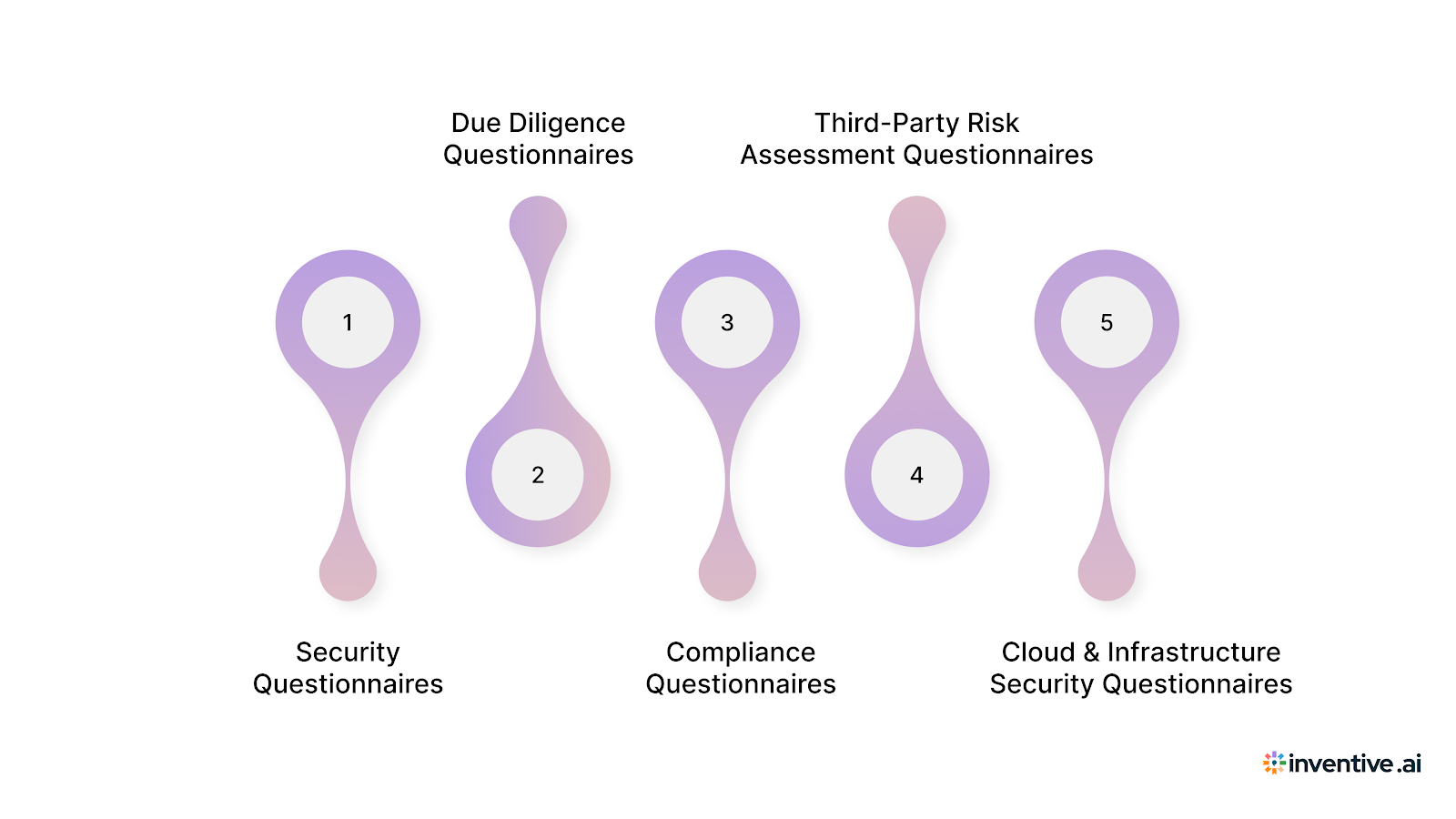
Not all security questionnaires serve the same purpose. Buyers use different types of vendor assessment questionnaires depending on industry risk, regulatory exposure, and deal size.
Understanding which type you are responding to helps you set the right depth, tone, and evidence level from the start.
Below are the most common vendor assessment questionnaires, with real-world industry context.
1. Security Questionnaires
Used across SaaS, enterprise software, fintech, healthcare, and cloud services
These focus on how you protect data, manage access, handle incidents, and enforce security controls. Questions typically map to frameworks like SOC 2, ISO 27001, or internal security standards.
Example: A mid-market SaaS buyer asks how you manage encryption at rest, incident response timelines, and employee access reviews before approving procurement.
2. Due Diligence Questionnaires (DDQs)
Common in finance, investment management, private equity, and enterprise procurement
DDQs go beyond technical security and evaluate operational, financial, legal, and risk controls. Security is one section, but buyers also assess governance, vendor dependencies, and internal controls.
Example: A financial institution issues a DDQ to assess vendor security posture, audit readiness, and third-party risk before onboarding you as a technology provider.
3. Compliance Questionnaires
Used in healthcare, government, regulated industries
These questionnaires validate adherence to specific laws or standards such as HIPAA, GDPR, FedRAMP, or FISMA. Buyers expect precise, evidence-backed answers.
Example: A healthcare provider requires confirmation of HIPAA safeguards, breach notification procedures, and data retention controls before contract approval.
4. Third-Party Risk Assessment Questionnaires
Used by large enterprises with formal vendor risk programs
These evaluate how your organization could introduce risk into the buyer’s ecosystem. Questions often include subcontractor access, data flow mapping, and dependency risk.
Example: An enterprise procurement team assesses how your product integrates with their systems and whether downstream vendors access sensitive data.
5. Cloud & Infrastructure Security Questionnaires
Used by enterprises adopting SaaS, IaaS, or PaaS solutions
These focus on architecture, data residency, uptime, backups, and shared responsibility models.
Example: A global enterprise asks detailed questions about cloud hosting regions, backup frequency, disaster recovery RTOs, and tenant isolation.
Each questionnaire type signals how deep buyers will go next. Treating all questionnaires the same leads to over- or under-answering, which slows reviews and raises follow-up questions.
The Ultimate Security Questionnaire Template You Would Need in 2026
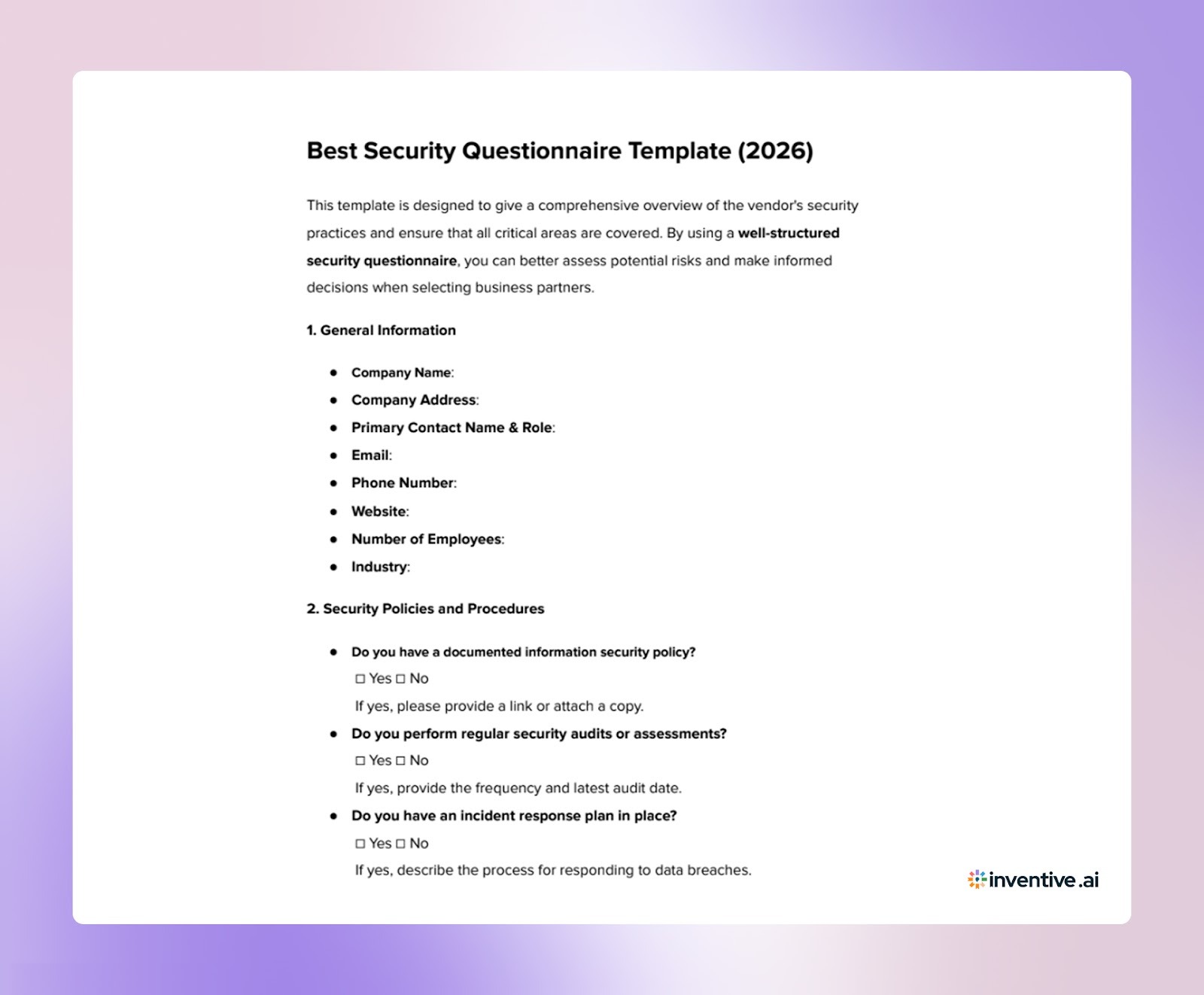

About Security Questionnaire Template
A well-designed security questionnaire template makes answering questions more efficient and ensures that you don’t miss critical information.
What Makes a Good Security Questionnaire Template?
1. Comprehensive Coverage: It should cover all key areas: security protocols, compliance, risk management, data protection, and vendor security practices.
2. Clear and Concise: Questions should be easy to understand and actionable, minimizing confusion.
3. Modular Design: Customizable sections for specific industries or requirements.
Best Template Elements:
1. Vendor Information: Basic details about the company, including security policies, history, and certifications.
2. Risk Assessment: Questions related to risk management, data protection, incident response, and business continuity.
3. Compliance: Focus on the relevant compliance frameworks (GDPR, SOC 2, HIPAA, etc.).
4. Technical Security: Questions about encryption, firewalls, access control, vulnerability management, and secure data handling.
Choose templates that are regularly updated to meet the latest compliance and security standards.
A Proven Process of 5 Steps to Answer Security Questionnaires Without Delays
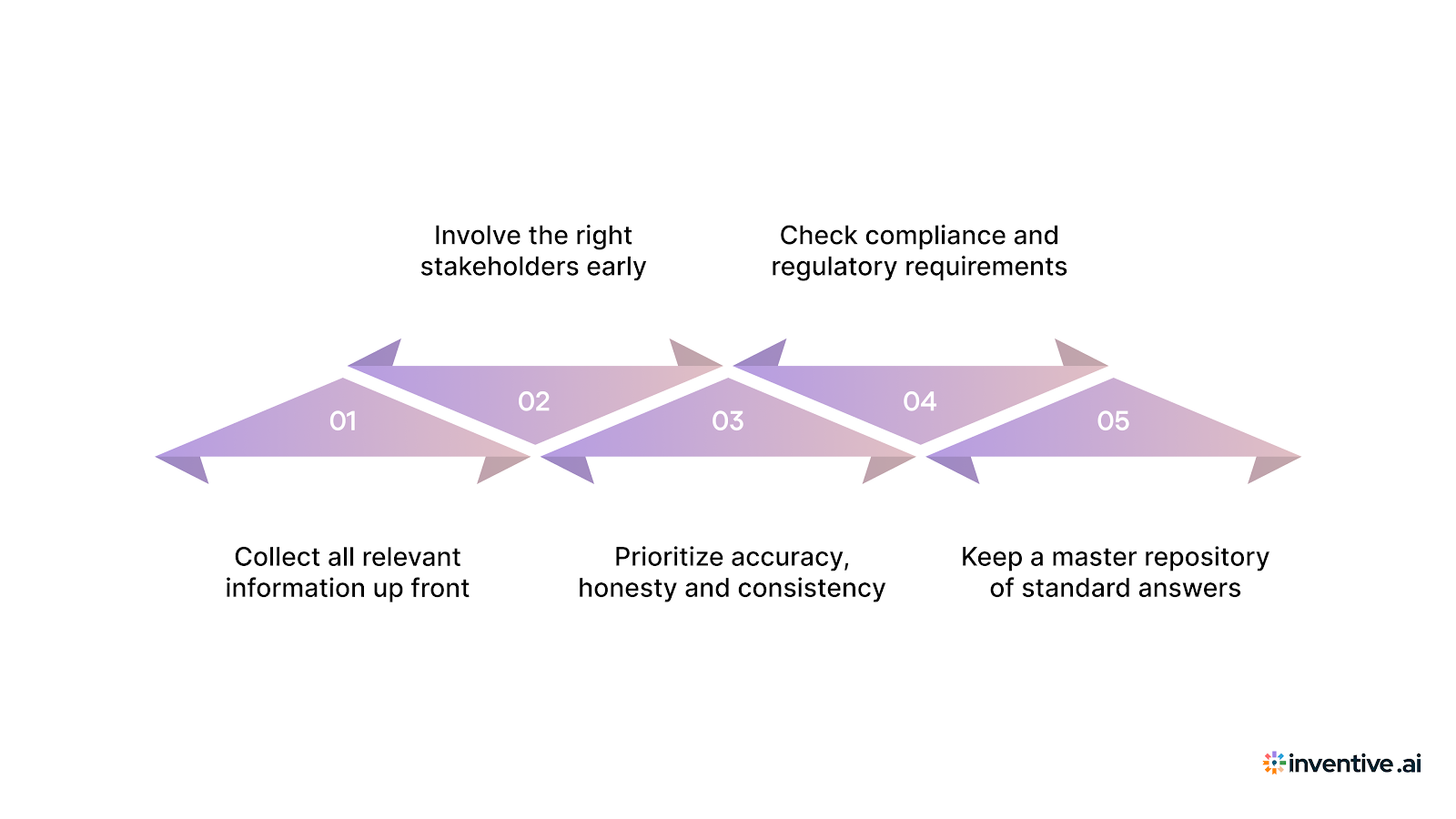
Answering a security questionnaire isn’t just about filling out a form. To get it right, you need a clear, organized process, especially if you care about accuracy, compliance, and fast responses.
Here’s a straightforward approach that works well.
1. Collect all relevant information up front
- Gather your company’s security policies, system architecture diagrams, logs or audit reports, encryption standards, access‑control rules, and any past questionnaire responses.
- Include documentation such as compliance reports or certifications (e.g. SOC 2, ISO 27001), whatever shows evidence of your security posture.
- Having everything ready before you start ensures you don’t scramble for missing data mid‑questionnaire.
2. Involve the right stakeholders early
- Security, IT, Legal, Compliance, and Operations often need to contribute, each brings a different perspective.
- Define who owns each part. For example: compliance answers by the Compliance Officer, technical details by the Security/IT team, and legal‑related parts by Legal.
- Assign clear responsibility and deadlines so nothing gets overlooked.
3. Prioritize accuracy, honesty and consistency
- Always answer based on existing practices, not best‑case scenarios. Accuracy builds credibility.
- Use consistent language across answers to avoid confusion.
- If you plan to improve a security control but haven’t yet, mention the plan, don’t overstate compliance.
4. Check compliance and regulatory requirements
- Many questionnaires map to frameworks such as SOC 2, ISO 27001, GDPR (if relevant), or other industry‑specific standards.
- Validate that your answers comply with these standards, and keep documentation ready for audits.
- If a buyer requires audit‑ready answers, ensure you have evidence to back every claim.
5. Keep a master repository of standard answers
- Maintain a secure, central knowledge base (internal docs, policy libraries, past responses).
- Reuse verified, reviewed answers when similar questions come up.
- This saves time and avoids rewriting from scratch for every questionnaire.
What This Process Delivers
By following this process, you get:
- Faster, more accurate responses without scrambling for data.
- Clear accountability: every stakeholder knows what they own.
- Consistent quality and tone across responses.
- Reduced risk of compliance mistakes or audit failures.
- A reusable asset for future questionnaires.
4 The Most Common Security Questionnaire Challenges Vendors Face with Manual Process
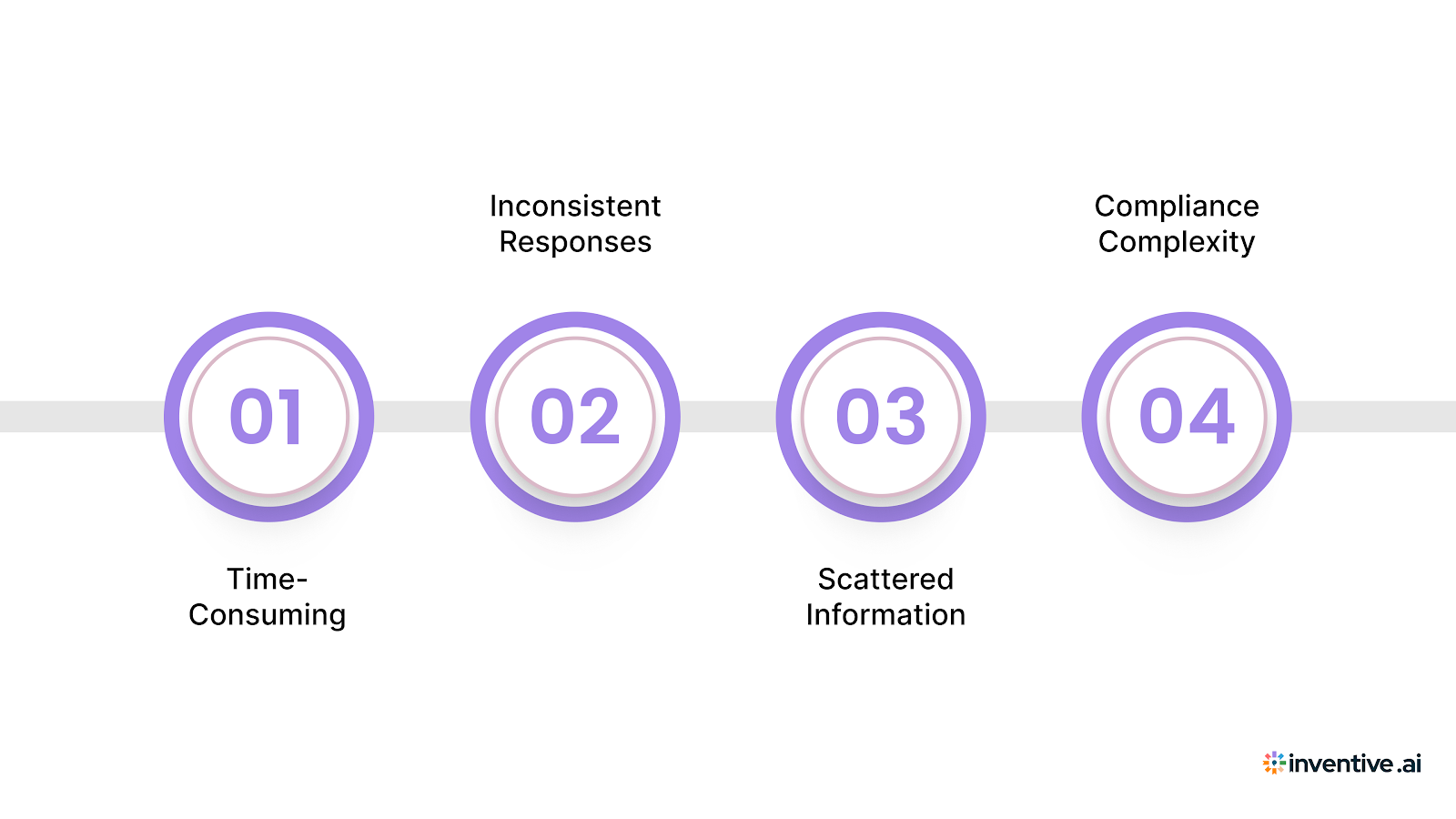
Answering security questionnaires may seem straightforward, but there are several challenges that can complicate the process:
1. Time-Consuming
Gathering information and drafting responses manually takes significant time. A centralized knowledge hub can simplify this by storing all necessary documents and past answers in one place, allowing for quick access and faster responses.
2. Inconsistent Responses
Without a standardized process, responses can vary across departments, making them inconsistent. Automating the response process ensures that every answer follows the same format and aligns with your company’s security practices, maintaining consistency throughout.
3. Scattered Information
Storing content across multiple platforms can make it difficult to find relevant information quickly. By consolidating all documents into one centralized system, you eliminate the time spent searching and ensure quick access to the right content.
4. Compliance Complexity
Ensuring your responses align with regulations like GDPR, HIPAA, or SOC 2 can be overwhelming. AI-powered software can automatically flag outdated or non-compliant content, helping you stay current with regulatory standards and reducing the risk of compliance errors.
To make the process even more efficient, regularly review and update your security questionnaire responses. Keeping them aligned with current compliance standards reduces future friction and helps you respond faster when new questionnaires come in.
Also Read: How to Create an Effective RFP Response
Try Inventive AI - The Best Software to Automate Security Questionnaires
Answering security questionnaires manually can be both time-consuming and error-prone. The good news is that the right software can drastically cut down on response time, improve accuracy, and ensure consistency across your responses.
Inventive AI offers an AI-powered Security Questionnaire Software that automates the entire security questionnaire answering process. Here's how Inventive AI can help:
1. 2× More Accurate Answers
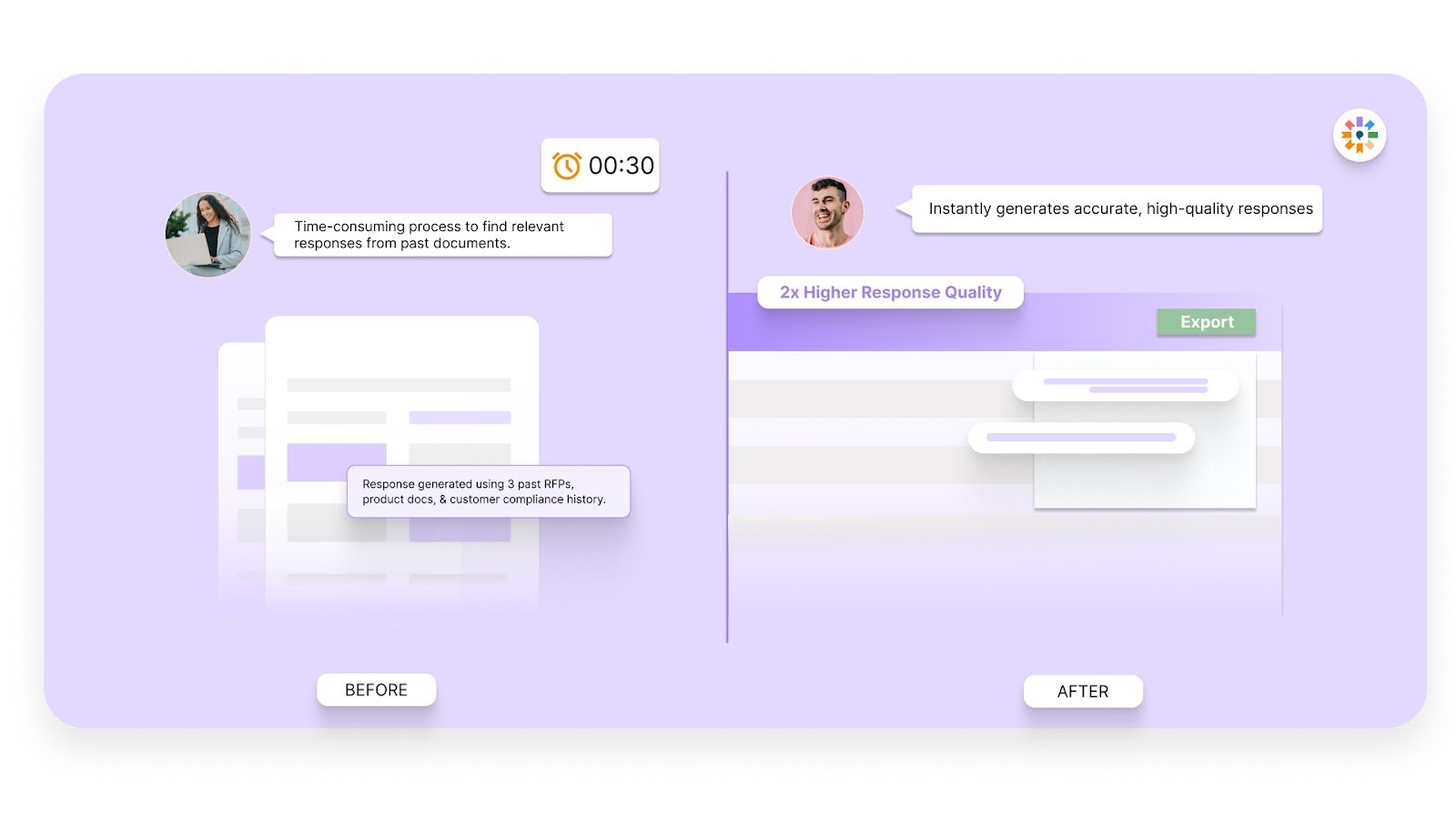
Inventive consistently delivers responses that are 2× better in quality than every other vendor we’ve benchmarked. This sets Inventive apart from competitors, ensuring that your responses are top-tier and aligned with your company’s security practices.
2. Instant Drafting
With AI Automation, Inventive AI instantly generates the first drafts of your security questionnaire responses using your company’s knowledge base and historical answers. This allows you to respond 90% faster, saving your team valuable time.
3. Centralized Knowledge Hub
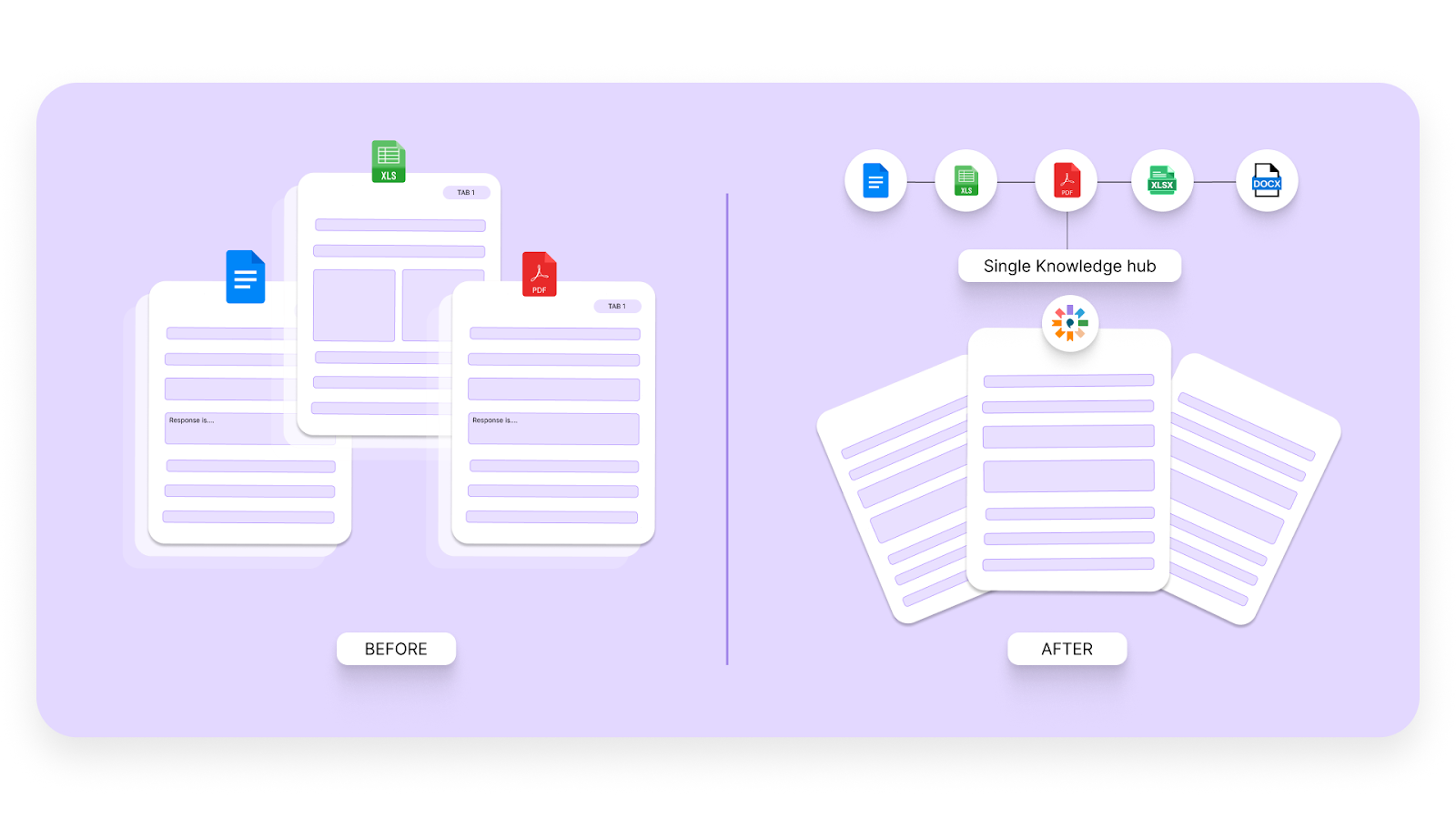
All of your company's security policies, past questionnaires, and relevant documents are stored in one centralized location. This makes it easy to find and reuse content, simplifying the response process and ensuring consistency across all answers.
4. Content Freshness
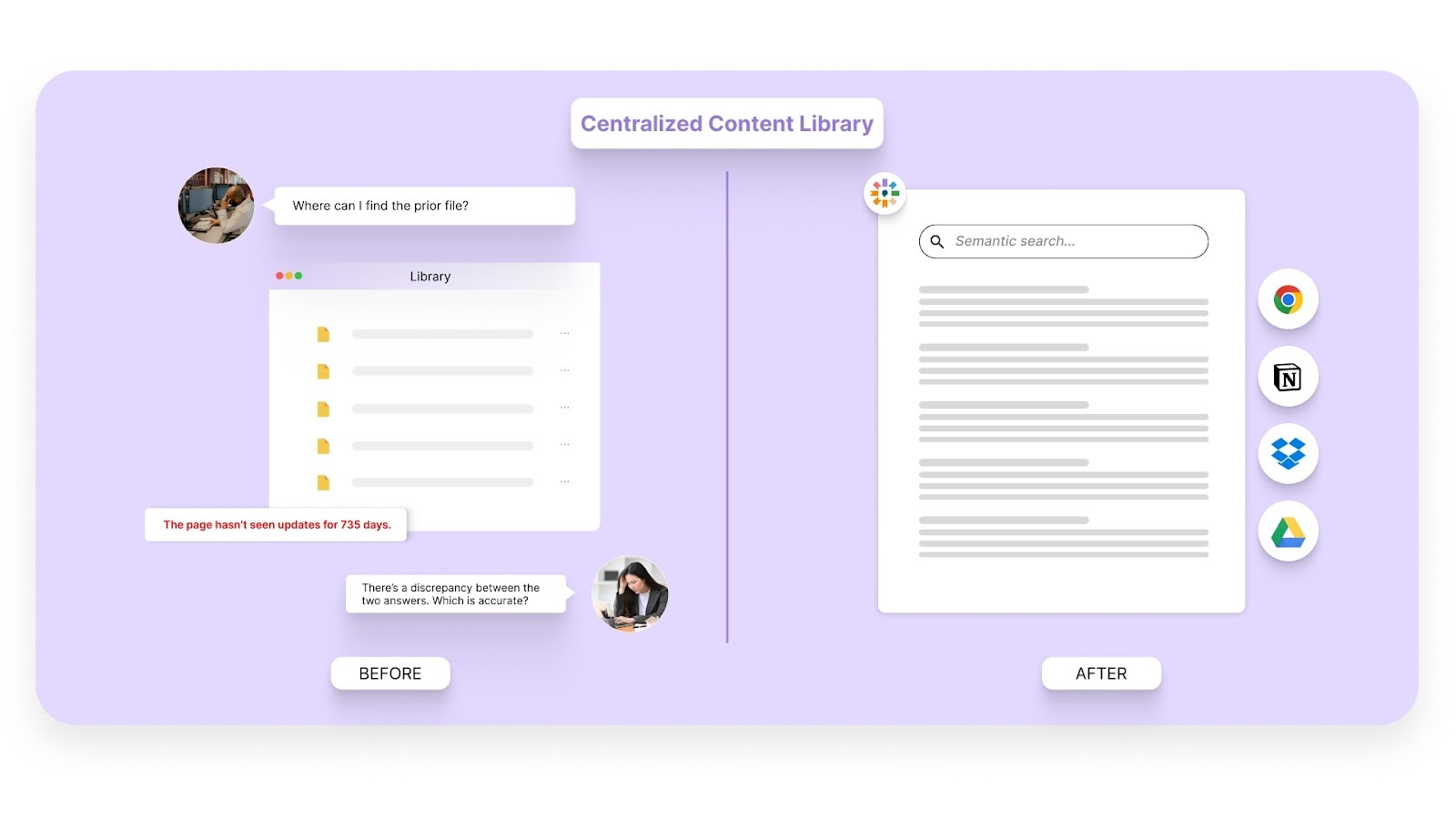
AI Content Manager proactively flags outdated or non-compliant content, ensuring that your responses are always accurate and up-to-date. This eliminates the risk of using stale information that could lead to compliance issues.
5. Collaboration Tools
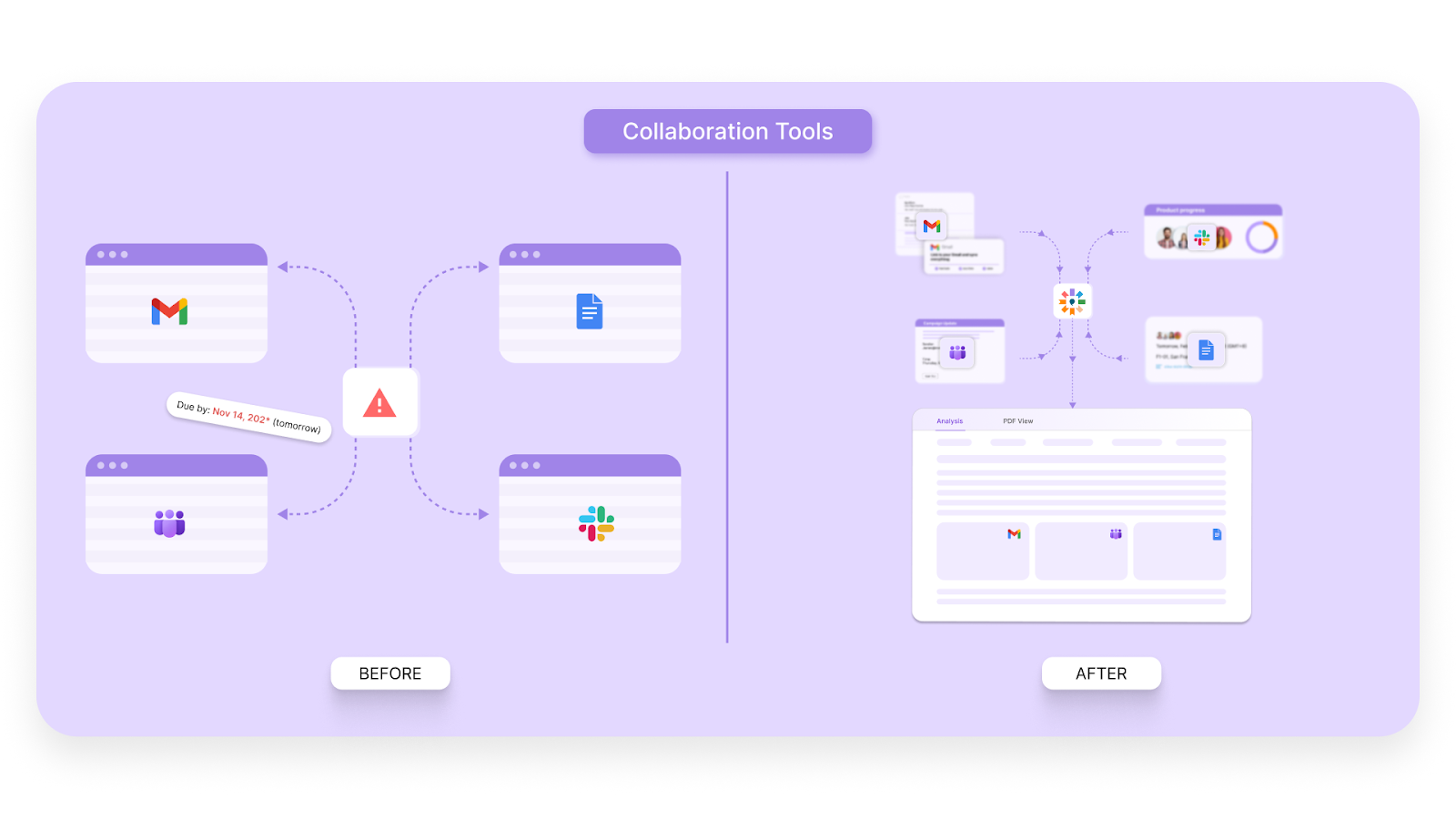
Inventive AI integrates seamlessly with collaboration tools like Slack and Microsoft Teams, enabling your teams to work well together, track progress, and maintain alignment.
Pro Tip: Automating your security questionnaire process with AI ensures consistent, high-quality responses while saving valuable time, keeping your team focused on higher-priority tasks.
Final Thoughts
Answering security questionnaires is a necessary but time-consuming task for many companies. Without the right approach, it can lead to delays, inconsistencies, and missed opportunities.
By using the right tools and templates, you can save valuable time, improve accuracy, and simplify the entire process. Automating your security questionnaire responses with Inventive AI ensures that your answers are not only faster but also more consistent and aligned with your compliance standards.
With Inventive AI’s AI-powered Security Questionnaire Software, you can instantly generate high-quality responses, flag outdated content, and collaborate seamlessly with your team. This helps you stay ahead of regulatory changes while improving your overall efficiency.
Frequently Asked Questions (FAQs)
1. What is a security questionnaire?
A security questionnaire is a set of questions used by organizations to assess the security practices, risk management strategies, and compliance with industry regulations of potential vendors or partners. It helps identify risks before entering into business relationships.
2. How long does it take to fill out a security questionnaire manually?
Manually filling out a security questionnaire can take several hours or even days, depending on its complexity and the involvement of multiple teams (e.g., IT, compliance, legal). The process can be time-consuming due to the need to gather data from various sources.
3. Why should I automate my security questionnaire responses?
Automating your security questionnaire responses simplifies the process, saving significant time and effort. It ensures consistency across responses, reduces human error, and helps maintain compliance with constantly changing industry regulations.
4. What are the best security questionnaire templates available?
The best templates are those that cover all necessary areas like security policies, compliance frameworks (e.g., GDPR, HIPAA), and risk management. They should be customizable for various industries and updated regularly to reflect evolving regulatory requirements.
5. How can Inventive AI help with security questionnaires?
Inventive AI automates the drafting of security questionnaire responses, pulling data from centralized sources to create accurate and consistent answers. It ensures content freshness by flagging outdated information, and integrates collaboration tools, making it easier for teams to work together on responses.