10 Best Sales Proposal Automation Software Tools for 2026
Compare the 10 best sales proposal automation software tools for 2026 by AI drafting, integrations, and pricing to find the right fit for your team.
Sales proposal automation software helps sales teams create, customize, and send proposals faster by reusing approved content instead of starting from a blank document.
Manual proposal work slows revenue teams down. According to a Gartner survey, 77% of sellers struggle to complete their assigned tasks efficiently, and proposal creation is one of the most time-consuming.
This guide compares the 10 best sales proposal automation software tools for 2026, how each one drafts, integrates, and scales, and which type of team it fits.
Key Takeaways
● Sales proposal automation software speeds up proposal creation by reusing approved content, which cuts manual data entry and errors.
● The tools fall into two groups: RFP-response platforms and sales-proposal or CPQ tools. Each fits a different workflow.
● The features that matter most are AI drafting, CRM and content integrations, analytics, and collaboration.
● Pricing ranges from per-user plans to custom enterprise quotes, so match the tool to your proposal volume and team size.
● The right choice depends on how complex your proposals are and how much of the work you want automated.
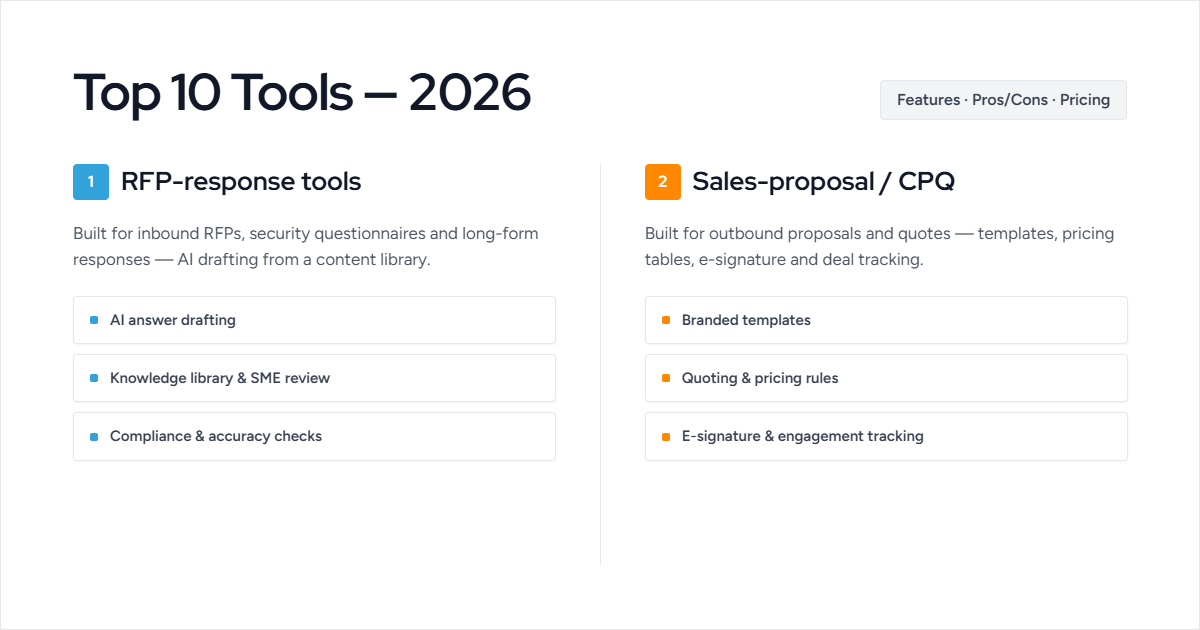
These tools fall into two groups: RFP-response platforms for teams answering formal RFPs and questionnaires, and sales-proposal tools for teams creating and sending outbound proposals.
| Tool | Top Features | Best For | Rating (Gartner / G2) |
|---|---|---|---|
| Inventive AI | AI proposal drafting from your content, CRM and knowledge-source integrations, real-time collaboration | RFP and proposal response at scale | 5/5 |
| Loopio | AI content library, collaborative workflows, CRM integration | Structured content management | 4.4/5 |
| Responsive | RFP automation, AI content suggestions, analytics | High-volume, multi-team RFPs | 4.2/5 |
| 1up | Knowledge automation in chat apps, browser plugin, approval workflows | Cross-channel questionnaire answers | 4.9/5 |
| AutoRFP | Instant AI drafts, unlimited users, multi-channel integrations | Global teams needing unlimited seats | 4.8/5 |
| Qwilr | Interactive web proposals, embedded payments, analytics | Visual sales proposals (not RFPs) | 4.6/5 |
| Proposify | Drag-and-drop editor, engagement tracking, approvals | Branded sales proposals | 4.3/5 |
| GetAccept | Digital sales rooms, video messaging, document tracking | Buyer engagement and deal closing | 4.6/5 |
| DealHub.io | CPQ, contract management, deal rooms, analytics | Quote-to-cash and CPQ workflows | 4.7/5 |
| Qvidian | AI AutoFill, multi-step approvals, analytics dashboards | Enterprise, regulated proposals | 4.7/5 |
Also read: Best 8 Proposal Software in 2026
Top 10 Sales Proposal Automation Tools
Below, we explain the 10 top proposal and sales platforms. Each tool includes its key features, pros and cons, and pricing to help you find the right fit for your sales enablement needs.
Let's explain each tool in more detail:
1. Inventive AI
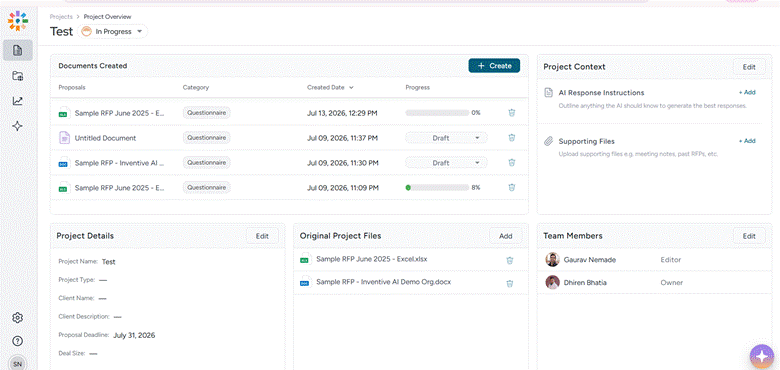
Every sales proposal reuses the same core content: product details, pricing, security and compliance answers, case studies, and standard terms. Drafting that from scratch each time is where reps lose hours.
Inventive AI’s autonomous AI agents draft these repeatable sections from your company's existing knowledge, so reps assemble a proposal in minutes and spend their time on the deal-specific story: the discovery insights, the tailored value, and the close. It's strongest on content that must stay accurate and consistent, and on longer RFP-style responses when a buyer sends formal questions.
Key Features
● Automated proposal drafting. Inventive AI reads the request and generates a complete first draft from your approved content, so reps start from a near-ready proposal in minutes, not a blank page.
● Drafts from your existing knowledge. It pulls directly from Google Drive, SharePoint, Notion, and similar sources, so reps reuse accurate, current material without hunting for it.
● Narrative generation. It drafts full sections like executive summaries and value narratives, giving reps a strong draft to tailor to the buyer.
● Fast adoption. Ranked first on G2 for ease of use, so reps can pick it up without dedicated proposal training.
● Accuracy checks. Content Governance Agent flags contradictory claims and outdated content before a proposal goes out, so reps never send inconsistent pricing or stale details.
Pros (from user reviews)
● Reviewers cite fast onboarding and an interface reps pick up quickly, so it gets used across the team, not just one specialist.
● Users highlight the AI agents for competitive research and win themes, which help reps position a proposal to stand out instead of reading generic.
Cons (from user reviews)
● No mobile app yet, and no Jira integration, so teams managing proposals in project tools can't connect it.
● Limited analytics.
Pricing: Custom, based on team size and features.
Best For: Sales, revenue, and proposal teams that respond to formal RFPs and reuse a lot of content across proposals, and want that content drafted accurately from existing knowledge.
Rating: Gartner Peer Insights 5/5
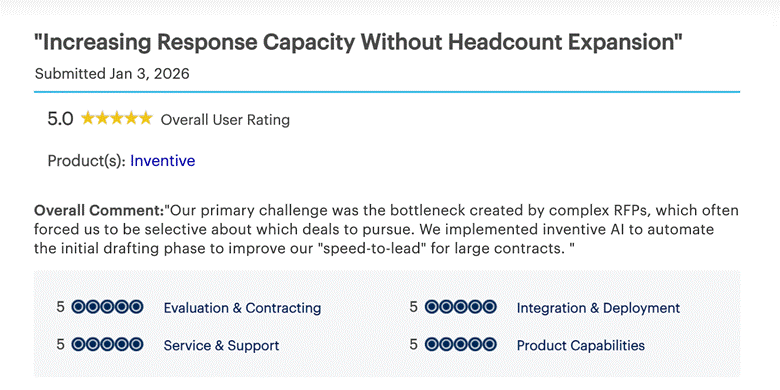
Here’s what others say about Inventive AI:
Want to Know Your Exact ROI?
Use Inventive AI’s ROI Calculator to see how much time and money your team could save based on your current RFP volume.
Try the ROI Calculator2. Loopio
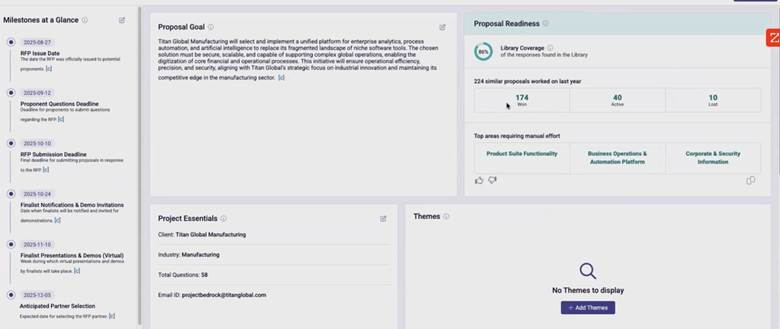
Loopio is a content-library platform that helps sales and proposal teams reuse approved answers across proposals, RFPs, and questionnaires. For sales teams, the value is a searchable library of vetted content, so reps pull the latest approved product, pricing, and security answers into a proposal instead of rewriting them or tracking down the right version. It leans on a maintained library rather than AI-first drafting, which suits teams that already keep their content organized.
Key Features
● Searchable content library. A central store of approved answers and proposal content that reps can search and drop into a proposal, keeping messaging consistent across the team.
● Response automation. Auto-populates recurring questions and sections from the library, cutting the manual copy-paste on repeat content.
● Collaboration and review. Assigns sections to owners and routes reviews, so reps, SMEs, and managers can work on a proposal together without emailing versions around.
● CRM integration. Connects with Salesforce and other CRMs so proposal work stays tied to the deal record.
Pros (from user reviews)
● Reviewers consistently credit the searchable library and ease of use with saving significant time on proposals, and rate support highly.
● Users find it strong for team collaboration, letting multiple people build one proposal at once.
Cons (from user reviews)
● AI drafting sits on top of a content library rather than being AI-native, and reviewers describe the "Magic" AI as hit-or-miss, so proposal drafts still need manual checking for accuracy.
● Users call it expensive for smaller teams, with a steeper learning curve and limited customization at that size.
Pricing: Custom, by users and feature.
Best For: Mid-sized sales and proposal teams that maintain a content library and want reliable reuse and collaboration over AI-first drafting.
Rating: Gartner Peer Insights 4.4/5
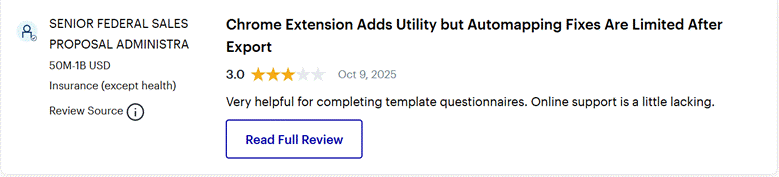
Here's what people say about Loopio:
Looking for a deeper breakdown? Check out our guide on Inventive AI vs. Loopio | Loopio Alternative at a Glance to see how Loopio’s traditional RFP platform stacks up against Inventive AI’s AI RFP Agent.
3. Responsive (formerly RFPIO)
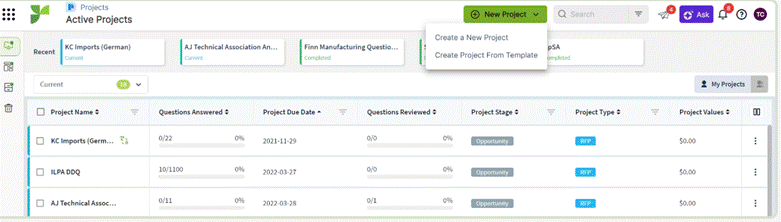
Responsive is an enterprise platform that stores approved proposal content and keeps it tied to the deal. For sales teams, its pull is a deep, well-organized library plus tight CRM integration: a rep can drop vetted product, pricing, and security content into a proposal and keep everything connected to the opportunity in Salesforce or HubSpot. It's built for large teams sending a high volume of proposals, not for occasional or lightweight use.
Key Features
● Content library with AI assist. A large library of approved proposal content with an AI assistant that drafts first-pass sections, so reps reuse standard answers instead of rewriting them for each buyer.
● Proposal workflow management. Assigns sections, owners, and deadlines, giving reps, SMEs, and legal clear visibility into who owns which part of a proposal.
● Deep CRM integration. Connects with Salesforce and HubSpot so proposal content and status stay attached to the deal record reps already work in.
● Engagement and content analytics. Tracks which content gets used and how proposals perform, helping teams double down on what wins deals.
Pros (from user reviews)
● Reviewers praise how well the library organizes past proposal content, calling it reliable for reps juggling many deals at once, and rate support highly.
● Users value the Chrome extension for pulling answers into buyer portals and the multi-language reuse, useful for reps selling across regions.
Cons (from user reviews)
● AI is layered onto a content-library platform rather than built in from the start, so drafts lean on library upkeep, and reviewers note the AI can alter or miss library answers, meaning reps still edit for accuracy before sending.
● Users report the Salesforce integration and reporting can fall short, and support fixes sometimes take a long time.
Also Read: Top 10 Responsive (RFPIO) Competitors & Alternatives 2026
Pricing: Starts at $5000/yr, custom for enterprise plans
Best For: Large sales and proposal teams sending high volumes of proposals that need content depth, workflow structure, and CRM integration tied to every deal.
Rating: Gartner Peer Insights 4.2/5
This is how people review Responsive's features:

4. 1up
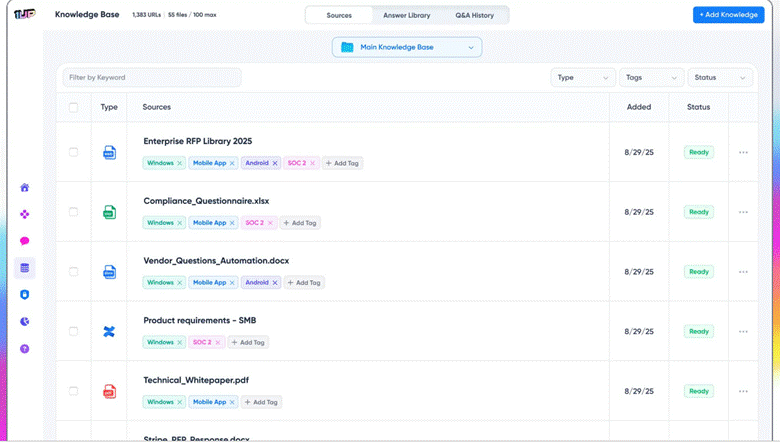
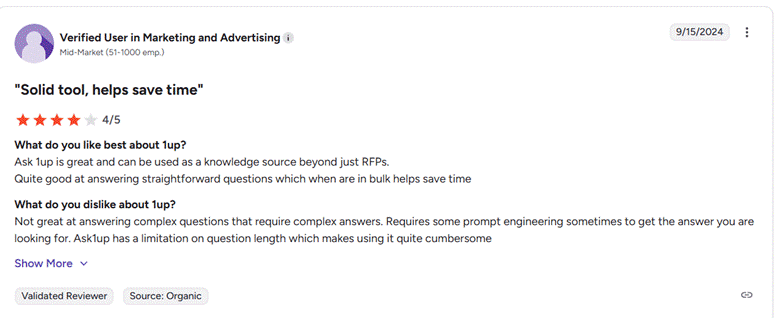
1up pulls approved answers from your company's knowledge into wherever reps are working a deal. It isn't a full proposal builder. Instead, when a buyer sends a list of questions or a security section as part of a proposal, 1up answers them in minutes from trusted content, so reps aren't stalling a deal to chase down a compliance detail or a product spec. It handles the answer-heavy parts of a proposal, while the rep owns the pitch.
Key Features
● Instant answers from your knowledge. Draws on your website, Drive, and security docs to answer the recurring questions buyers attach to a proposal, so reps reuse vetted content instead of writing it fresh each deal.
● Answers inside your deal tools. Surfaces content directly in Slack and Teams, so a rep or SE can pull an accurate answer into a live buyer conversation without switching tools.
● Browser plugin for buyer portals. Fills questionnaire and security sections directly in the portals buyers use, which speeds up the parts of a deal that usually bottleneck.
● Trust hub. A self-serve page for your security and compliance docs, so buyers get answers on their own and reps field fewer one-off questions mid-deal.
Pros (from user reviews)
● Reviewers credit it with saving days each month by auto-answering the technical and security questions that come up during deals, and rate the support team highly.
● Users value pulling real-time competitive and product answers into sales conversations through Slack, which helps reps respond to buyers faster.
Cons (from user reviews)
● It answers questions; it doesn't build the proposal. Reviewers note it won't tailor a proposal to a specific buyer's deal or run a full proposal workflow, so reps still author the pitch around it.
● Users find answers can be inconsistent on complex questions, and note it's an earlier-stage product still adding features.
Also Read: 1Up vs Responsive: Choosing the Right RFP Tools for 2026
Pricing: Starter $300/month, Plus $500/month, Pro $850/month, Enterprise custom.
Best For: Reps, presales, and SEs who need fast, accurate answers to the question-and-security parts of a proposal while they focus on winning the deal.
Rating: G2 4.9/5
5. AutoRFP AI
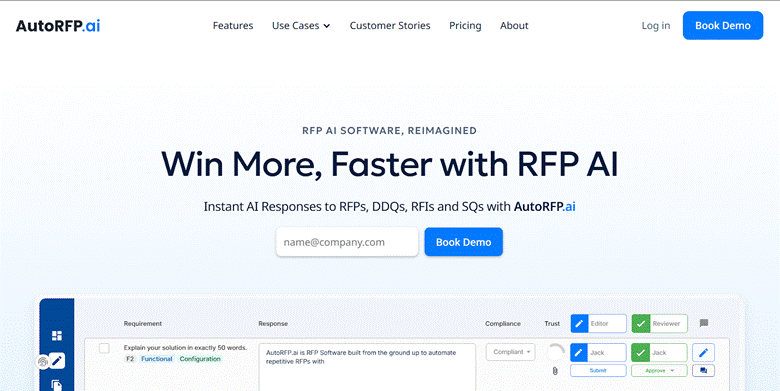
AutoRFP.ai is an AI-first tool that drafts responses from your approved content and scores how confident it is in each one. For sales teams, its pull is speed with unlimited users: any rep, SE, or SME can jump in without a per-seat cost, and the AI drafts the repetitive, content-heavy parts of a proposal in seconds while flagging which answers to double-check. It's built AI-first rather than as a library with AI added on, so drafts start stronger.
Key Features
● AI drafting with Trust Scores. Generates draft answers from your content and attaches a confidence score to each, so reps know which parts of a proposal are solid and which need a look before sending to the buyer.
● Unlimited users on every plan. No per-seat cost, so reps, SEs, and SMEs can all contribute to a proposal without the team worrying about licenses.
● Works across formats and portals. Handles Excel, Word, and PDF plus buyer portals through a browser extension, useful for the questionnaire sections buyers attach to a deal.
● Collaboration with reminders. Assignments, notifications, and Slack and Teams integration keep a proposal moving when several people own different parts.
Pros (from user reviews)
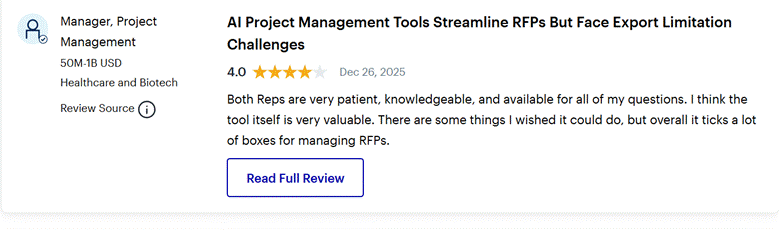
● Reviewers repeatedly cite major time savings, with the AI matching new questions to past approved answers so reps stop rewriting the same content each deal.
● Users value that it's AI-first with source-backed Trust Scores, giving reps a stronger, more trustworthy first draft than library-only tools.
Cons (from user reviews)
● Reviewers describe the interface as not intuitive, with a learning curve and limited template flexibility, so reps need some ramp-up.
● Like other content-based tools, it doesn't pull live deal context from CRM or discovery calls, so drafts don't reflect what a rep learned about the specific buyer.
Pricing: Public, from $899/month; unlimited users. Higher tiers scale by projects per year.
Best For: Sales and bid teams that want fast, AI-first drafting of the repetitive parts of a proposal, with unlimited users so anyone can contribute.
Rating: Gartner Peer Insights 4.8/5
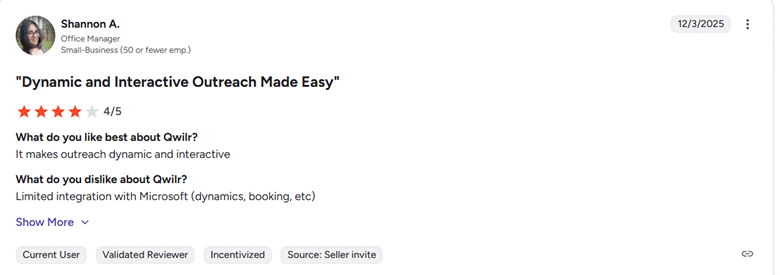
6. Qwilr
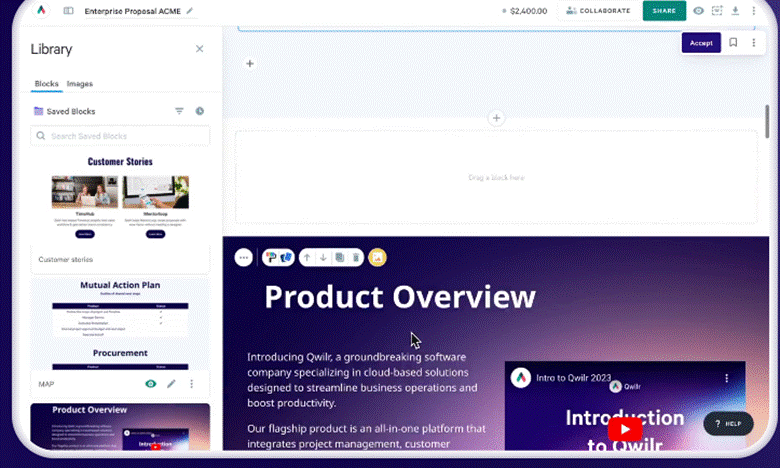
Qwilr turns sales proposals into interactive web pages instead of static PDFs, so buyers open a branded, trackable proposal with embedded pricing, video, and e-signature. For reps, the draw is engagement and speed to close: proposals look polished without a designer, buyers can accept and pay inside the page, and reps see exactly what the buyer viewed so they can time the follow-up. It's built for outbound sales proposals, not formal RFP responses.
Key Features
● Interactive web proposals. Reps build branded proposals with modular blocks, live pricing tables, and embedded video, so the proposal feels like a buying experience rather than a document.
● Buyer engagement tracking. Shows which sections a buyer viewed and for how long, with real-time Slack or email alerts, so reps follow up on what the buyer actually cares about.
● Built-in e-signature and payments. Buyers accept and pay inside the proposal, which shortens the gap between "yes" and closed.
● CRM automation. Connects with Salesforce, HubSpot, and Pipedrive to auto-populate proposals from deal data, so reps don't rekey buyer details.
Pros (from user reviews)
● Reviewers consistently praise how professional the interactive proposals look and how fast the drag-and-drop editor is, even for reps who aren't designers.
● Users value the engagement analytics and quick setup, plus responsive support, calling it a genuine upgrade over static PDF proposals.
Cons (from user reviews)
● Reviewers cite limited customization for specific layouts, and integration gaps (notably QuickBooks and some payment options), so it doesn't bend to every workflow.
● Users find it expensive for solo or very small teams, and note it isn't suited to complex RFPs or security questionnaires.
Pricing: Business $35/user/month, Enterprise $59/user/month; 14-day trial.
Best For: Sales teams sending outbound proposals who want visually engaging, trackable documents that help close deals faster, rather than RFP-response automation.
Rating: G2 4.6/5
7. Proposify
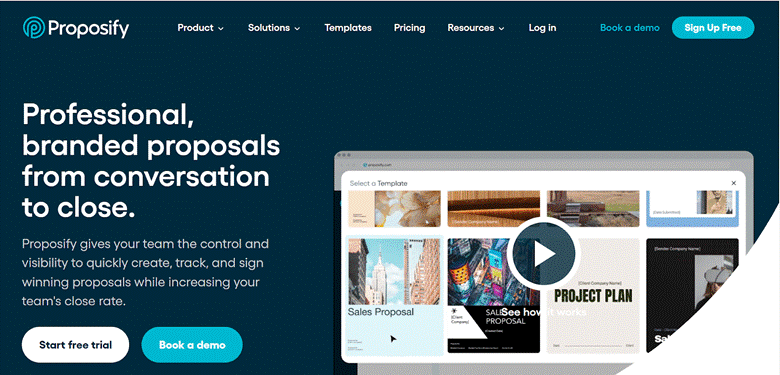
Proposify helps sales teams create branded proposals from templates, send them, and track them through to signature. For reps, the value is consistency and visibility at the close: a library of on-brand templates and pricing tables means every proposal looks professional without rebuilding it, and engagement tracking shows where a deal stands. It's a design-and-close proposal tool, not an RFP-response or AI-drafting platform.
Key Features
● Template and content library. Reusable, on-brand templates, pricing tables, and snippets, so reps assemble a polished proposal in minutes instead of formatting from scratch.
● E-signature and pricing tables. Built-in legally binding signatures and interactive pricing let buyers review options and sign in the document, speeding the close.
● Engagement tracking. Shows when a proposal is opened, viewed, and signed, so reps know when to follow up and which sections drew attention.
● CRM integration. Connects with Salesforce and HubSpot to pull deal and contact data into proposals and keep the pipeline updated.
Pros (from user reviews)
● Reviewers consistently praise the ease of building professional, branded proposals fast, and credit it with cleaner, more consistent proposals across the team.
● Users value the e-signature and tracking for tightening the close, with several citing faster turnaround and better close rates.
Cons (from user reviews)
● Reviewers find advanced formatting and pricing-table edits restrictive, and report occasional bugs during editing.
● Users note the tiers get expensive for small teams (the Business plan carries a 10-user minimum), and its AI is supplementary, so it doesn't draft deal-specific content the way an AI-first tool would.
Pricing: From $29/month (Basic); Team and Business tiers scale by users; Business has a 10-user minimum.
Best For: Sales teams that send a steady volume of outbound proposals and want branded, trackable documents with e-signature to close faster, rather than AI drafting or RFP responses.
Rating: G2 4.6/5
8. GetAccept
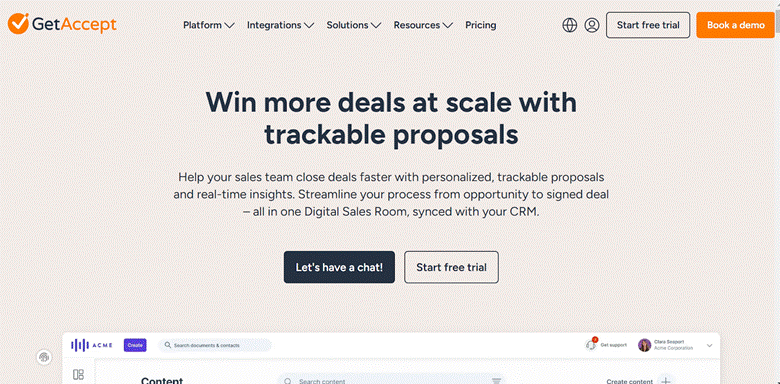
GetAccept is a digital sales room built to move a deal from proposal to signature in one shared space. For reps, the pull is buyer engagement: a proposal, contract, video, and chat live together in a branded room, and the rep sees exactly how the buyer interacts with it. It's a deal-engagement and closing tool more than a proposal drafting or RFP-response platform.
Key Features
● Personalized video. Reps embed short videos directly in the proposal, useful for adding a human touch to complex deals where a personal message moves the buyer.
● Engagement tracking. Real-time visibility into what the buyer viewed and for how long, so reps time follow-ups around actual interest.
● E-signature and CRM integration. Built-in signing plus Salesforce and Dynamics integration keep the close fast and the pipeline current.
Pros (from user reviews)
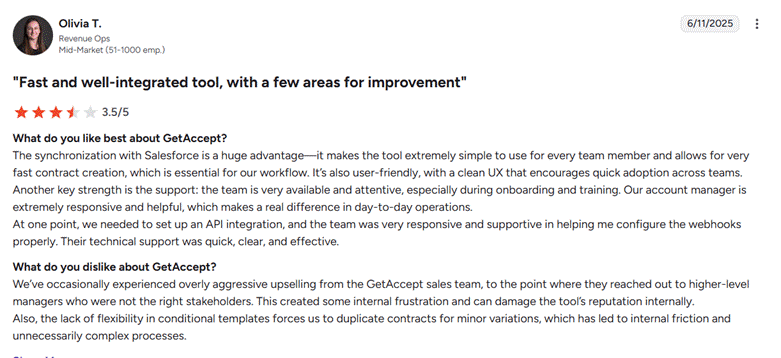
● Reviewers cite ease of use and the deal-tracking visibility as the top strengths, calling the sales room a genuine help for centralizing a deal and timing follow-ups.
● Users value the personalized video and responsive support, with several crediting it for keeping complex deals moving.
Cons (from user reviews)
● Reviewers find templates rigid and customization limited below Enterprise, and note editing can be clunky when adjusting a proposal.
● Users flag contract terms and pricing as points to check (multi-day cancellation notice, seat minimums), so read the fine print before committing.
Pricing: Entry from $25/user/month; Professional $49/user/month (seat minimums apply).
Best For: Sales teams that want a buyer-facing deal room with engagement tracking and video to close complex deals, rather than proposal drafting or RFP automation.
Rating: G2 4.6/5
9. DealHub.io
DealHub combines CPQ, contract management, and proposal generation in one platform, so quoting and proposals stay tied to pricing rules and approvals. For reps, the value shows up on deals with complex pricing: DealHub configures the quote, applies approved pricing and discount guardrails, and generates a proposal without the manual math or version errors. It's a quote-to-close platform, not an RFP-response or AI-drafting tool.
Key Features
● CPQ engine. Configures products, pricing, and quotes with built-in rules and guided selling, so reps build accurate proposals for complex or subscription deals without spreadsheets.
● DealRooms. A shared space where reps and buyers collaborate on the proposal and contract, keeping the deal in one place through approval and signature.
● Approval workflows and contract management. Routes pricing and legal approvals and handles redlining and e-signature, which keeps compliant proposals moving.
● Native CRM sync. Auto-updates Salesforce, HubSpot, and Dynamics, so reps don't rekey deal data across systems.
Pros (from user reviews)
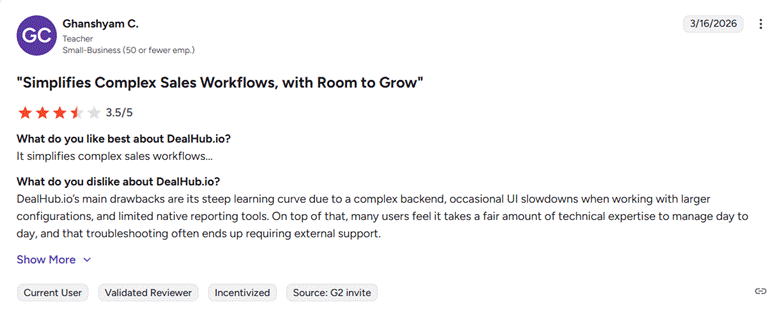
● Reviewers repeatedly credit the Salesforce integration and guided quoting with removing manual work and pricing errors, so reps build accurate proposals fast.
● Users value the built-in guardrails and pre-approved language, which give sales, legal, and finance confidence that every quote is correct.
Cons (from user reviews)
● Reviewers cite a complex setup that requires admin training, and note some in-house changes may need a Salesforce CPQ partner.
● Users report occasional loading delays and performance issues under heavier data loads, especially in large catalogs.
Pricing: Custom, not publicly listed.
Best For: Sales teams whose proposals depend on complex pricing, subscriptions, or multi-step approvals, and who want CPQ and quoting tied to the proposal, rather than RFP responses or AI content drafting.
Rating: G2 4.7/5
10. Qvidian
Qvidian is an enterprise proposal and RFP-response platform with a content library and strong compliance controls. For sales and proposal teams at larger, regulated companies, its value is a governed, reliable store of approved answers plus workflow across departments, so proposals stay consistent and audit-ready. It's built for structured, compliance-heavy proposal operations rather than fast, design-led sales proposals.
Key Features
● Content library and search. A central store of approved proposal answers with autosearch, including the ability to load a spreadsheet and search across cells, so reps reuse vetted content for questionnaire-heavy proposals.
● Proposal and template management. Pre-approved templates and formatting rules keep proposals consistent and on-brand across teams and departments.
● Workflow and SME assignment. Routes sections to owners and reviewers with approval steps, giving structure to proposals that involve sales, legal, and operations.
● Microsoft Office and CRM integration. Works closely with Word and Excel and connects to CRM, with CPQ integration that some competitors lack.
Pros (from user reviews)
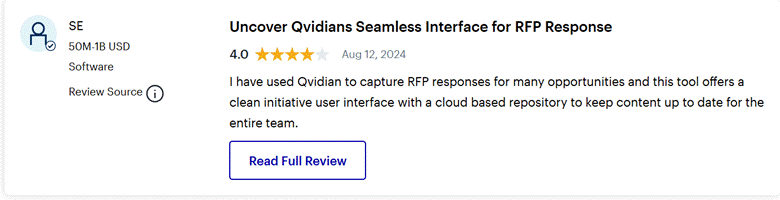
● Reviewers praise the content library and search for centralizing common proposal answers, and value the compliance controls and personalized support.
● Users credit it with real-time savings on questionnaire-heavy proposals, especially the ability to run autosearch across complex spreadsheets.
Cons (from user reviews)
● Reviewers describe the interface as dated and the search as slow, often needing several attempts to surface the best answer, with a complex implementation.
● Users find it expensive for smaller teams, and several note their reps have shifted to PowerPoint proposals, so they use Qvidian more for questionnaires than for building the sales proposal itself.
Also Read: Qvidian vs Responsive vs Inventive AI: The AI-First Shift
Pricing: Custom, not publicly listed.
Best For: Large, regulated sales and proposal teams that need governed content, compliance controls, and structured workflow for questionnaire-heavy proposals, rather than fast, design-led sales proposals.
Rating: Gartner Peer Insights 4.6/5
What to Look for in Sales Proposal Automation Software
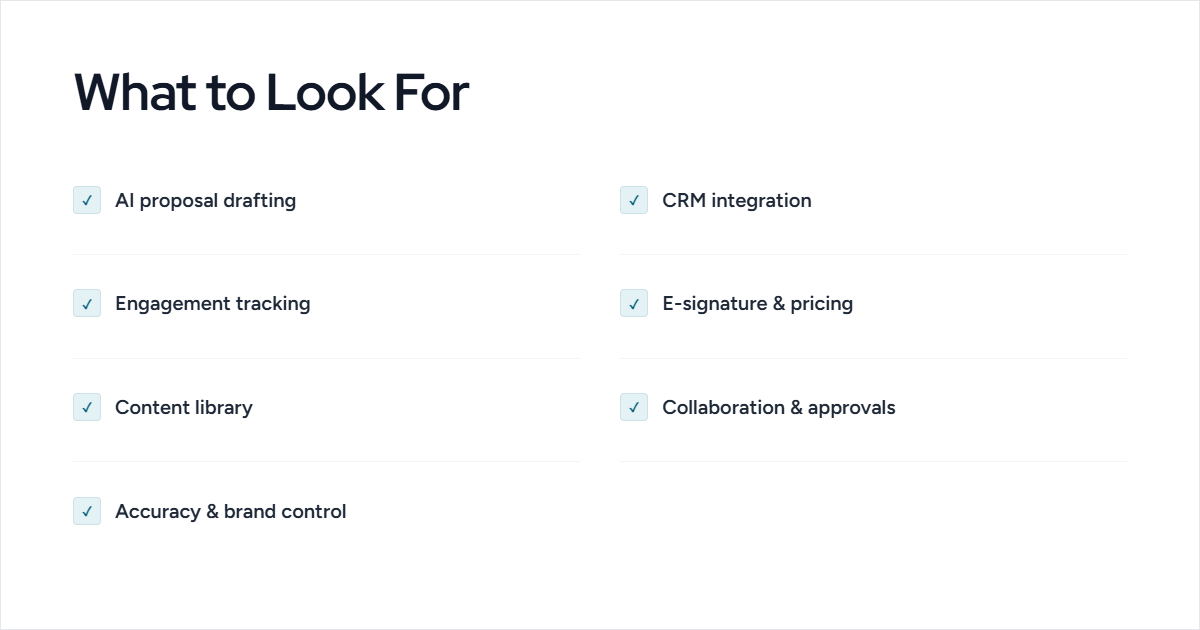
The right tool depends on how your team sells, but a few capabilities matter across most sales proposal workflows:
- AI Proposal drafting. Whether it drafts from your existing content or builds from templates, the tool should get reps to a near-complete proposal fast, so they're editing rather than starting from a blank page.
- CRM integration. It should connect to Salesforce, HubSpot, or your CRM so reps pull deal and contact data into proposals and keep the pipeline updated without rekeying.
- Buyer engagement tracking. Visibility into what a buyer viewed and when tells reps where a deal stands and when to follow up.
- E-signature and pricing. Built-in signing and clear pricing tables shorten the gap between "yes" and closed.
- Content library and reuse. A store of approved product, pricing, and security answers keeps proposals consistent and accurate across the team.
- Collaboration and approvals. Reps, SMEs, legal, and finance should be able to work on one proposal with clear ownership and review, so deals don't stall waiting on sign-off.
- Accuracy and brand control. The tool should keep pricing, claims, and branding consistent, so no proposal goes out with stale or off-message content.
Also Read: Comparing Top 5 RFP Sales Automation Software In 2025
How to Pick the Best Proposal Automation Software?
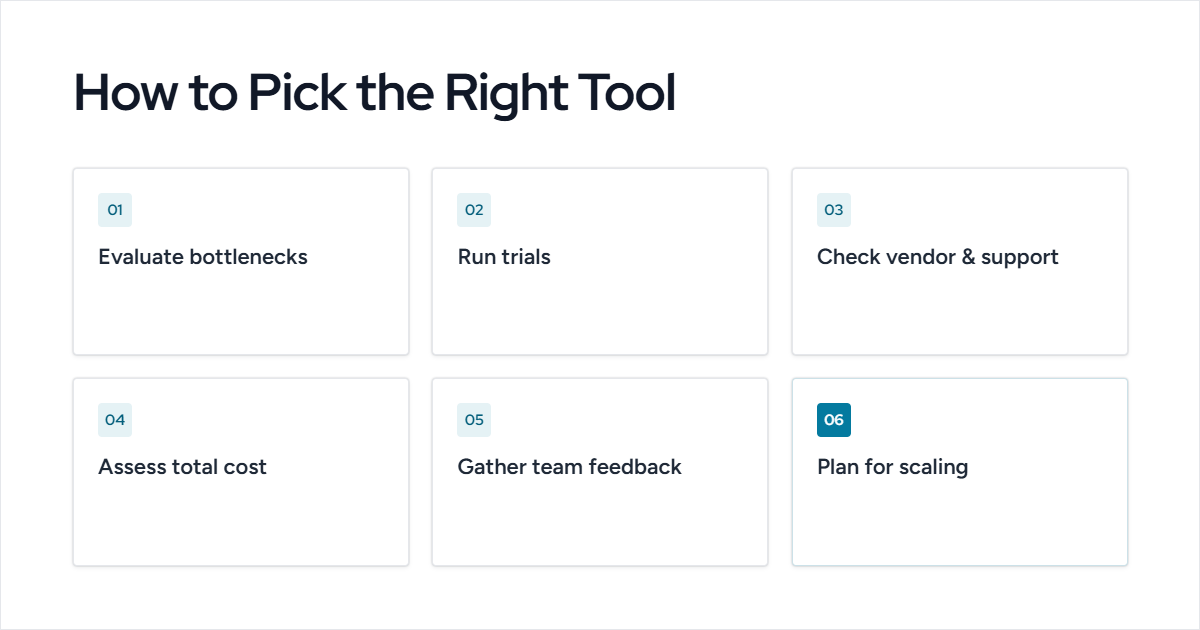
Once you know what features matter most, evaluating RFP software becomes more straightforward. Focus on how each platform supports your sales process and proposal workflow:
● Evaluate Your Bottlenecks: Identify where proposal delays or errors occur and what tasks need automation.
● Run Trial Versions: Test a few shortlisted tools to see how they perform with your actual workflows.
● Check Vendor History and Support: Look for a vendor with a strong track record in sales enablement and responsive customer support.
● Assess Total Cost of Ownership: Consider licensing, setup, training, and ongoing maintenance costs, not just the sticker price.
● Gather Team Feedback: Involve end-users in trials to ensure adoption and usability.
● Plan for Scaling: Choose a solution that can grow with your team and handle increasing proposal volume.
| Aspect | Manual Proposal Management | AI-Powered Proposal Management |
|---|---|---|
| Speed | Slow, repetitive tasks take hours or days | Faster; automated content and workflow generation |
| Accuracy | Prone to human error | High accuracy in content and data handling |
| Scalability | Limited; difficult to handle many proposals simultaneously | Easily scales to handle multiple RFPs at once |
| Consistency | Brand and formatting may vary | Maintains brand, formatting, and standardized responses |
| Insights | Hard to track performance | Provides actionable metrics and suggestions |
| Effort | High manual effort, tedious tasks | Minimal effort; AI handles repetitive work |
7-Step Buying Guide for AI-Driven RFP Software
We’ve collected insights from 100+ sales and proposal experts to help you evaluate vendors, compare features, and choose the right AI-driven RFP solution for your team.
Download the EbookChoosing the Right Sales Proposal Automation Tool
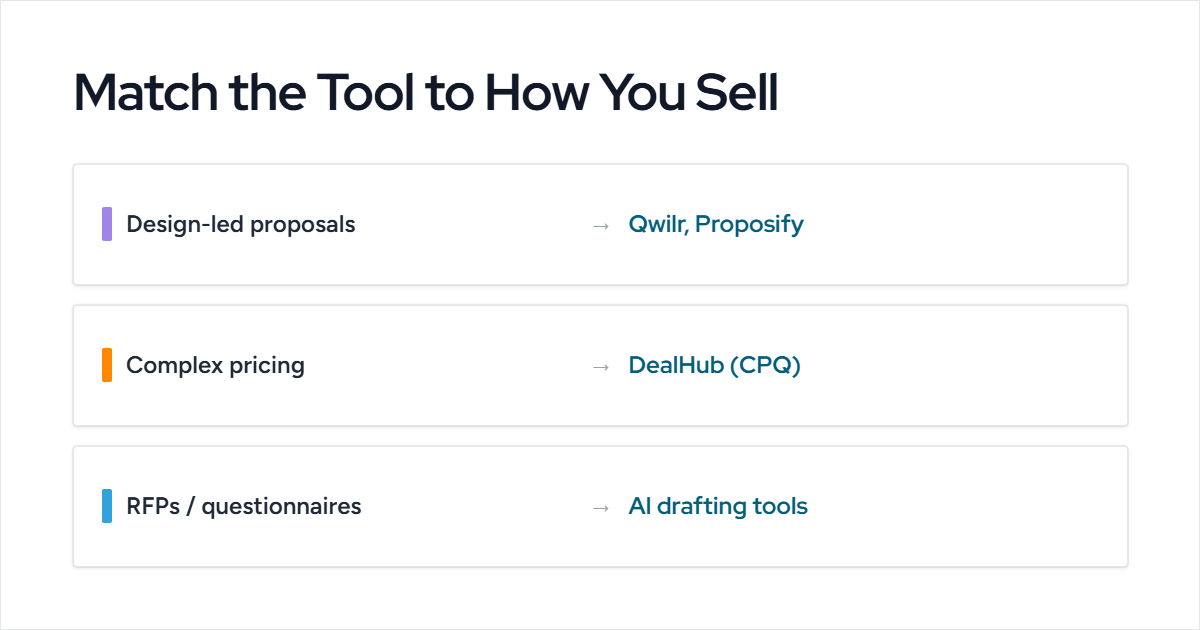
The best tool depends on how you sell. Design-led tools like Qwilr and Proposify fit outbound, visual proposals. CPQ-based tools like DealHub fit complex pricing. AI drafting and response tools fit teams handling questionnaires and RFPs. Many sales teams use more than one.
Match the tool to your proposal type and CRM, then test it on a real deal before committing. For teams whose proposals lean on reusable content, Inventive AI drafts those sections from your existing knowledge, so reps spend less time assembling a proposal and more time tailoring it to the buyer. See how it fits with a quick demo.
Boost Your Proposal Success With Inventive AI
Increase your proposal win rate by 50% with Inventive AI’s RFP Agent.
Book a DemoFAQs about Proposal Automation Tools for Sales Enablement
Does sales proposal automation software integrate with my CRM?
Most tools connect with Salesforce, HubSpot, and Pipedrive, and this is the integration that matters most. Sales ops teams consistently warn that a tool without solid CRM integration forces manual data entry, which cancels out much of the time savings. Confirm your specific CRM is supported before you buy.
Is proposal automation software worth it for a small sales team?
It can be, but match the tool to your size. Per-user plans on tools like Proposify and Qwilr add up quickly as you add seats, so smaller teams often start with a simpler or lower-tier option. Solo sellers and lean teams usually get more value from an easy, guided tool than a complex enterprise platform they won't fully use.
Can AI write a sales proposal from a discovery call?
Partly. AI tools draft the reusable sections, product details, pricing, security answers, and standard terms, and some can pull structure from notes, but they don't replace the rep's judgment. The deal-specific narrative from a discovery call still needs the rep to shape it, so treat AI as a fast first draft, not the finished proposal.
What's the difference between sales proposal tools and RFP response tools?
Sales proposal tools (like Qwilr, Proposify, and GetAccept) help reps create and send outbound proposals to a buyer. RFP response tools (like Inventive AI, Loopio, and Responsive) help teams answer formal, inbound questions a buyer sends. They overlap on content reuse, but they solve different moments in the deal.
How long does it take to implement proposal automation software?
It varies by tool. Design-led proposal tools can be live in days, while CPQ platforms like DealHub and enterprise systems like Qvidian often take weeks and need admin setup. Factor in content migration and CRM configuration when you plan the rollout.

.avif)


.png)