Create Effective Templates for Saas RFP: A Complete Guide

The RFP process is one of the most tedious and time-consuming tasks for SaaS vendors. Teams often spend hours drafting and revising proposals, yet many still rely on inconsistent methods that lead to errors, delays, and frustration. But there’s a smarter way to handle it.
Nearly 90% of IT professionals agree that automation is essential for managing SaaS operations, with 64% of organizations reporting significant reductions in manual work due to automation.
Imagine how much easier your RFP responses could be if you had a ready-made template that guided your team, saving hours of effort and ensuring consistency in every proposal.
In this guide, we’ll cover the key components of an effective SaaS RFP template, how it can simplify your process, and how adopting a structured approach can help you respond faster, more accurately, and win more deals.
Key Takeaways
- SaaS RFP Templates Save Time: Using a standardized RFP template helps vendors respond faster and ensures consistent, high-quality proposals.
- Key Components of a SaaS RFP Template: A comprehensive SaaS RFP includes sections like company overview, project scope, technical requirements, security, pricing, and support expectations.
- Responding to SaaS RFPs: Tailor your responses to the buyer’s needs, address their pain points, and ensure clarity on requirements to stand out.
- Common Mistakes to Avoid: Avoid generic responses, overlooking security details, and ignoring submission guidelines to improve your chances of winning.
- Inventive AI Simplifies the Process: AI-powered tools like Inventive AI help automate content creation, flag outdated info, detect conflicts, and improve proposal quality and speed.
The Complete SaaS RFP Response Template for Clear, Compelling Proposals
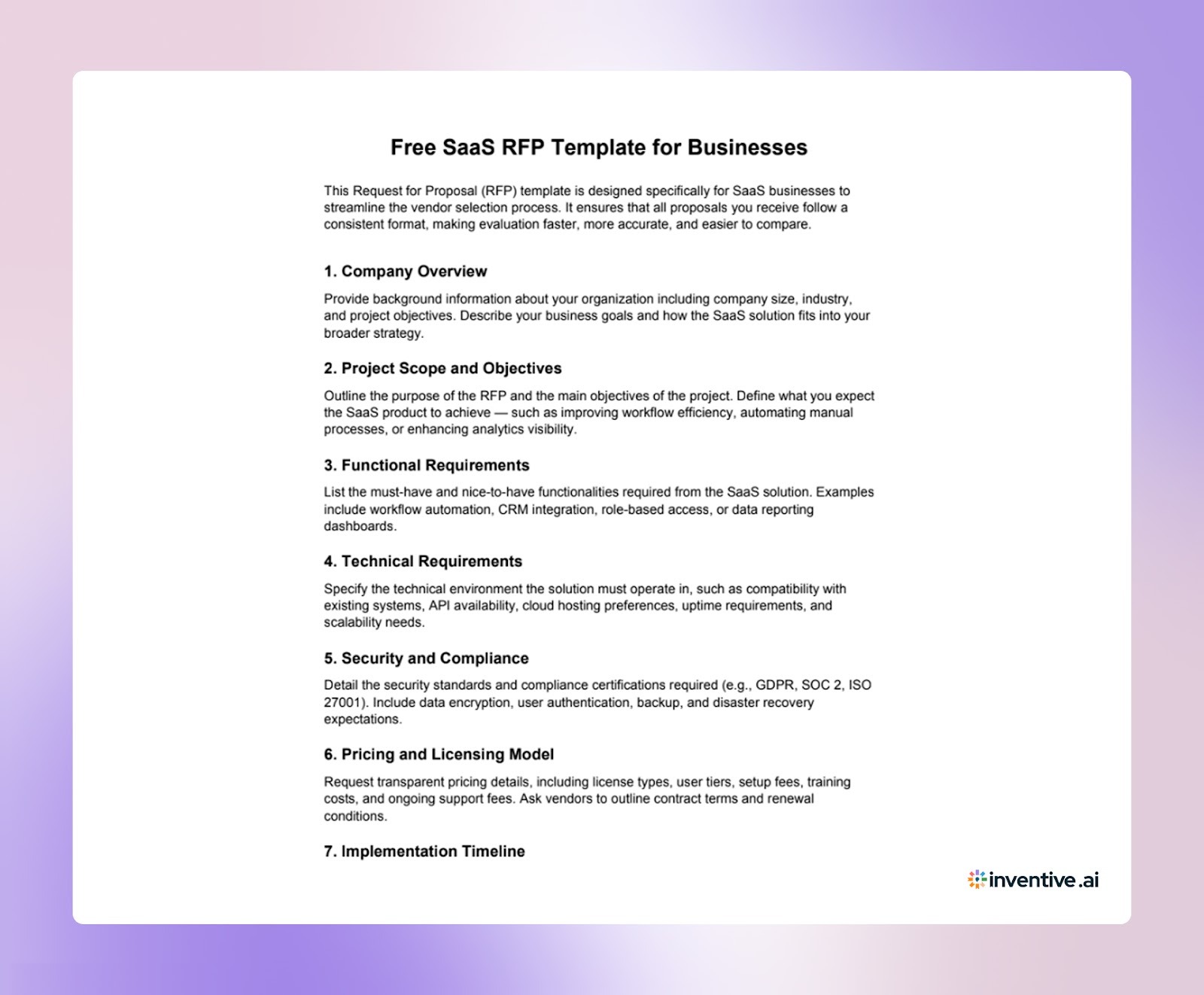

About This SaaS RFP Response Template
This SaaS RFP response template is a comprehensive and easy-to-use framework designed to help you craft high-quality, tailored proposals for SaaS RFPs. The template covers all critical sections, from company background and technical requirements to pricing and vendor qualifications, helping you submit well-structured proposals that stand out.
What This Template Includes:
- Structured sections for company background, project scope, technical specifications, security compliance, and vendor experience.
- Clear guidelines for detailing how your solution meets the buyer’s needs and solves their specific challenges.
- Predefined sections to ensure you include all necessary details, reducing the risk of missing key information.
Why Use This Template?
- Save time by using a proven framework that simplifies the RFP response process.
- Improve consistency and clarity across all your submissions, making it easier to compare proposals.
- Customize each section to focus on the buyer's pain points, ensuring your solution aligns perfectly with their goals.
By using this template, you streamline your proposal process, increase the quality of your responses, and boost your chances of winning contracts in the competitive SaaS market.
How to Respond to SaaS RFPs Effectively Using This SaaS RFP Template?
Responding to a SaaS RFP becomes much easier with a structured template. Here’s how to make the most of the template to create a clear, tailored, and effective response:
1. Align Your Response with the Buyer’s Objectives
Start by customizing the introduction to reflect the buyer’s specific goals and challenges. Use the template’s flexible sections to address how your solution meets their needs, whether it’s improving efficiency, scaling operations, or enhancing customer experience.
2. Tailor the Scope of Services Section
The scope of services section in the template allows you to list exactly what your SaaS solution provides. Make sure to highlight the features most relevant to the buyer’s requirements, whether it’s automation, analytics, or CRM integration. Use specific examples to show how your solution aligns with their expectations.
3. Highlight Security and Compliance Features
Security and compliance are essential for SaaS solutions. Customize the template to highlight how your solution meets industry standards and complies with regulations like GDPR, SOC 2, or CCPA. Use the template’s pre-filled sections to provide clear, specific details about your security measures and certifications.
4. Showcase Your Experience and Expertise
Use the vendor qualifications section to showcase your experience. The template’s structure makes it easy to provide relevant case studies, success stories, and industry certifications. Tailor this section to demonstrate how your past work aligns with the buyer’s needs and industry.
5. Provide a Transparent Pricing Breakdown
In the pricing section, use the template to offer a clear, detailed breakdown of costs. Highlight any subscription models, additional fees, or long-term savings. Be transparent and ensure the pricing aligns with the buyer’s budget while emphasizing the value your solution delivers.
6. Align Your Timeline with the Buyer’s Needs
Adjust the timeline section to reflect the buyer’s expectations. Use the template to propose a realistic timeline for implementation, including key milestones and deadlines. Show how your team will meet their deadlines while ensuring a smooth deployment.
7. Customize Responses for Each Section
The template allows you to customize each section based on the buyer’s specific requirements. Ensure your answers are aligned with their objectives and showcase how your solution solves their unique challenges.
8. Follow Submission Guidelines
The template ensures that your response is organized and follows the buyer’s submission guidelines. From file formats to word limits, using the template helps ensure compliance with all requirements, making your proposal easy to review.
By following these steps and using the SaaS RFP response template, you’ll ensure your response is clear, well-organized, and tailored to the buyer’s needs, improving your chances of winning the contract.
6 Tips to Customize the SaaS RFP Response Template to Meet Your Needs
Customizing the SaaS RFP response template allows you to submit proposals that are perfectly aligned with the buyer’s specific needs. Here are some key tips to ensure your responses are tailored, focused, and impactful:
1. Align with the Buyer’s Business Goals
Customize the introduction to reflect the buyer’s key objectives. If they’re looking to scale operations, improve customer engagement, or enhance analytics, highlight how your SaaS solution directly supports those goals.
2. Tailor the Scope of Services to Their Needs
The scope of services section should address the exact solutions the buyer is seeking. Eliminate irrelevant offerings and emphasize the features that will solve their specific challenges, such as automation, reporting, or integrations.
3. Highlight Relevant Compliance and Security Standards
SaaS RFPs often require compliance with specific data security regulations. Customize the compliance section to show how your solution meets the necessary standards, like GDPR, SOC 2, or CCPA, and explain the security protocols you follow.
4. Showcase Your Experience and Expertise
Adjust the vendor qualifications section by including case studies and testimonials that are relevant to the buyer’s industry or needs. Highlight past success stories where your SaaS platform has made a measurable impact.
5. Provide Transparent and Competitive Pricing
Tailor the pricing section to align with the buyer’s budget while remaining competitive. Provide a clear breakdown of all costs: licensing, implementation, and maintenance, and justify the value your solution delivers at each price tier.
6. Customize the Timeline and Implementation Plan
Adjust the timeline section to meet the buyer’s specific deadlines. Outline clear milestones for onboarding, configuration, and go-live phases. Show how you will meet their needs on time without compromising quality.
By following these customization tips, you can ensure your SaaS RFP response stands out, aligns with the buyer’s needs, and increases your chances of winning the contract.
Also Read: How RFP Template Automation Software Can Create Faster Responses
9 Key Components of an Effective SaaS RFP Template
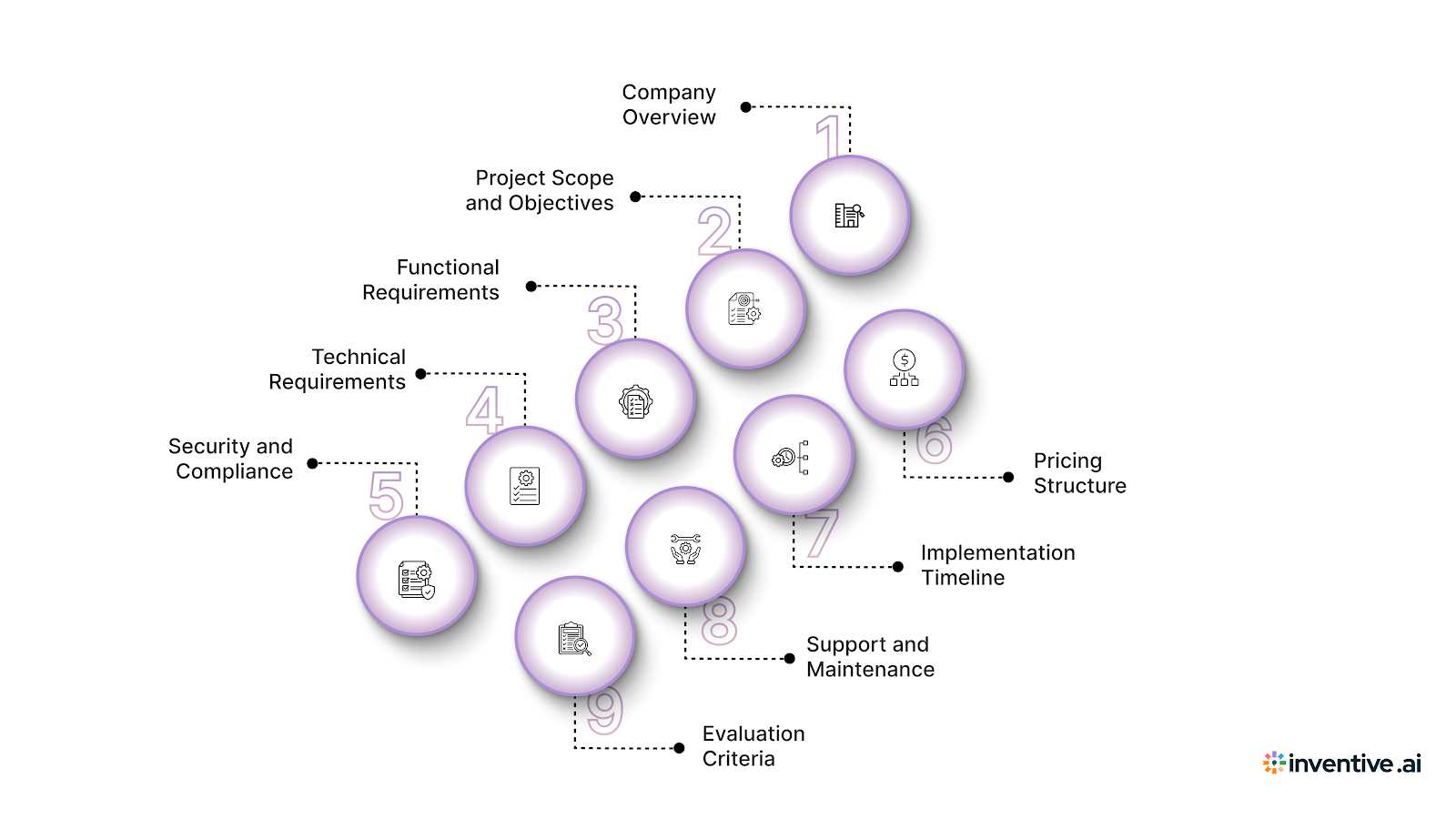
When responding to a SaaS RFP, it's important to understand the components that the buyer will likely include in their template. Knowing these elements helps you prepare your responses and meet the buyer’s expectations.
Here are the key sections you’ll typically encounter in a SaaS RFP template and how to respond to each:
1. Company Overview
The buyer will typically provide a brief description of their company, including their industry, operational environment, and procurement needs.
As a vendor, it’s important to tailor your response to show how your solution aligns with their specific context. Ensure that you highlight relevant aspects of your product that directly address their business model, industry challenges, or operational scale.
2. Project Scope and Objectives
This section will outline the buyer's business challenges, expected outcomes, and any specific goals.
When responding, you should directly address these objectives. Be sure to showcase how your SaaS solution will solve their challenges, meet their expectations, and deliver measurable outcomes. Providing clear examples of similar success stories or use cases will strengthen your proposal.
3. Functional Requirements
Here, the buyer will specify the features and capabilities their SaaS solution must have. These could range from automation and integration to reporting and security features.
As a vendor, you should categorize your features into “must-have” and “optional” offerings. This ensures the buyer understands exactly how your product meets their essential requirements and where it provides additional value.
4. Technical Requirements
Buyers will likely list technical needs, such as system compatibility, hosting preferences, and integration requirements.
In your response, be prepared to explain how your solution integrates seamlessly with the buyer’s existing tech stack, as well as how it handles data migration and scalability. Highlighting any customizable features or flexibility in your SaaS product will make your proposal more compelling.
5. Security and Compliance
Security is often a key focus in SaaS procurement, especially with sensitive data being involved. The buyer will request details about your encryption standards, user access controls, and any compliance certifications like SOC 2, ISO 27001, or GDPR.
Ensure that your response clearly addresses these points, providing detailed documentation of your security features and certifications to build trust and demonstrate compliance.
6. Pricing Structure
Buyers will define their pricing expectations, including subscription models, renewal terms, and any additional charges.
When responding, provide a transparent and clear breakdown of your pricing model, highlighting the value your SaaS solution delivers at each pricing tier. If applicable, explain any usage-based pricing or implementation costs and how they align with the buyer’s budget.
7. Implementation Timeline
The buyer will typically include an estimated timeline for deployment, including milestones for configuration, testing, and training.
In your response, outline a realistic implementation schedule based on your experience. Be prepared to specify the time required for each stage of the process, from initial onboarding to final deployment. Demonstrating your ability to meet deadlines and provide ongoing support will be crucial.
8. Support and Maintenance
Buyers will outline their expectations for post-deployment support, including SLAs, uptime guarantees, and any training they expect for their team.
In your proposal, ensure that you detail the support options available, including response times, escalation processes, and training programs. Emphasize your ability to offer continuous assistance and maintain system performance over time.
9. Evaluation Criteria
The buyer will outline how they plan to evaluate proposals, often including criteria such as functionality, technical fit, security, and price.
Be sure to respond to each of these criteria in detail, emphasizing how your SaaS solution meets or exceeds their expectations in these areas. If you have relevant case studies or metrics to showcase your success in these areas, include them in your response to strengthen your position.
By being prepared to address each section, you ensure your proposal stands out and aligns with the buyer’s needs. Keep these components in mind when drafting your response, and you’ll be well on your way to winning more deals.
Also Read: How to Write a Sales Proposal Template That Drives More Wins
How Inventive AI Solves SaaS RFP Process Pain Points?
Responding to SaaS RFPs can be particularly challenging for vendors. You have to handle detailed technical and security questions while working against tight deadlines, which often leads to slow and error-prone responses.
Here’s how Inventive AI’s AI-Powered RFP Response Software helps solve these common pain points:
1. 2X Quality Response
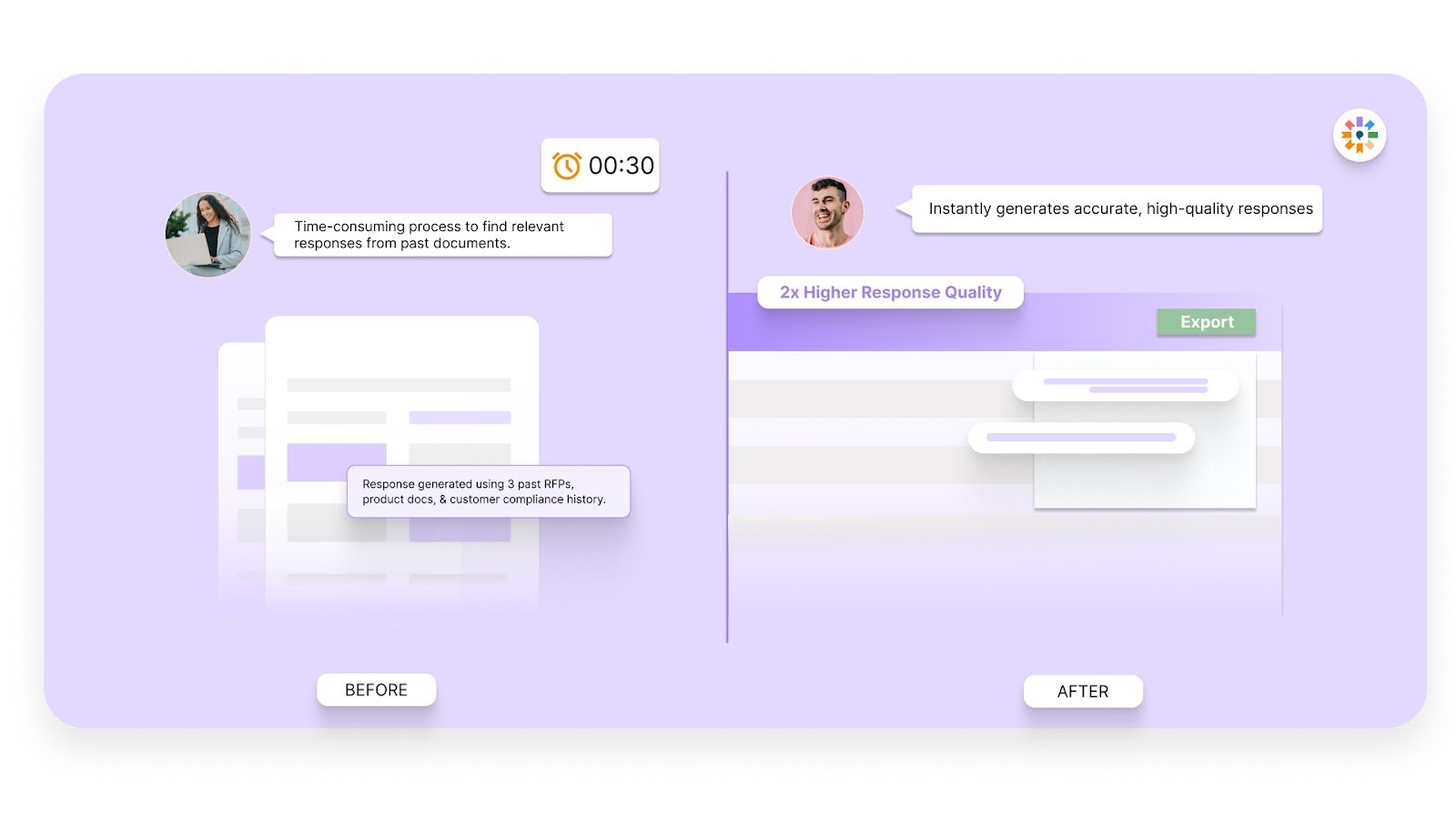
With Inventive AI, you can generate high-quality responses much faster. The AI tailors content based on the specific needs of the buyer, making it easier for you to address both functional and technical requirements effectively.
2. Context Engine
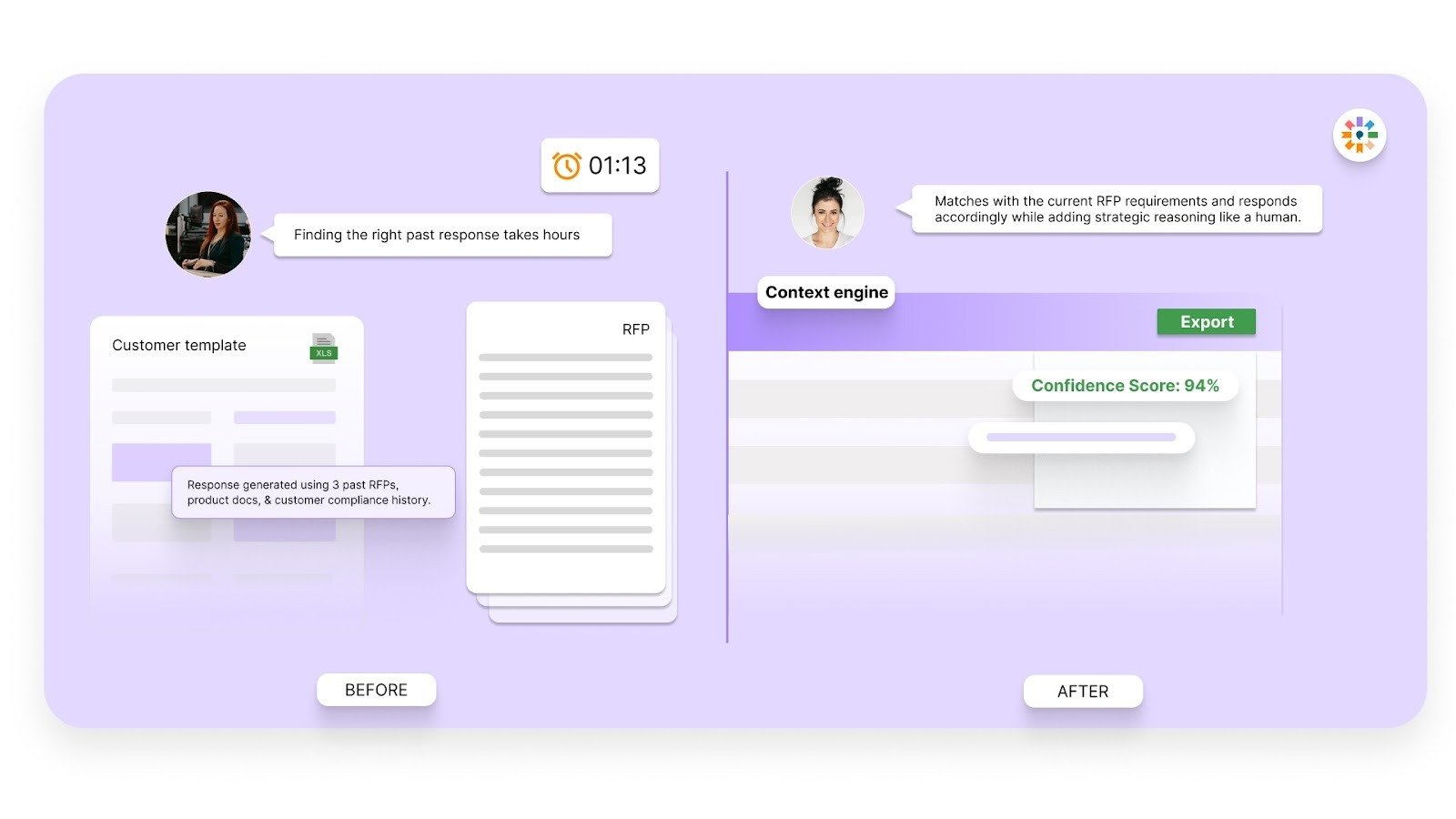
SaaS RFPs often involve a wide range of complex, interconnected features. Inventive AI’s context engine ensures that your responses are not only relevant but also coherent, addressing the buyer’s pain points and business objectives without missing important details.
3. Conflict Detection
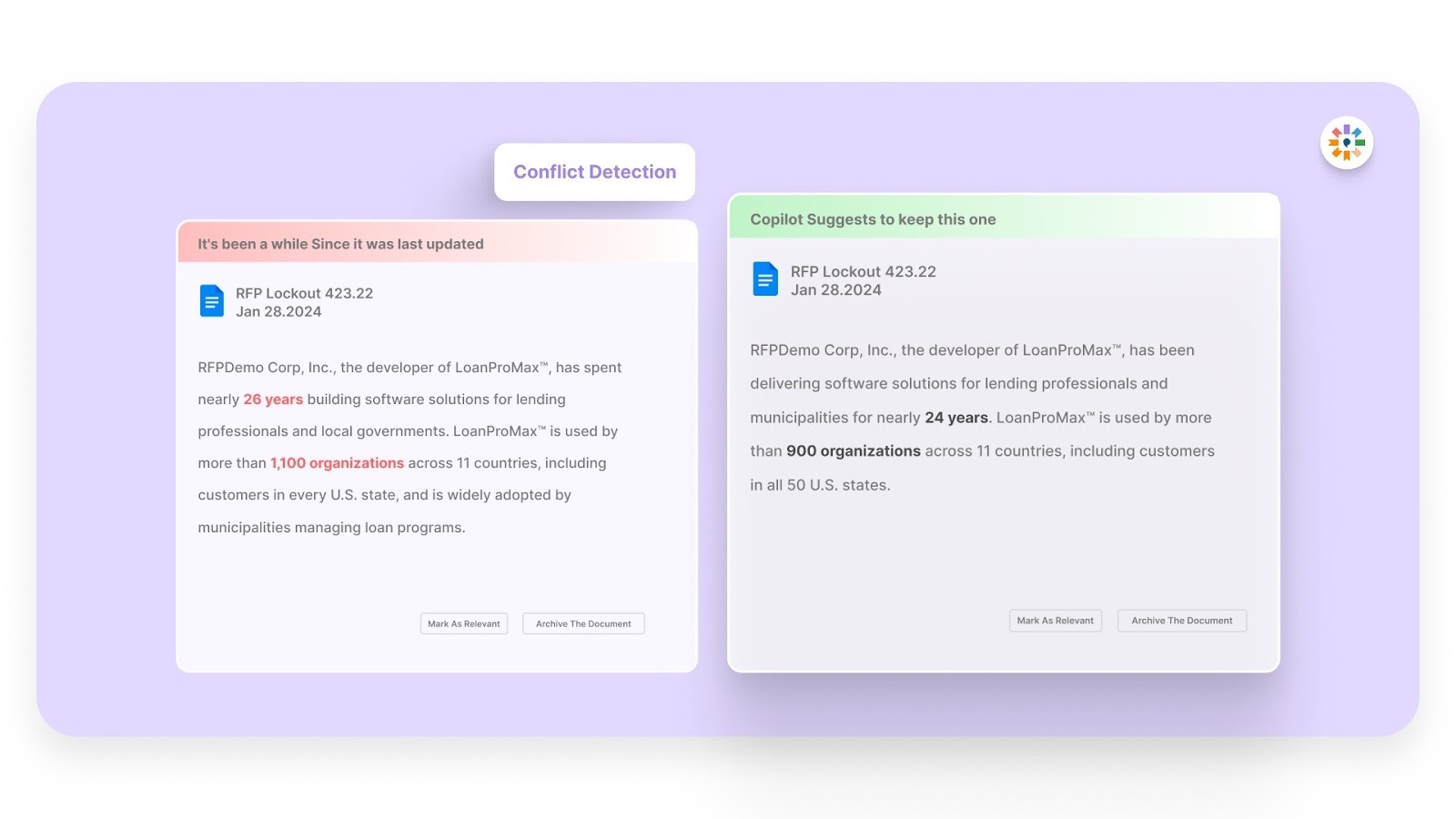
In the fast-paced RFP process, conflicting details can slip through. Inventive AI automatically detects conflicts in your responses, ensuring that all technical specifications, pricing models, and service-level agreements (SLAs) align perfectly with your solution.
4. Outdated Content Detection
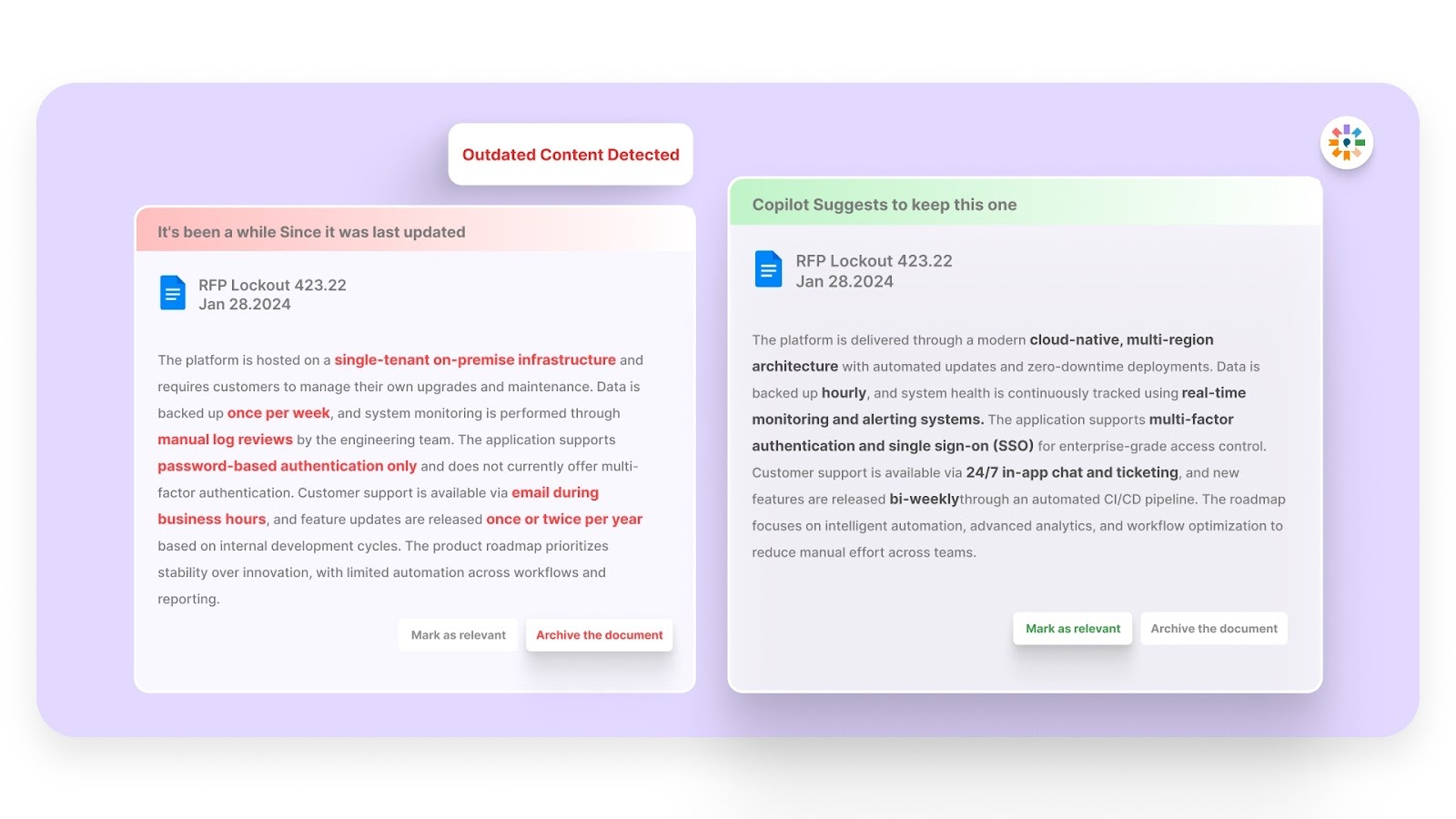
SaaS RFPs require the most current information about product features, security protocols, and compliance standards. Inventive AI ensures that your content is up-to-date by flagging outdated responses, keeping your proposals accurate and compliant with the latest standards.
5. Simple and Easy-to-Use UI/UX
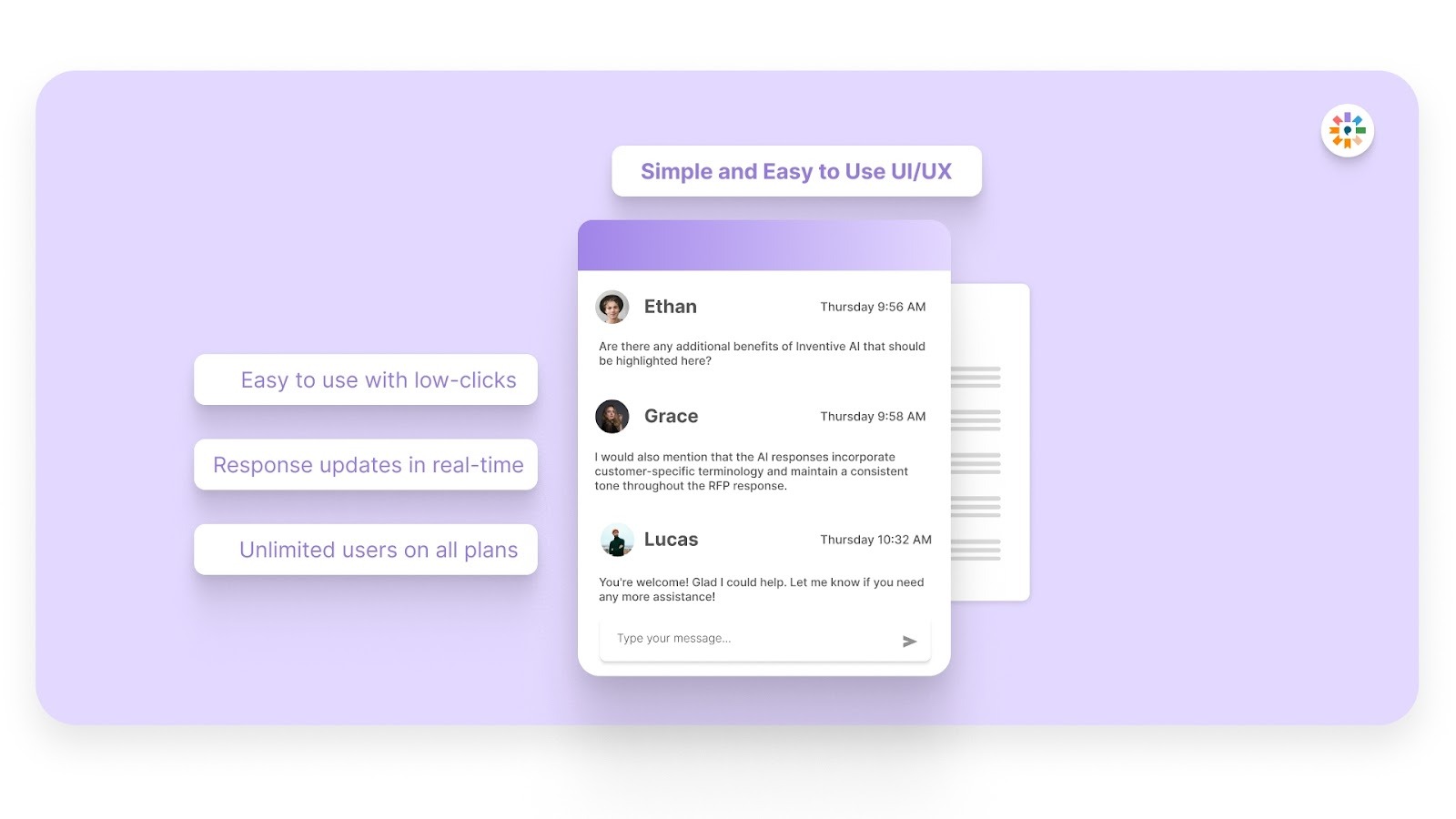
Even with complex SaaS RFPs, Inventive AI’s interface is simple and intuitive. Ranked as the #1 easiest-to-use RFP software on G2, it ensures that your team can quickly adapt, regardless of their technical expertise, and focus on responding rather than struggling with the software itself.
The SaaS RFP process can be overwhelming, but Inventive AI makes it faster, more accurate, and less stressful. By automating content creation, detecting conflicts, and ensuring your responses are always up-to-date, Inventive AI empowers you to submit high-quality proposals in less time.
FAQs
1. What’s the difference between an RFP and other procurement requests like RFQ or RFI?
An RFP (Request for Proposal) asks you to submit a detailed solution proposal, including how you address requirements, pricing, and support. It differs from an RFQ (Request for Quotation), which focuses on pricing, and an RFI (Request for Information) is used to gather information before issuing an RFP.
2. How should I decide which SaaS RFPs are worth responding to?
Before investing time, assess whether the opportunity aligns with your product fit, team capacity, and win probability. If your solution closely matches the buyer’s core needs and you can meet deadlines and requirements, it’s often worth responding.
3. Should I ask for clarification if an RFP question isn’t clear?
Yes. Most SaaS RFP processes include a Q&A phase where vendors can request clarifications. This helps ensure you fully understand what’s being asked and reduces the risk of submitting responses that don’t address the buyer’s intent.
4. How long does a typical SaaS RFP response process take?
The timeline varies but usually takes several weeks to a few months. Preparing ahead with a template and an organized process can help you respond more confidently within the given window.
5. Is it okay to reuse responses from previous RFPs?
Yes, but only if the content is accurate, up‑to‑date, and tailored to the current buyer’s requirements. Generic copy‑paste responses can reduce your chances of winning.