
Call Center RFP: Templates & Response Guide for Vendors (2026)
.jpg)
Ever opened a Call Center RFP and realized your team has no standard format to start with?
You piece together answers from old proposals, emails, and documents, but nothing fits cleanly. Every response ends up looking different, and your team spends hours fixing structure before even refining the content.
That’s where a Call Center RFP template changes how you begin. Instead of rebuilding the format every time, you start with a ready structure that keeps your responses consistent and easier to manage.
In this guide, you’ll see what a Call Center RFP includes, how a response template helps you reply faster, and how AI-powered RFP response software takes it further with faster drafts and higher accuracy.
Call Center RFP Template: What Buyers Issue in 2026
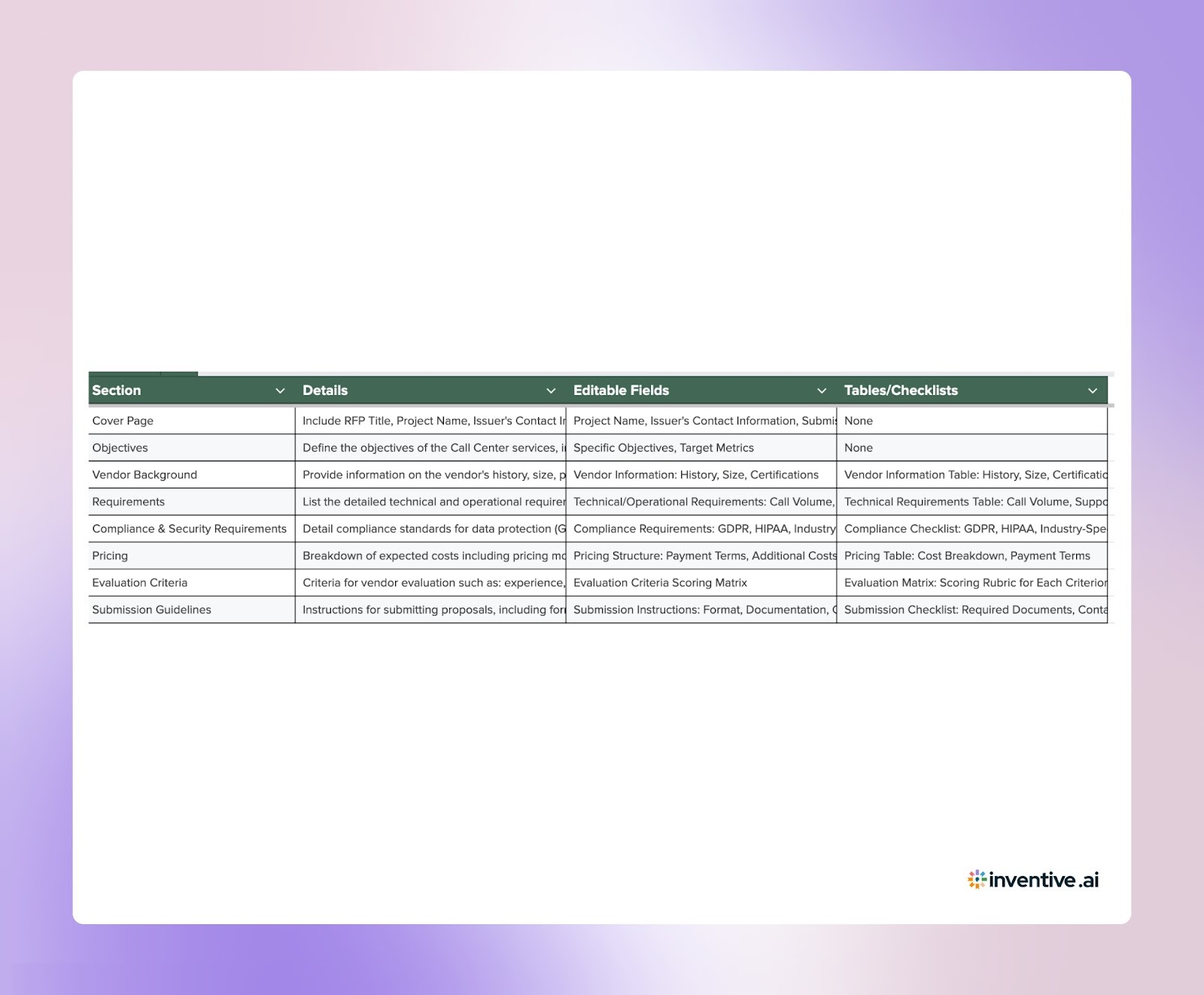
A Call Center RFP is a formal document a buyer sends to evaluate vendors for customer support services, usually using a standardized template.
It outlines requirements for inbound, outbound, or omnichannel support across voice, chat, and email. Buyers rely on these templates to collect responses in a consistent format.
Since most Call Center RFPs follow a similar structure, these templates help buyers compare vendors more easily.
Note: The below template is currently in spreadsheet format. To download it in Excel, please follow these steps:
- Go to File
- Select Download
- Choose Microsoft Excel (.xlsx)

Important Sections of Call Center RFP Template
Buyers include detailed sections to assess your service capabilities, operational readiness, and long-term fit. Below are some of the most common components you’ll see in a Call Center RFP:
Key components:
- Company overview and service scope: Buyers describe their business, customer base, and support expectations. You are expected to show how your services align with this scope.
- Volume and channel requirements: Buyers share expected volumes, peak hours, and support channels. You need to explain how you will handle capacity and maintain performance.
- Service level agreements (SLAs): Buyers define performance targets such as response time and resolution time. You are asked to confirm your ability to meet or exceed these metrics.
- Staffing and training expectations: Buyers outline agent requirements, language needs, and training standards. You need to describe your hiring, training, and quality processes.
- Technology stack expectations: Buyers list required tools and integrations. You are expected to explain compatibility with their systems and your current tech setup.
- Pricing and commercial terms: Buyers request pricing details, billing models, and contract terms. You need to present clear and structured pricing information.
- Compliance and security requirements: Buyers ask about data protection practices and certifications. You must provide details on your compliance standards and security controls.
- Reporting and performance tracking: Buyers define KPIs and reporting expectations. You are expected to explain how you track and share performance data.
- Implementation timeline: Buyers outline onboarding expectations and timelines. You need to present your transition plan and readiness to go live.
These sections give buyers a clear view of how well your operations align with their support needs.
Also Read: The Ultimate Guide to Crafting Data Management RFP Responses
Call Center RFP Response Template: Achieve Maximum Impact (for Vendors)
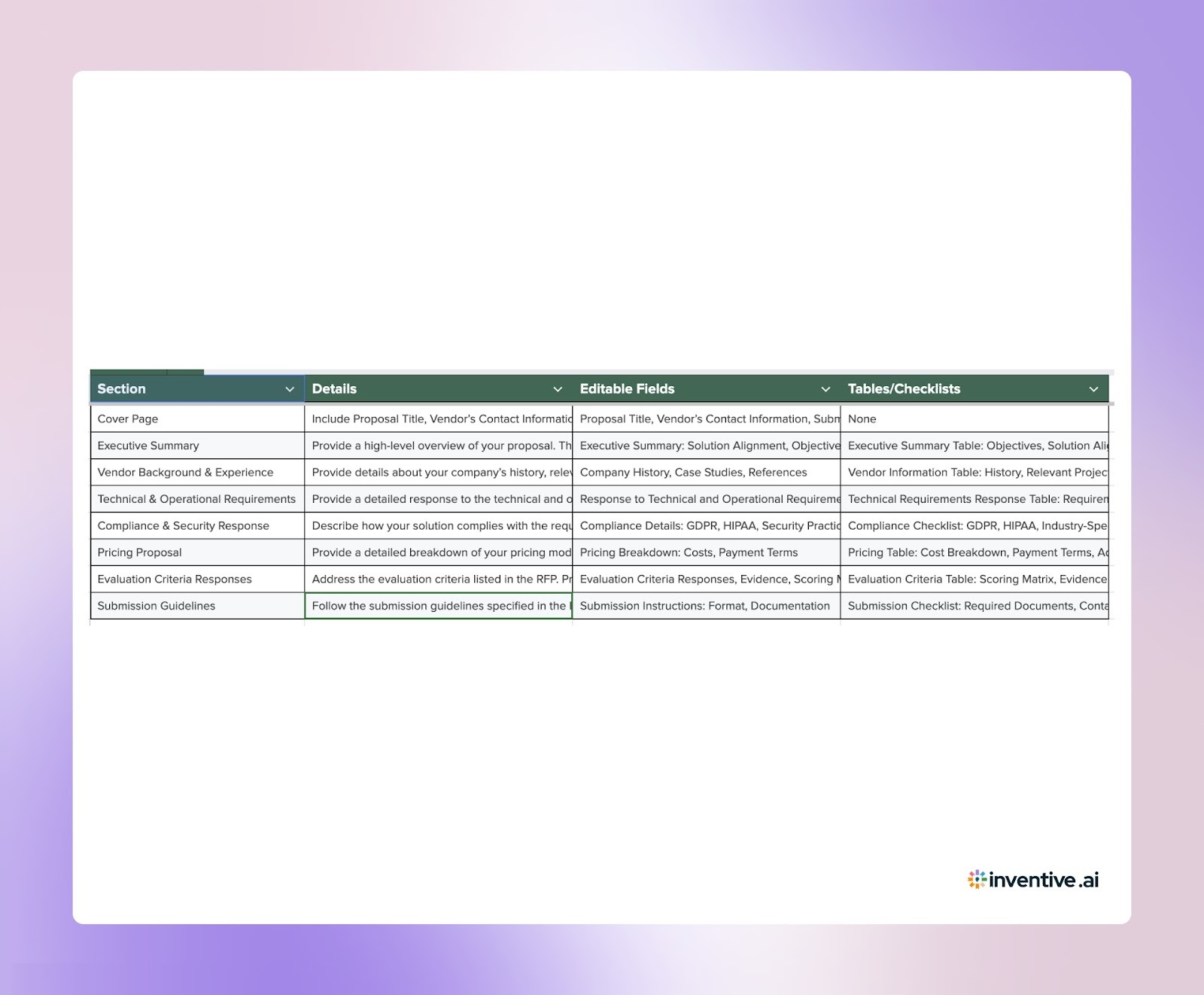
A Call Center RFP response template provides a ready structure with common sections, allowing you to respond quickly and consistently.
Below is a complete template for you to download and customize based on each buyer’s specific needs.
Note: The below template is currently in spreadsheet format. To download it in Excel, please follow these steps:
- Go to File
- Select Download
- Choose Microsoft Excel (.xlsx)

Customization Tips to Respond to the Call Center RFP for Maximum Impact
A template gives you speed, but customization drives results. Buyers expect responses that reflect their specific needs and demonstrate that you understand their business.
How to customize effectively:
- Align with the buyer’s service model: Match your response to their expected channels and support needs. Show how your solution is tailored to their service model, whether it’s inbound, outbound, or omnichannel support.
- Use relevant case studies: Highlight similar projects or clients you’ve worked with. Focus on measurable outcomes and results to prove your ability to deliver on their expectations.
- Map SLAs to their expectations: Show how your service level agreements meet or exceed their defined metrics. Align your response with their priorities, such as response time, resolution time, and customer satisfaction.
- Address industry-specific requirements: If the buyer operates in a specific industry (e.g., healthcare, finance), include any relevant compliance certifications, domain expertise, or regulatory standards that set you apart.
- Keep responses concise and direct: Buyers often review multiple proposals, so clarity matters. Keep your responses focused on their specific needs and avoid unnecessary fluff. Make your answers easy to scan and digest.
- Adapt pricing explanations: Customize your pricing model based on their expected call volume, channel mix, and service level requirements. Provide clear breakdowns that align with their usage patterns and business goals.
Customization helps your response stand out by showing that you’re offering a solution customized to the buyer’s unique needs.
5 Benefits of Using a Call Center RFP Response Template
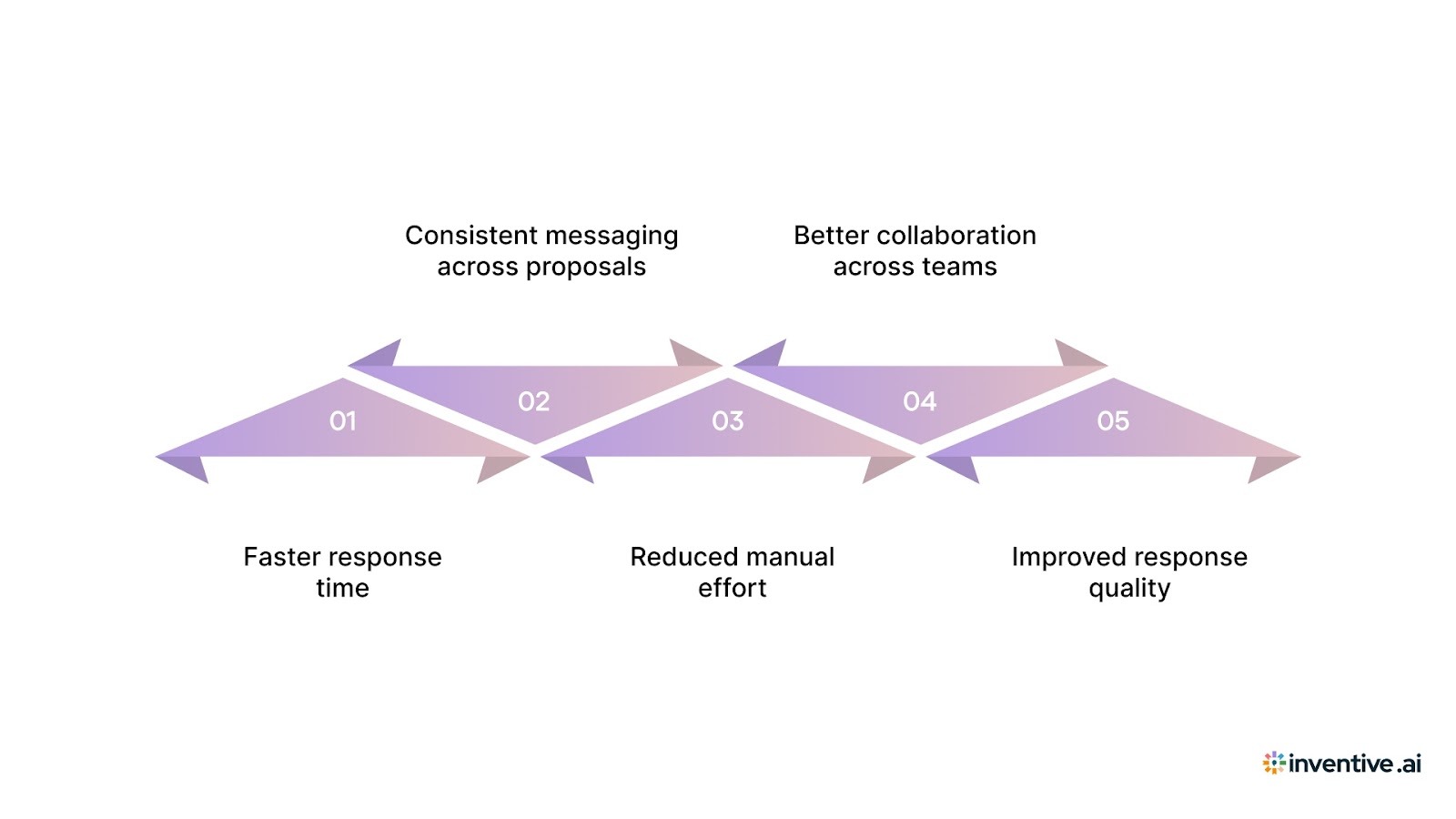
A response template transforms how your team handles RFPs by making the process faster and more efficient.
- Faster response time: You can quickly reuse proven content instead of spending time rewriting answers. This speeds up the drafting process and allows your team to focus on customization.
- Consistent messaging across proposals: A template ensures every response is consistent, reflecting your brand voice and key messaging. This maintains alignment across different proposals and teams.
- Reduced manual effort: With a template, your team spends less time searching through past responses or gathering content. Everything you need is organized and ready to go.
- Better collaboration across teams: A shared format helps align the efforts of sales, solutions, and operations teams. Everyone is on the same page, leading to more coordinated and accurate proposals.
- Improved response quality: By building on previously tested answers, you can ensure your responses are more comprehensive and accurate. This increases the quality of each proposal, making it more likely to stand out.
A strong template helps you respond faster, with greater consistency, and without sacrificing the quality of your proposals.
Also Read: Top and Best Software for Automating Security Questionnaires in 2026
Common Call Center RFP Challenges and How You Can Improve Response Efficiency?
Even with templates, responding to RFPs comes with its own set of challenges. But these can be tackled with the right strategies and tools.
1. Centralize scattered content across systems
Centralize all relevant content in one place using an RFP software. This helps you easily pull from past responses, documents, and team contributions without searching across multiple systems.
2. Avoid repeated manual work
Automate the initial drafting process with an RFP response template. By using AI to generate the first draft, your team can focus on refining rather than rewriting.
3. Fix the inconsistent quality across submissions
Standardize your responses by using a shared template. This ensures that everyone is aligned on messaging and format, leading to consistent and high-quality proposals.
5. Get rid of outdated information in proposals
Regularly update your knowledge base and use AI tools that flag outdated or irrelevant content. This ensures that only fresh, accurate information is included in each response.
5. Meet tight deadlines with multiple stakeholders
Use an RFP software that allows seamless collaboration. With real-time editing and clear task assignments, everyone can work together efficiently, even under tight deadlines.
By addressing these challenges head-on, you can improve response quality, reduce delays, and submit proposals more efficiently.
Also Read: Tender Management: Process, Software, Best Practices (2026)
Respond to Call Center RFP 10x Faster with Inventive AI
Responding to RFPs manually limits how fast and accurately you can reply.
Inventive AI addresses these gaps with AI-driven response workflows built for vendors.
With AI-powered RFP response software, Inventive AI helps you generate 10x faster drafts with 95% accuracy, using your existing knowledge sources.
1. 2x Higher Quality Responses
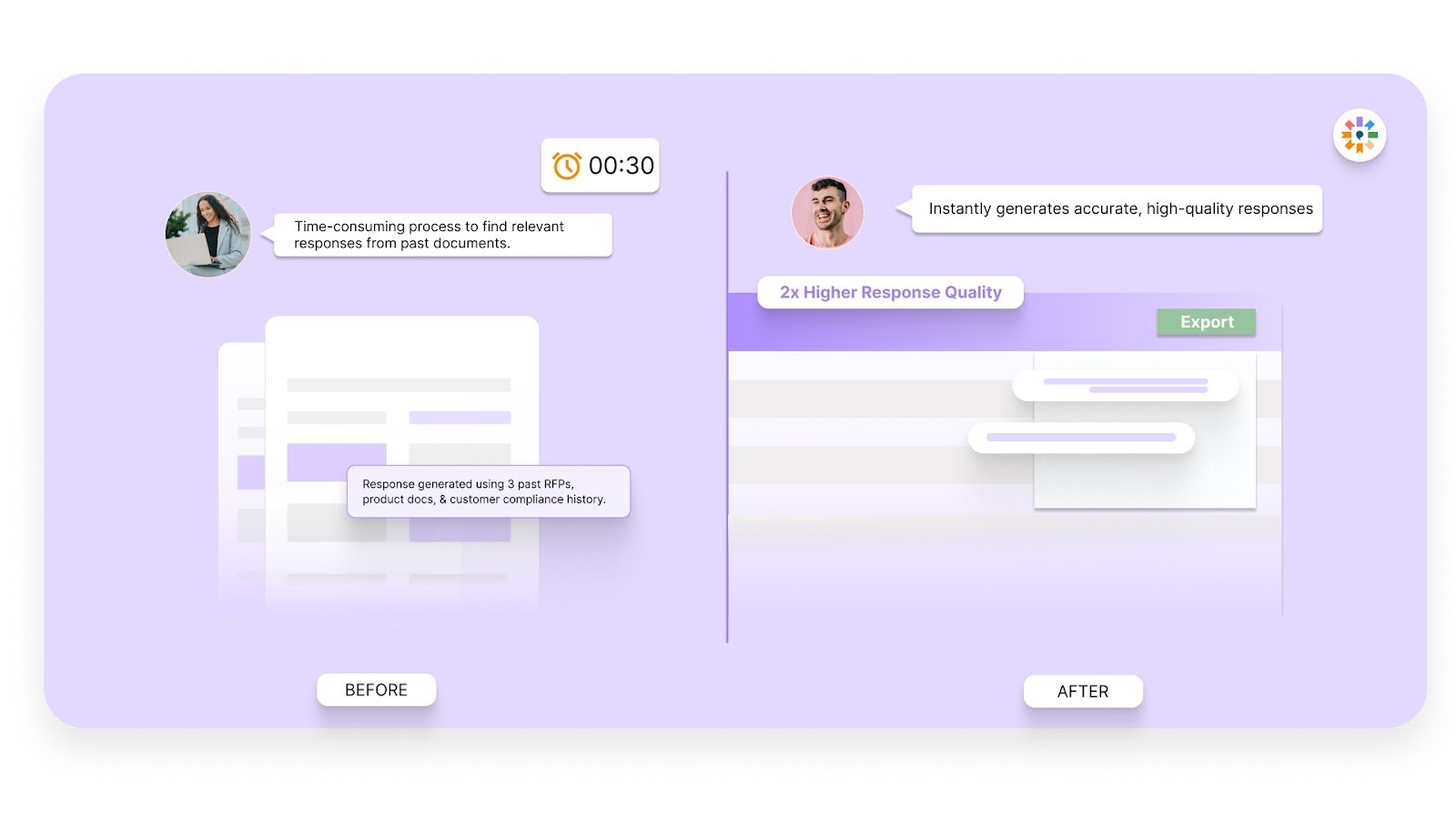
With AI-generated drafts, Inventive AI uses past responses, internal data, and feedback to ensure your answers are clear, complete, and aligned with your messaging. This means fewer revisions and more accurate proposals.
2. Context Engine
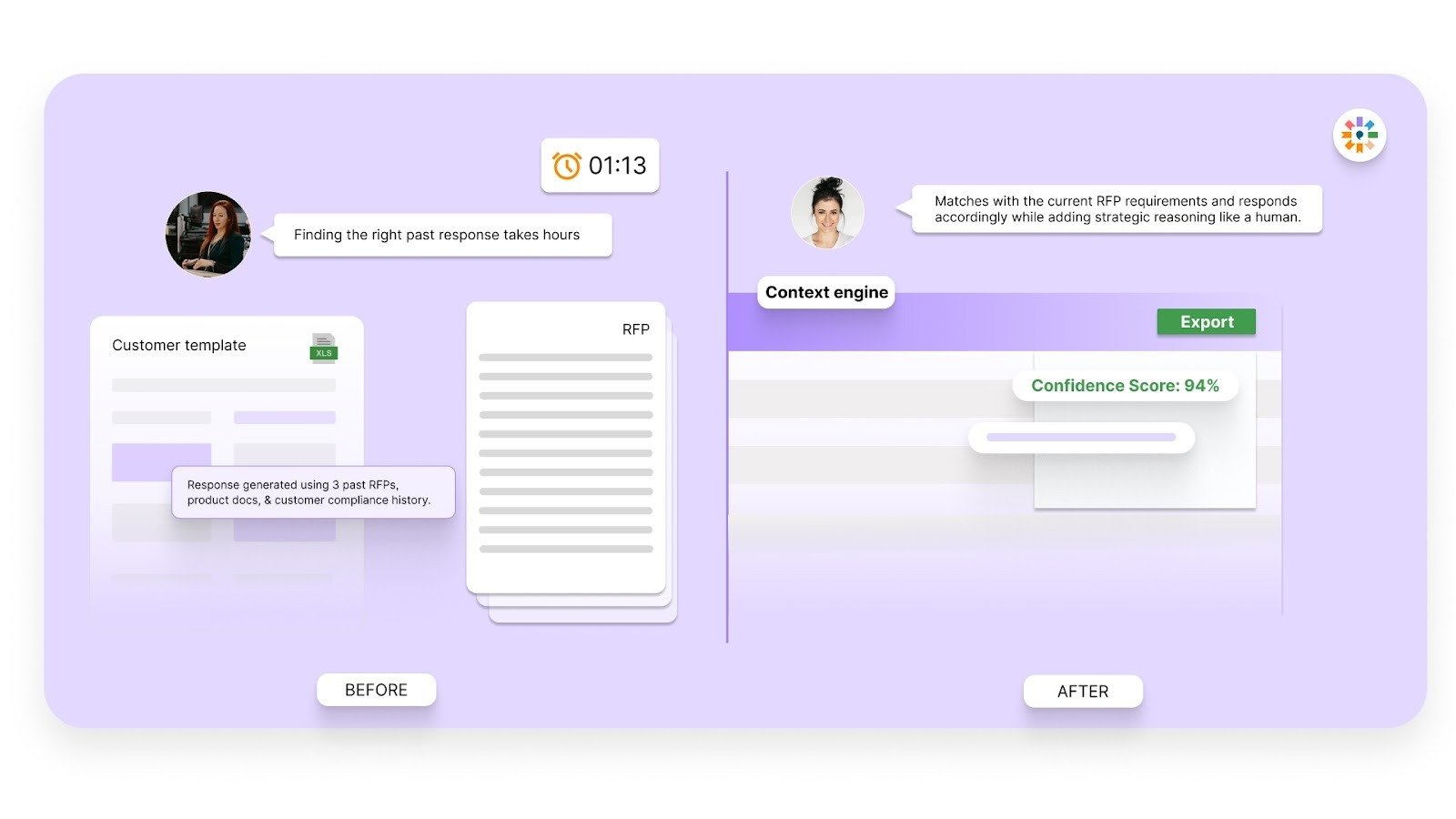
No more wasting time searching for relevant content. Inventive AI pulls relevant answers directly from your knowledge hub, whether it’s past proposals, documents, or team notes. It ensures your responses are aligned with the buyer’s needs.
3. Conflict Detection
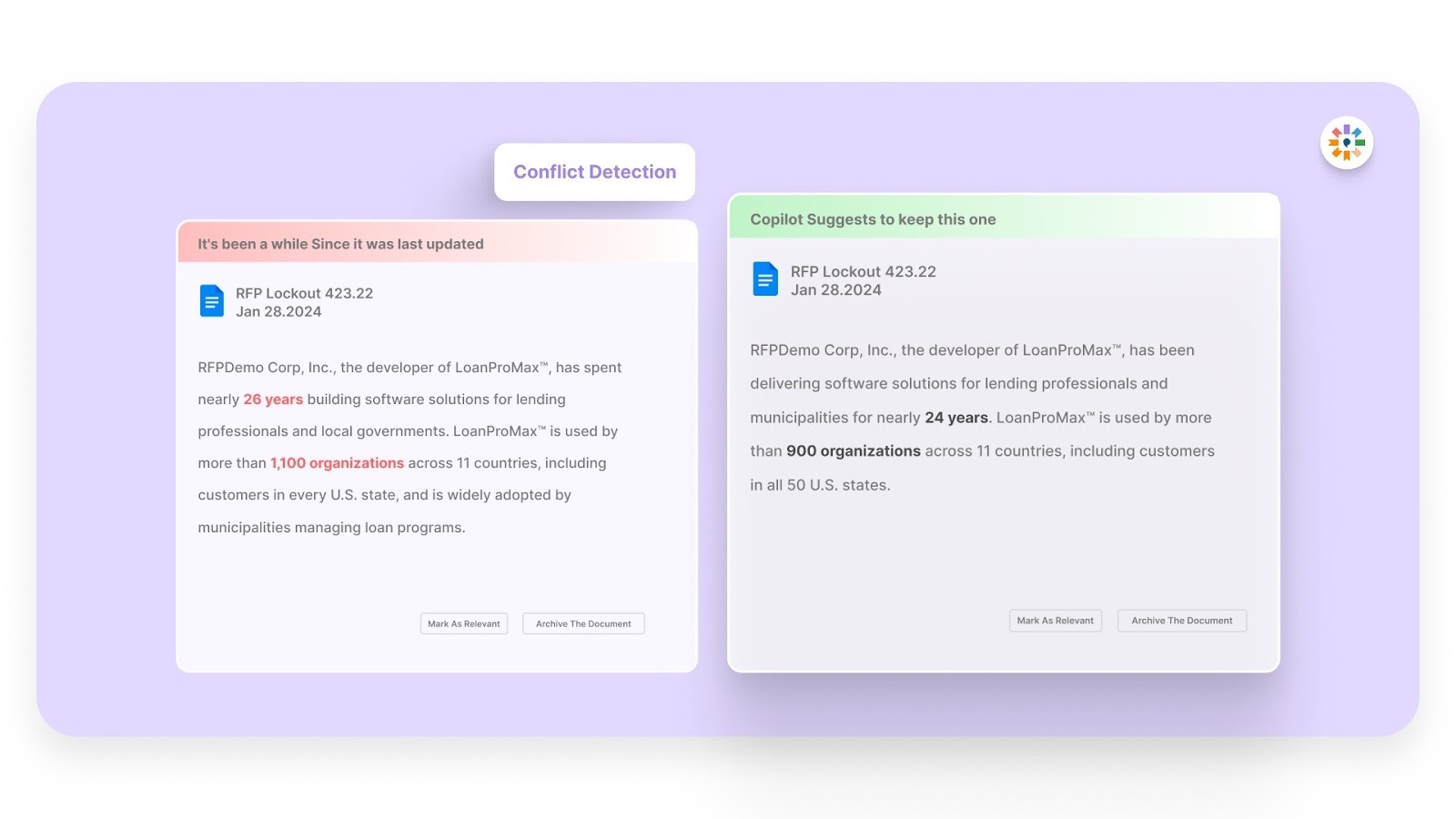
Consistency matters. Inventive AI identifies conflicting answers across your content, ensuring that your responses are aligned and error-free. It flags any inconsistencies so you can easily correct them before submission.
4. Outdated Content Detection
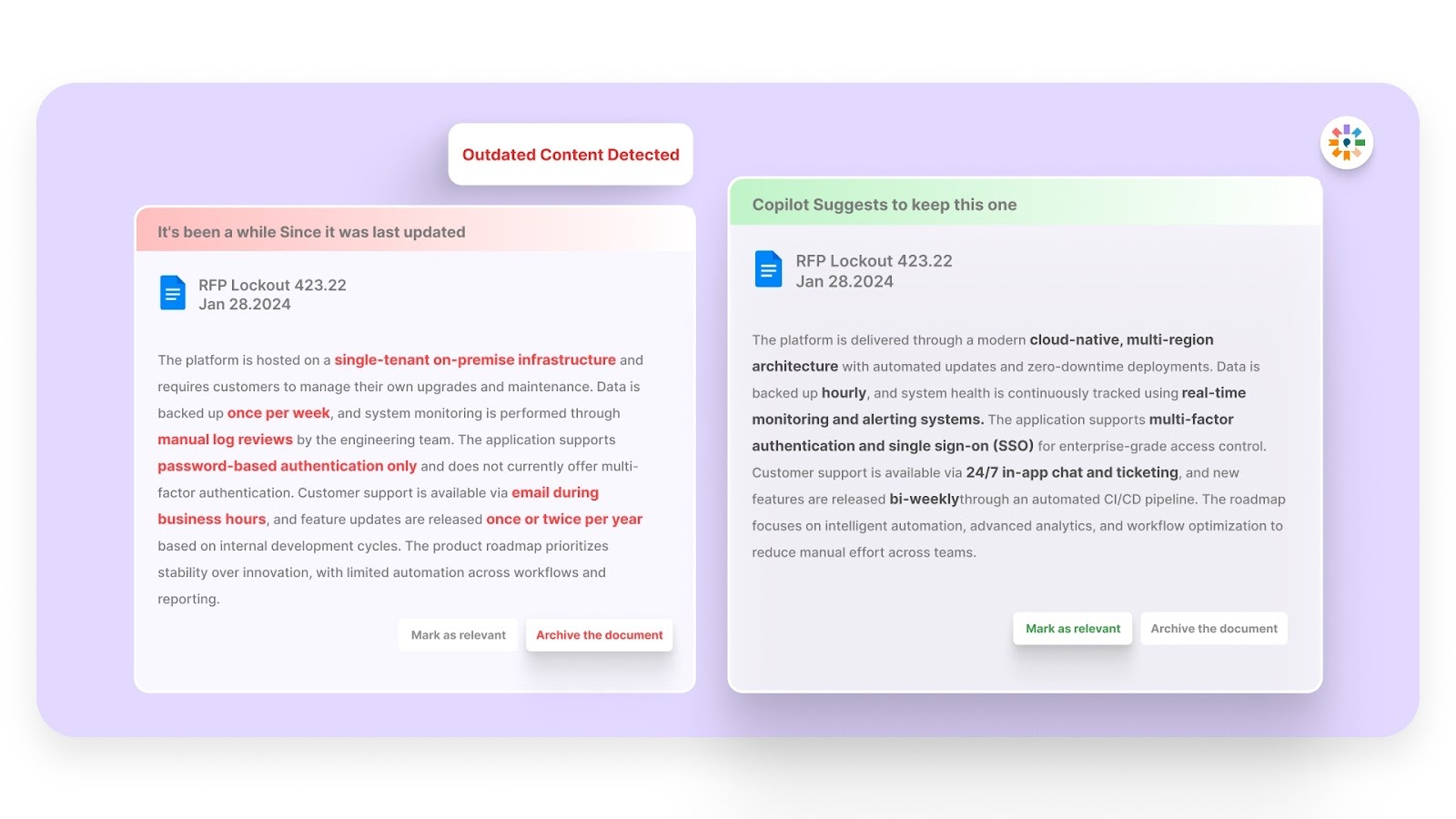
The last thing you want is outdated information in your proposals. Inventive AI scans your content for outdated data and automatically helps you replace it with the most current, relevant information.
5. Simple, Easy-to-Use Interface
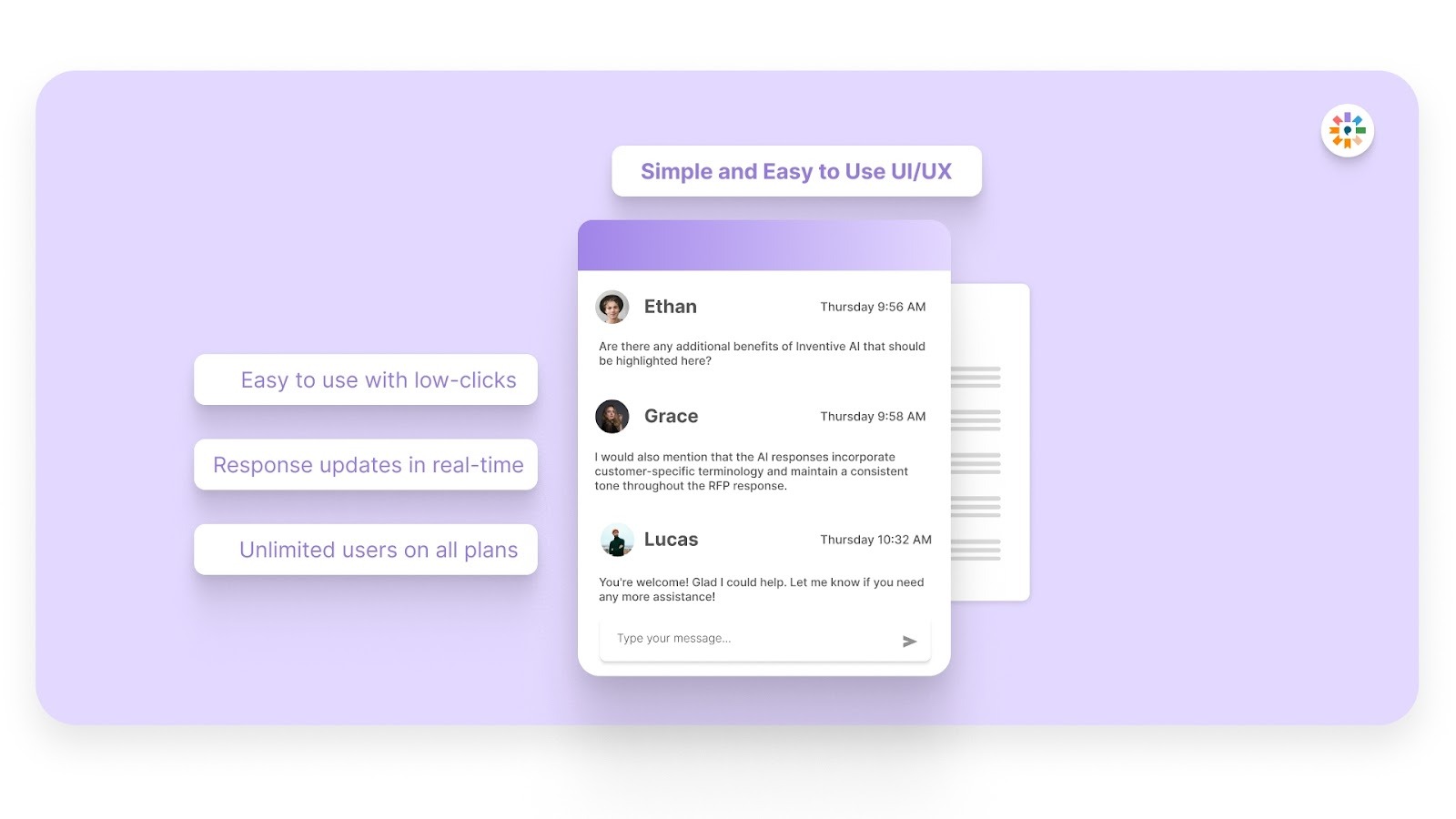
No need to juggle multiple tools. Inventive AI’s intuitive interface allows your team to collaborate seamlessly, review, and refine proposals without switching between platforms. Everything is in one place, making the process smooth and easy to manage.
6. Narrative-Style Proposals
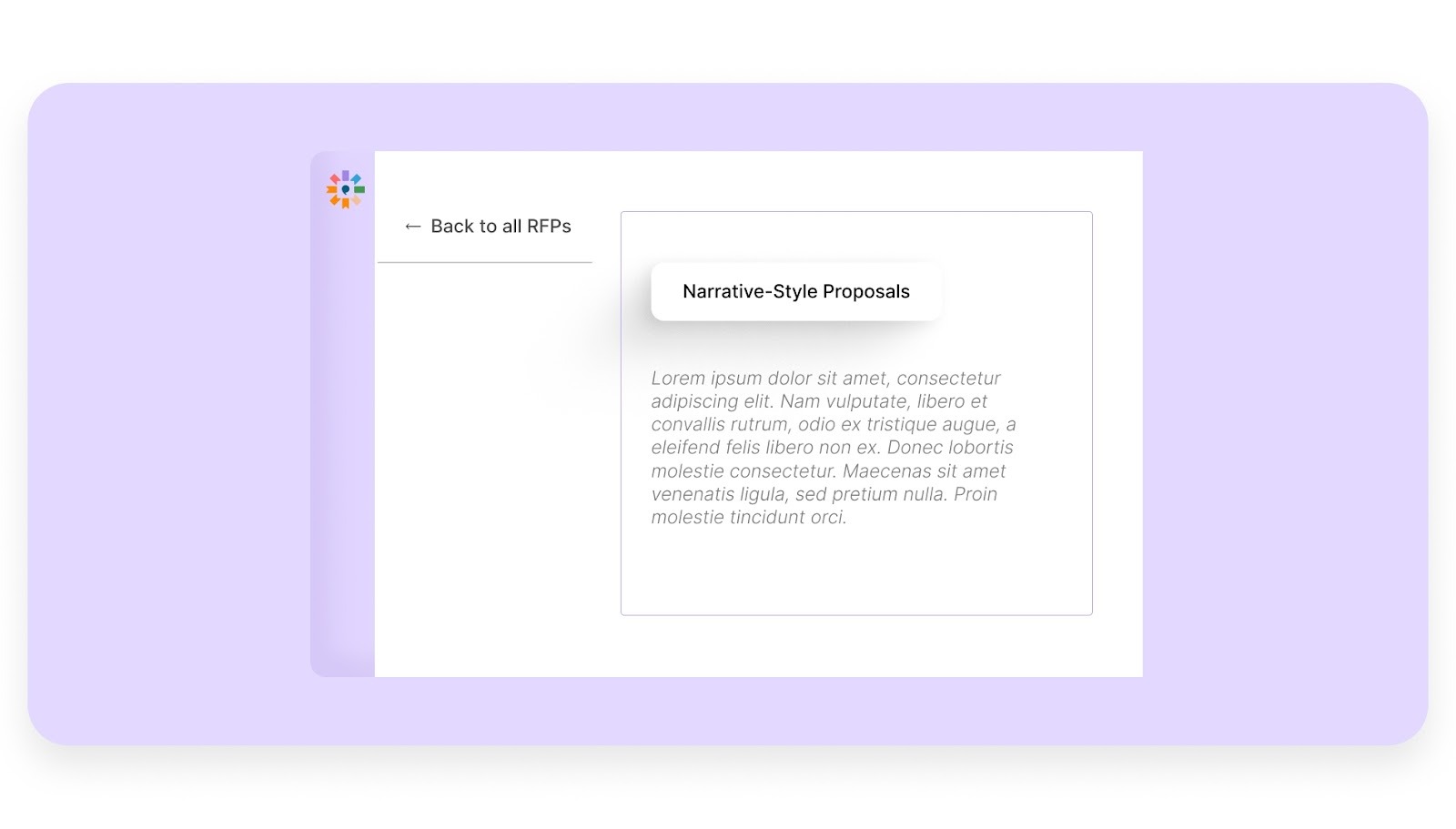
Most tools only handle short Q&A, but Inventive AI builds full-length documents like executive summaries and one-pagers. It turns raw data into a smooth, professional story that shows buyers exactly why you are the right choice.
Inventive AI helps you respond faster while maintaining consistency and accuracy across proposals.
Frequently Asked Questions (FAQs)
1. How long does it typically take to respond to a Call Center RFP?
Response time varies based on complexity, but many teams spend several days to weeks preparing a complete response. Larger RFPs require coordination across multiple teams.
2. What makes a Call Center RFP response stand out to buyers?
Buyers look for clear answers, relevant experience, and alignment with their requirements. Strong responses also include measurable outcomes and realistic service commitments.
3. How can vendors handle multiple Call Center RFPs at the same time?
Using response templates and centralized content helps manage multiple RFPs. It reduces duplication and allows teams to reuse existing answers efficiently.
4. What role does technology play in improving RFP response quality?
Technology helps organize content, automate drafting, and maintain consistency. It also reduces errors caused by manual processes and scattered information.
5. How do vendors maintain accuracy in large RFP responses?
Accuracy depends on using updated content and reviewing responses carefully. Centralized knowledge systems and AI tools help reduce outdated or conflicting information.

90% Faster RFPs. 50% More Wins. Watch a 2-Minute Demo.

Hardi Hindocha
Knowing that complex B2B software often gets lost in jargon, Hardi focuses on translating the technical power of Inventive AI into clear, human stories. As a Sr. Content Writer, she turns intricate RFP workflows into practical guides, believing that the best content educates first and earns trust by helping real buyers solve real problems.
.avif)
Mukund Kumar
Understanding that sales leaders struggle to cut through the hype of generic AI, Mukund focuses on connecting enterprises with the specialized RFP automation they actually need at Inventive AI. An IIT Jodhpur graduate with 3+ years in growth marketing, he uses data-driven strategies to help teams discover the solution to their proposal headaches and scale their revenue operations.