How to Find RFPs: Free and Paid Sources to Win New Business (2026)
Where to find RFPs across government, aggregator, and private sources, plus how to qualify and respond. A practical 2026 guide for bid teams.
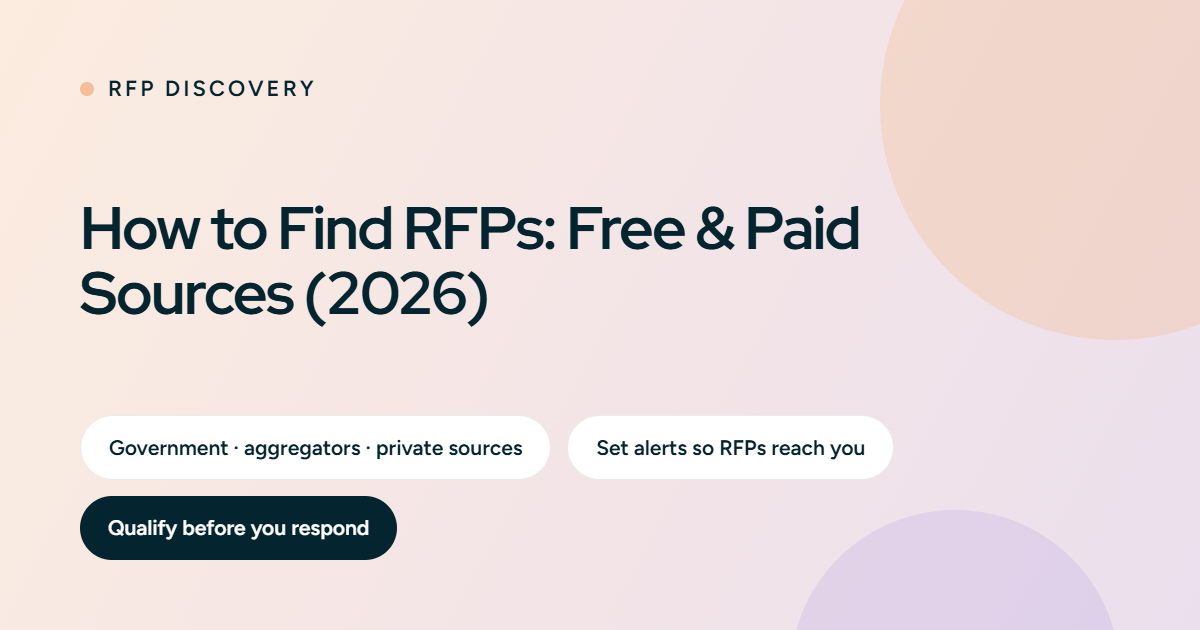
The fastest way to find RFPs is to search government procurement portals and bid aggregators, then set up alerts so new opportunities reach you automatically. Free public portals such as SAM.gov cover most government RFPs. Paid aggregators add private-sector coverage, filtering, and notifications. This guide lists where to find RFPs across every source type, how to get onto invite-only lists, and how to qualify opportunities before you spend time responding.
Key insights
- Most public-sector RFPs are free to find on government portals. Paid databases mainly add private-sector coverage and better alerts.
- Open RFPs are easy to find but highly competitive. Closed and invite-only RFPs have higher win rates and need relationships built in advance.
- Alerts and saved searches beat occasional manual searching, which is how most teams miss deadlines.
- Finding RFPs is only half the job. Qualifying them well is what protects your win rate.
What is an RFP?
A request for proposal (RFP) is a formal document a buyer issues to invite vendors to bid on a project or contract. It sets out the requirements, the evaluation criteria, and the submission rules. Governments, enterprises, and nonprofits use RFPs to compare vendors fairly and choose the best fit. Finding the right RFPs early gives your team more time to qualify and respond well.
3 categories of RFPs you will find
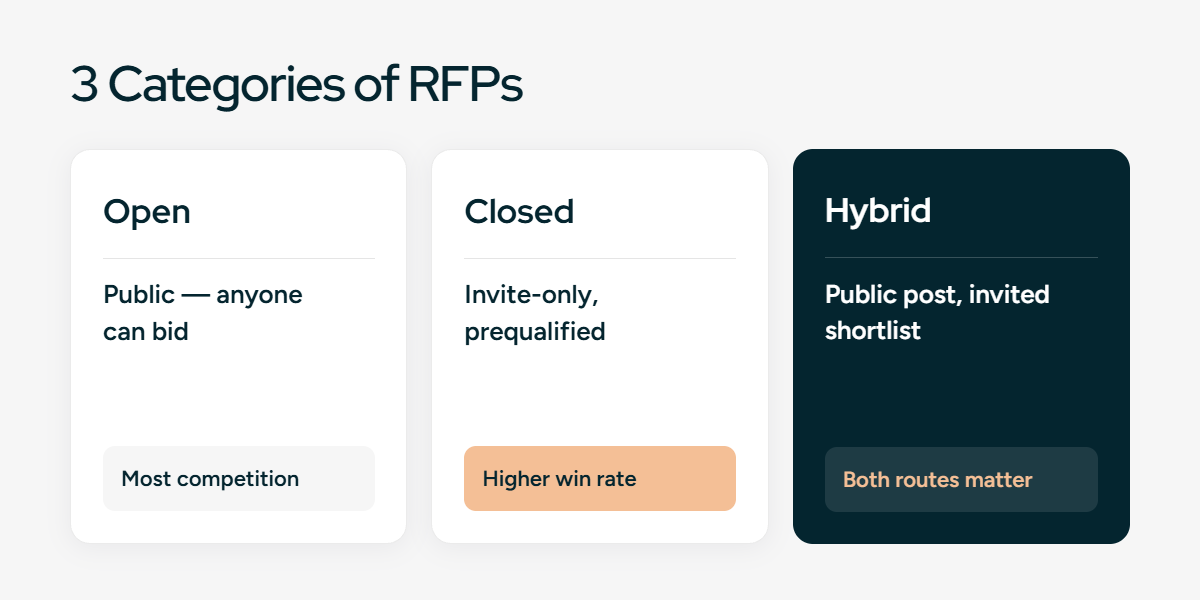
RFPs fall into three types based on who can access them. Knowing the difference tells you where to look and how hard the competition will be.
Open RFPs
Open RFPs are publicly available tenders that any qualified vendor can access and respond to. Government agencies and public organizations publish these on procurement websites, public-sector portals, and open tender platforms. Buyers use open RFPs to encourage competition and keep the process transparent.
Buyers issue open RFPs when they want to comply with public-sector procurement rules, attract a wide range of vendors, and keep vendor selection fair and transparent.
Closed RFPs
Closed RFPs are invite-only opportunities sent to a select group of vendors. Buyers issue them after a prequalification process, prior engagements, or existing relationships. They are not advertised publicly.
Buyers use closed RFPs to cut the time spent reviewing proposals, work with proven vendors, and reduce procurement risk on high-impact projects.
Hybrid RFPs
Hybrid RFPs combine open and closed approaches. A buyer may post the RFP publicly while directly inviting a shortlist of preferred vendors. This balances transparency with targeted outreach.
Buyers choose hybrid RFPs to keep the process transparent while making sure qualified vendors take part, to raise response quality, and to avoid low-quality proposals.
Where to find RFPs: the complete source list
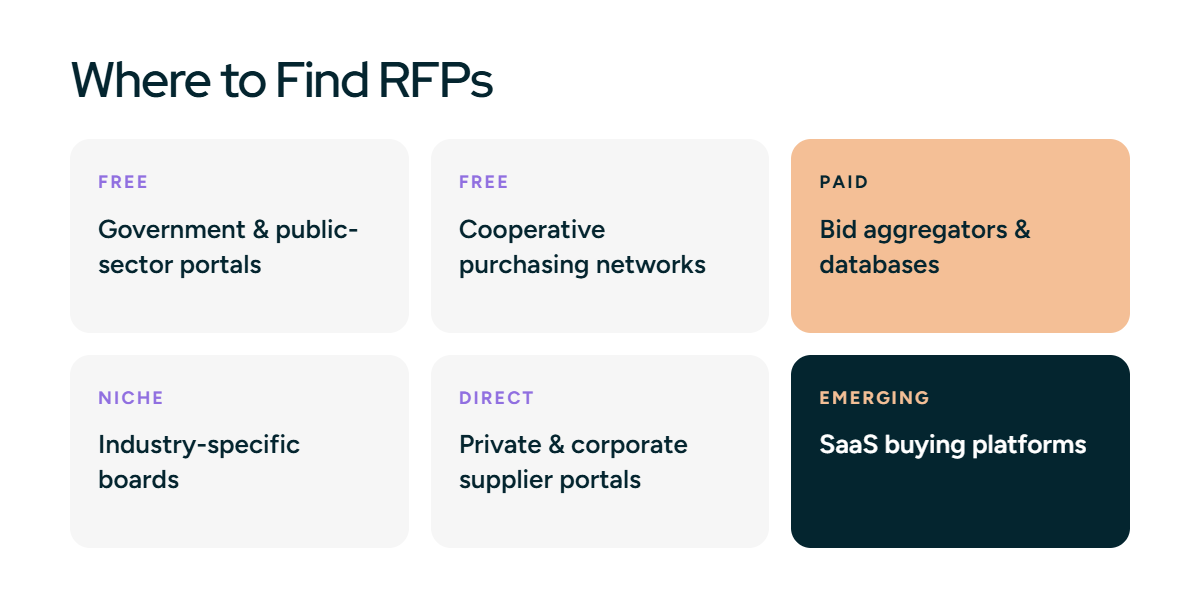
RFPs are spread across several kinds of sources. Cover all of them and you see far more of the market than a single bid board shows. The tables below name each source, link to it, and say what it is best for.
Government and public-sector portals (mostly free)
These are the primary, free sources for public-sector RFPs. Register on each, then save searches by keyword or category to get alerts.
- SAM.gov: US federal contract opportunities, the official free federal portal.
- GSA eBuy: US federal buyers purchasing through GSA schedules.
- State and local portals: each US state runs its own site, such as Cal eProcure and Texas SmartBuy. Cities and counties post on their own sites or through aggregators.
- Grants.gov: US federal grant opportunities, useful for nonprofits and research.
- Contracts Finder and Find a Tender: UK public-sector contracts, free to search.
- TED (Tenders Electronic Daily): European Union public tenders.
- Central Public Procurement Portal (CPPP): India government tenders.
- MERX: Canada public tenders.
Cooperative purchasing networks
Cooperative networks let public agencies buy through pre-competed contracts. If you hold one of their contracts, agencies can buy from you without a full open RFP, which is a source many vendors miss.
- Sourcewell: national cooperative contracts across many categories for government and education buyers.
- OMNIA Partners: one of the largest cooperative purchasing organizations, for public and private buyers.
- TIPS-USA: cooperative contracts widely used by schools and local government.
- BuyBoard: cooperative purchasing for education and local government, strong in Texas.
- PEPPM: technology-focused cooperative contracts for education.
- E-Rate (USAC): funding program for schools and libraries buying technology and connectivity.
Bid aggregators and RFP databases (mostly paid)
Aggregators pull opportunities from many portals into one place, add filtering, and send alerts. They are worth paying for when you bid across many jurisdictions or want private-sector coverage.
- BidNet Direct: aggregated state and local government bids across the US.
- DemandStar: local government bids, with a free tier in some regions.
- GovWin IQ (Deltek): early government market intelligence, before the RFP is public.
- FindRFP: US public and private RFPs across sectors.
- RFPMart and The RFP Database: mixed public and private RFP listings.
- GovSpend and BidPrime: government purchasing data and bid alerts.
Industry-specific boards
Many sectors have their own bid boards that carry opportunities the general portals miss. Add the ones that match your market.
- Construction: ConstructConnect and Dodge Construction Network.
- IT and government tech: SAM.gov, GSA eBuy, and state IT procurement portals.
- Healthcare and education: state portals, group purchasing organization (GPO) registrations, and cooperative networks.
- Nonprofit and research: Grants.gov and grant discovery tools such as Instrumentl.
Private and corporate supplier portals
Large companies rarely post RFPs publicly. They invite vendors from their approved supplier lists, so registering as a supplier is how you get on those lists.
- Corporate supplier registration: Amazon Vendor Central, plus the IBM, Wells Fargo, Pfizer, and Bausch + Lomb supplier portals.
- Supplier networks: SAP Ariba Discovery and Coupa, where many enterprises source vendors.
An emerging source: SaaS buying platforms
For software vendors, some deals now run through SaaS procurement and spend-management platforms, where enterprises manage renewals and new purchases. Getting listed on or building relationships with Vendr, Tropic, Spendflo, and Vertice can surface software buying intent earlier than a public RFP. This channel is newer and narrower than the sources above, so treat it as a supplement, not a primary source.
Search Google directly for RFPs
You can find RFPs with search operators that cut out the noise. Try queries like these, swapping in your service and industry:
- "RFP" "your service" filetype:pdf to surface published RFP documents.
- site:sam.gov "RFP" [keyword] to search a single portal.
- "request for proposal" [industry] 2026 site:.gov to focus on government sources.
- inurl:rfp [service] deadline to find live listings with due dates.
Save the searches that work as Google Alerts, so new matching results arrive by email.
Where to find RFPs for free
You do not need a paid subscription to start. Government portals cover most public-sector RFPs at no cost: SAM.gov for US federal, your state and local procurement sites, Grants.gov for grants, and Contracts Finder, TED, or CPPP outside the US. Register on each, set saved searches by keyword or category, and turn on email alerts. Paid databases become worth it when you need private-sector RFPs, coverage across many jurisdictions, or better filtering than the free portals give.
How to find government RFPs
Start with the portal that matches the level of government you sell to. For US federal work, register on SAM.gov and search by NAICS code, keyword, or agency. For state and local work, register on each state's procurement portal and the relevant city or county sites, or use an aggregator like BidNet Direct to cover many at once. Set up saved searches and alerts so new matching RFPs reach you the day they post.
How to get RFPs sent to you automatically
Searching manually is where most teams lose opportunities. Set up a system that brings RFPs to you instead:
- Turn on email alerts and saved searches on every portal and aggregator you use, filtered by keyword, category, or NAICS code.
- Register as a vendor with the buyers you want to work with, so you are notified when they issue an RFP.
- Check alerts on a set schedule rather than searching only when your pipeline runs low.
How to access closed RFPs
Closed RFPs are less competitive, but you have to earn the invitation. Four steps get you onto the shortlist.
Build relationships
To get invited to closed RFPs, the buyer has to know your work first. Build connections with decision-makers and procurement officers, attend industry events and conferences, and stay in contact with the organizations that issue RFPs in your market.
Get prequalified
Organizations set clear requirements, evaluation criteria, and an approved-vendor list. Research those prequalification requirements and work toward meeting them so you are eligible for future opportunities. Many organizations let vendors register directly. If your business fits an organization's needs, register on its site to receive notifications about upcoming RFPs. Examples include Amazon Vendor Central, Wells Fargo Supplier Registration, Pfizer Supplier Registration, the Bausch + Lomb Supplier Portal, and IBM Supplier Registration.
Work with brokers and consultants
Brokers and consultants connect businesses with relevant opportunities and build long-term relationships. Organizations hire them to find the best vendors. Reaching out increases your chance of being seen. Keep your message short: a brief introduction explaining how your services fit their client's needs and what sets you apart. Send occasional follow-ups so you stay on their radar. Being clear and genuine is what turns these contacts into contracts.
Show your track record
Keep a strong portfolio and a clear record of results. Highlight your achievements, certifications, and strengths so your business is an easy choice for a closed RFP invitation.
How often are RFPs released?
RFPs come out throughout the year, but the timing depends on budgets, procurement cycles, and industry practices.
- Government agencies often issue RFPs around fiscal planning periods.
- Government RFP volume tends to rise near the end of quarters or fiscal years, when budgets have to be allocated or renewed.
- Private-sector RFPs are triggered by business needs such as system upgrades, expansions, or contract renewals, so they are less predictable.
- Because schedules vary, occasional searching leads to missed opportunities. Teams that monitor sources regularly and set up alerts catch new RFPs early and avoid last-minute pressure.
7 common mistakes companies make when finding RFPs
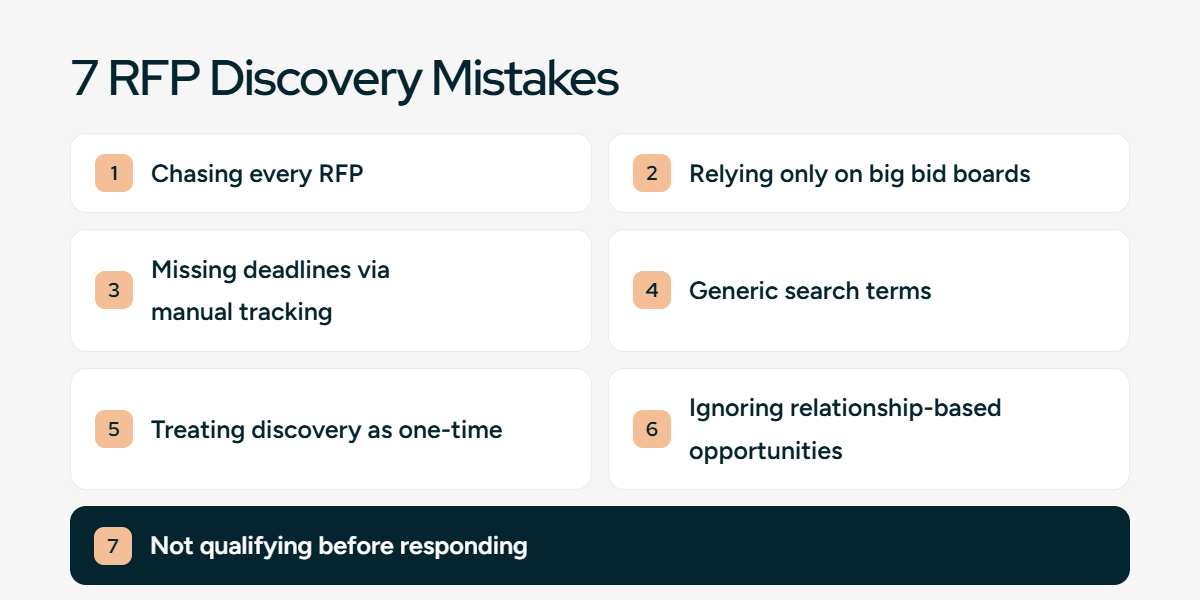
Most wasted effort in RFP discovery comes from the same avoidable mistakes. Here they are, with the fix for each.
- Chasing every available RFP. Going after every RFP regardless of fit spreads the team thin and lowers quality across all submissions. Run a go/no-go process before you commit.
- Relying only on large bid boards. Popular boards attract hundreds of vendors for the same RFP. Add government portals, industry boards, and relationships to find less crowded opportunities.
- Missing deadlines through manual tracking. Managing RFPs in email and spreadsheets leads to missed deadlines. Use a RFP tracker with owners and dates so nothing slips.
- Using generic search terms. Broad keywords surface irrelevant or outdated RFPs. Refine searches by NAICS code, category, and specific terms so you spend time evaluating, not filtering.
- Treating discovery as a one-time task. Searching only when the pipeline runs low creates gaps and rushed responses. Set alerts and check them on a schedule.
- Ignoring relationship-based opportunities. Closed and invite-only RFPs are more qualified and less competitive. Build relationships so you get those invitations.
- Failing to qualify RFPs before responding. Responding without qualifying wastes time on low-probability bids. Check budget, scope, and buyer intent first.
How to qualify RFPs before you respond
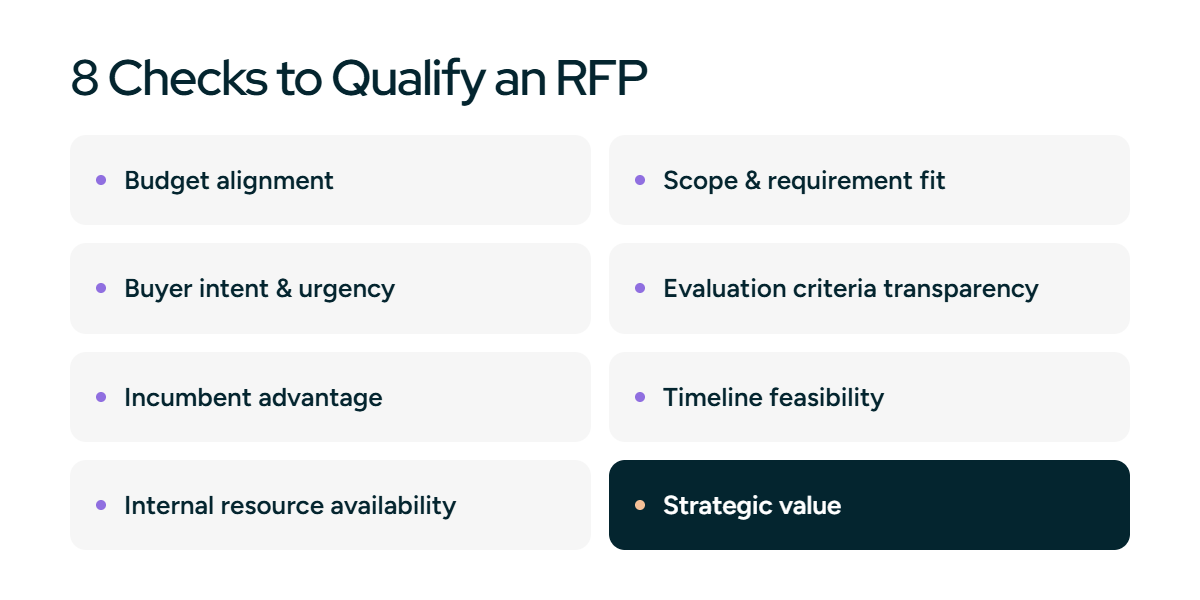
Qualifying is what protects your team's time and your win rate. Run every RFP through these eight checks before you commit, and use them to make a clear bid or no-bid decision.
- Budget alignment. Check that the budget fits your pricing and delivery model. A missing or unrealistic budget often signals low buyer readiness.
- Scope and requirement fit. Make sure the scope matches your core offerings. Large gaps between requirements and capabilities lead to weak proposals.
- Buyer intent and urgency. Look for clear timelines, firm deadlines, and defined evaluation steps, which point to a serious buyer.
- Evaluation criteria transparency. Strong RFPs explain how proposals will be scored. Vague or missing criteria make it hard to position your strengths.
- Incumbent or preferred vendor advantage. Check whether the buyer already has a vendor. RFPs written around an incumbent often limit real competition.
- Timeline feasibility. Confirm your team can meet the deadline without cutting quality. Tight timelines need resources planned in advance.
- Internal resource availability. Make sure subject matter experts, sales, and proposal teams are available. Rushed responses weaken credibility.
- Strategic value. Consider whether the RFP supports long-term goals such as entering a new market or building a reference customer. Strategic bids can justify higher effort.
How to respond to RFPs more effectively
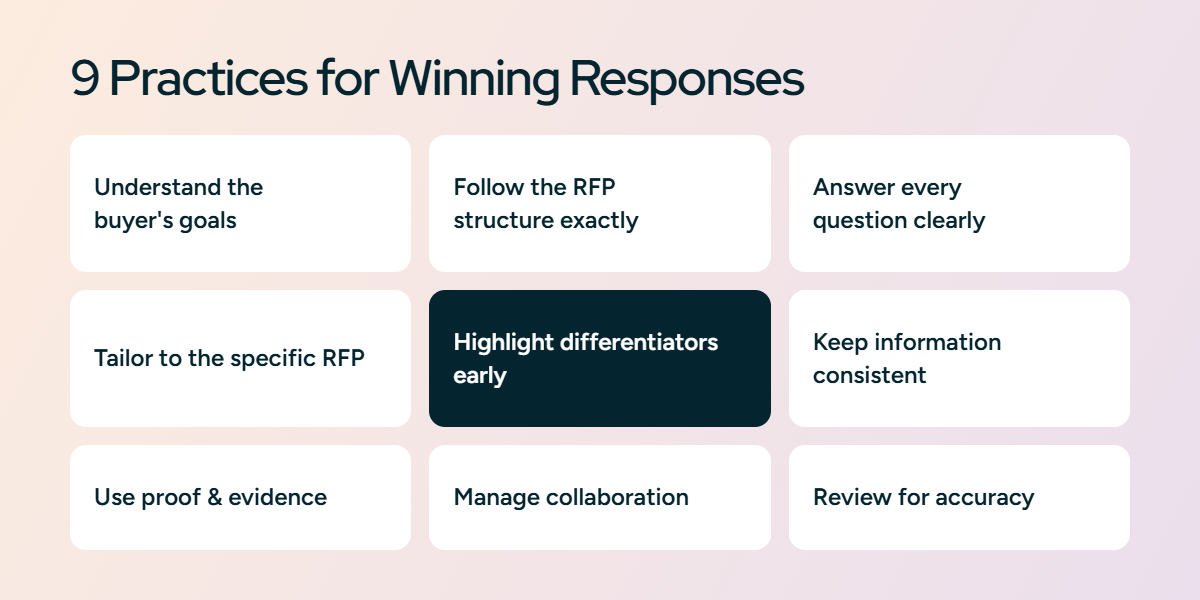
Once an RFP passes qualification, a disciplined response process is what wins it. These nine practices cover the essentials.
- Understand the buyer's goals. Look beyond the questions to the outcomes, risks, and priorities in the RFP.
- Follow the RFP structure exactly. Organize your response in the same order as the RFP. Evaluators score section by section.
- Answer every question clearly. Give a direct answer first, then supporting detail. Avoid vague or generic responses.
- Tailor responses to the specific RFP. Adjust language, examples, and messaging to the buyer's industry. Reused content without customization weakens credibility.
- Highlight differentiators early. Call out your strengths and unique approach within each relevant section, not only at the end.
- Keep information consistent. Align pricing, technical details, and timelines across the document. Inconsistencies reduce trust and can disqualify a response.
- Use proof and evidence. Support claims with data, case studies, and results. Buyers trust evidence over promises.
- Manage collaboration. RFPs need input from several teams. Clear ownership and version control prevent delays and conflicting answers.
- Review for accuracy and completeness. Run a final check on accuracy and tone. Small errors undermine strong proposals.
How Inventive AI helps in responding once you find the right RFPs
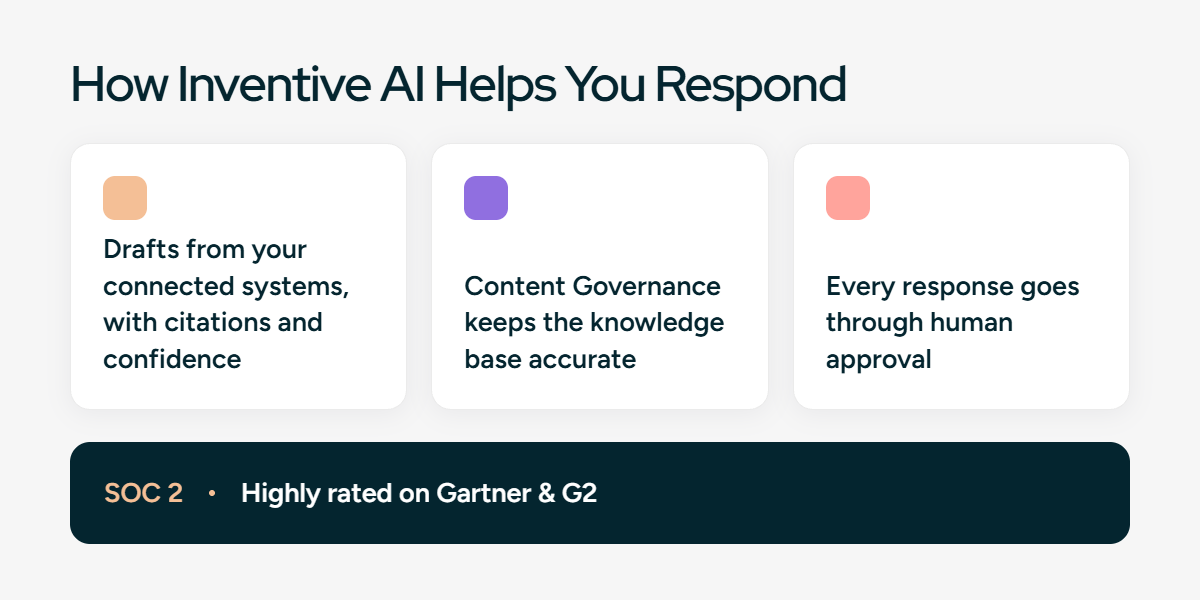
Once you find and qualify an RFP, the work shifts to responding, and for enterprise teams that is where the time goes. Inventive AI is an AI-native RFP software platform for responding to RFPs, RFIs, and security questionnaires. It does not find RFPs for you. It handles the response, and three things make it work at enterprise scale:
- Drafts from your connected systems. It pulls from SharePoint, Google Drive, Salesforce, and Confluence and drafts answers from that content, with a source citation and a confidence score on each one.
- Keeps a large knowledge base accurate. The Content Governance Agent flags outdated, duplicate, or conflicting answers before they reach a buyer, so shared content stays current as more people add to it.
- Keeps every team in control. Every response goes through human approval, so proposal, sales, and InfoSec teams sign off on what is submitted.
Security and ratings carry weight in enterprise deals. Inventive AI holds SOC 2 certification and is rated highly on Gartner and G2 for AI response quality. Together, these let a proposal team take on more RFPs, RFIs, and security questionnaires without hiring for every new deal.



%20(5).avif)
%20(18).avif)