Business Intelligence RFP Guide + Vendor Evaluation [2026]
Issuing a BI RFP? This guide covers what to include, how to score vendors, and which evaluation criteria separate strong from weak proposals.

The RFP process is important for any business aiming to win projects, but responding to Business Intelligence (BI) RFPs can feel exhausting. Vendors, you know how frustrating it can be when buyers provide unclear requirements or overcomplicate the process with vague criteria.
So, how do you ensure your RFP responses stand out amidst this chaos? One solution: a Business Intelligence RFP Template.
This blog will walk you through everything you need to know about crafting, customizing, and optimizing your response using an effective template.
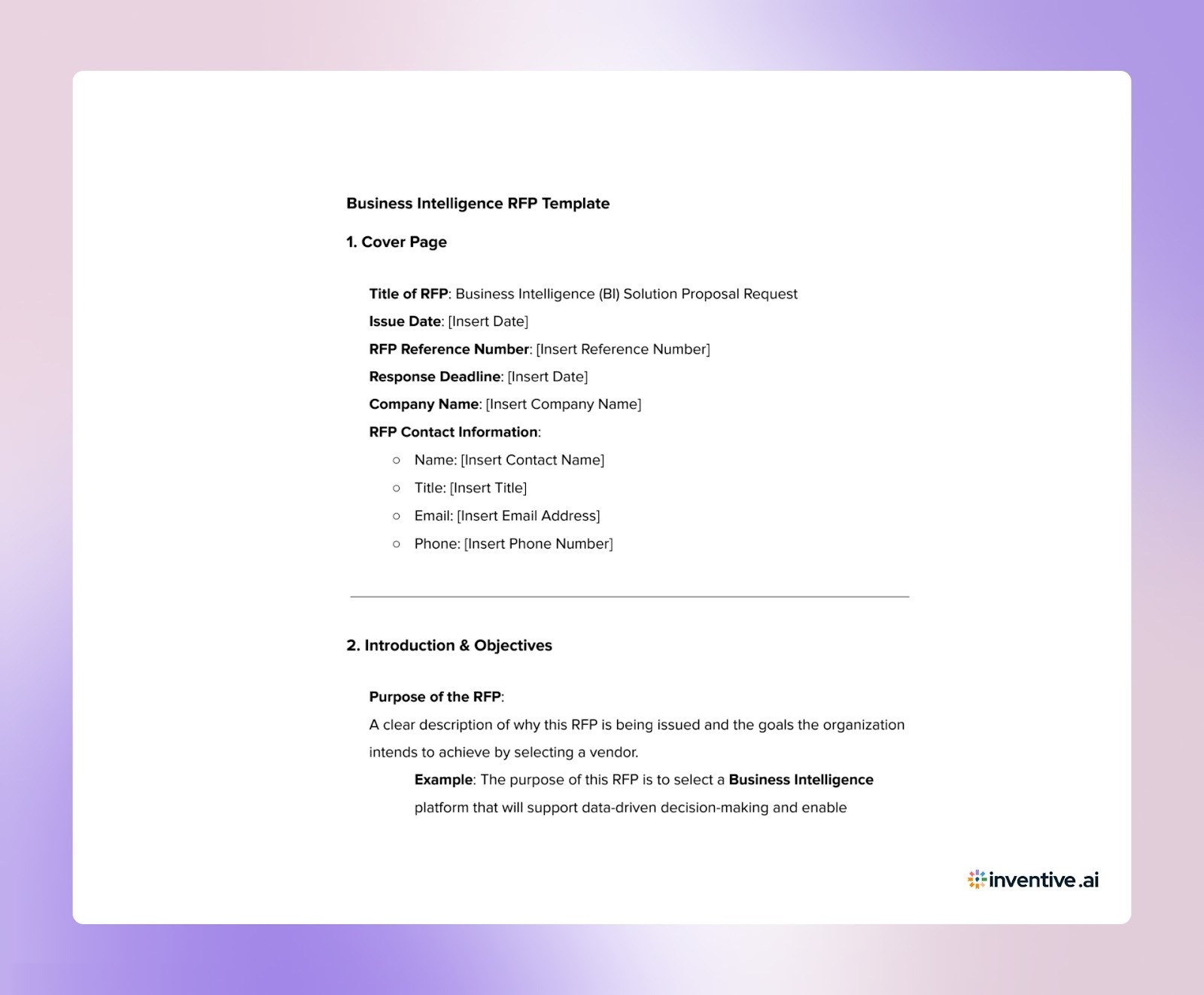
The Only Business Intelligence RFP Template You Need in 2026 (For Buyers)
A Business Intelligence RFP Template serves as a structured framework for vendors to craft responses to an RFP. The purpose of a well-organized RFP template is to provide a clear, concise, and relevant response to the buyer’s request.

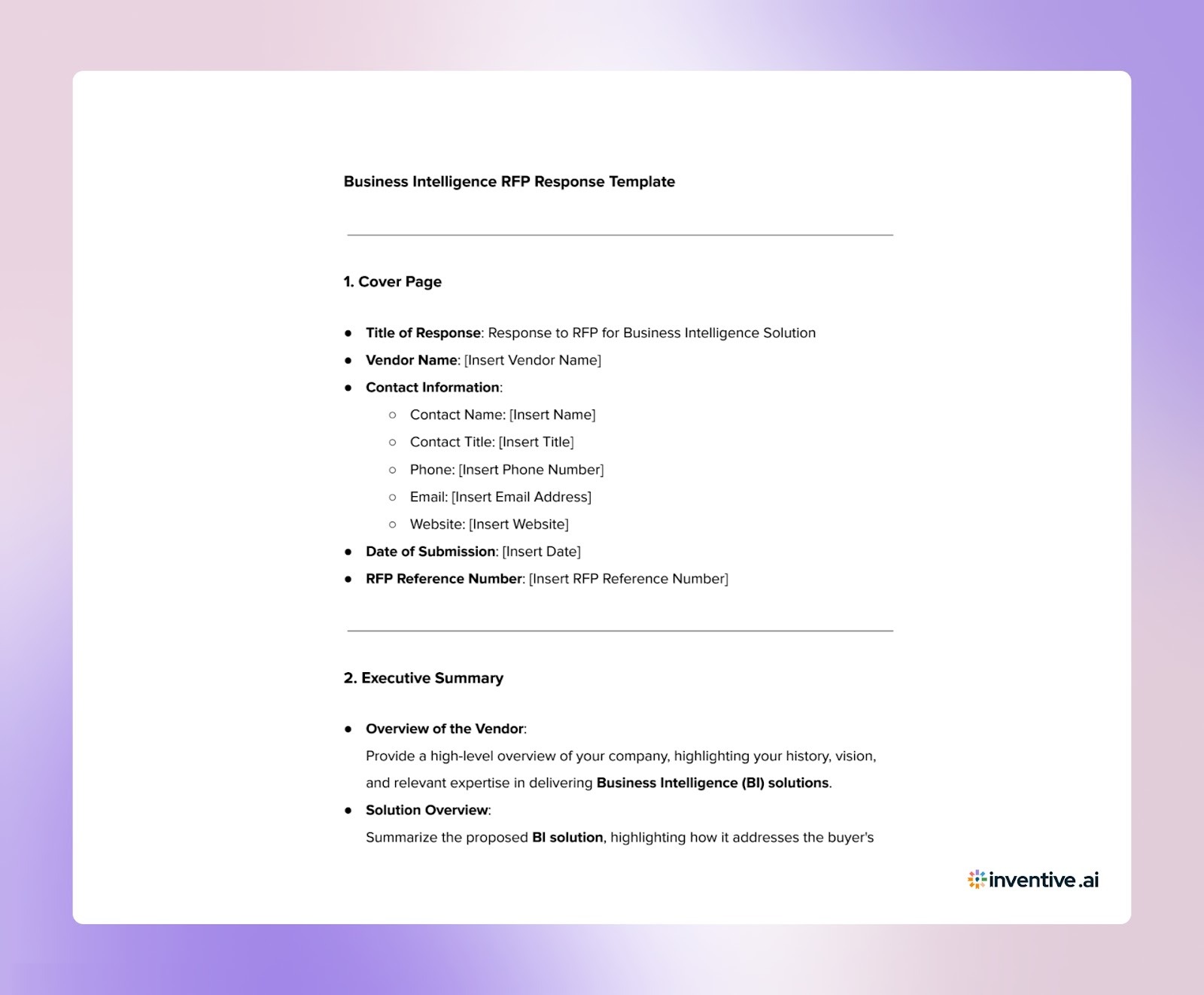
Create Winning BI RFP Responses in Record Time with This Proven Template (For Vendors)
Writing a Business Intelligence RFP response takes careful planning and clear answers. A response template helps you cover every required section and keep responses consistent across different RFPs. It also saves time by giving your team a structured starting point for each proposal.

What Buyers Care About Most in a Business Intelligence RFP Response?
Buyers include specific components in a Business Intelligence RFP to evaluate vendors. Understanding these sections helps you customize your response accordingly.
1. Company Overview: Provide background information on your company and your experience delivering BI solutions, especially in similar industries or use cases.
2. Technical Specifications: Describe the technologies, tools, and database management systems your solution uses, and how they align with the buyer’s infrastructure and needs.
3. Security and Compliance: Address how your solution ensures data protection and complies with industry standards (e.g., GDPR, HIPAA). Explain your security protocols and encryption methods.
4. Integration Capabilities: Explain how your BI solution integrates with the buyer’s existing systems (e.g., CRM, ERP), making sure smooth data flow and minimal disruption.
5. Data Analytics and Reporting: Highlight how your solution enables advanced analytics and custom reporting to transform data into actionable insights based on the buyer’s KPIs.
6. Scalability and Flexibility: Demonstrate how your solution can scale as the buyer’s business grows, handling increasing data volumes and evolving requirements.
7. Training and Support: Outline the training and ongoing support you provide to ensure the buyer’s team is well-equipped to use the solution effectively.
8. Performance Metrics: Include measurable KPIs that demonstrate the impact of your solution, such as improvements in decision-making, efficiency, and time savings.
By addressing these critical components, you show that you understand the buyer’s needs and are prepared to provide the right solution.
Also Read: How to Respond to Insurance RFIs: A Complete Guide
How Buyers Score Your Business Intelligence RFP?
Understanding the evaluation criteria can help you customize your responses to what matters most to buyers. Here’s how they typically evaluate your BI RFP response:
1. Relevance to Requirements: How well does your proposal address the buyer’s specific needs and requirements?
2. Solution Fit: How well do your BI tools and services align with the buyer’s objectives?
3. Expertise and Experience: The level of your experience with similar projects and your team’s technical proficiency.
4. Cost and Value: The pricing structure and the overall value your solution provides, considering both short- and long-term costs.
5. Security and Compliance: How effectively your solution meets data security and regulatory standards.
By ensuring your RFP responses clearly match these criteria, you increase your chances of winning the project.
Proven Customization Tips for Business Intelligence RFP Template: Personalize Your Responses
The Business Intelligence RFP response template is a great starting point, but it should be customized to address the specifics of each RFP. Here are some tips to help you make your template work for you:
1. Align Responses with the Buyer’s Business Objectives: Show how your solution will directly address the buyer's pain points and goals.
2. Use Case Studies and Success Stories: Include examples of similar projects to demonstrate your track record and the value you’ve delivered.
3. Highlight Your Unique Selling Proposition (USP): Focus on what differentiates your solution, such as special features or innovative BI tools.
4. Keep Content Updated: Regularly refresh sections to include the latest features, pricing, and success metrics.
5. Emphasize ROI: Highlight how your BI solution will generate measurable value, such as cost savings or productivity improvements.
6. Simplify Complex Concepts: Make your responses clear and easy to understand, especially when explaining technical aspects of your solution.
Customizing your response will make your proposal relevant, persuasive and easy for the buyer to see the benefits of choosing your solution.
Top 5 Benefits of Using a BI RFP Template to Boost Your Proposal Success
A BI RFP response template offers multiple benefits that improve both the speed of your process and the quality of your submissions.
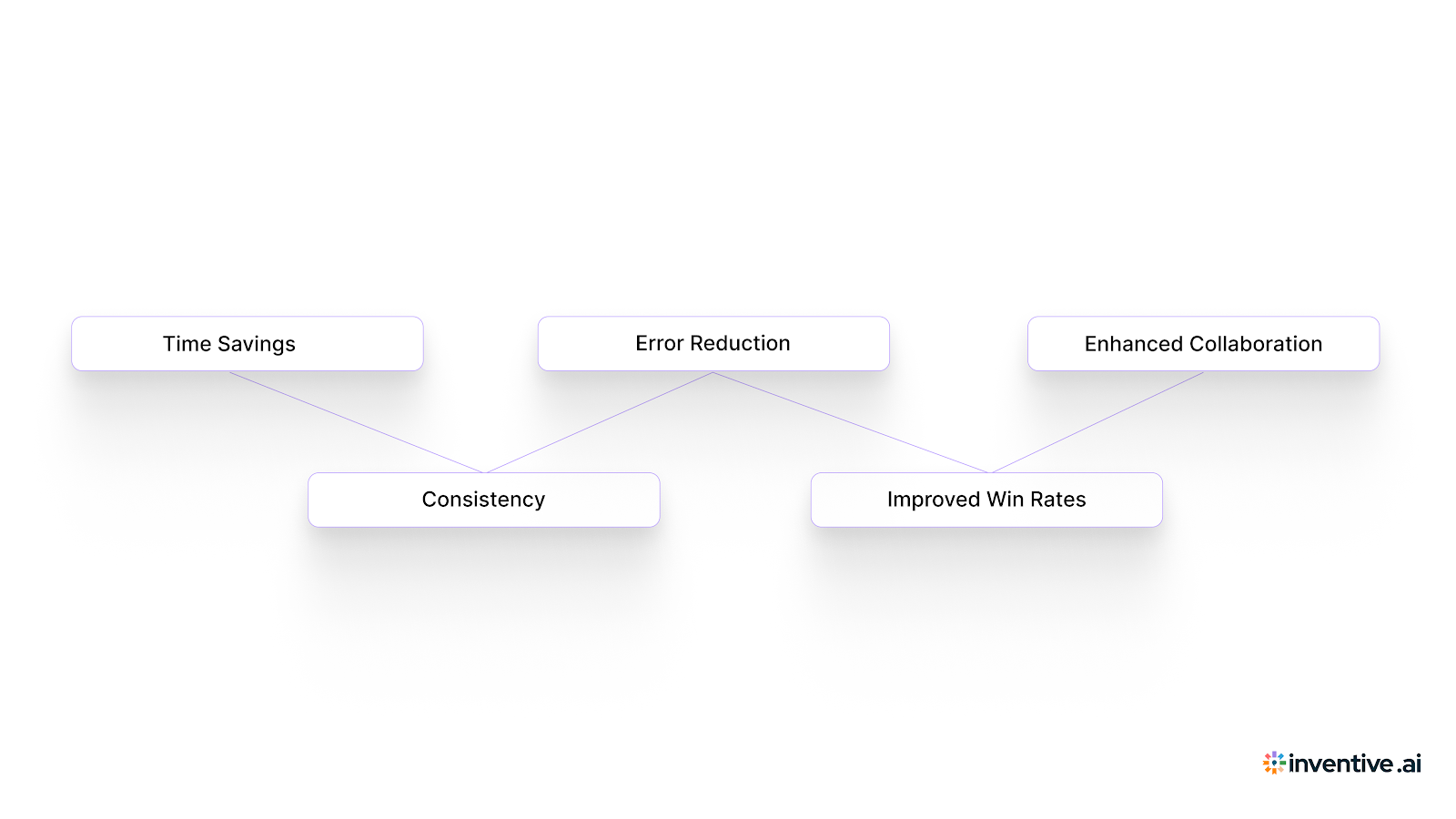
1. Time Saving: Automate repetitive sections of the response, such as company overview and technical descriptions, to focus more on customization.
2. Consistency: Ensure your responses maintain a consistent tone and quality across multiple RFPs.
3. Error Reduction: Minimize the risk of missing key sections or requirements, ensuring that every response is comprehensive and aligned with the buyer’s expectations.
4. Improved Win Rates: By addressing all buyer concerns with a structured, compelling response, you improve your chances of winning the contract.
5. Enhanced Collaboration: A template allows multiple teams to contribute easily, supporting smoother collaboration between departments and a more well-rounded response.
By using a BI RFP response template, you simplify the process and reduce errors. This improves your chances of submitting a proposal that matches the buyer’s needs.
Also Read: RFP Response Trends and Benchmarks: Key Insights for 2026
Maximize Your Business Intelligence RFP Success with These Key Response Strategies
Here are a few practical ways to use your BI RFP response template more effectively:
1. Understand the Buyer’s Needs: Study the RFP thoroughly to understand the buyer’s goals and tailor your response accordingly.
2. Focus on Key Differentiators: Highlight features that make your solution stand out, especially those that address specific pain points mentioned in the RFP.
3. Collaborate Efficiently: Involve your subject-matter experts early, so your responses are accurate and comprehensive.
4. Follow Submission Guidelines: Check that your response follows all formatting and submission requirements to avoid disqualification.
5. Provide Clear, Actionable Next Steps: End your response with a clear call to action, such as scheduling a meeting or follow-up call, to move the process forward.
Following these steps will help yoy craft a compelling, well-aligned response that addresses the buyer’s needs.
Boost Your RFP Success Rate by 50% with Inventive AI
Responding to Business Intelligence RFPs is a demanding task. Inventive AI helps you create faster, more accurate, and highly targeted proposals.
1. 2x Higher Quality Responses
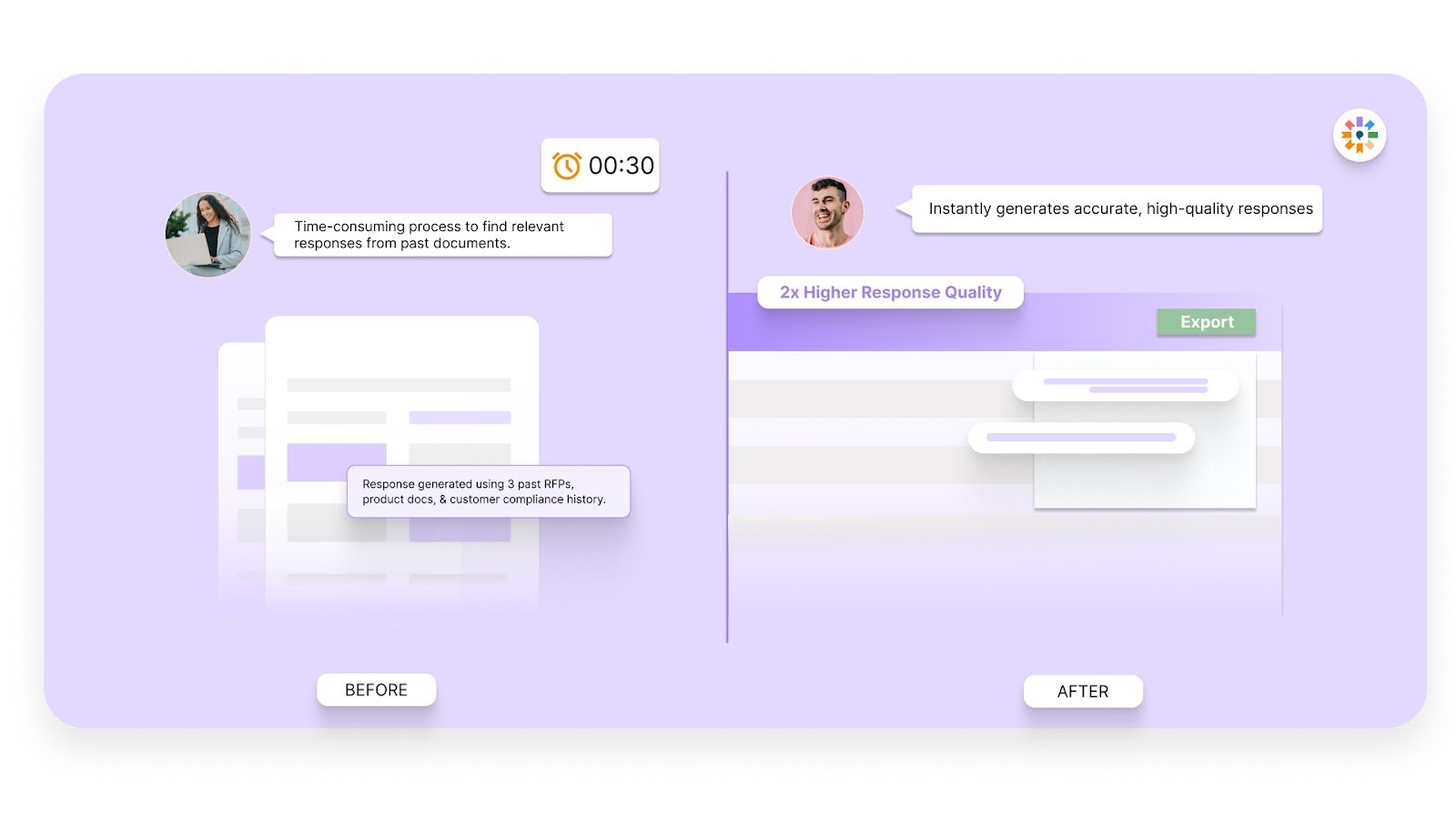
By aligning every response with the buyer's expectations, Inventive AI helps you craft proposals that increase your chances of winning the contract. You’ll provide clear, compelling solutions that meet buyer needs, giving you a competitive edge.
2. Instant Customization with Context Engine
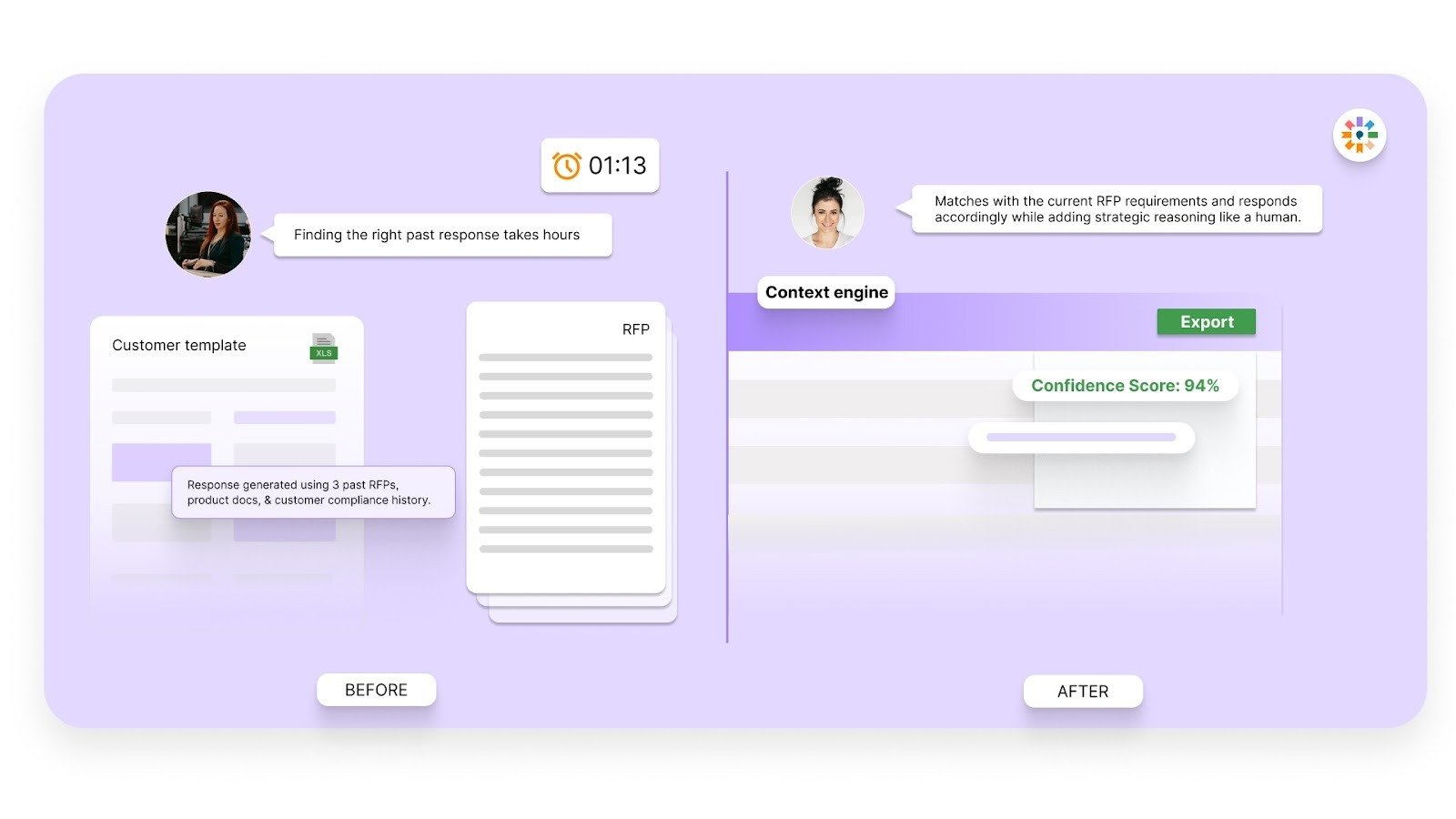
The Context Engine allows you to personalize each response instantly, ensuring your proposals are highly relevant to each buyer’s unique needs. This means you can focus on delivering value, rather than spending time on lengthy customizations for each RFP.
3. Eliminate Inconsistencies with Conflict Detection
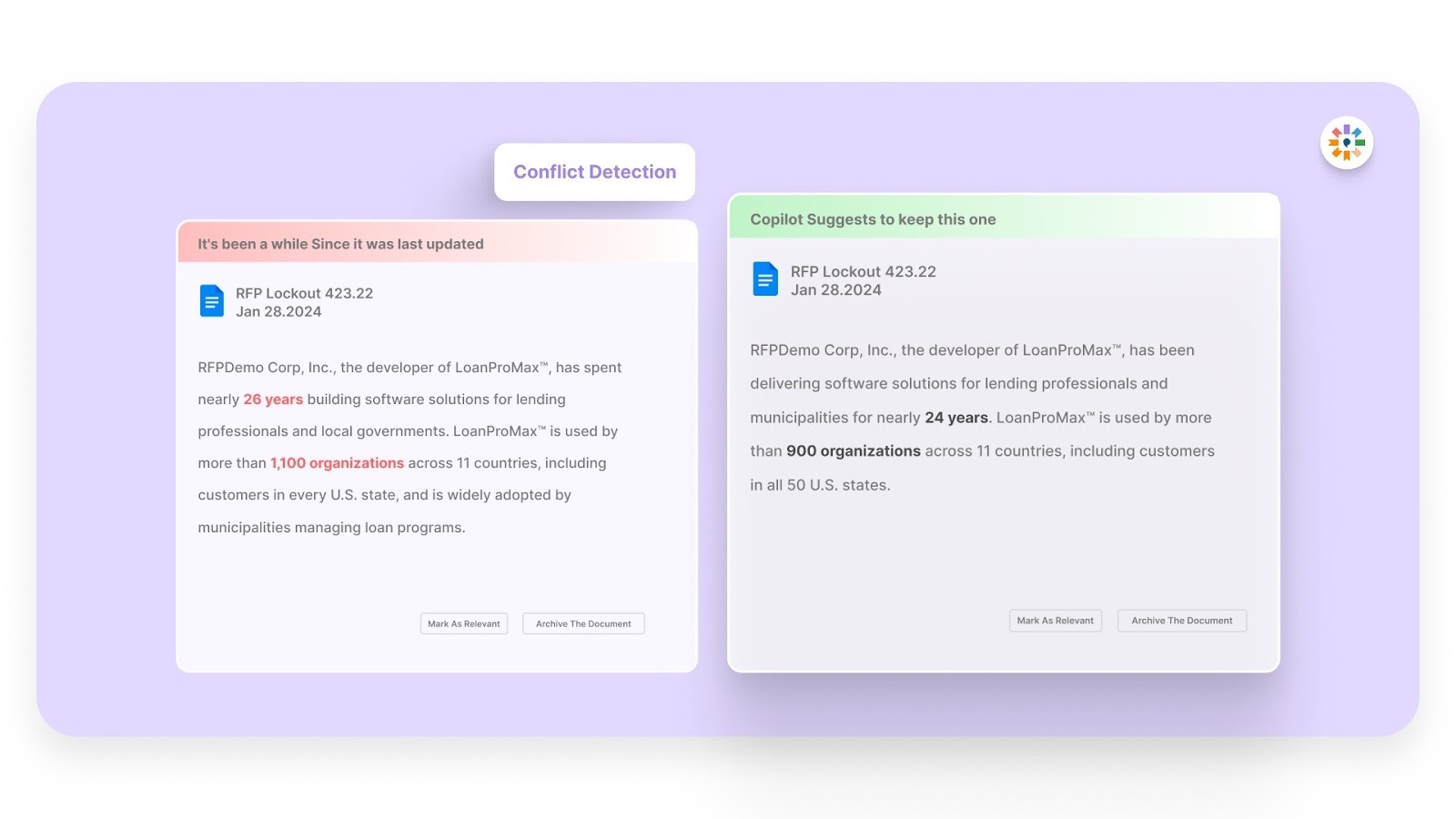
Inventive AI’s Conflict Detection identifies discrepancies or inconsistencies within your responses. It helps keep proposals accurate, cohesive, and aligned with the buyer’s criteria. This reduces errors and strengthens your credibility as a trusted vendor.
4. Stay Relevant with Outdated Content Detection
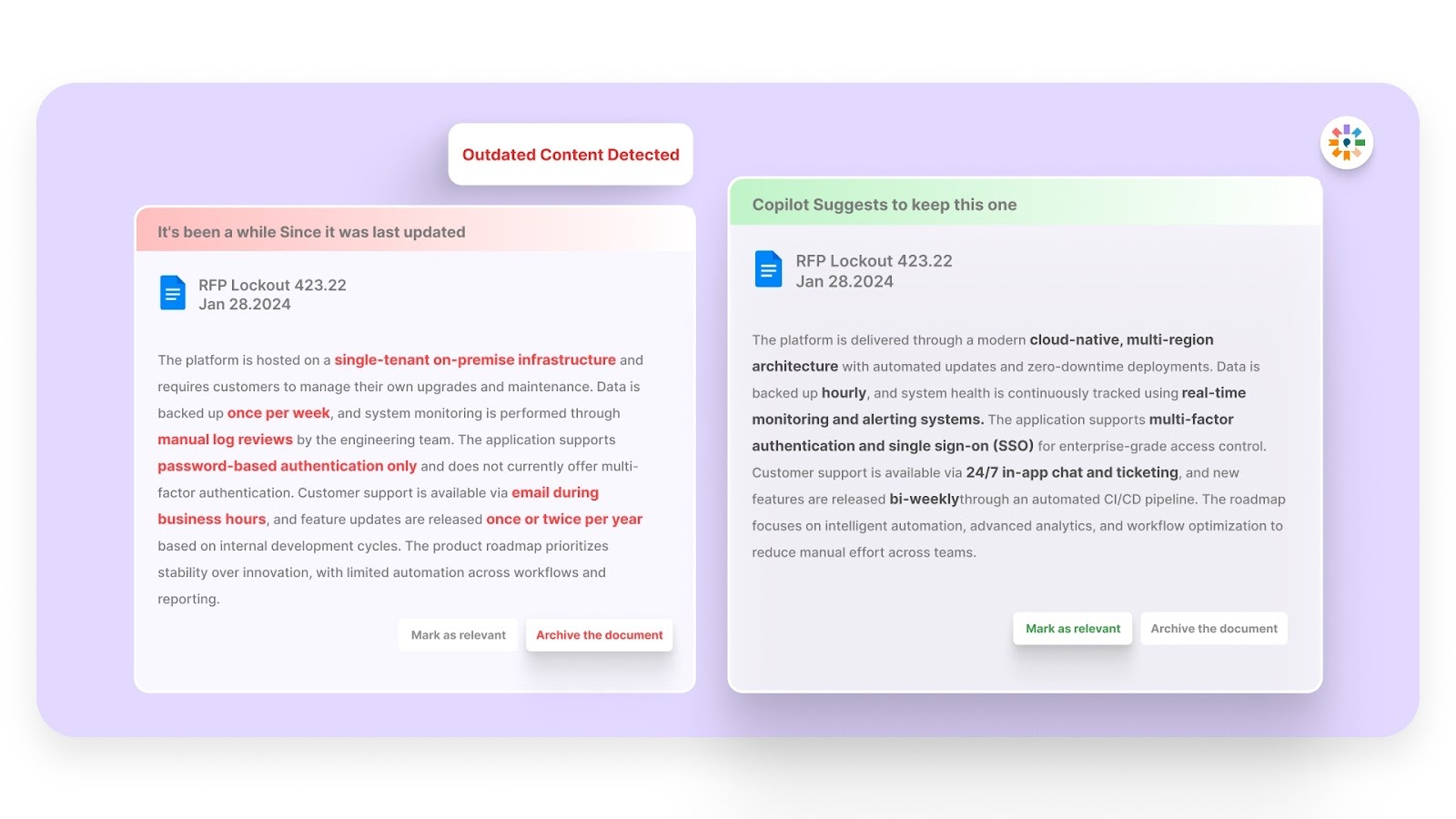
Keep your responses up to date with Outdated Content Detection. It flags outdated or irrelevant information automatically. This helps you present current and accurate details and stay aligned with the buyer’s changing expectations.
5. Faster Proposals with a Simple, Easy-to-Use Interface
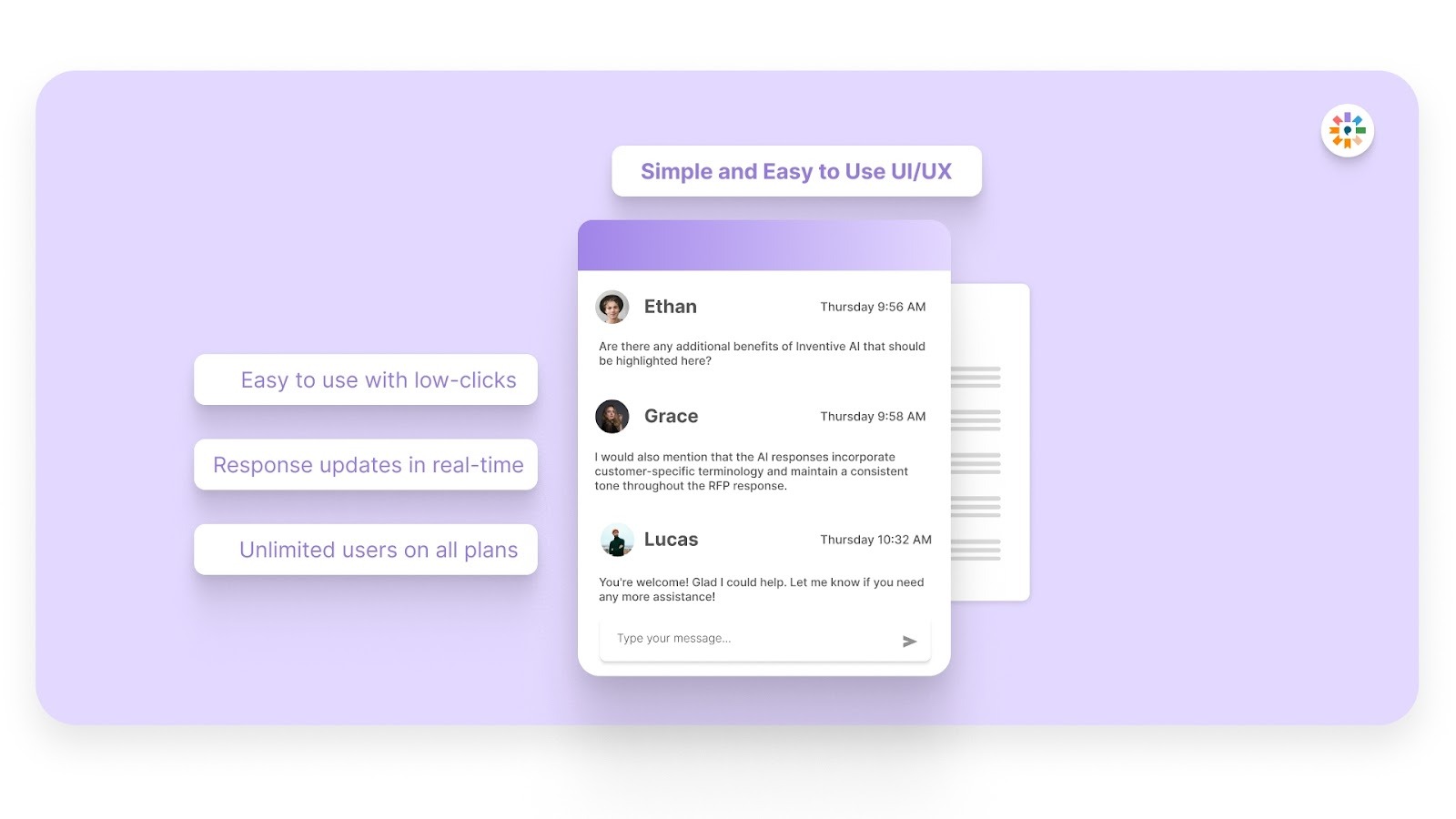
With Inventive AI’s intuitive interface, your team can create high-quality, compelling proposals in record time. The platform simplifies the entire process, allowing you to respond to more RFPs without sacrificing the quality of your submissions.
With Inventive AI, you simplify the RFP process and significantly improve the quality of your submissions, driving higher success rates and faster deal closures.
Frequently Asked Questions (FAQs)
1. What makes a good Business Intelligence RFP response?
A good BI RFP response clearly addresses the buyer’s pain points, showcases your solution’s unique value, and aligns with the buyer's business goals. It should provide concrete examples, case studies, and measurable outcomes that demonstrate your solution’s effectiveness.
2. How can I improve my chances of winning a BI RFP?
To increase your chances of winning a BI RFP, start by understanding the buyer’s specific needs. Show how your solution differs from competitors and present clear, practical solutions. Include relevant case studies, address every RFP requirement, and highlight the ROI your solution can deliver.
3. How long does it typically take to respond to a BI RFP?
The time it takes to respond to a BI RFP depends on its complexity and the information required. Typically, an RFP can take anywhere from a few days to weeks to complete, especially if it involves technical details or customization. Using a structured template can significantly speed up the process.
4. Can I use the same BI RFP response template for different projects?
Yes, you can use the same BI RFP response template across multiple projects. However, it’s important to customize it for each RFP to address the buyer’s unique needs, goals, and specific requirements.
5. How can I track the effectiveness of my BI RFP responses?
To track the effectiveness of your BI RFP responses, monitor win rates, feedback from buyers, and the time spent on each proposal. You can review past bids to see what worked and what did not, helping you find areas to improve your responses.

.avif)



.avif)