How to Use AI for RFP Responses to Win More Deals in 2026

RFP responses take time away from selling. Many teams spend hours drafting, reviewing, and fixing answers for every submission. As a result, sales teams lose significant productive time to manual proposal work.
As RFP volume increases, manual workflows slow you down and create inconsistencies across responses. That is exactly why including AI in your workflow is no longer optional. It helps reduce response time, improve consistency, and free your team to focus on higher-value work.
In fact, 75% of organizations that have implemented workflow automation report saving over 4 hours per employee each week, giving teams more time to focus on strategic priorities instead of repetitive tasks.
This guide shows you how to use AI effectively while still maintaining control over quality and customization.
Key Takeaways
- Use AI to reduce drafting and review time, so you can respond faster without increasing workload.
- Learn how AI fits into your workflow, from draft creation to final validation, improving consistency at every step.
- Follow a structured approach to centralize content, customize responses, and improve over time.
- Avoid common mistakes like outdated content and generic answers to maintain response quality.
- Inventive AI helps you create clear, consistent, and high-quality proposals that improve win rates.
What AI for RFP Responses Means for Your Workflow?
AI for RFP responses refers to software that helps you draft, manage, and improve proposal content using artificial intelligence. But in practice, it is about making your entire RFP workflow more structured, consistent, and easier to manage as your volume grows.
How AI Supports Your Team?
AI does not replace your team. It supports your workflow by handling repetitive tasks and improving response quality.
Think about your current process. You search for past answers, copy content, edit it, and then review everything again. This takes time and often leads to inconsistencies.
AI simplifies this process and helps you move faster without losing control over quality.
It helps you:
- Generate first drafts quickly.
- Pull relevant content from past responses.
- Maintain consistency across sections.
- Reduce manual effort during review.
When used correctly, AI makes RFPs faster, easier to manage, easier to scale, and more reliable across every submission. Tools like Inventive AI build on this by helping you apply AI across your entire RFP workflow, so your responses stay consistent, accurate, and ready to submit.
Also Read: Implementing AI in the RFP Process 2025
How AI Supports Your Team Across Every RFP?
AI tools support your team across the entire RFP lifecycle. Instead of helping at just one stage, they improve how each step flows into the next.
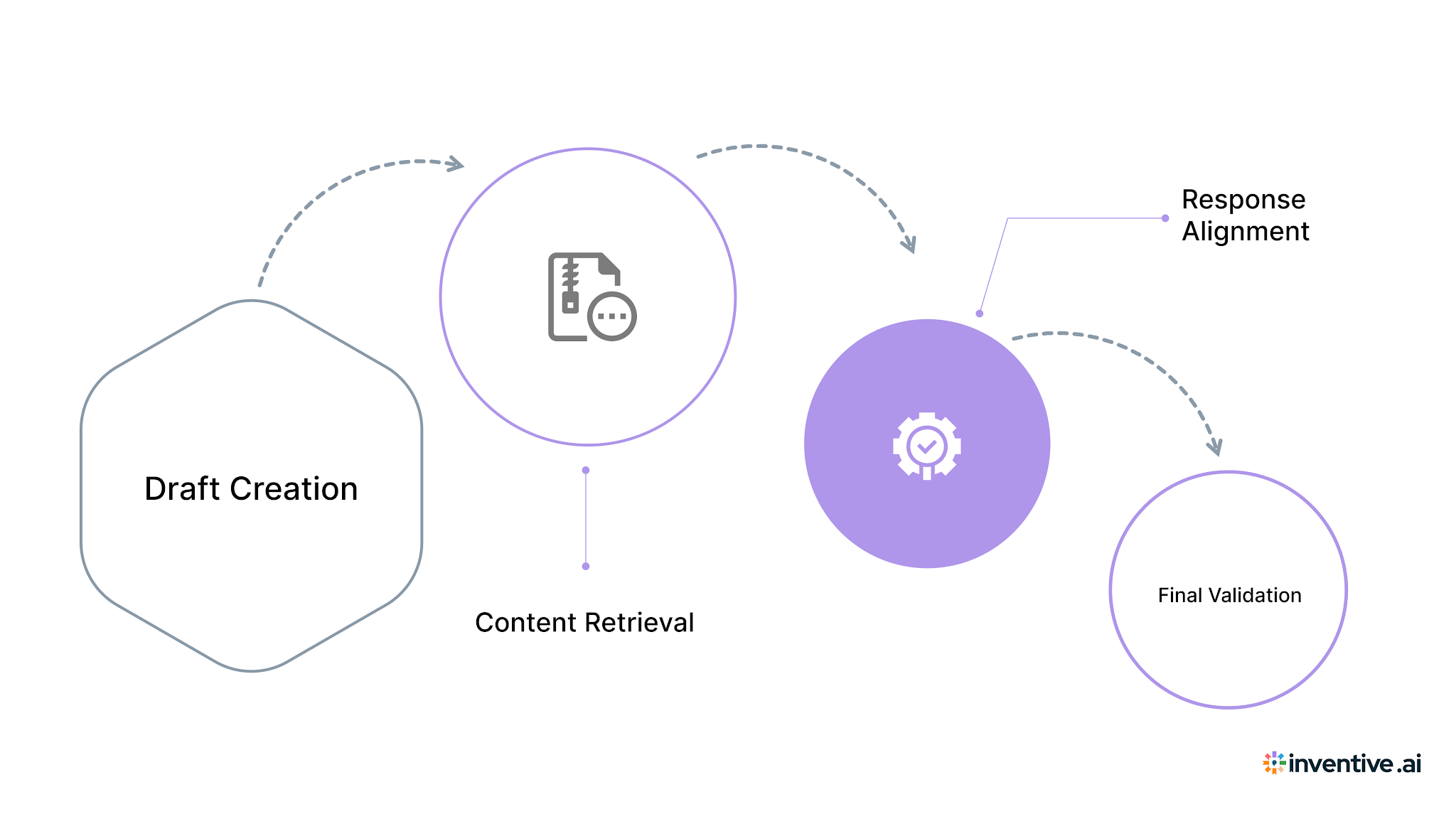
1. Draft Creation
AI helps you generate a structured first draft quickly using your existing content.
The real value is not just speed. It removes the blank page problem and gives your team a clear starting point. This means you spend more time improving responses instead of building them.
2. Content Retrieval
AI pulls the most relevant answers from your past RFPs, documents, and internal knowledge.
This saves hours spent searching across folders and tools. More importantly, it ensures you are using the best available content instead of rewriting or missing key details.
3. Response Alignment
AI helps keep your responses consistent across sections, even when multiple teams are involved.
This reduces conflicting answers and improves how your proposal is evaluated. A clear and consistent response builds trust and makes it easier for buyers to compare vendors.
4. Final Validation
AI supports the review process by helping identify gaps, inconsistencies, and outdated content early.
This reduces last-minute revisions and speeds up approvals. Your team can submit responses with more confidence and fewer delays.
AI becomes most valuable when your team handles multiple RFPs and needs to maintain quality at scale.
Turn Your Content into High-Quality RFP Responses Using AI
AI RFP tools use your existing data, past responses, and intelligent processing to generate accurate and relevant answers.
They do more than just pull content. They connect different parts of your knowledge and help you respond faster with better clarity.
1. Content Understanding
AI tools connect with your documents, past RFPs, and internal systems. They use this information to build responses based on what your team has already created.
This means your answers reflect your actual capabilities, language, and positioning. You spend less time rewriting and more time refining what already works.
2. Context Interpretation
AI tools analyze the intent behind each question. They look beyond keywords and focus on what the buyer is trying to understand.
This leads to responses that are more relevant and aligned with the requirement. Your team spends less time correcting mismatched answers.
3. Response Generation
AI creates structured drafts using your stored knowledge. These drafts give your team a clear starting point for every response.
You move faster because the base structure is already in place. Your effort shifts toward improving quality instead of building from scratch.
4. Continuous Improvement
As your team responds to more RFPs, the system keeps learning from updated content and refined answers.
Over time, your responses become more consistent, easier to manage, and quicker to produce.
When each stage works together like this, your RFP responses become faster to build, easier to refine, and more consistent across every submission.
Also Read: RFI vs RFP vs RFQ Templates + Vendor Response Formats
How to Use AI for RFP Responses: A Practical Process
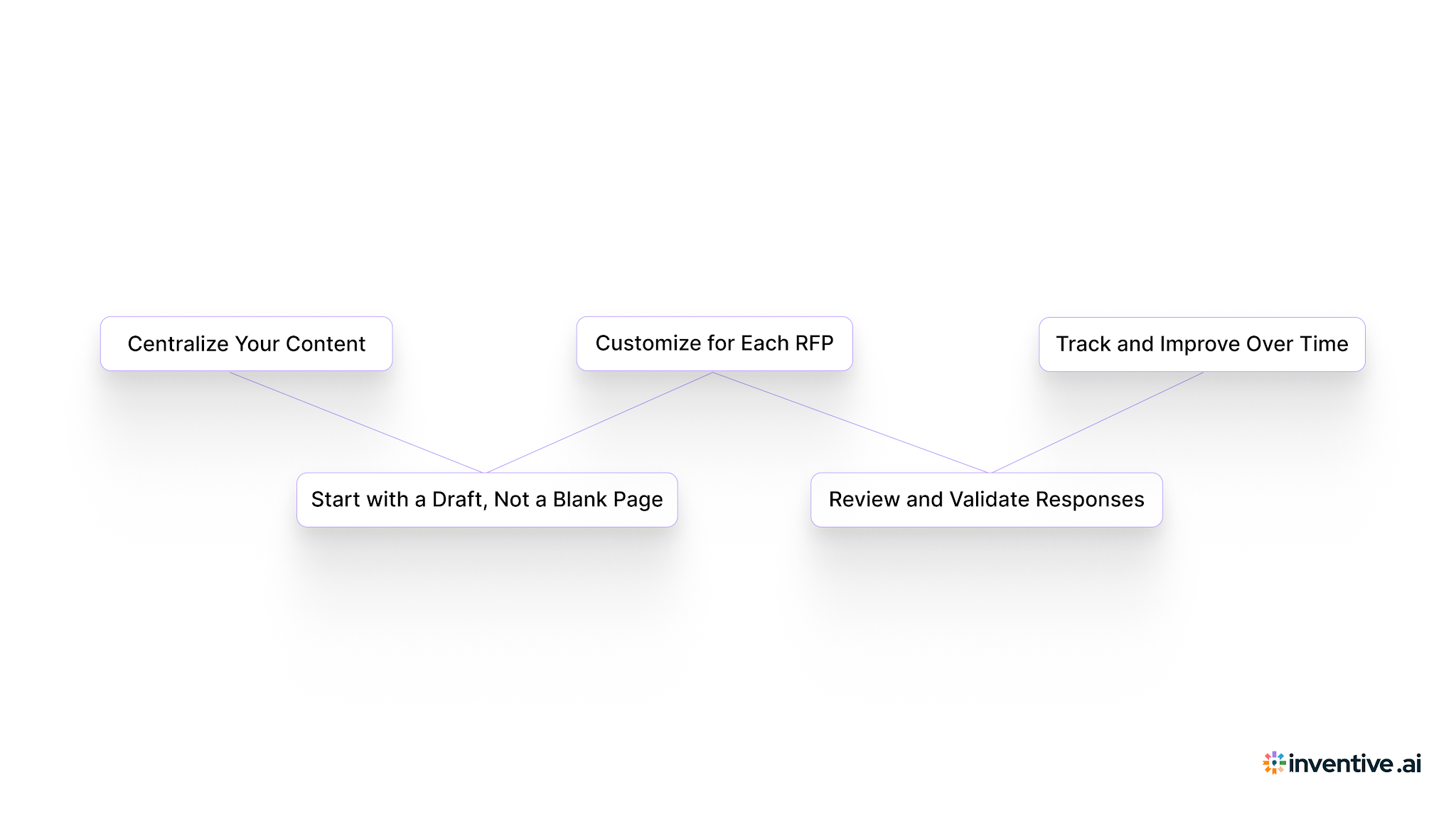
Using AI well isn’t about switching on a tool and expecting results. What actually makes a difference is how you fit it into your process so you can move faster without cutting corners on quality.
Step 1: Centralize Your Content
AI is only as useful as the information you give it. If your answers are spread across folders, emails, and different tools, you’ll keep getting uneven results.
Start by pulling everything into one place, past RFPs, security responses, product details, and key documents.
Once everything is organized, something interesting happens. You spend less time digging for answers and more time actually working on the response. And that alone can save hours on every RFP.
Step 2: Start with a Draft, Not a Blank Page
Instead of writing from scratch, use AI to get a first draft ready in minutes.
This shifts how you approach the entire process. You’re no longer stuck figuring out how to start. You already have something structured in front of you.
From there, your focus moves to improving the response rather than building it line by line. That’s where you gain speed without losing control.
Step 3: Customize for Each RFP
A good draft is just the starting point. What really makes your response stand out is how well it reflects what the buyer cares about.
Go back and shape the content around their priorities, requirements, and evaluation criteria. Swap generic lines for real examples, clear outcomes, and specifics that show you understand their needs.
This is the step that turns a standard answer into something that actually feels tailored.
Step 4: Review and Validate Responses
Review is usually where things slow down. Teams go back and forth checking for inconsistencies, outdated information, or gaps.
AI can help catch these issues early, so you’re not fixing the same things again and again.
When your review process is tighter, you’re not rushing at the last minute. You’re submitting something that’s already been checked and feels solid.
Step 5: Track and Improve Over Time
Strong teams don’t treat RFPs as one-off tasks. They look at what worked, what didn’t, and where they lost time.
Use that insight to improve your content and process. Over time, your drafts get better, your edits get lighter, and your turnaround gets faster.
That’s when AI stops being just a tool and starts becoming part of a system that keeps improving.
Pro tip: If you’re handling multiple RFPs at once, don’t try to optimize everything. Focus on saving time in drafting and review first. That’s where you’ll see the biggest difference.
When you use AI this way, your RFP process becomes easier to manage, more consistent, and a lot less stressful as the volume grows.
5 Key Benefits of Using AI for RFP Responses
AI improves both speed and quality when applied correctly, but the real impact shows in how your team works day to day.
1. Faster Response Time
AI helps you generate structured drafts in minutes using your existing content.
This reduces the time spent writing from scratch and gives your team a strong starting point. As a result, you can respond to more RFPs without increasing workload.
2. Improved Accuracy
AI uses your centralized content to generate answers that reflect your latest information.
This reduces the chances of outdated or incorrect responses, which often delay approvals or create friction during evaluation.
3. Better Consistency
When multiple teams contribute to a response, inconsistencies are common.
AI helps keep messaging aligned across sections, so your proposal reads clearly and builds confidence with the buyer.
4. Increased Productivity
Your team spends less time on repetitive tasks like drafting and searching for content.
This gives them more time to focus on refining responses, improving positioning, and strengthening proposals.
5. Higher Response Quality
AI helps you start with better drafts, maintain alignment, and reduce errors.
This leads to clearer, more structured responses that are easier for buyers to review and compare.
These benefits make RFPs faster and help your team respond with more clarity, consistency, and confidence across every submission.
Also Read: The Ultimate Professional Services RFP Template And Response Guide
4 Common Mistakes That Reduce the Impact of AI in RFPs
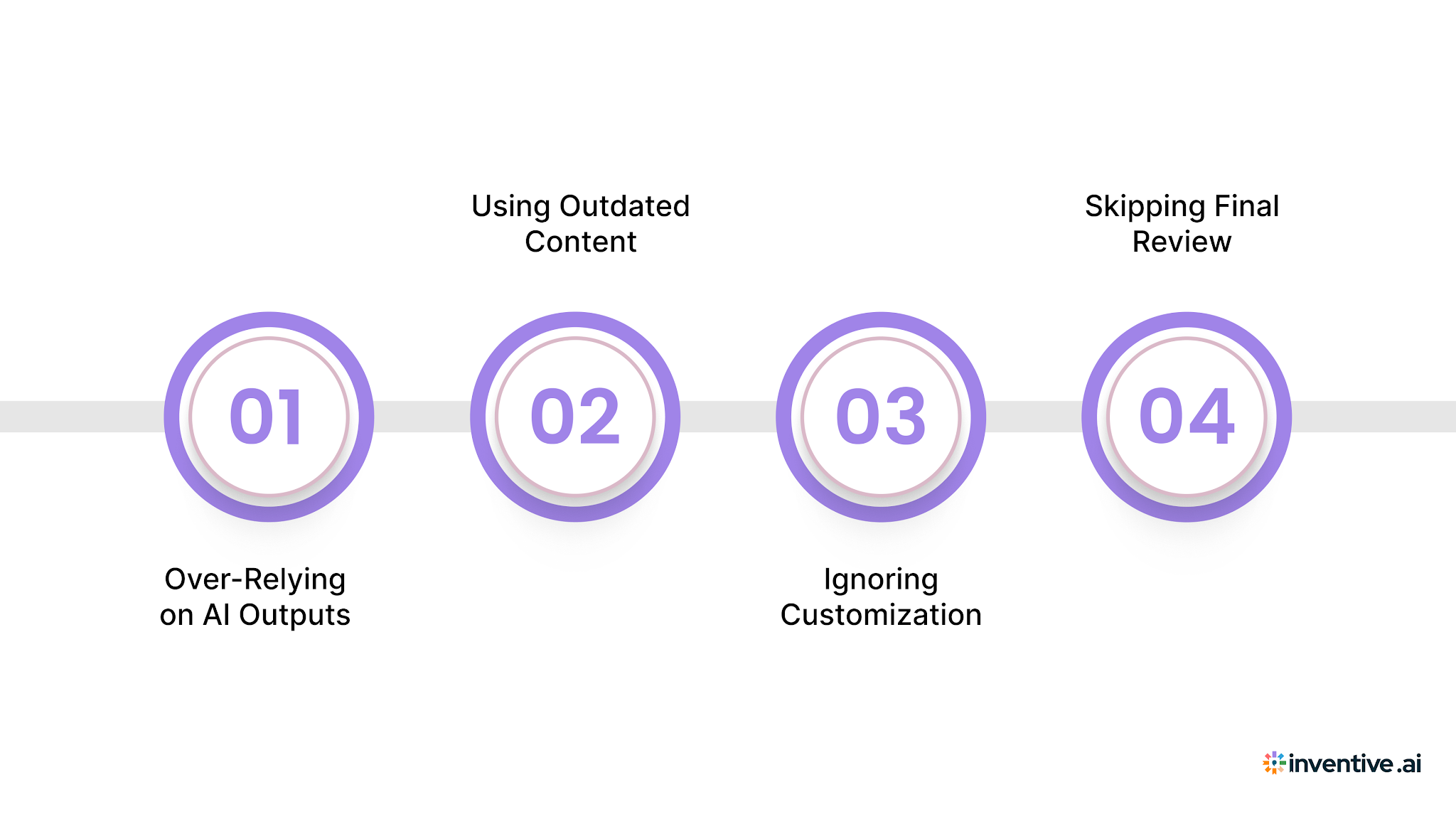
AI improves efficiency, but the results depend on how you use it. Most issues come from small gaps in the process, not the tool itself.
1. Over-Relying on AI Outputs
AI gives you a strong starting point, but it should not be your final response.
Review every answer and refine it based on the buyer’s requirements. Add context, examples, and clarity where needed. This is what turns a draft into a competitive response.
2. Using Outdated Content
AI depends on the content you provide. If your data is outdated, your responses will reflect that.
Set a regular update process for your knowledge base. Assign ownership so key sections stay accurate. This helps your responses stay relevant without extra effort during review.
3. Ignoring Customization
AI can generate structured answers quickly, but buyers expect responses that reflect their specific needs.
Take time to adjust messaging, highlight relevant use cases, and connect your solution to their priorities. This makes your response more meaningful and improves how it is evaluated.
4. Skipping Final Review
Even with AI support, a final review step is important.
Check for alignment across sections, clarity in responses, and completeness. A quick but focused review helps avoid last-minute issues and improves overall quality.
When you avoid these mistakes, AI becomes a reliable part of your workflow and helps your team respond faster without compromising quality.
Strengthens Your RFP Response Process With Inventive AI
AI tools are useful, but their impact depends on how well they support your workflow.
That is where Inventive AI stands out. With AI-powered RFP response software, Inventive AI automates the complex RFP management workflow, saving time and improving proposal accuracy.
1. 2× Higher Quality Responses
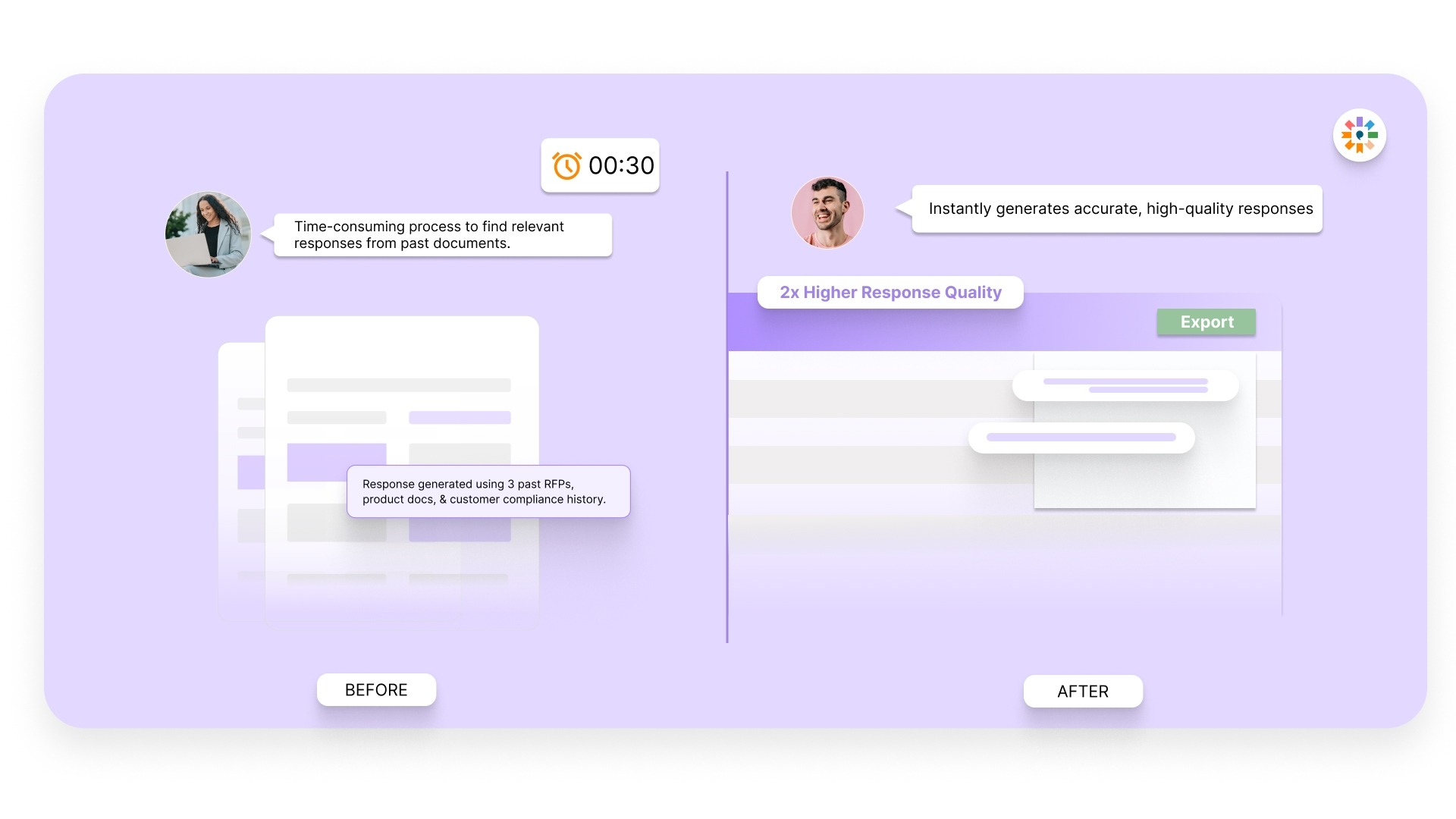
Most teams spend time fixing drafts before they are ready to submit. Inventive AI improves the quality of your responses from the beginning.
You start with answers that are more complete and aligned, which reduces rework and shortens your overall response cycle.
2. Context Engine
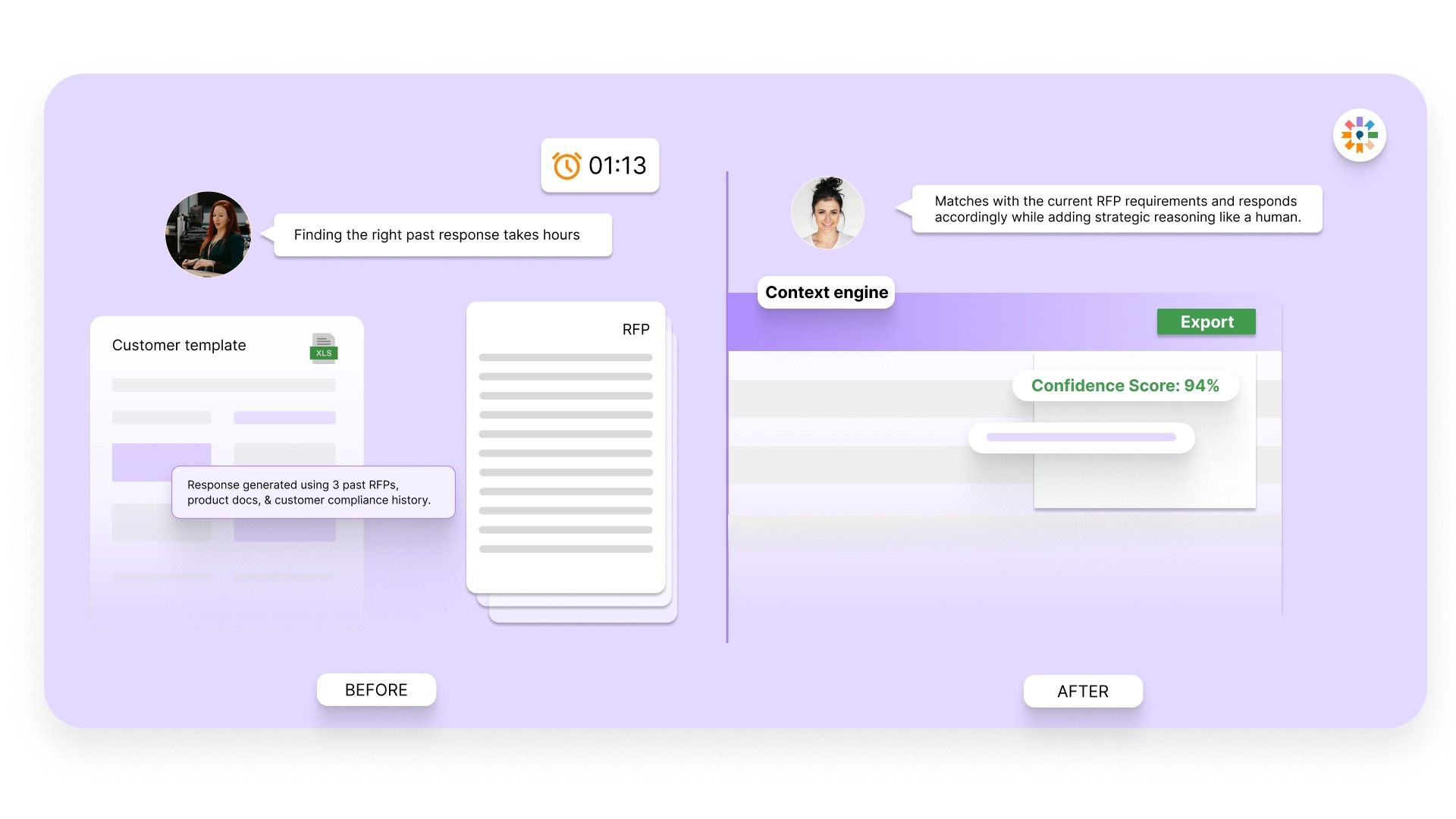
Many responses fall short because they miss the intent behind the question. Inventive AI’s Context Engine understands what the buyer is asking and builds responses around that intent.
This helps you provide answers that feel relevant and well thought out, which improves how your proposal is evaluated.
3. Conflict Detection
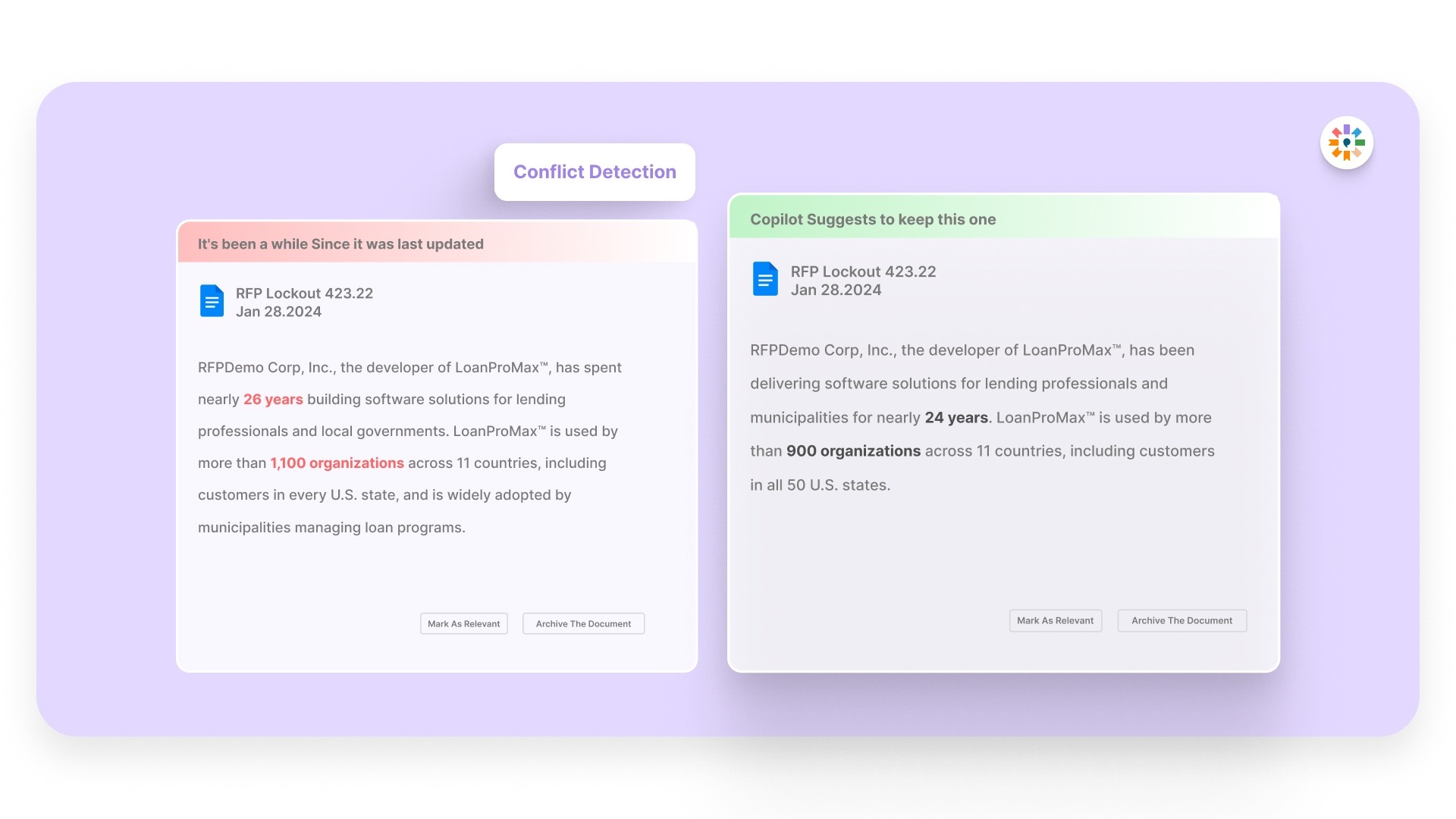
Inconsistent answers across sections can weaken your response and create confusion during evaluation.
Inventive AI identifies these conflicts early, so your team can fix them before submission instead of discovering them during final review.
This reduces delays and helps you submit with more confidence.
4. Outdated Content Detection
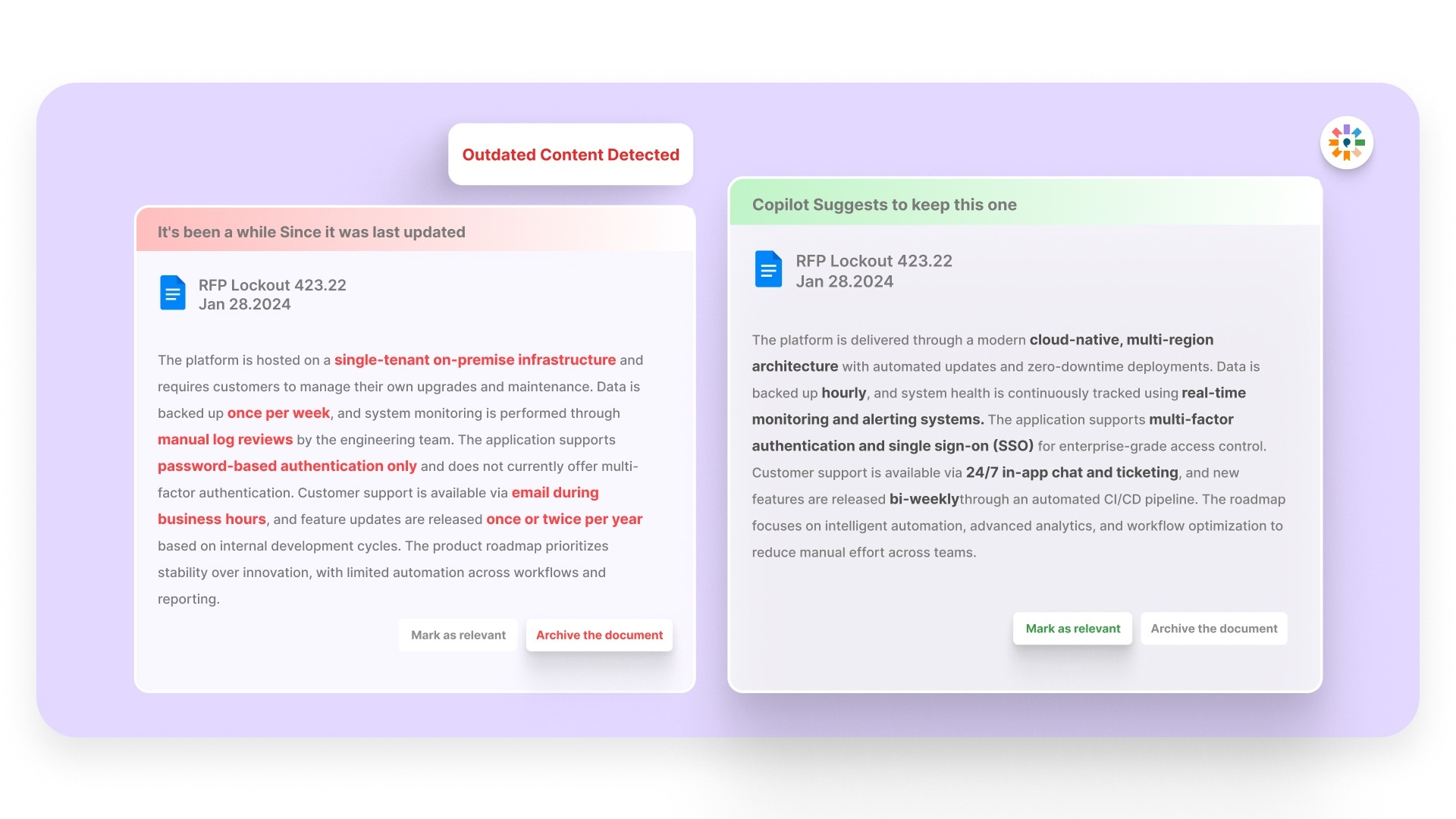
Outdated information is one of the most common issues in RFP responses. It leads to extra review cycles and can slow down approvals.
Inventive AI highlights outdated content within your responses, so your team works with accurate information without manually checking every section.
5. Narrative-Style Proposals
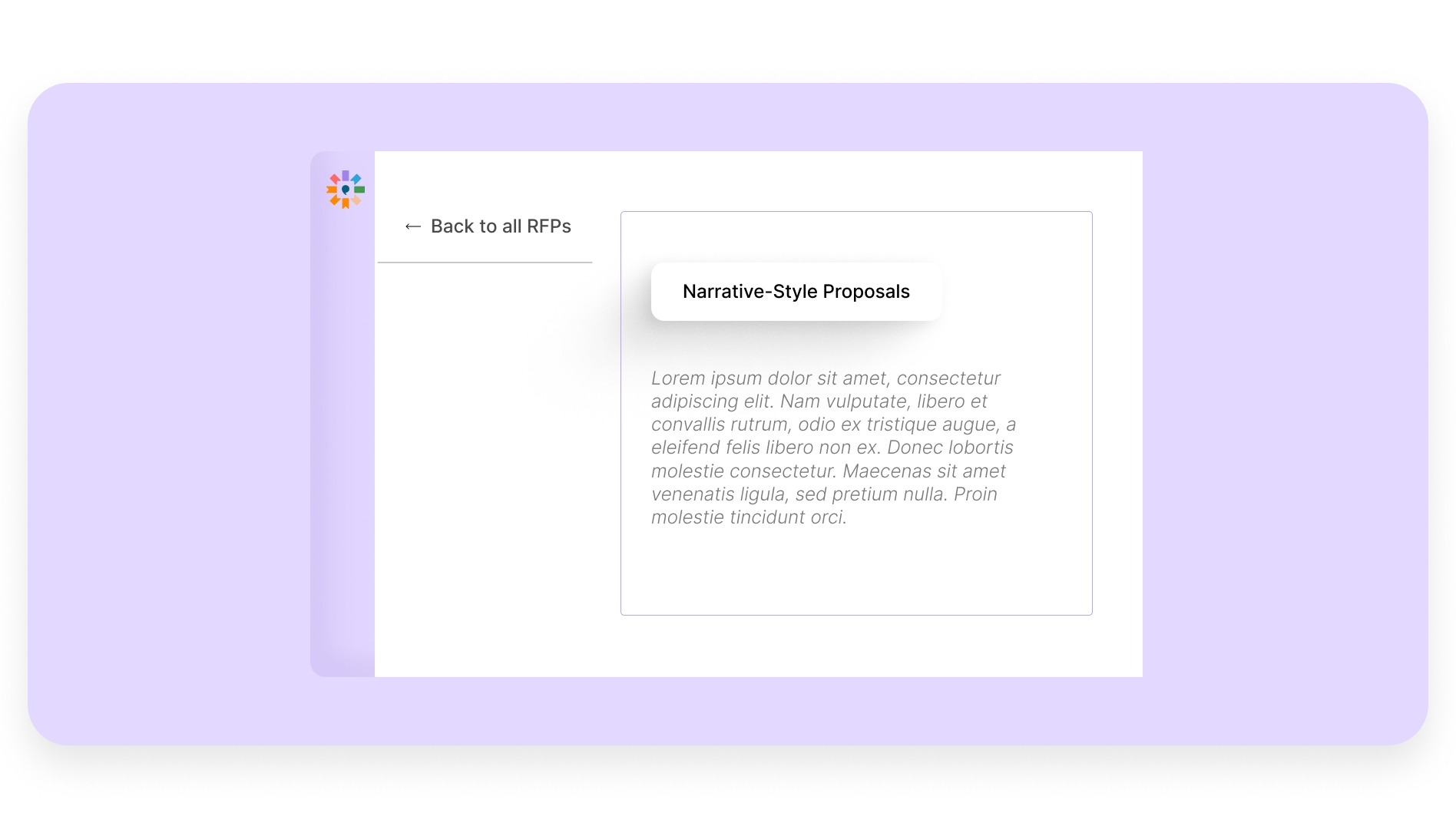
Many RFP responses feel disconnected because they are built from different sources.
Inventive AI structures your answers into a clear narrative, making your proposal easier to read and understand.
A well-structured response helps evaluators follow your solution more easily and improves overall clarity.
6. Simple, Easy-to-Use Interface
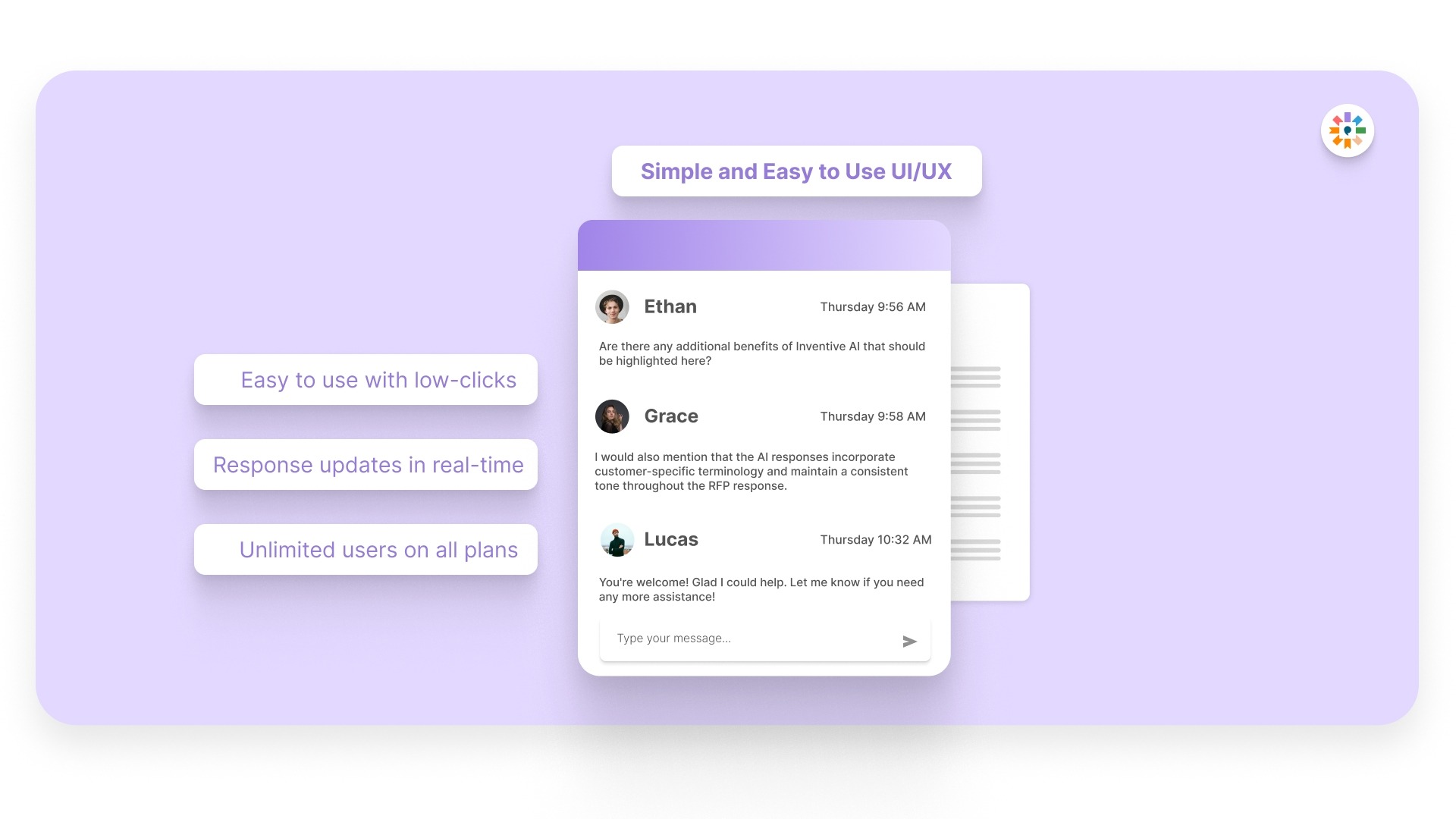
Even powerful tools fail if teams struggle to use them. Inventive AI is designed to fit into your existing workflow, so your team can start using it quickly.
This helps sales, proposal, and solutions teams work more efficiently without adding complexity.
When your workflow is supported with Inventive AI, you spend less time fixing responses and more time submitting proposals that are clear, consistent, and built to win.
Frequently Asked Questions (FAQs)
1. How accurate are AI-generated RFP responses?
AI-generated responses can be highly accurate when they are based on well-organized and updated content.
The quality depends on your source data. When your knowledge base is current and structured, AI can generate responses that require minimal edits. Your team still plays an important role in refining and validating the final output.
2. How long does it take to implement AI for RFPs?
Implementation usually depends on how quickly your content is centralized and organized.
Teams that already have structured RFP responses and documentation can get started faster. Once your data is in place, AI tools begin delivering value early by reducing drafting and review time.
3. Can AI handle security questionnaires and compliance responses?
Yes, AI can support detailed security and compliance responses when it has access to accurate and updated information.
It helps retrieve relevant answers quickly and keeps responses consistent across repeated questions, which is common in security questionnaires.
4. How do you maintain control over responses when using AI?
AI supports your workflow, but your team remains in control.
You review, refine, and customize responses before submission. This ensures your proposals stay aligned with buyer expectations while still benefiting from faster drafting and better organization.
5. What is the biggest impact AI has on RFP workflows?
The biggest impact comes from reducing time spent on drafting and review.
AI helps your team move faster, stay consistent, and focus more on improving response quality instead of managing repetitive tasks.
6. Does using AI reduce the need for proposal teams?
No, AI does not replace proposal teams. It supports them by handling repetitive work.
Your team can then focus on strategy, customization, and improving the overall quality of responses, which directly impacts win rates.
.avif)