Free Excel RFP Templates for Efficient Proposal Management

Managing an RFP process requires more than sending questions to vendors. Procurement teams need a reliable spreadsheet to organize requirements, capture vendor answers, and evaluate options using consistent criteria. Without a structured Excel file, responses arrive in different formats, making comparisons slower and increasing the risk of poor selection decisions.
To make this easier, we’ve created a practical RFP template in Excel for procurement teams, along with matching Excel response formats vendors can use to complete their submissions. These templates help buyers manage evaluations inside one workbook while helping vendors provide responses in a clear, review-friendly structure.
These Excel templates can be adapted for sourcing software, selecting service providers, evaluating suppliers, hiring agencies, or managing other procurement initiatives. Using a standardized spreadsheet improves visibility, simplifies scoring, and helps teams reach decisions faster.
Excel RFP Template For Procurement And Vendor Selection
If you are using an RFP template Excel file, your spreadsheet must clearly organize requirements, vendor questions, pricing fields, and evaluation criteria. Excel-based RFPs differ depending on what you are buying, but most include structured sections for requirements, vendor responses, and scoring.
While details may vary for software procurement, supplier sourcing, agency selection, or service provider evaluation, the following components form the foundation of a well-designed RFP Excel template.
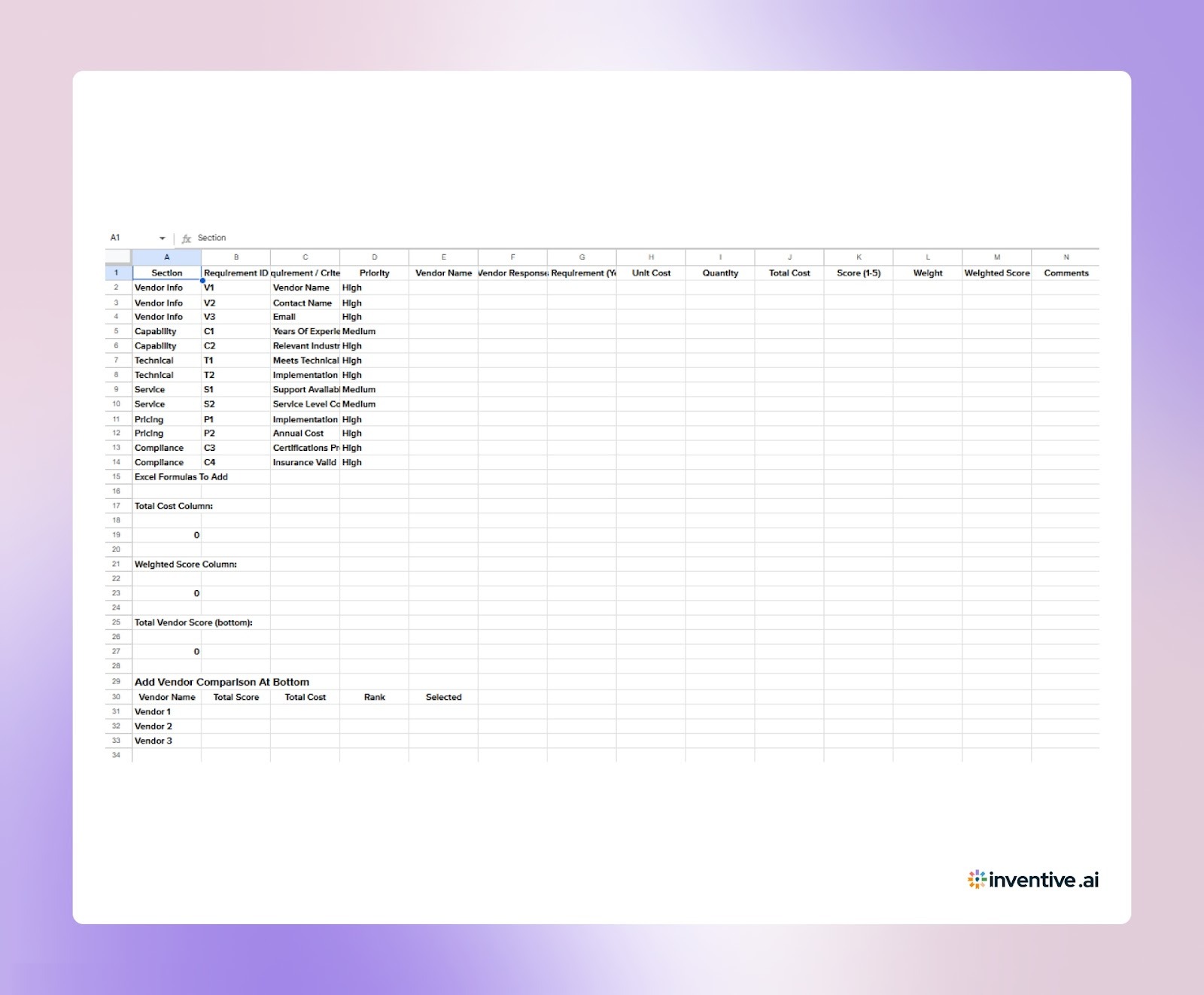
RFP Template in Excel Files For Vendors (Suppliers) In 2026
Most buyers issue RFPs in Excel so they can collect responses, compare vendors side by side, and apply scoring models. These spreadsheets define exactly how your proposal will be reviewed. Vendors that submit structured, complete Excel responses make it easier for evaluators to assess their fit and are more likely to advance and win.
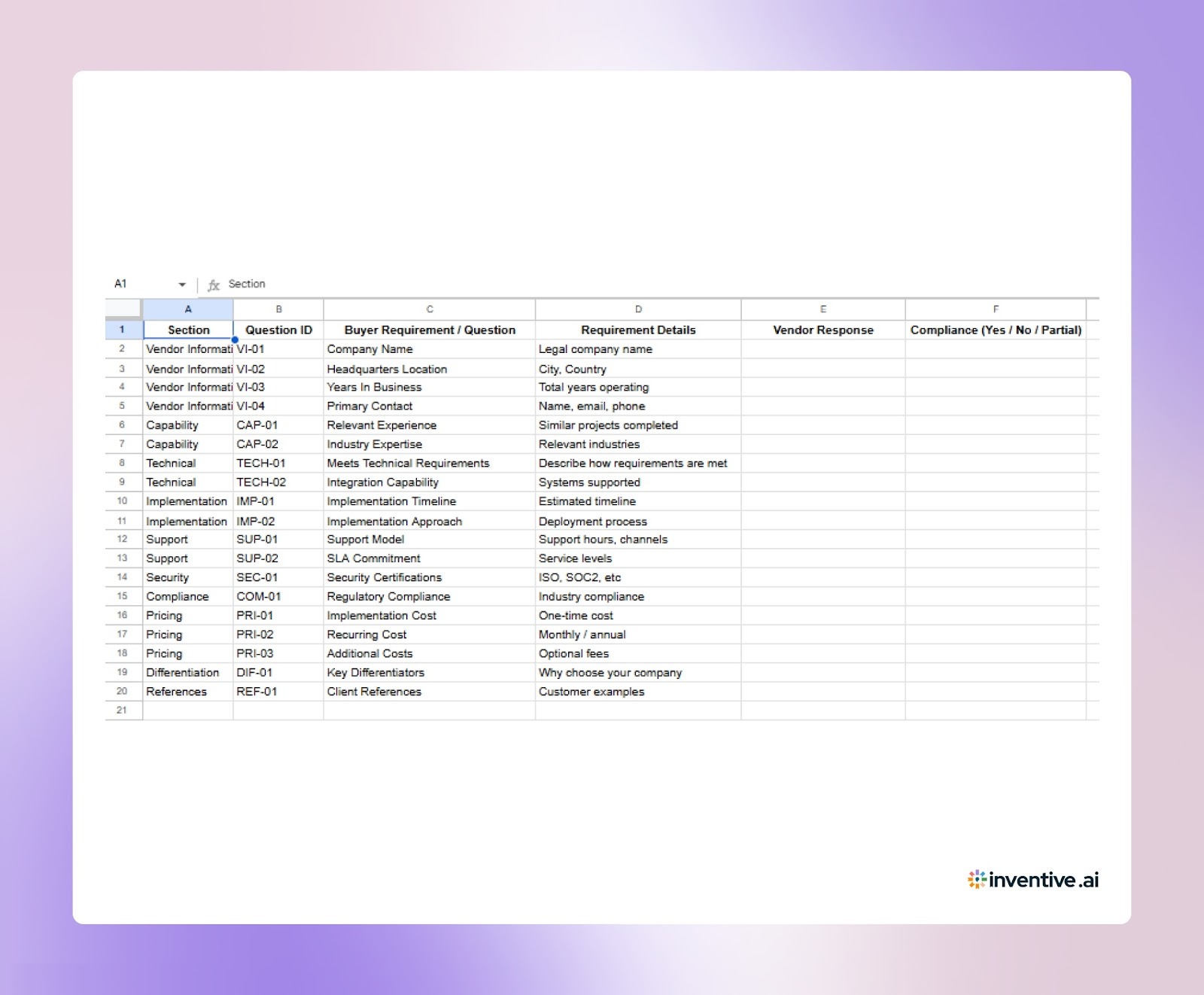
Template 1: Excel RFP Response Template
Use this template to submit your responses in the same spreadsheet format buyers use for evaluation. It helps you answer requirements, provide compliance details, and complete all response fields without missing critical information.
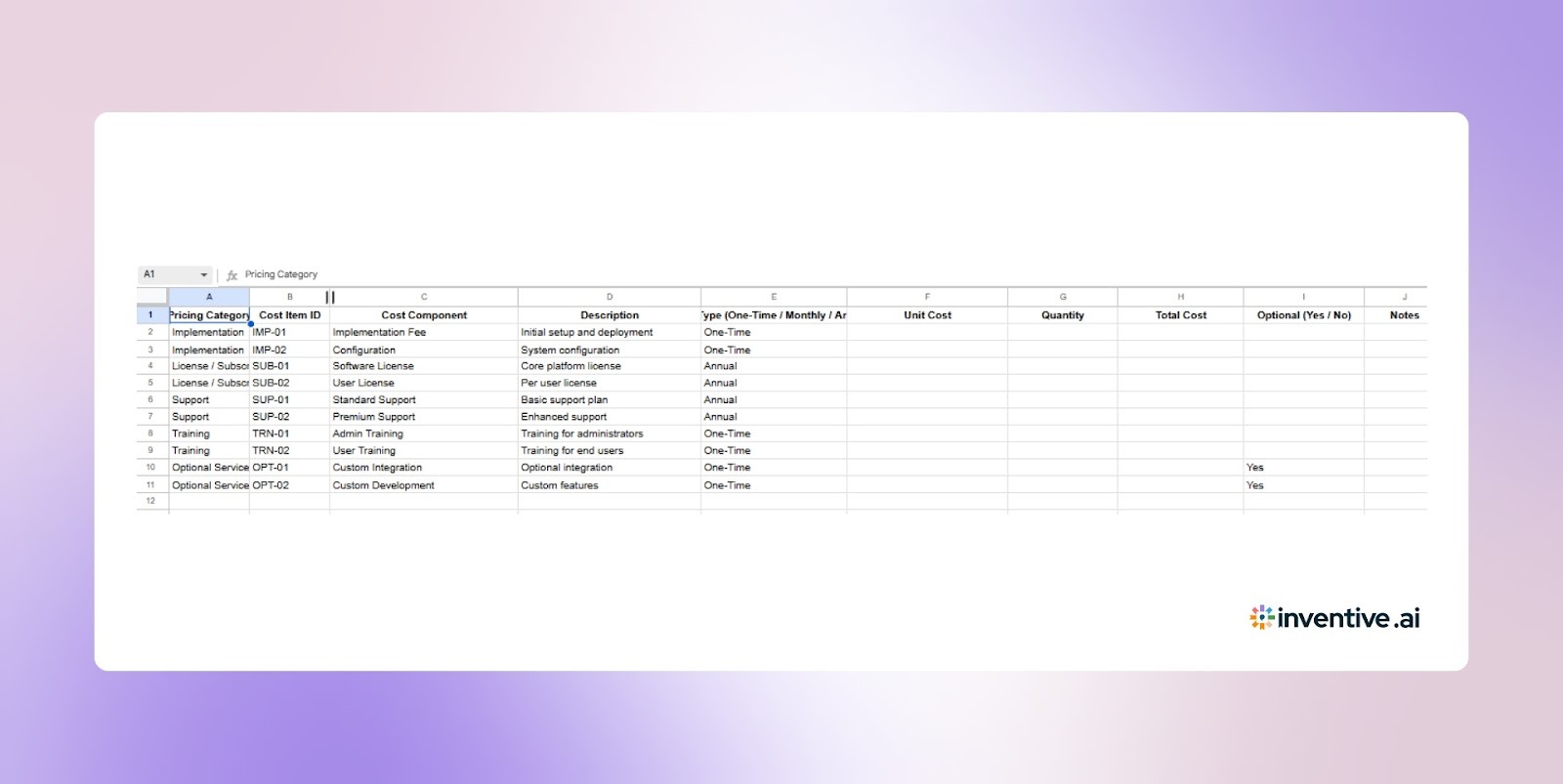
Template 2: Excel RFP Pricing Template
Use this template to present your pricing in a clear, standardized format. Structured pricing sheets help buyers compare cost components such as implementation, licensing, and ongoing service fees.
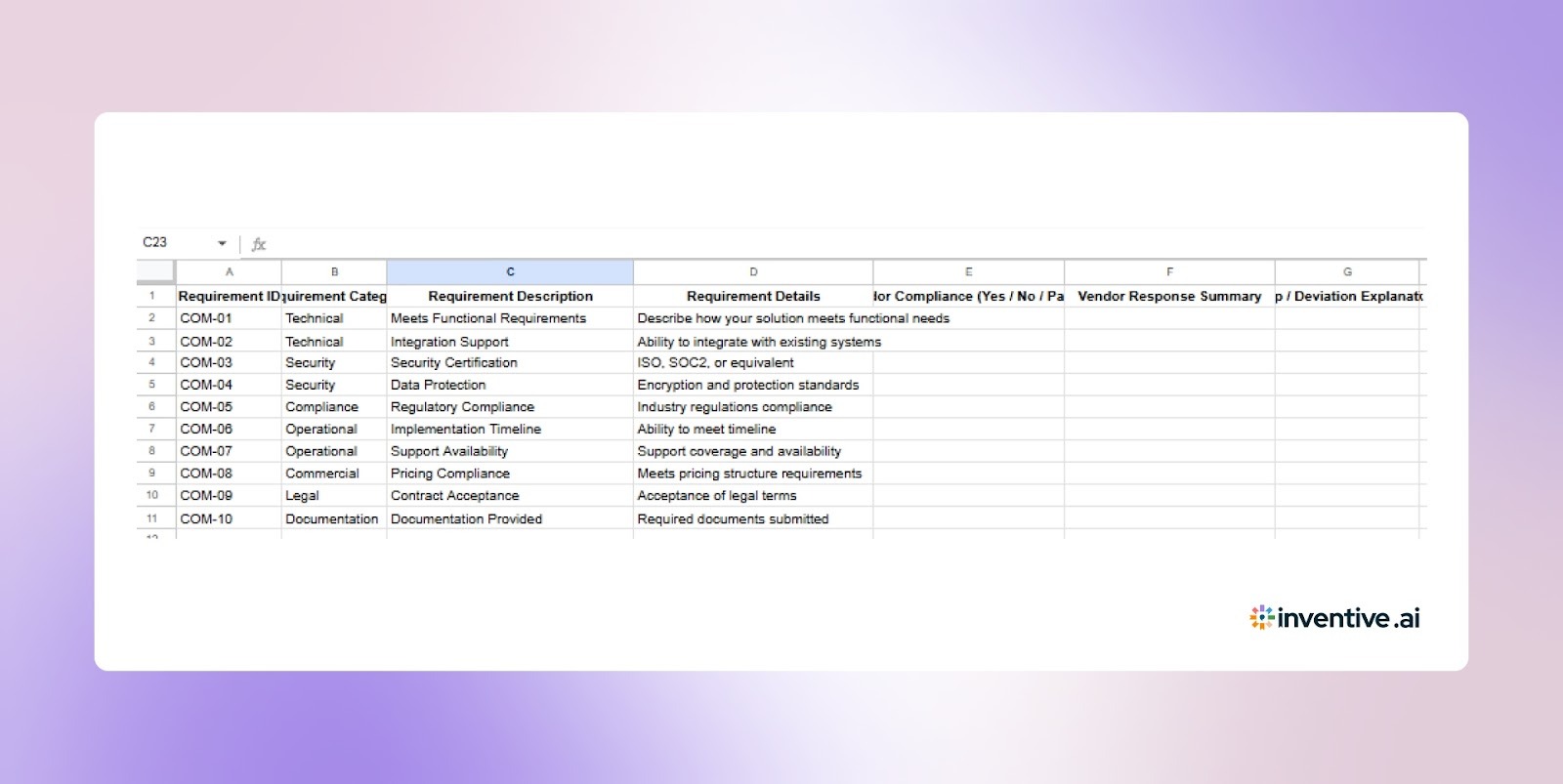
Template 3: Excel RFP Compliance Matrix Template
Use this template to show how your solution meets each buyer requirement. Compliance matrices help evaluators quickly verify your coverage across technical, operational, and contractual criteria.
How To Improve Your Excel RFP Responses? 6 Tips To Follow
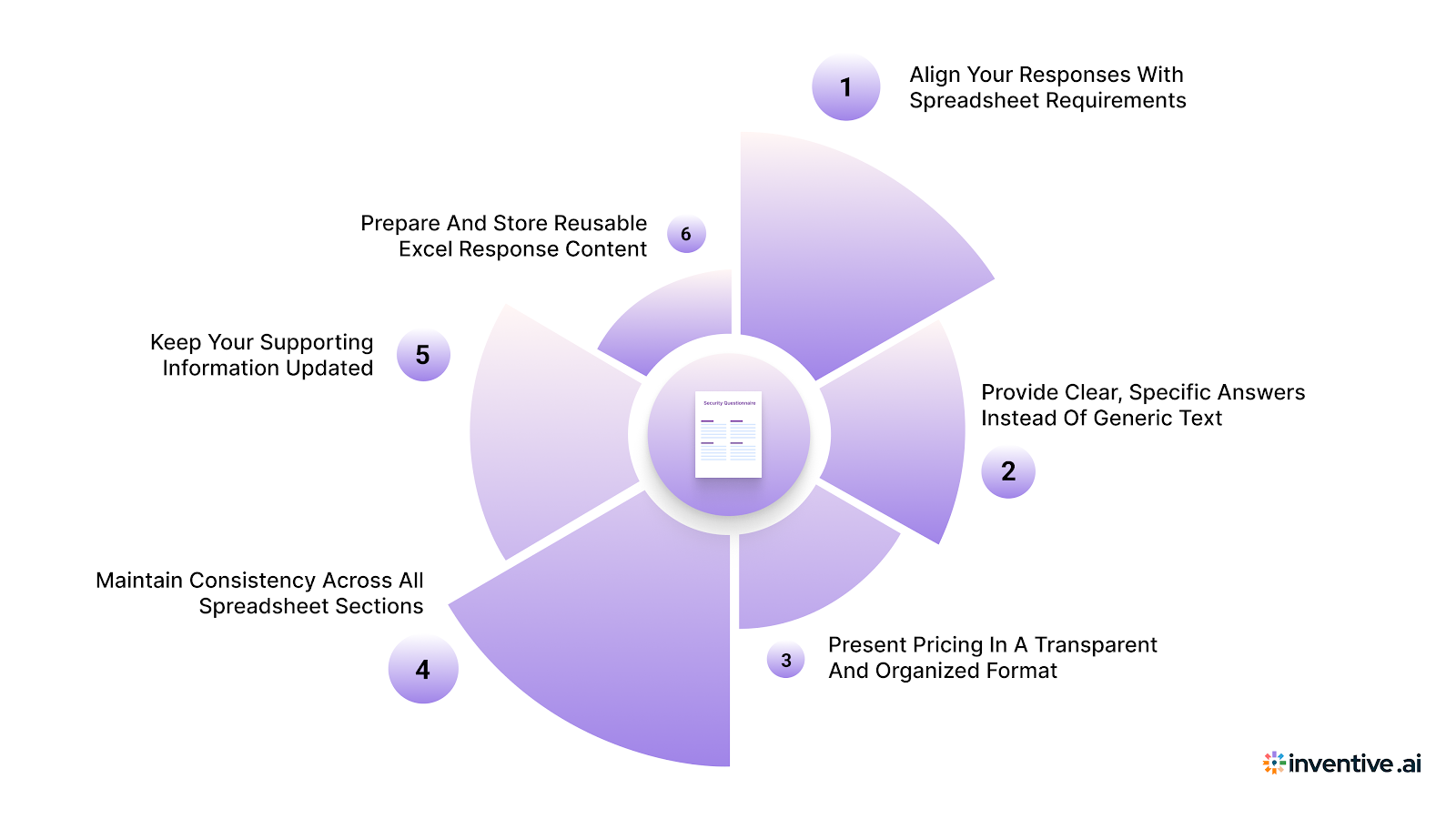
Excel RFP templates determine how buyers review, compare, and score vendor proposals. Vendors that submit structured, complete, and accurate spreadsheet responses make it easier for evaluators to assess their fit.
Well-prepared Excel responses improve shortlist chances and overall win rates.
1. Align Your Responses With Spreadsheet Requirements
Excel RFPs are structured around specific questions, response fields, and scoring columns. Vendors should answer every required field and follow the format provided without modifying the structure.
This ensures your responses are easy to review and score.
2. Provide Clear, Specific Answers Instead Of Generic Text
Procurement teams compare multiple vendors using the same spreadsheet. Vague or generic answers make it harder for evaluators to understand your strengths.
Clear, detailed responses improve credibility and evaluation outcomes.
3. Pricing In A Transparent And Organized Format
Excel pricing sheets help buyers compare costs line by line. Vendors should ensure pricing is complete, accurate, and aligned with the requested structure.
Transparent pricing reduces confusion and strengthens buyer confidence.
4. Maintain Consistency Across All Spreadsheet Sections
Inconsistent information across requirements, pricing, and compliance sections can weaken your proposal. Ensure your responses, timelines, and cost details align throughout the file.
Consistency improves trust and evaluation accuracy.
5. Keep Your Supporting Information Updated
Vendors often reuse spreadsheet responses from past RFPs. Review and update your case studies, certifications, and capability details before submitting.
Current information ensures your proposal reflects your latest strengths.
6. Prepare And Store Reusable Excel Response Content
Many RFP spreadsheets include similar questions across opportunities. Maintaining organized response content helps your team complete Excel RFPs faster.
This improves response speed and allows you to participate in more opportunities.
Optimizing your Excel RFP responses helps you present your solution clearly, improve evaluation scores, and compete more effectively in vendor selection processes.
Why RFP Templates Are Important For Buyers And Vendors?
RFP templates provide a common framework that both buyers and vendors use during procurement. They ensure information is exchanged in a consistent format, making evaluation and response preparation more efficient.
For buyers, RFPs function as both a questionnaire and a scoring tool. Procurement teams can list requirements, collect vendor input, and evaluate results within the same file.
Buyers use RFP templates to:
- Share requirements using a standardized structure
- Collect vendor inputs in one consistent location
- Compare pricing, features, and qualifications efficiently
- Apply scoring systems to support selection decisions
- Maintain organized procurement records
This improves evaluation accuracy and reduces administrative effort.
For vendors, Excel templates determine how their responses will be reviewed. Providing well-organized, complete answers makes it easier for evaluators to understand their offering and strengths.
Excel RFP templates help vendors:
- See all buyer requirements in a single document
- Provide responses in the expected spreadsheet format
- Avoid missing important questions or data fields
- Present pricing and technical details clearly
- Improve their chances of progressing in the selection process
Since these spreadsheets shape how vendors are assessed, submitting accurate and structured responses is essential for staying competitive.
Must Read: RFP Software Comparison for Transportation 2025
How Inventive AI Helps Vendors Win More Excel RFPs Faster?
Inventive AI evaluates the entire Excel RFP response instead of treating each row or question separately. It helps vendors generate accurate, structured, and tailored spreadsheet responses aligned with buyer scoring criteria.
Better answers = higher win rate. That’s why response quality matters more than any feature or price.
1. Context Engine
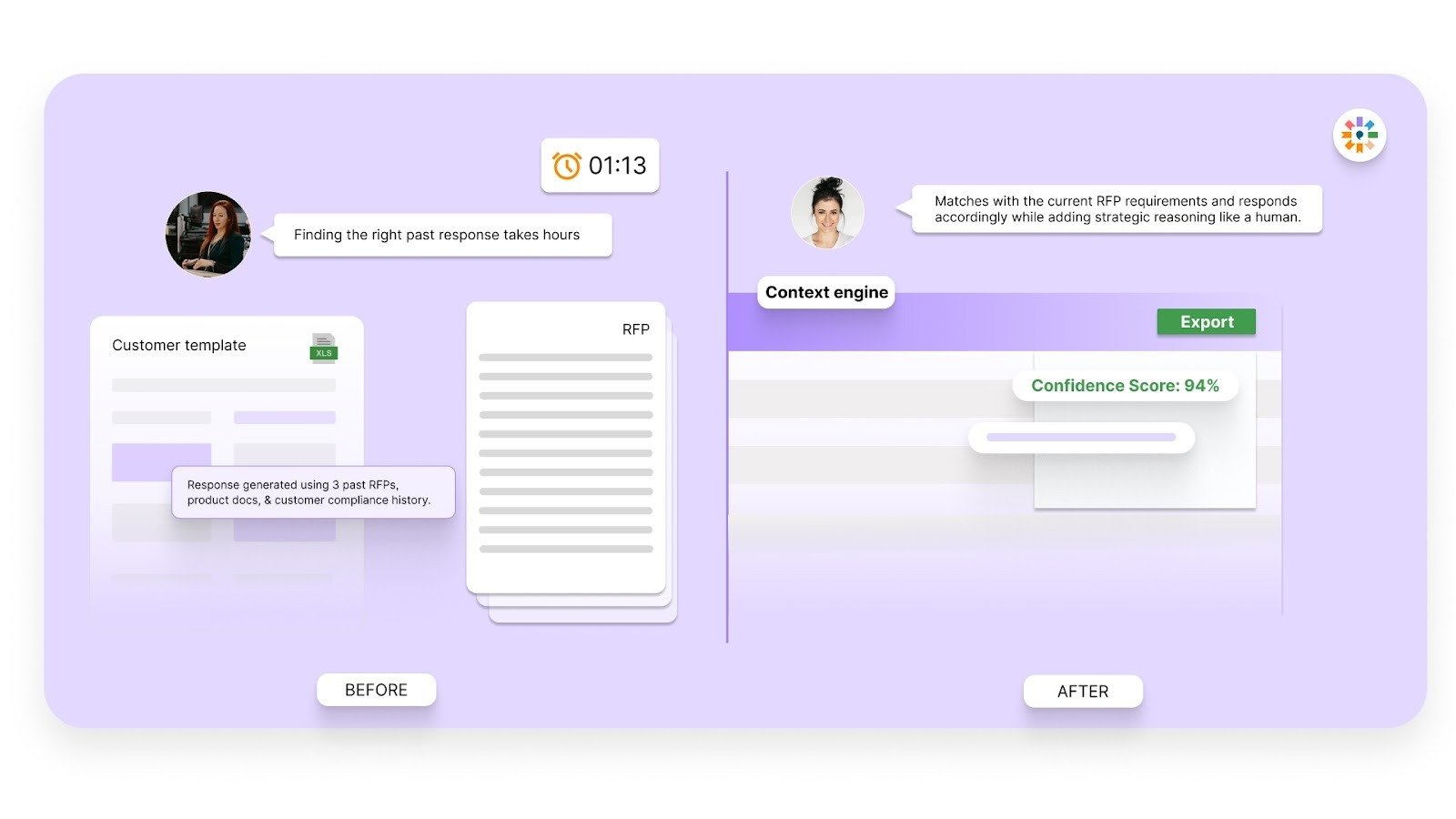
Inventive AI analyzes the full Excel RFP, including requirements, scoring columns, and evaluation priorities. It generates responses aligned with the buyer’s specific questions instead of reusing generic spreadsheet content.
This ensures your Excel submissions are relevant, complete, and competitive.
2. Conflict Detection
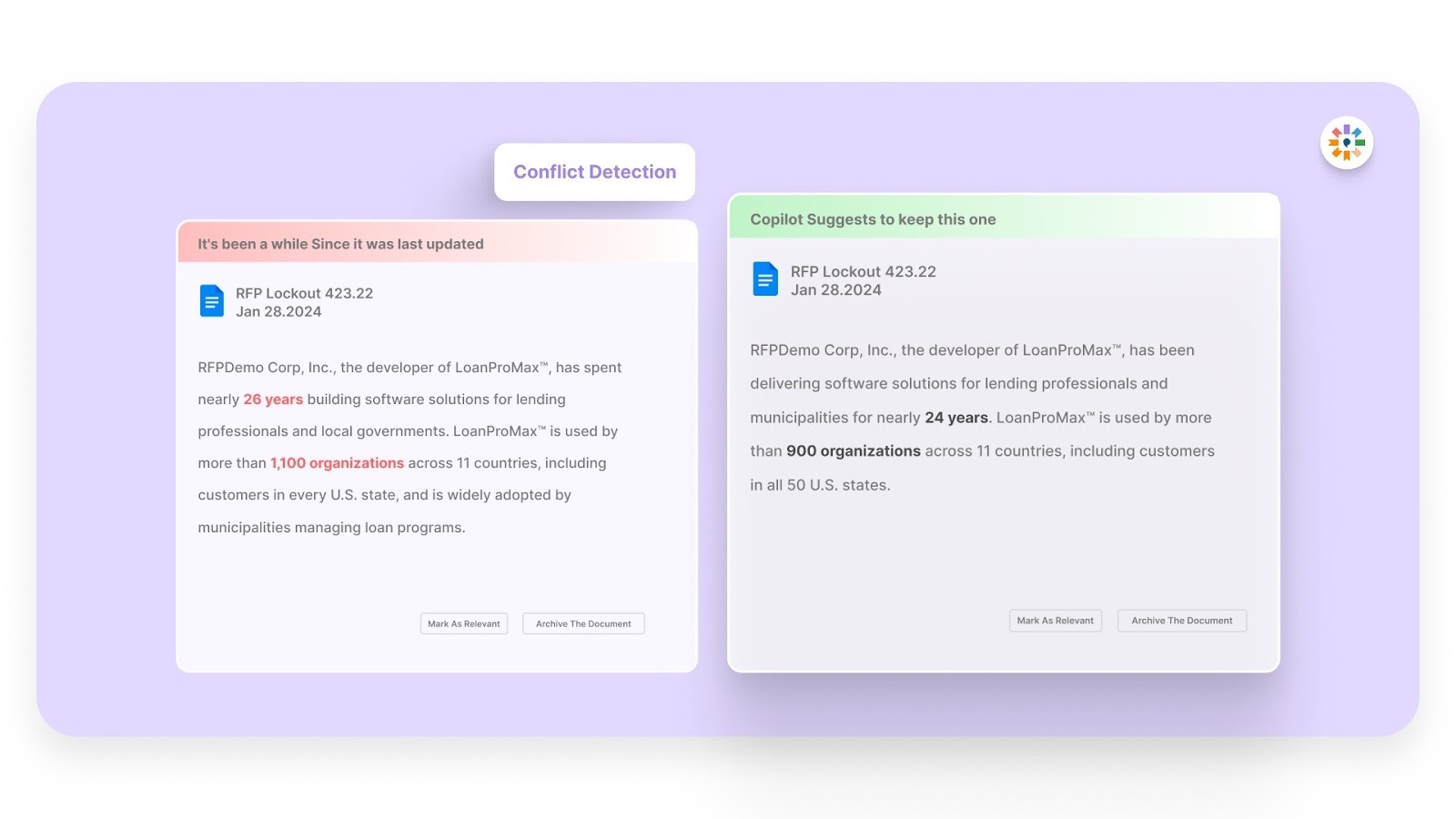
Excel RFP responses often pull data from pricing sheets, compliance matrices, and capability documents. Inventive AI automatically identifies conflicting entries across spreadsheet sections.
This helps vendors fix inconsistencies before submitting the final file.
3. Outdated Content Detection
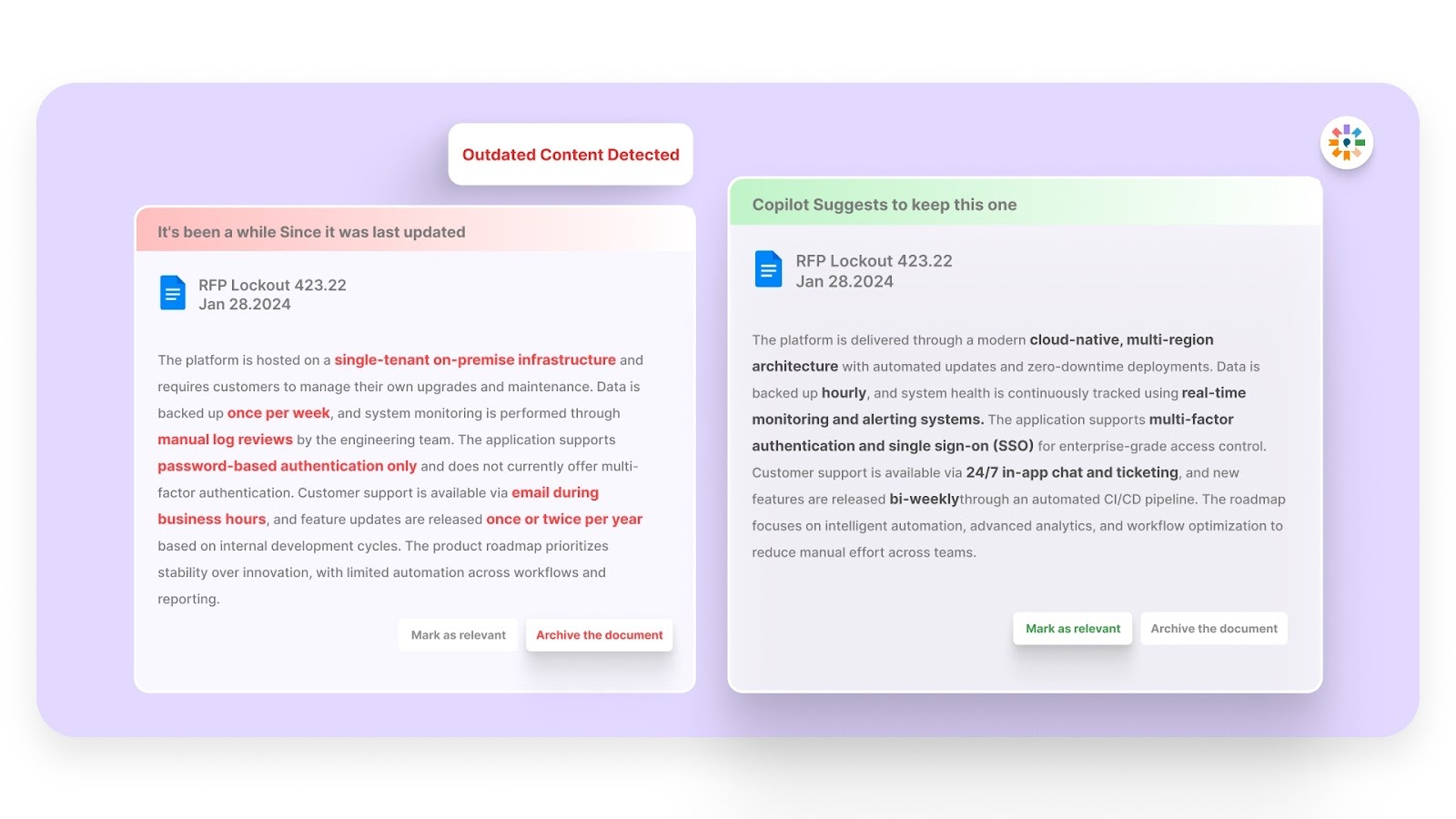
Old pricing, outdated certifications, and legacy capability information weaken spreadsheet responses. Inventive AI flags outdated content before it appears in your Excel RFP.
This ensures buyers evaluate your most current and accurate information.
4. 2× Better Quality Responses

Inventive AI’s multi-agent system generates structured, complete answers directly within Excel RFP formats. Responses align with buyer evaluation models and require minimal manual editing.
This improves scoring outcomes and shortlist rates.
5. Simple And Easy-To-Use Interface
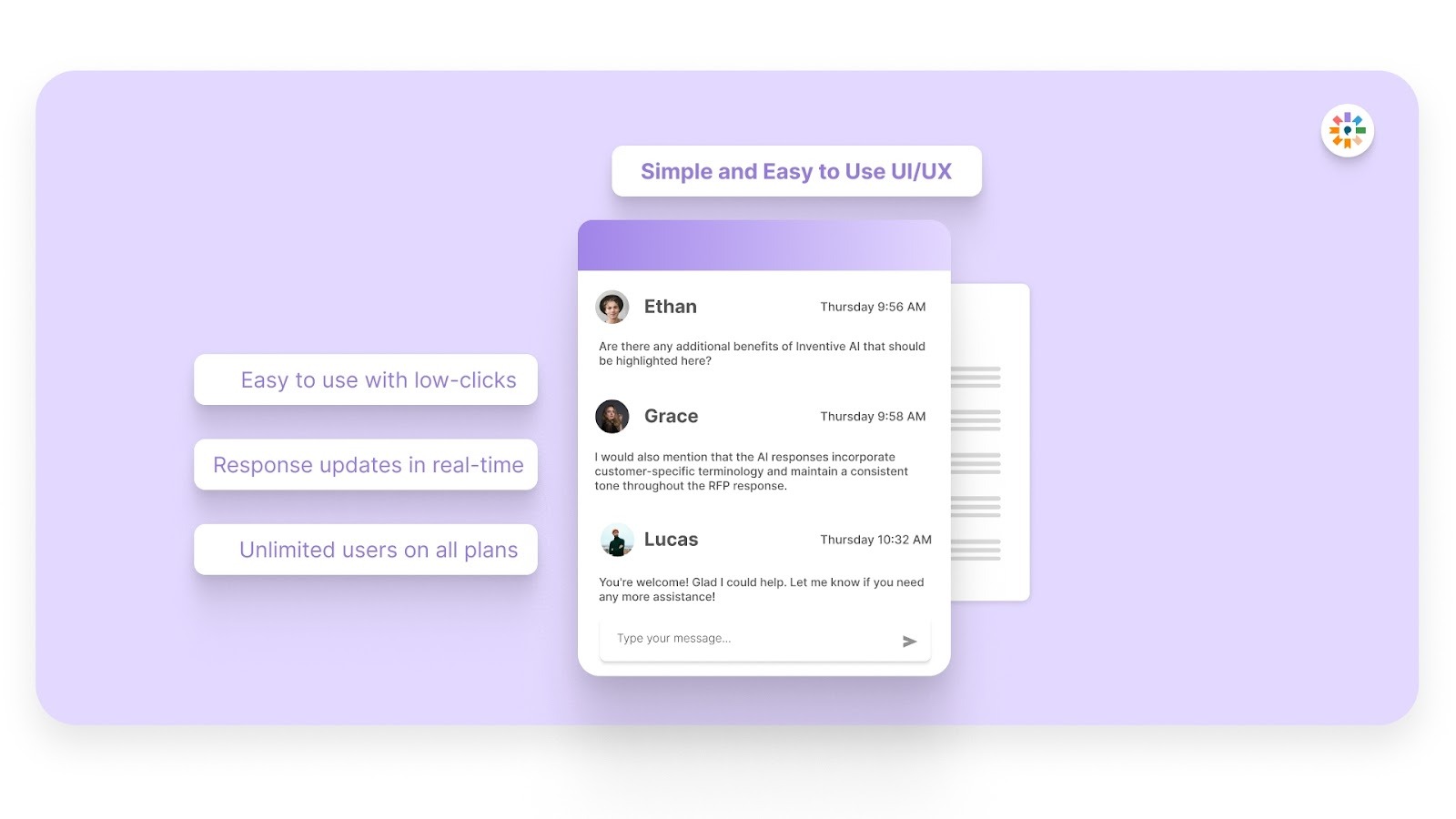
Teams can quickly generate, review, and update Excel RFP responses without managing multiple documents. The platform supports fast onboarding and daily use across sales and proposal teams.
This helps vendors respond to more RFPs without increasing workload.
6. Narrative Proposal Generation
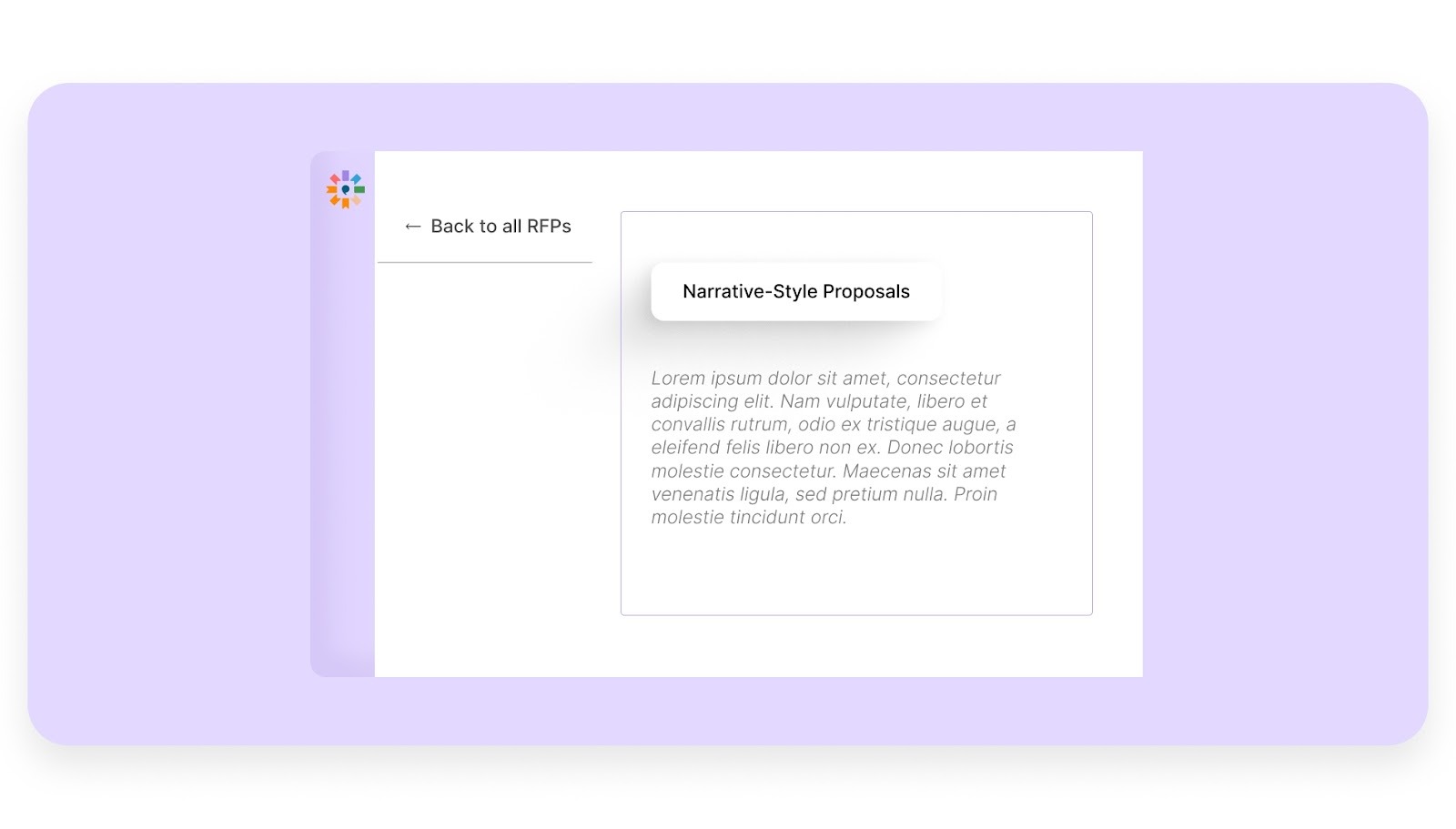
Inventive AI takes your technical data and scattered notes and turns them into a smooth, professional story. Instead of just listing facts, it writes clear and persuasive paragraphs that explain exactly how you’ll solve the client’s problems, saving you from the struggle of drafting everything from scratch.
FAQs
1. Can Vendors Modify The Excel RFP Template Structure?
Most buyers expect vendors to keep the original structure unchanged. Modifying columns, formulas, or formats can make evaluation difficult. Vendors should only fill in designated response fields.
2. How Do Excel RFP Templates Help With Vendor Comparison?
Excel templates allow procurement teams to view responses from multiple vendors using the same criteria. Built-in scoring and ranking features help identify the strongest option. This improves fairness and decision accuracy.
3. What Types Of Purchases Commonly Use Excel RFP Templates?
Excel RFPs are commonly used for software procurement, supplier sourcing, and service provider selection. They are also used for agency hiring and technology vendor evaluation. The format works well for structured comparisons.
4. Should Vendors Include Supporting Documents With Excel RFP Responses?
Yes, vendors often include supporting files such as certifications, case studies, and technical documents. These help validate claims made in the spreadsheet. Buyers use them to verify compliance and experience.
5. How Do Excel RFP Templates Support Procurement Documentation?
Excel files create a clear record of vendor responses, scoring, and selection decisions. This helps with internal approvals and audit requirements. It also provides reference data for future procurement projects.
.avif)


.jpg)


%20Craft%20Winning%20Vendor%20Responses%20Quickly.jpg)