Top Conveyor Alternatives and Competitors 2026

Conveyor is a customer trust platform that helps companies manage inbound security reviews with less manual work.
The need for these tools is clear. According to G2, 76% of those who say spending will increase attribute this shift to economic uncertainty, highlighting the growing pressure on companies to improve their security and compliance workflows while managing costs effectively.
For some teams, that scope may not be enough. They may also need broader compliance, evidence management, or continuous monitoring. They may also require a deeper level of governance and workflow.
With that in mind, this 2026 guide covers Conveyor alternatives and competitors, focusing on tools that teams compare for automation, integrations, compliance depth, and workflow flexibility.
Key Takeaways
- Conveyor is helpful for handling security reviews, but it may fall short for teams needing broader compliance and workflow flexibility.
- Teams look for Conveyor alternatives to address limitations like inaccurate responses, poor interface, and slow performance.
- Tools like Inventive AI offer superior response quality, faster turnaround times, and more flexibility for large teams with complex workflows.
- Conveyor alternatives provide more customization, integrations, and automation for better efficiency in RFP and security questionnaire responses.
- Inventive AI stands out for its 2x better response quality, 95% accuracy, and 90% faster RFP completion, with minimal edits required.
The Best 5 Conveyor Alternatives for 2026
Here’s a brief look at the leading tools teams often evaluate alongside Conveyor. The comparison below highlights key differences in focus areas, features, and best-fit use cases.
Now that we know about the tools and their basic features, let us take a quick look at each of the tools in complete detail.
1. Inventive AI
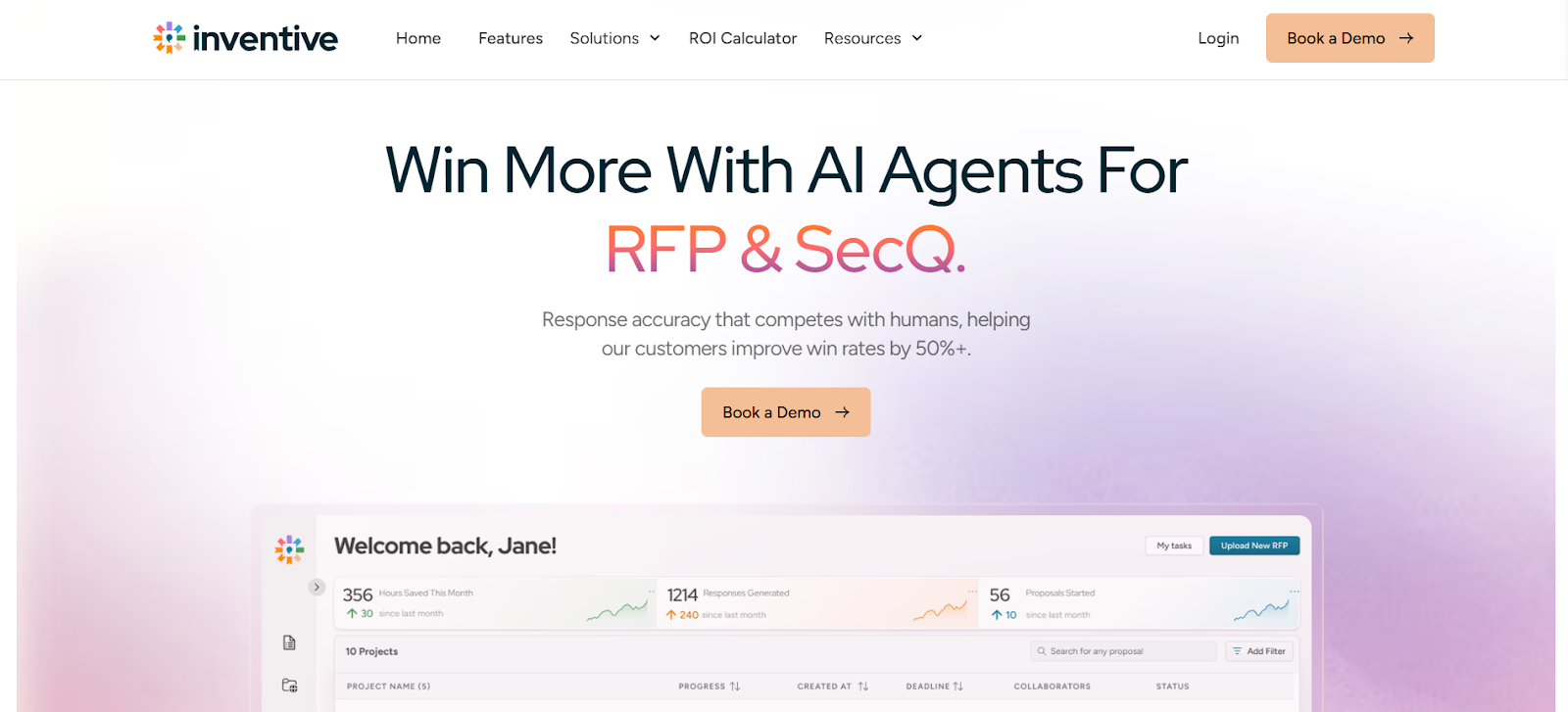
Inventive AI isn’t just another proposal tool; it’s a comprehensive and most advanced AI RFP automation platform. It automates complex workflows, delivers hyper-contextual responses, and accelerates proposal creation.
Key Features
1. 2x Response Quality

Inventive AI generates responses that are ready for submission with minimal editing required. This feature significantly reduces the time spent on revisions, ensuring that teams can quickly move from draft to final submission with high-quality answers.
2. Context-Aware Understanding of RFP Questions
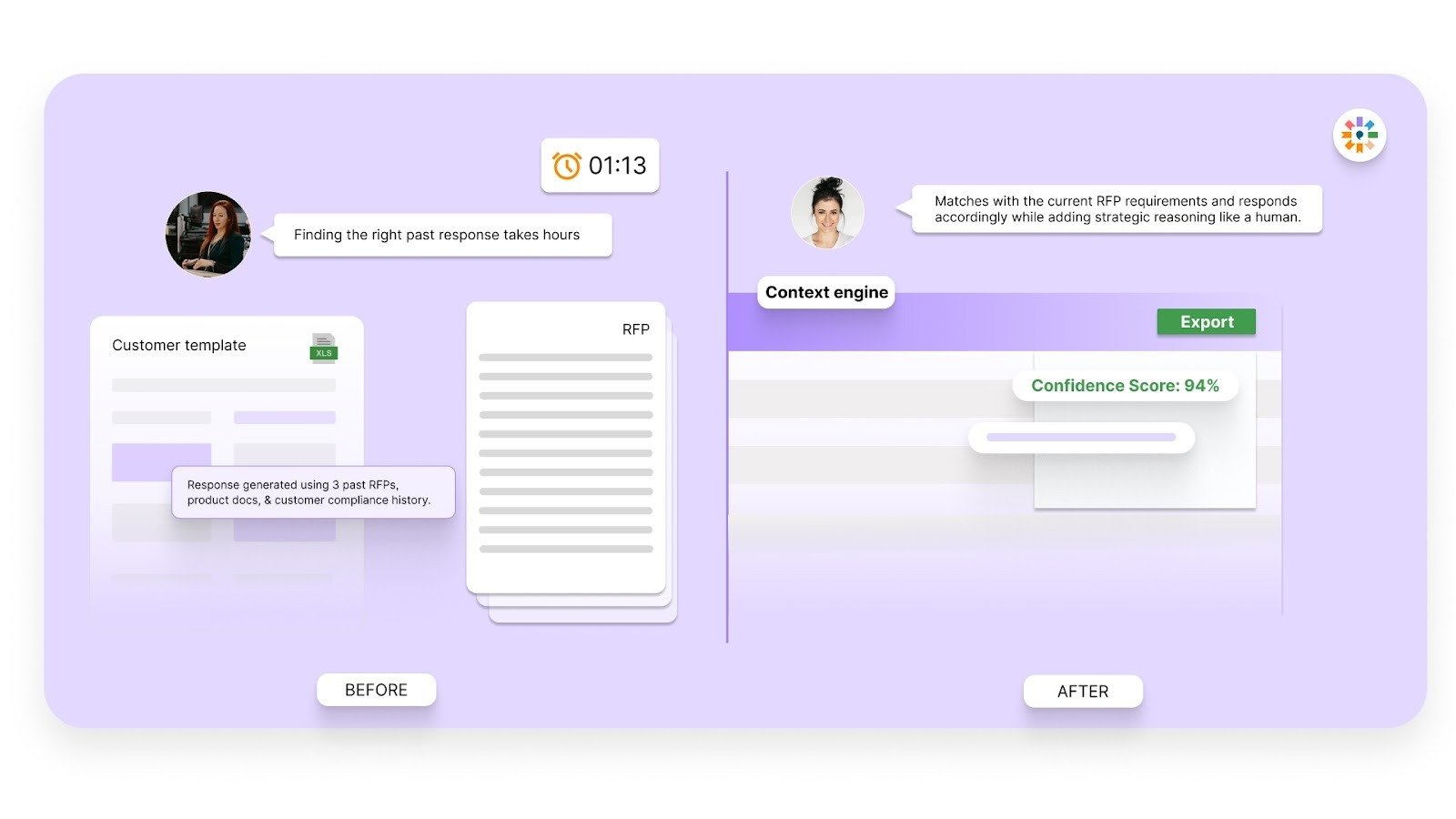
By using deep context from your existing content, Inventive AI ensures that generated responses are not only accurate but also up to the specific needs of the RFP. This results in responses that sound like an expert wrote them, giving your proposals a professional edge.
3. Instant Conflict Detection Before Submission
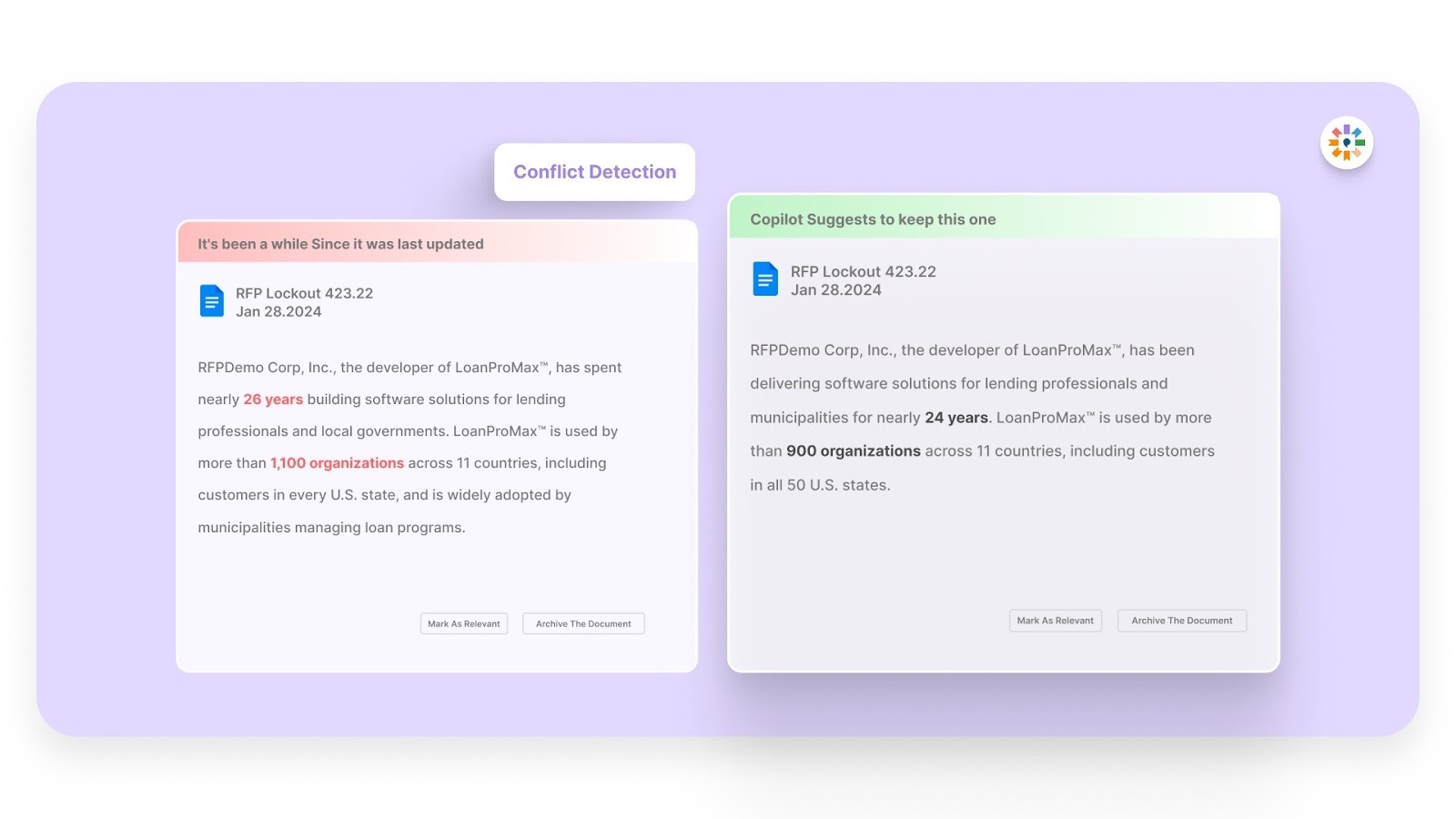
Inventive AI automatically flags contradictions or inconsistencies across responses, ensuring that the final submission is coherent and accurate. This proactive feature reduces the risk of errors and inconsistencies, improving proposal quality and reliability.
4. Outdated Content Detection to Keep Answers Current
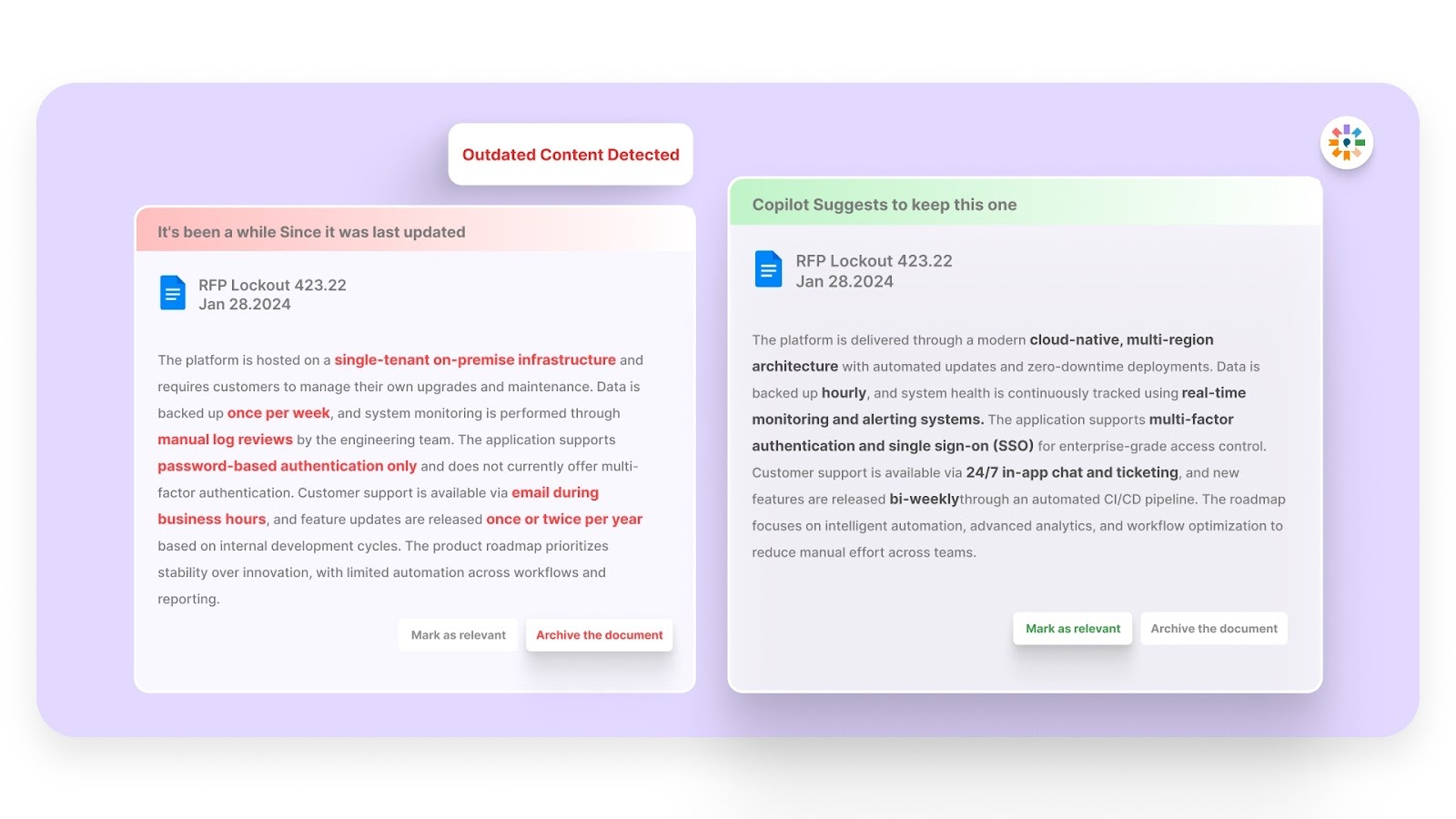
The platform actively scans responses for outdated content, preventing teams from accidentally reusing stale or irrelevant information. This feature ensures that proposals are always up-to-date, which is crucial in maintaining credibility and client trust.
5. Narrative-Style Proposals, Not Fragmented Answers
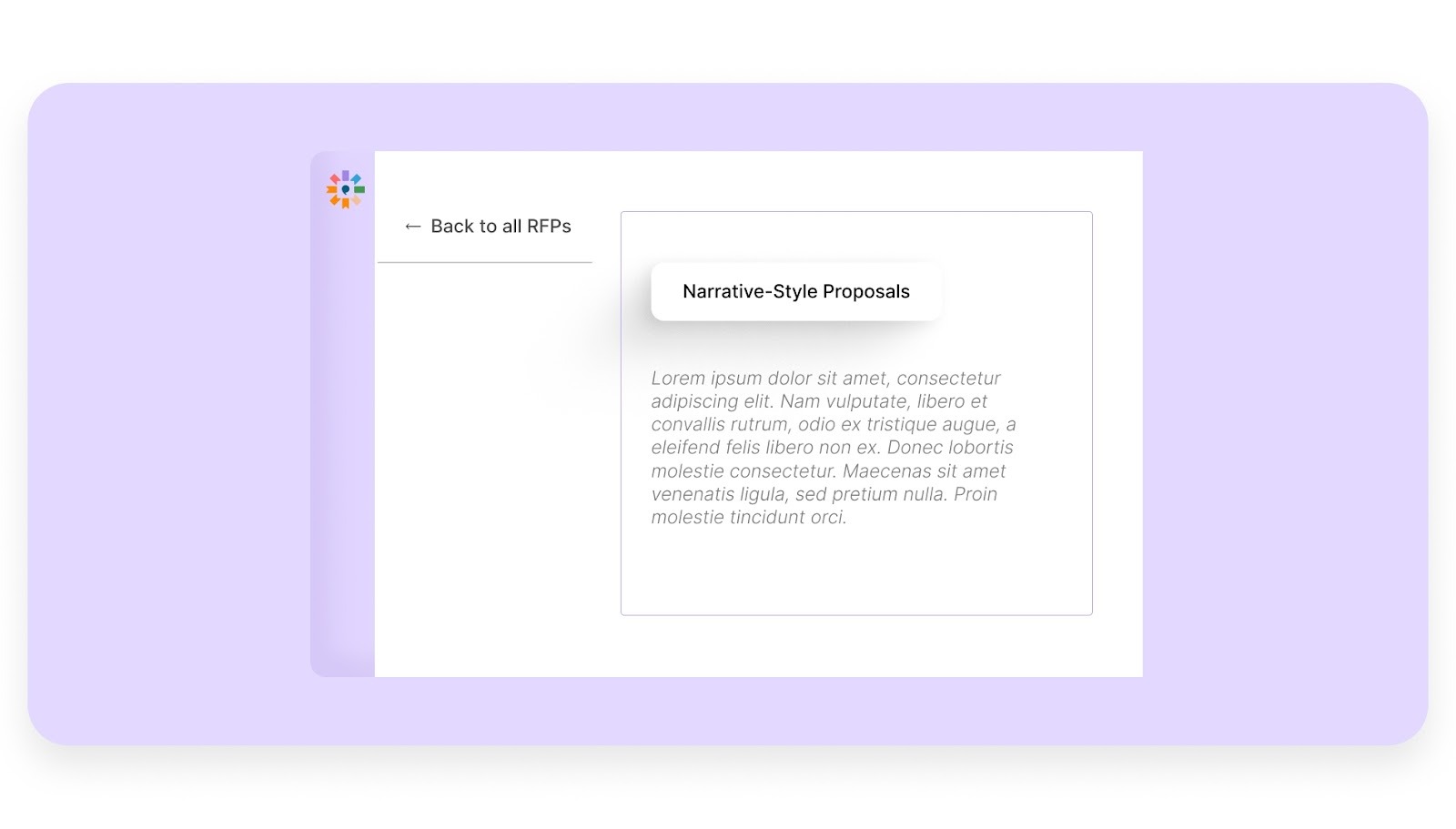
Unlike traditional tools that focus solely on Q&A, Inventive AI supports the creation of narrative-style proposals. This enables teams to craft cohesive, engaging proposals that go beyond simple question-and-answer formats, incorporating summaries, one-pagers, and executive briefs as part of the proposal structure.
What Makes Inventive AI Stand Out as Conveyor Alternative?
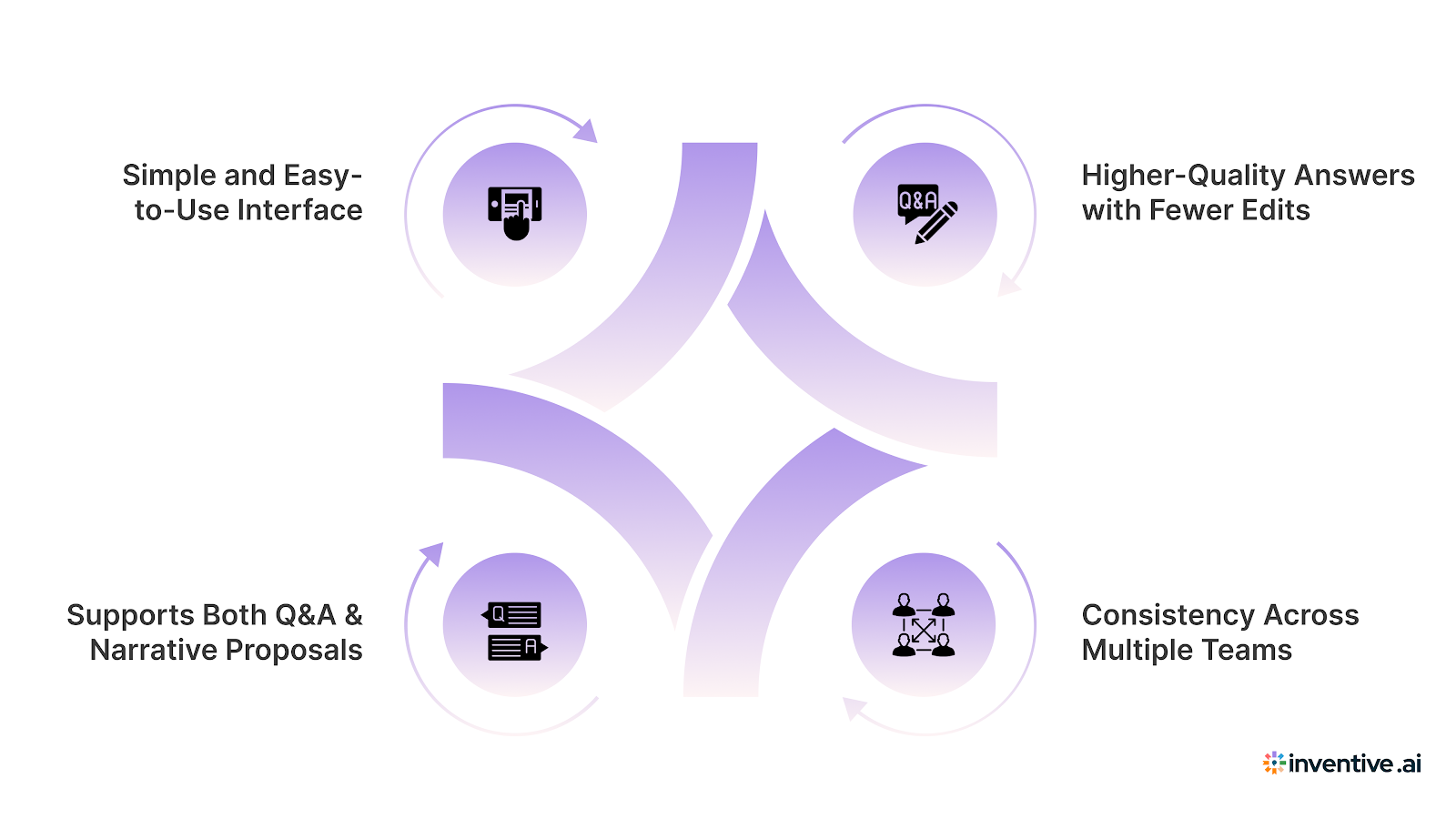
1. Simple and Easy-to-Use Interface
With a 100% adoption rate and being the #1 easiest-to-use RFP software on G2, Inventive AI is designed to be intuitive. Its simple interface allows teams to get up and running quickly, with little to no training required. This ease of use reduces the learning curve, allowing teams to focus more on the content of their proposals rather than struggling with the platform.
2. Higher-Quality Answers with Fewer Edits
Inventive AI produces responses that require minimal revisions, making it easy to create polished proposals quickly. The AI’s deep understanding of context ensures that responses are relevant and accurate, leading to fewer drafts and more efficient proposal processes.
3. Consistency Across Multiple Teams
With Inventive AI, teams can maintain consistent messaging across various departments, such as sales, security, and legal. The AI’s ability to align responses with the company’s tone and style ensures that all proposals adhere to the same standards, regardless of the team involved.
4. Supports Both Q&A and Narrative Proposals
Inventive AI allows teams to create more than just standard Q&A responses. It supports the creation of longer, more comprehensive narratives, which makes it suitable for more complex proposals, including executive summaries and one-pagers.
The Limitations of Inventive AI
1. Limited Analytics
While Inventive AI excels in proposal generation and automation, its analytics capabilities are somewhat limited compared to other platforms.
Best For
1. Small and Large Teams with High RFP and Security Questionnaire Volume
Inventive AI is ideal for teams that deal with a high volume of RFPs and security questionnaires. Its automation features help reduce the time spent on drafting responses, making it suitable for teams of all sizes.
2. Teams Seeking High-Quality Responses with Less Editing
Teams looking for more polished and accurate responses will benefit from Inventive AI’s high-quality output. The platform’s ability to generate responses with minimal editing makes it a great choice for teams aiming to streamline their proposal process.
3. Companies That Need Consistent Messaging Across Multiple Stakeholders
For businesses that need to maintain a unified voice across sales, security, legal, and other departments, Inventive AI ensures that all responses are consistent, accurate, and aligned with the company’s messaging.
Pricing
Ratings and Reviews
- Rating: 5/5
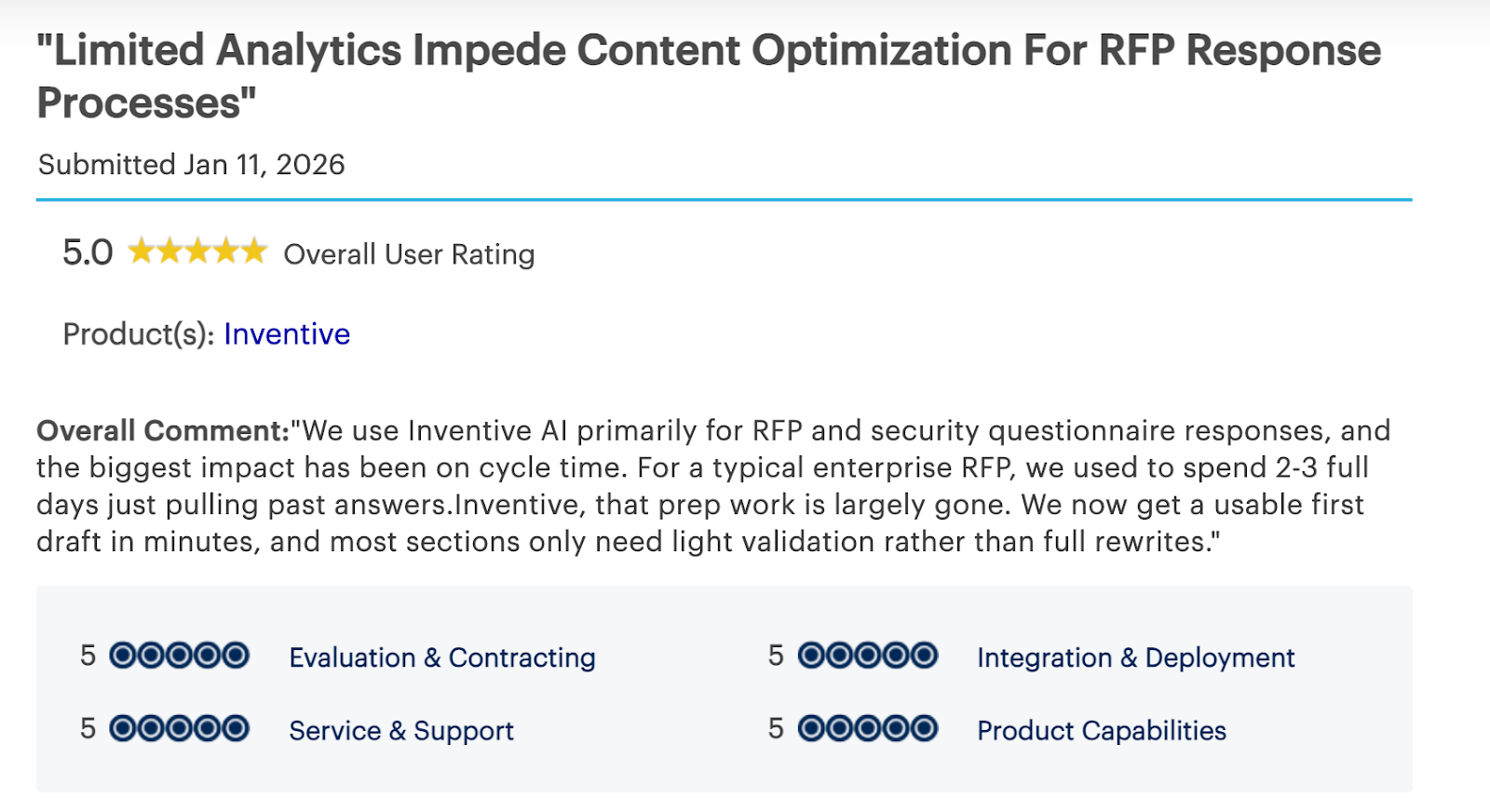
By reducing manual work and improving proposal accuracy, Inventive AI ensures that your team delivers high-quality proposals with less effort and faster results.
2. Responsive
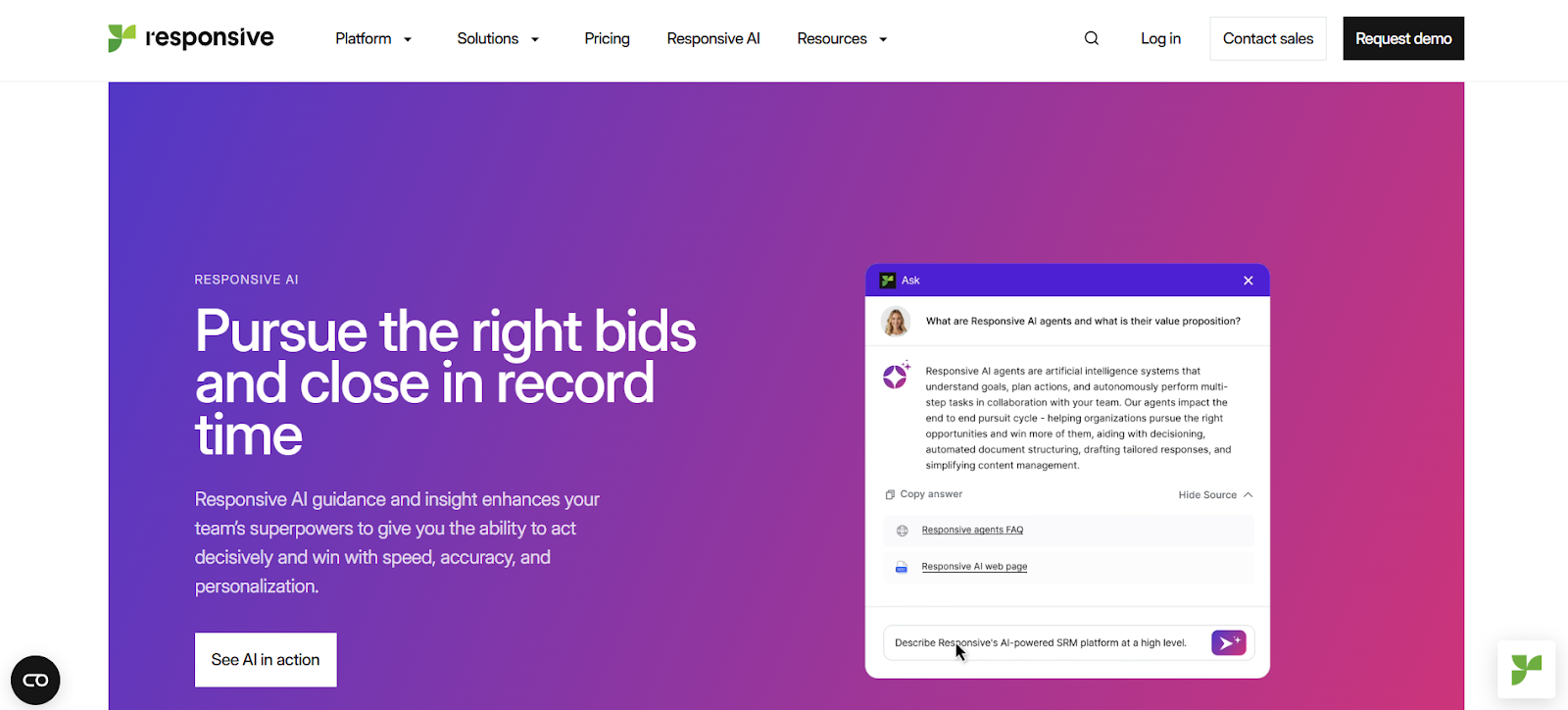
Responsive helps teams work on RFPs, DDQs, and security questionnaires with AI support. However, it still expects people to review and approve AI answers. So the final output still needs manual effort.
Also, the AI page mainly talks about drafting and workflow automation. It does not clearly mention deeper quality checks like conflict detection, outdated content checks, or narrative proposal writing.
Key Features
1. AI "Shredding" Agent
It uses its "shredding" agent to extract key requirements from various documents like RFPs, DDQs, and security questionnaires. This agent creates high-level summaries to help teams quickly assess whether to proceed with a proposal, saving time in the initial evaluation process.
2. Document Import Agent
The platform’s import agent can convert documents into structured formats, such as tables, dropdowns, and subsections. This makes it easier for teams to extract relevant information and include it in responses without manually reformatting the content, streamlining the document intake process.
3. Writing Agent
Responsive’s writing agent generates first-draft responses using trusted content and previously successful answers. It’s especially useful for responding to InfoSec security questionnaires, allowing teams to build responses based on previously vetted material, reducing the time spent on drafting.
4. Interactive Ask Feature
The interactive chat feature, Ask, enables users to quickly find answers from the Content Library. This feature provides clear source citations, helping teams write accurate proposals and emails based on the most relevant content available.
What Makes Responsive Stand Out?
1. Faster RFP/RFQ Responses for Day-to-Day Use
It speeds up the response process for routine RFPs and RFQs by automating initial drafts. The platform’s ability to generate responses quickly helps teams meet tight deadlines and manage high volumes of proposals.
2. Strong Content Library Reuse
One of the key strengths of Responsive is its ability to reuse content from its extensive content library. Teams can pull responses from various sources, including AI-generated suggestions, previous submissions, and manually uploaded documents. This reduces the need to recreate responses from scratch and improves overall efficiency.
3. Collaboration Features
It supports team collaboration with features that ensure consistent and coordinated responses. It helps teams work together by tracking edits, assigning tasks, and allowing simultaneous contributions, ensuring that proposals are aligned across different departments.
The Limitations of Responsive
1. High Pricing for Some Teams
The platform’s pricing can be a barrier for smaller teams or organizations with limited budgets. The costs associated may feel steep, especially when compared to other RFP tools that offer similar features at a lower price point.
2. Busy Interface
Responsive's interface can feel cluttered, with too many buttons and views to manage. This can slow down navigation and create friction for users, especially when trying to quickly access essential features during high-pressure situations like proposal deadlines.
3. Steep Learning Curve
New users may find the learning curve to be steep. While the platform offers powerful features, mastering the system requires some time and effort. Teams might need to invest in training and support to fully leverage the platform’s capabilities.
4. Frustrating Search Functionality
Users often report that the search function can be inaccurate, particularly when trying to find exact phrases or specific answers. This limitation can slow down the process of finding relevant content, especially in large libraries with extensive data.
5. AI-Generated Responses Lack Depth or Accuracy
Although Responsive automates much of the content generation, the AI-generated responses sometimes lack the depth or accuracy needed for complex RFPs or security questionnaires. This means that users still need to manually review and edit the content to ensure it meets the necessary standards.
Pricing
Ratings and Reviews
- Rating: 4.2/5
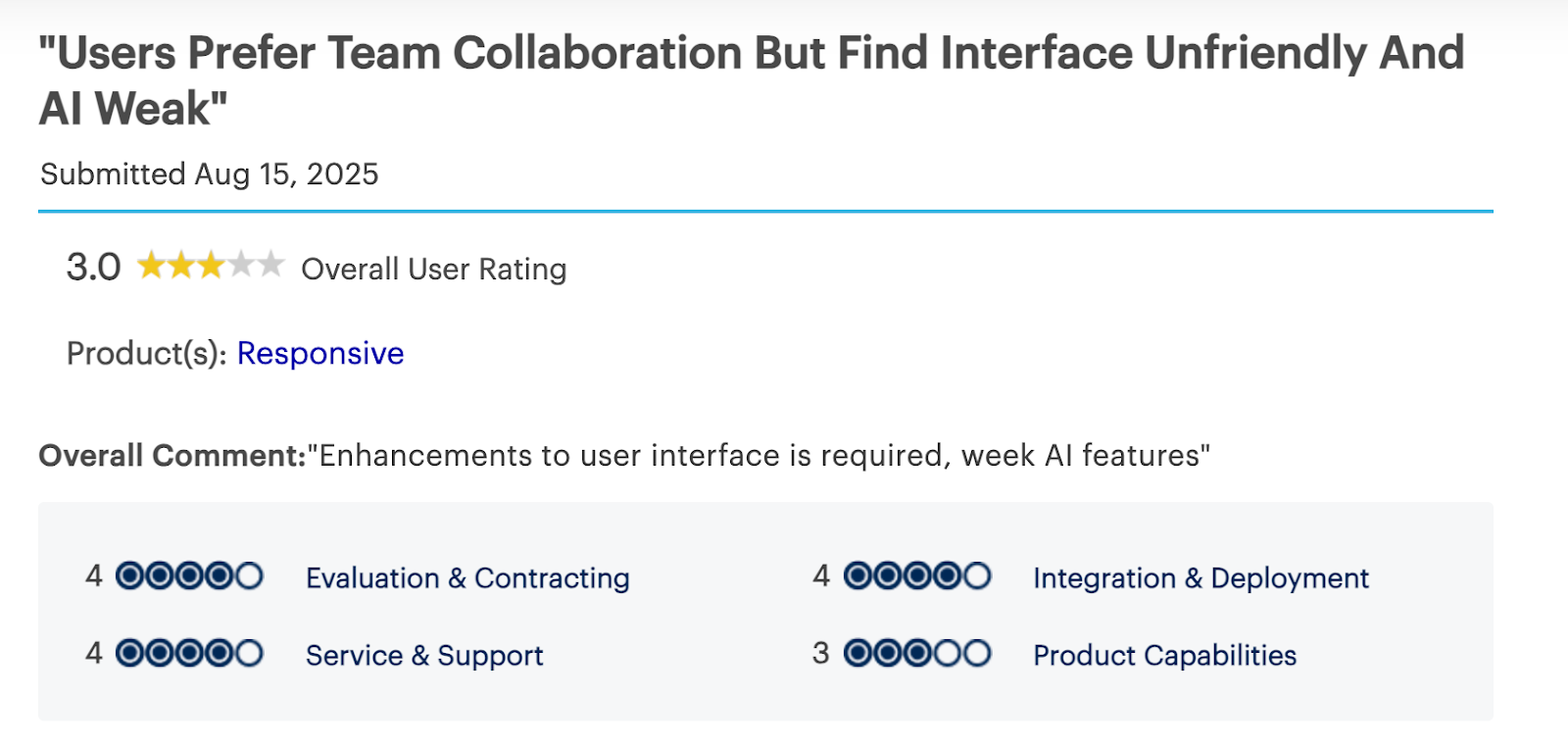
Responsive offers a range of features that help teams speed up their RFP and security questionnaire response processes. It excels in automating content generation and improving collaboration. But its pricing, interface design, and occasional inaccuracies in AI-generated content may make it less suitable for teams handling more complex proposals.
3. Loopio
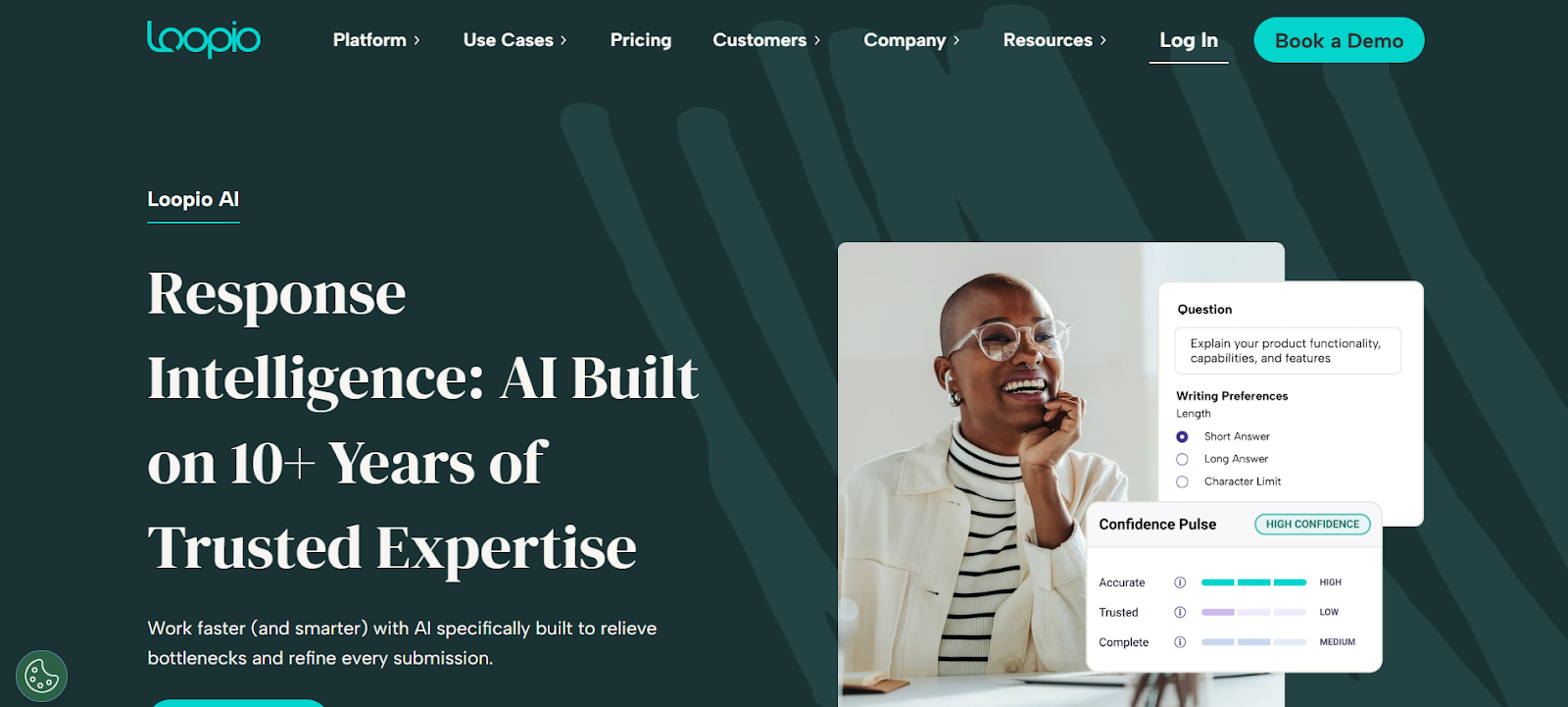
Loopio helps teams answer RFPs, RFIs, DDQs, and security questionnaires faster. It can create first-draft answers in minutes using your existing content. It shows where each answer comes from, so teams can review and trust the output.
Key Features
1. Generates Tailored First Drafts in Minutes
It helps teams generate first-draft responses quickly with just a few clicks. By pulling from your pre-approved content, it ensures the generated answers are relevant and ready to be fine-tuned. This feature significantly speeds up the proposal process.
2. Uses Approved Sources of Truth
The platform creates responses using vetted, accurate, and compliant answers pulled from your organization’s content library. By relying on pre-approved sources, Loopio ensures consistency and compliance in every response.
3. Source Traceability
One of Loopio’s standout features is its ability to show where each answer comes from. With source traceability, teams can easily verify that the response is based on trusted content, ensuring transparency and accuracy in every proposal.
What Makes Loopio Stand Out
1. Good Collaboration Workflow
Its collaboration features make it easy for teams to work together. With capabilities like question assignments, tracking updates, and real-time collaboration, the platform reduces unnecessary email chains and enhances team coordination.
2. User-Friendly Interface
Many users find this platform intuitive and easy to learn. The simple design ensures that teams can quickly get up to speed, even without extensive training, helping teams be productive right away.
3. Responsive Customer Support and Onboarding Resources
It offers responsive customer support and helpful onboarding resources, such as guides and tutorials. These resources ensure that teams have the support they need to maximize the platform’s potential, even during the initial setup phase.
The Limitations of Loopio
1. Library Setup Takes Time
Building and tagging a comprehensive content library takes time and effort. Teams need to invest time upfront to organize and train the system, which can delay the platform's full implementation and use.
2. GenAI Refinement Challenges
Refining AI-generated content can be challenging. In some cases, users need to restart the process from the beginning when refining responses, which can be time-consuming.
3. Noisy Search Results
The search functionality can sometimes return loosely related answers, requiring teams to clean up the results manually. This issue can slow down the process of finding the most relevant content, particularly when dealing with a large content library.
4. Slow UX with PDFs
Users report a slow user experience when adding or selecting questions from PDFs. This can be frustrating when working with documents that contain numerous questions and require quick input.
5. Limited Document Visibility and Annotation
It lacks advanced document visibility and annotation features. It can be difficult to add notes on non-question sections, limiting the platform’s ability to handle more complex documents that require additional context or commentary.
6. Restrictive Workflow Controls
Some workflow controls can be restrictive. For example, users may need an admin to reopen completed questions, which can delay the process if additional edits are needed. The platform also has export formatting issues, such as bullet points not carrying over properly when exporting proposals.
Pricing
Ratings and Reviews
- Rating: 4.4/5
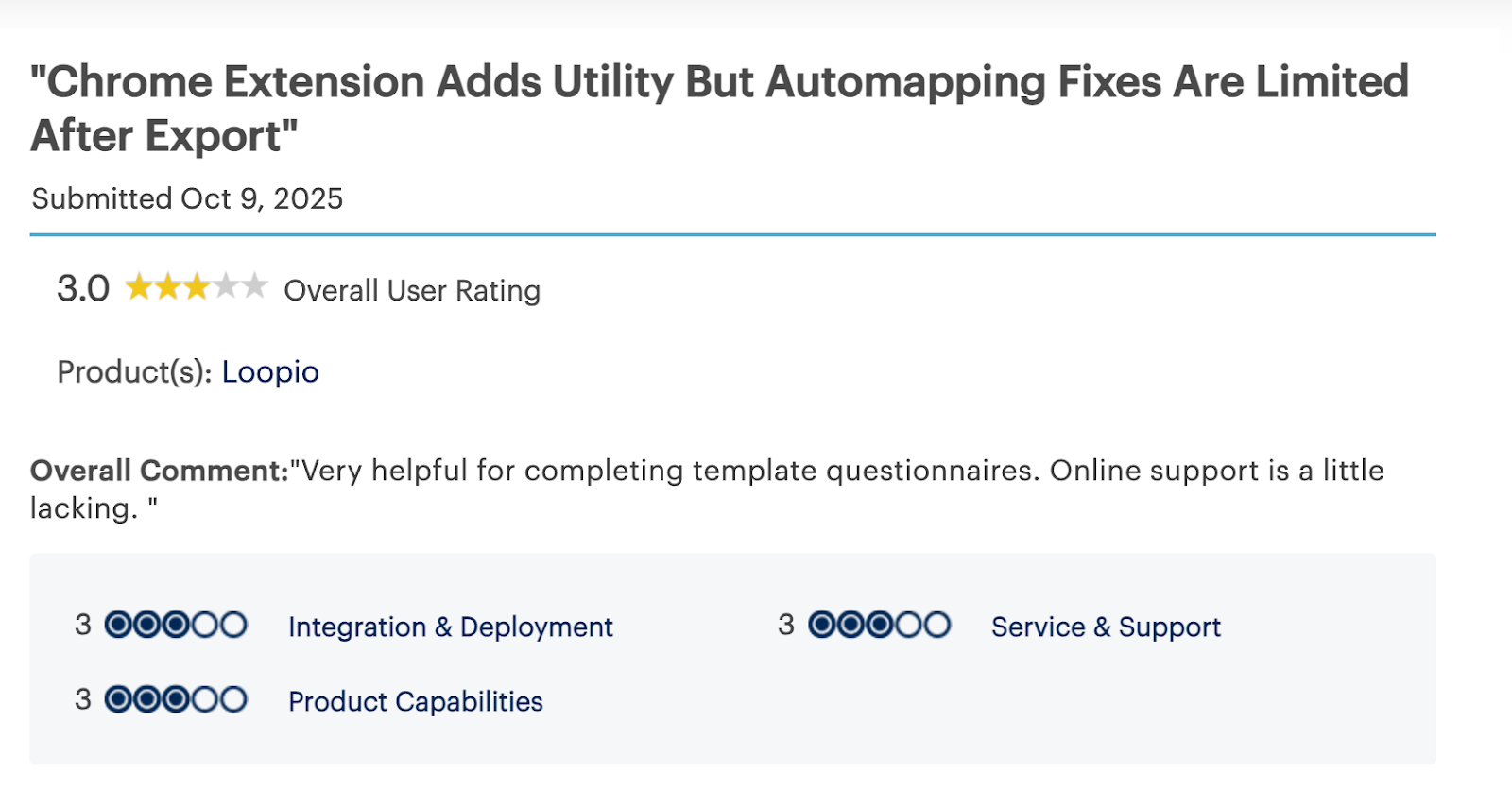
Suggested Alternative: Inventive AI
Loopio relies heavily on content libraries and manual refinement, which can slow teams down as volume grows. Inventive AI removes much of that friction by using deep context instead of strict tagging so that teams can get value faster with less upfront setup and cleanup.
Inventive AI also makes editing easier. To reduce manual review, teams can implement simple instructions. This helps refine answers and avoid noisy results. Additionally, they can rely on built-in checks for conflicts and outdated content. These features automatically catch issues, streamlining the workflow.
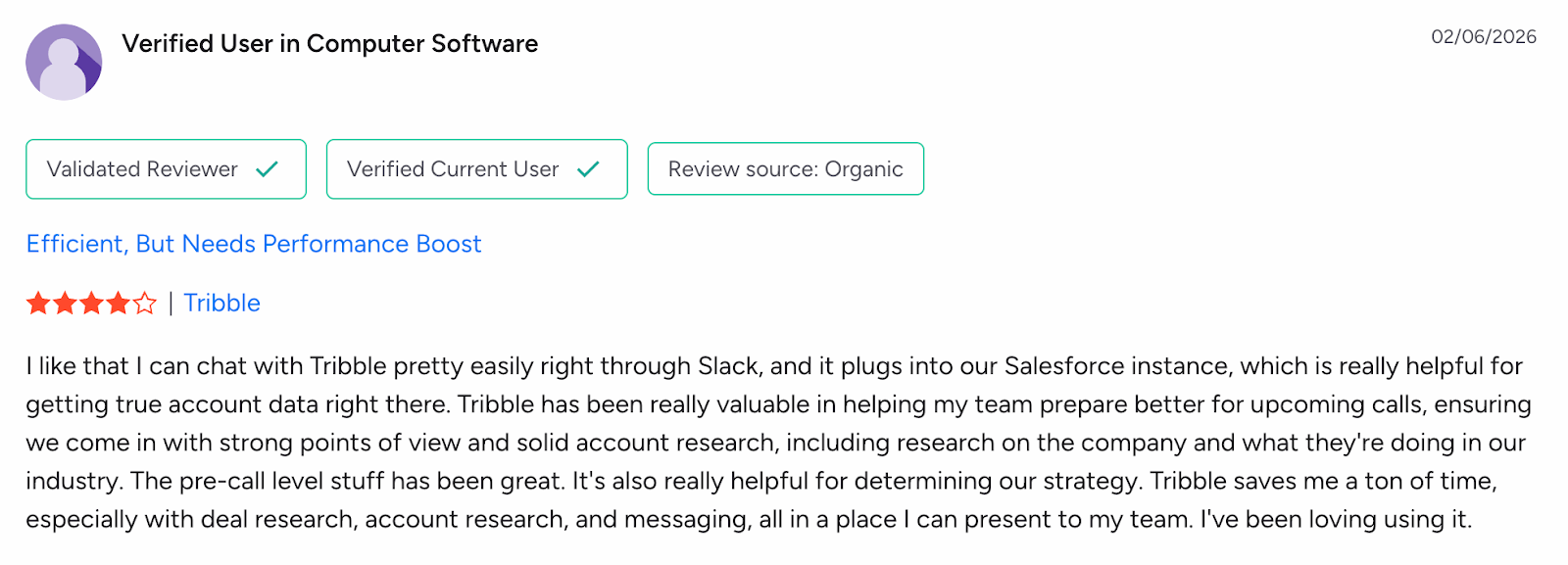
4. Tribble
Tribble is an AI tool built to help teams complete RFPs and security questionnaires with less manual work.
Tribble also supports collaboration in tools like Slack and Microsoft Teams, so teams can work where they already communicate. Its goal is to speed up questionnaire completion, reduce stale content, and help teams move deals forward faster.
Key Features
1. Autonomously Completes RFPs and Security Questionnaires
Its powerful AI agent can autonomously generate RFP responses and complete security questionnaires. This reduces the need for manual drafting, allowing teams to save time and focus on refining responses and improving the overall quality of proposals.
2. Real-Time Content Library Updates
The platform ensures that your content library stays fresh with real-time updates. This reduces the risk of using stale or outdated answers, ensuring that your proposals are always relevant and current when responding to RFPs or security questionnaires.
3. Works Inside Slack and Microsoft Teams
It integrates directly into Slack and Microsoft Teams, enabling teams to work within their existing communication platforms. This allows for in-chat response generation, enabling real-time collaboration and faster response times, even during ongoing discussions.
4. Real-Time Collaboration
It supports real-time collaboration, enabling proposal teams and subject matter experts (SMEs) to review and refine responses instantly. This ensures that feedback is incorporated quickly and efficiently, speeding up the proposal development process.
What Makes Tribble Stand Out
1. Context-Aware Responses
It goes beyond simple keyword searches. Users report that the platform understands context better, providing more relevant responses. This improves the overall quality of proposals and ensures responses match the exact needs of the RFP or security questionnaire.
2. Helpful for Real-Time Use
Whether during customer calls or urgent proposal work, Tribble can be accessed in real time via Slack or Microsoft Teams. Teams can ask Tribble for immediate answers and insights, speeding up the decision-making process and response times.
3. Customer Support
It offers responsive customer support, ensuring that teams can get assistance when needed. Users have praised the platform for its quick response times and willingness to take feedback, allowing for continuous improvement.
The Limitations of Tribble
1. Inaccurate Responses
Users report that it often generates inaccurate responses, requiring additional research and manual adjustments to ensure the content is correct. This can slow down the proposal process and increase the time spent on revisions.
2. Limited Features
It lacks certain features, which hampers creativity and reduces the effectiveness of features like reminders and task management. This limitation can make the tool less flexible for teams with complex proposal workflows.
3. Insufficient Training
Its training resources are insufficient, which limits its effective utilization. New users may struggle to fully understand the platform’s capabilities, impacting their overall experience and productivity.
4. Difficulty Keeping Up with Fast Pace
The fast pace of Tribble can be challenging for some users. This can impact creativity and flexibility, particularly for teams that need more time to refine and customize responses.
5. Complex Setup
Setting up requires frequent team verification to ensure that the content library and workflows are accurate. The complexity of this initial setup can be time-consuming and slow down the platform’s implementation.
Pricing
Ratings and Reviews
- Rating: 4.8/5
Suggested Alternative: Inventive AI
Inventive AI provides hyper-contextual responses with automatic conflict detection, real-time content updates, and narrative-style proposals, helping teams streamline RFP workflows with minimal manual input.
Must Read: Create Effective Templates for Saas RFP: A complete Guide
5. Qvidian
Upland Qvidian is a cloud-based proposal and RFP response platform. It combines automation, collaboration tools, and generative AI to help proposal teams find the right content faster and produce stronger, more polished proposals.
It’s designed to support teamwork across sales and proposal groups, reduce manual proposal tasks, and help teams deliver personalized responses on time. Major banking organizations and a large global user base use Qvidian to manage high-volume proposal work and meet tight deadlines.
Key Features
1. Automation for Q&A
It automates the process of answering questions in RFPs and other proposal documents. It can suggest responses based on previous answers, reducing the amount of time needed to generate drafts and increasing overall efficiency.
2. Qvidian AI Assist
The AI Assist feature helps teams generate and revise proposal and questionnaire answers. This tool can help improve the quality of responses, ensuring that they align with the company’s messaging and meet the proposal requirements accurately.
3. Central Content Library
It features a central content library with a customizable structure for managing approved content. Teams can store, review, and update responses in one location, making it easier to reuse content and maintain consistency across multiple proposals.
What Makes Qvidian Stand Out
1. Efficient Content Management
Content management is a key feature of Upland Qvidian, and users value its ability to organize, store, and reuse content effectively. This feature enhances workflow efficiency, allowing teams to quickly access and deploy relevant responses, which ultimately improves proposal accuracy.
2. Time-Saving Features
Upland Qvidian’s time-saving features, such as automated content reuse and pre-approved answer generation, simplify the proposal process. By reducing the time spent on manual drafting, teams can focus on refining proposals, leading to faster response times and more efficient use of resources.
The Limitations of Qvidian
1. Non-Intuitive Interface
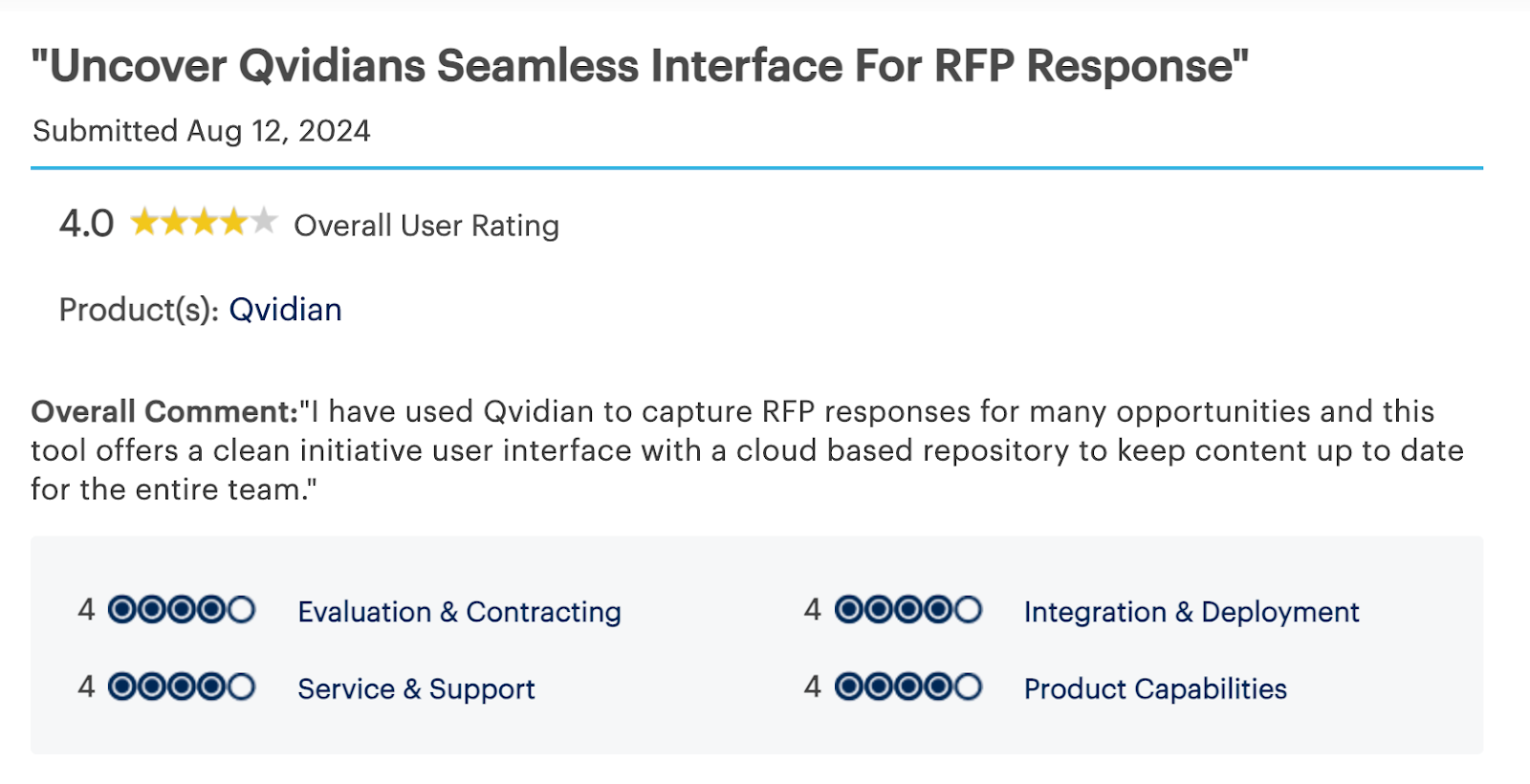
It is difficult to navigate due to its non-intuitive interface. This complicates their ability to fully utilize the software, leading to frustration and inefficiencies as they try to figure out how to access and use key features.
2. Slow Performance
The slow performance is a common complaint, as it hinders the software’s overall efficiency and usability. Teams report that the lag and delays affect their ability to meet tight deadlines and impact their productivity.
3. High Pricing
Qvidian can be expensive, especially for smaller teams or individual users. The pricing model can be a barrier, making it difficult for smaller organizations to justify the investment, especially when seeking a more affordable RFP solution.
4. Update Issues
Some users experience software malfunctions and bugs due to frequent update issues. These problems can disrupt workflows, causing delays and frustration when the platform doesn't function as expected after updates are applied.
5. Steep Learning Curve
Users report a steep learning curve, largely due to its outdated user interface and the need for more training to navigate the platform effectively. This learning curve can slow down the adoption process, especially for new users trying to get up to speed with the software.
Pricing
Ratings and Reviews
- Rating: 4.7/5
With all major alternatives covered, let’s summarize why many teams choose Inventive AI over other tools.
Must Read: Using AI to Improve RFP Response Quality and Accuracy
Conveyor and Its Limitations: Why Teams Are Looking for Conveyor Alternatives and Competitors?
Conveyor helps companies manage inbound security reviews more efficiently. Teams use it to respond to security questionnaires and RFPs with AI-assisted answers, so they can reduce repetitive work and respond faster during the sales process.
While Conveyor offers valuable features, there are several reasons why teams may find it insufficient as their needs evolve. Here are some key reasons businesses look for alternatives:
1. Inaccurate Responses Requiring Manual Input
Its AI-generated responses often require manual input to ensure they are accurate and relevant. Teams may find that they need to spend additional time verifying and editing responses, which slows down the process and reduces the efficiency benefits of automation.
2. Poor Interface Design, Impacting Accessibility and Ease of Navigation
The user interface can be challenging for teams to navigate, especially as workflows become more complex. The design can hinder accessibility, making it harder for users to find the information they need quickly, which impacts overall efficiency.
3. Integration Issues, Particularly with CRM and Workflow Tools
Many businesses require smooth integrations with systems like Salesforce, Jira, or Slack. However, Conveyor's integrations may be limited, causing friction in the workflow and making it difficult for teams to sync their operations across different platforms.
4. Limited Customization Options
It offers a more standardized approach to response management, but as teams grow, they often need more flexibility. The lack of customizable features means teams can’t easily tailor responses, templates, or workflows to fit their unique needs or customer requirements.
5. Slow Performance, Leading to Frustration During Urgent Tasks
During critical moments when response time matters, its slow performance can cause frustration. Delays in loading or processing responses can disrupt the speed and accuracy teams need to stay ahead in competitive bidding scenarios.
6. Search Functionality Lacking
Finding the right information quickly is key to an efficient workflow. Unfortunately, its search functionality can be inadequate, making it difficult to quickly locate specific responses or content within the platform, especially as the volume of RFPs and security reviews increases.
Ultimately, businesses need a solution that not only automates the security review process but also scales with their compliance and workflow requirements. If this platform doesn't align with those needs, alternative solutions like Inventive AI may offer the flexibility, integrations, and speed required for fast-paced teams handling high volumes of security reviews and RFPs.
Upgrade Your RFP Process with Inventive AI: Faster, More Accurate Responses than Conveyor
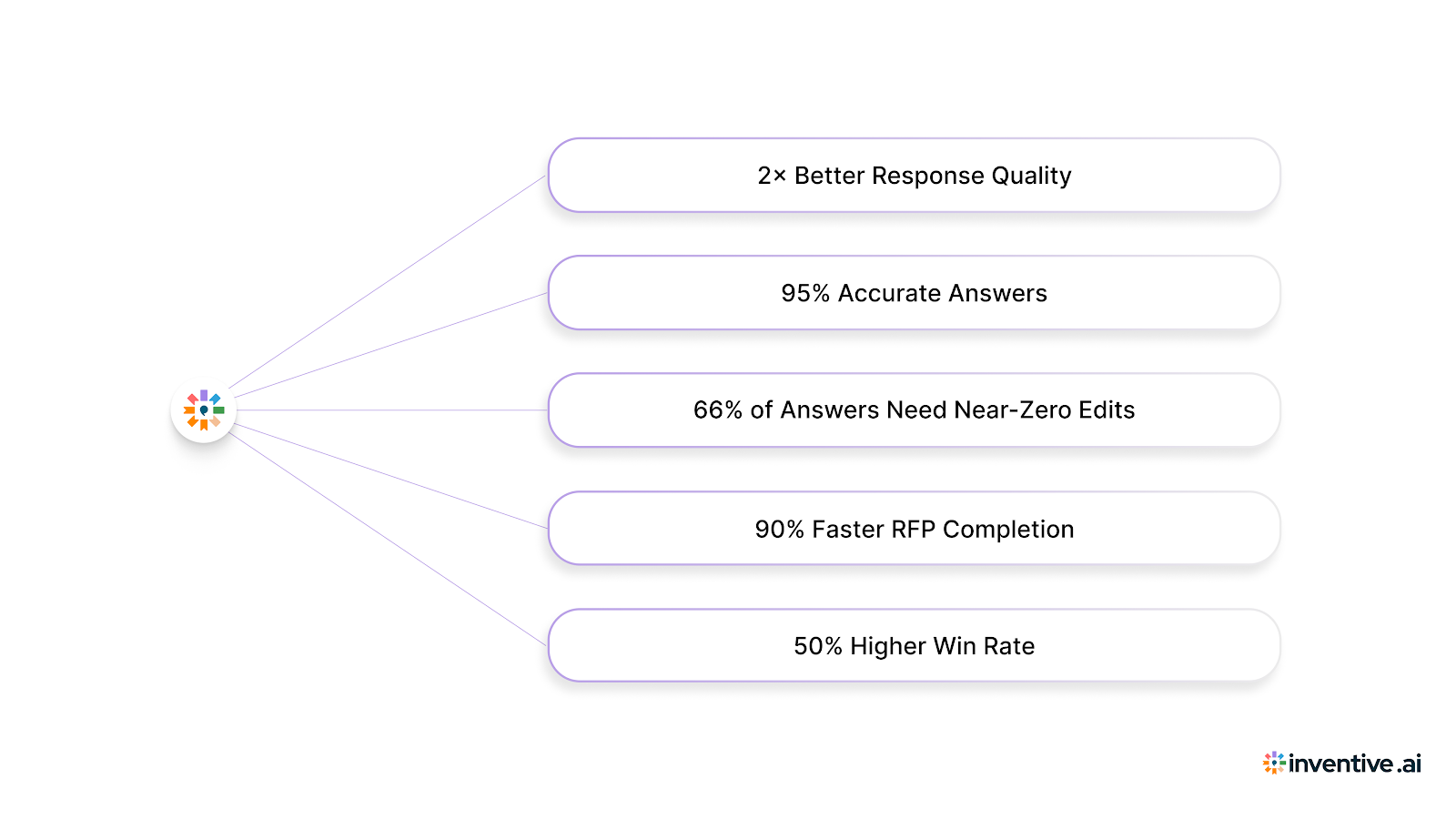
Inventive AI is built for one goal: helping teams submit stronger, more accurate responses that win. It prioritizes response quality and uses speed, automation, and safeguards to scale it.
2× Better Response Quality
Better answers help you win more deals. Inventive AI consistently produces higher-quality responses compared to the tools we’ve benchmarked. That means fewer generic drafts and more answers that sound like a real SME wrote them.
95% Accurate Answers
Inventive AI targets 95% accuracy by grounding answers in approved source documents and employing automated quality checks that compare responses against validated benchmarks before submission.
66% of Answers Need Near-Zero Edits
Most tools still leave teams rewriting. Inventive AI makes that easier. 66% of answers don't need much or any editing, so reviewers can spend more time completing bids and less time fixing content.
90% Faster RFP Completion
Inventive AI is designed to cut turnaround time without sacrificing quality. Teams see up to 90% faster RFP responses, because the system drafts quickly and reduces back-and-forth across stakeholders.
50% Higher Win Rate
It is not just about speed. But the main point is quality results. One customer case study reports a upto 50% higher win rate after adopting Inventive AI, driven by stronger answers, faster delivery, and better consistency across responses.
FAQs
1. Are Conveyor alternatives more affordable than Conveyor?
It depends on the specific alternative. However, tools like Inventive AI offer usage-based pricing which can be more cost-effective, especially for teams with fluctuating proposal volumes. Traditional platforms like Loopio and Responsive often rely on subscription-based pricing, which may be more expensive in the long run.
2. Can I integrate Conveyor alternatives with my existing systems?
Yes, most Conveyor alternatives, including Inventive AI, offer seamless integrations with platforms like Slack, Salesforce, Microsoft Teams, and other collaboration or CRM tools. These integrations help streamline workflows and enhance efficiency.
3. Which tool is best if response quality is the top priority?
Inventive AI is built around response quality. It focuses on hyper-contextual answers, conflict checks, outdated content checks, and quality benchmarking.
4. Do these tools replace human review completely?
Not always. Many tools still rely on human review for final approval. The goal is to reduce manual effort and shorten review cycles.

.avif)