RFP tracking software: what it is and how to choose
What RFP tracking software does, how it differs from RFP response software, spreadsheets vs. software, the core features to look for, and who needs it.
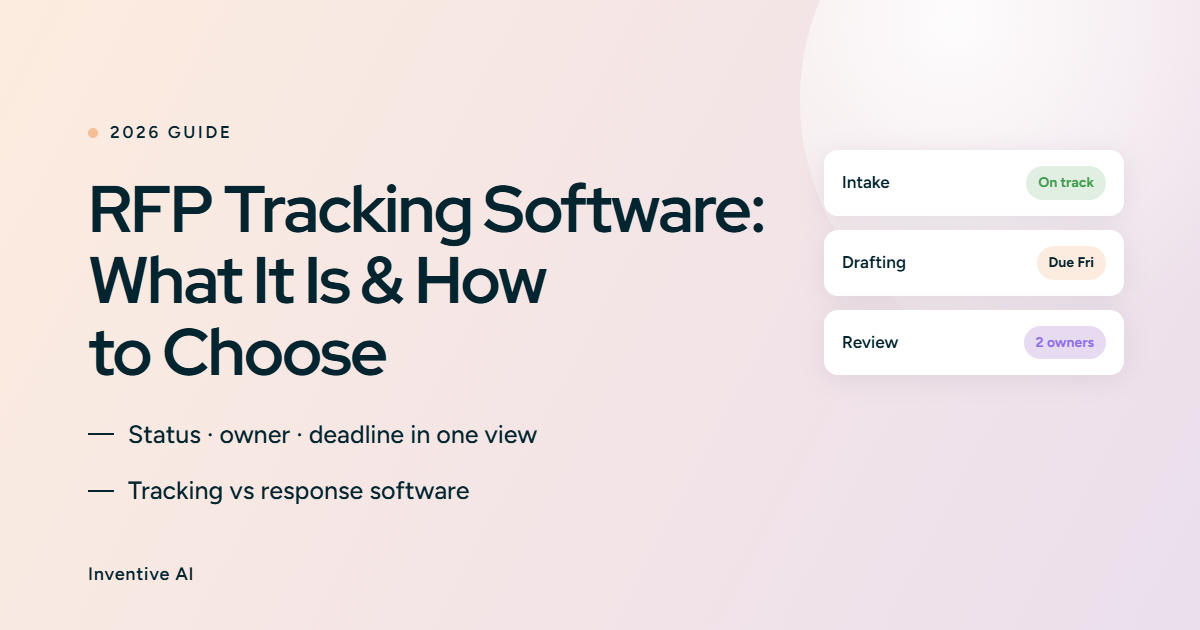
Every RFP has a due date, an owner, and a dozen moving parts. When you're running one, a spreadsheet holds up fine. When you're running fifteen at once, the spreadsheet is where deadlines get missed, and status goes stale. RFP tracking software fixes that by giving every proposal a status, an owner, and a deadline in one place your whole team can see.
This guide explains what RFP tracking software does, how it differs from full RFP response software, when a spreadsheet is still enough, and the features that separate a real tracker from a glorified checklist.
TL;DR
- RFP tracking software manages the pipeline: which proposals are in flight, who owns each one, what stage they're at, and when they're due. It answers "where does everything stand," not "what should the answer say."
- That makes it different from RFP response software, which drafts the answers. The strongest tools do both, so tracking and drafting share one system instead of two.
- A spreadsheet works for a handful of RFPs. Past roughly five in parallel, manual tracking loses visibility and starts costing you deadlines.
- The core features that matter: a live dashboard, deadline alerts, status workflows, clear ownership, and integrations with your CRM and content.
- Bid managers, proposal operations, and sales operations need it most, because they answer for the whole pipeline, not a single response.
What is RFP tracking software and what is does?
RFP tracking software is a system that records and monitors every RFP, RFI, and security questionnaire your team is working on, from intake to outcome. It gives each one a status, an owner, a due date, and a place to see what's left to do.
It answers four questions at a glance: what stage is each proposal at, who is responsible, when is it due, and what is still outstanding. Instead of chasing updates over email, anyone can open one dashboard and see the whole pipeline.
Good tracking also captures the outcome. When a proposal is won, lost, or declined, the tracker records it, so you can see win rates, cycle times, and where deals stall over time.

What’s the difference between RFP tracking software vs. RFP response software
These two often get bundled together, but they solve different problems. Tracking manages the pipeline. Response software produces the answers.
The difference matters when you buy. A tracker keeps your pipeline organized but leaves your team writing every answer by hand. A response platform speeds up the writing, but without pipeline visibility, you track status in a separate tool.
This is why the two are merging. The best systems combine tracking and drafting, so the person assigned a question is the one who answers it, with no work lost between tools.
Difference between manual tracking vs. RFP tracking software
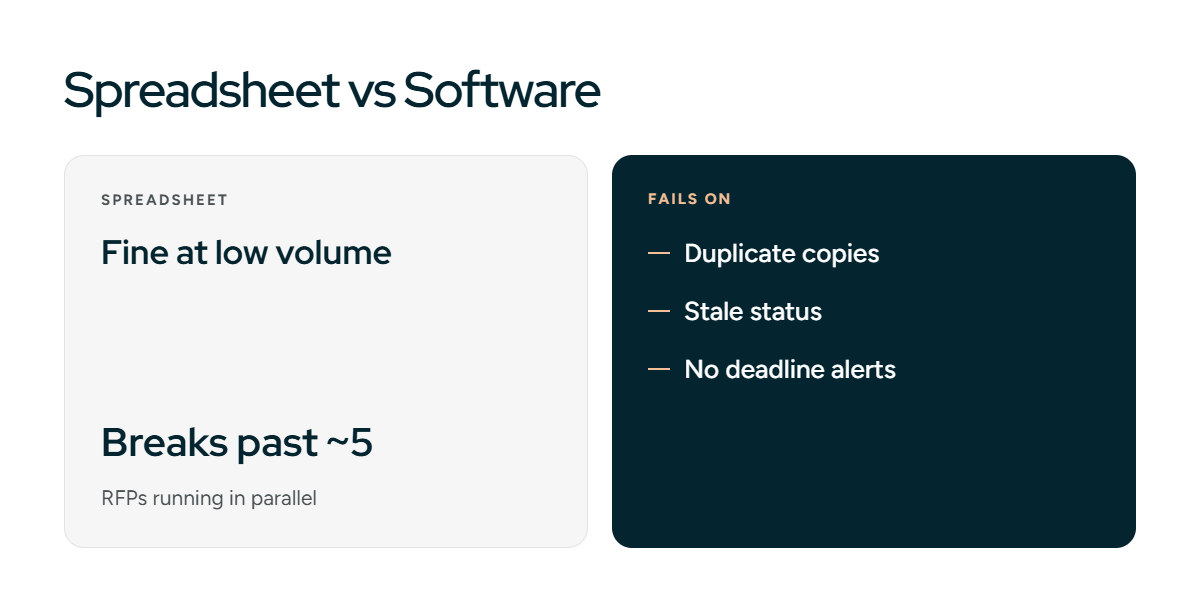
Most teams start by tracking RFPs in a spreadsheet. It's free, familiar, and fine at low volume. The question is when it stops being enough.
A spreadsheet breaks down in predictable ways: two people edit different copies, status goes stale the moment someone forgets to update it, and no one gets alerted when a deadline is two days out. Nothing warns you a proposal is slipping until it already has.
If you want to start manually and see whether you outgrow it, a structured template beats a blank sheet. Our RFP tracking template gives you the columns and status stages to run it properly, and it doubles as a clear picture of what a dedicated tool automates for you later.
Core features to look for in RFP tracking software

Not every tracker is built the same. These are the features that decide whether it actually keeps your pipeline under control.
- A live pipeline dashboard. One view of every active RFP, its stage, owner, and due date. This is the core of the tool, so judge it first.
- Deadline alerts. Automatic reminders as due dates approach, sent to the owner, not buried in a shared file. This is what a spreadsheet can't do.
- Status workflows. Defined stages, such as intake, go/no-go, drafting, review, submitted, and outcome, so everyone reads progress the same way.
- Ownership and assignment. Every proposal and section has a named owner, so nothing sits unassigned and accountability is clear.
- Integrations. Connections to your CRM, calendar, and content sources, so a tracked RFP ties back to the deal and the answers behind it.
- Reporting. Win rate, cycle time, and on-time submission over time, so tracking informs decisions instead of just recording them.
If a tool covers the first five but skips reporting, you have a coordination tool. Add reporting and it becomes a way to improve how you bid.
How the RFP tracking workflow works, stage by stage
Tracking is not a status field you update when you remember. It is a defined path every RFP moves through, with a clear trigger between stages and a specific failure each stage exists to prevent. Here is what that path looks like, and what to capture at each step.
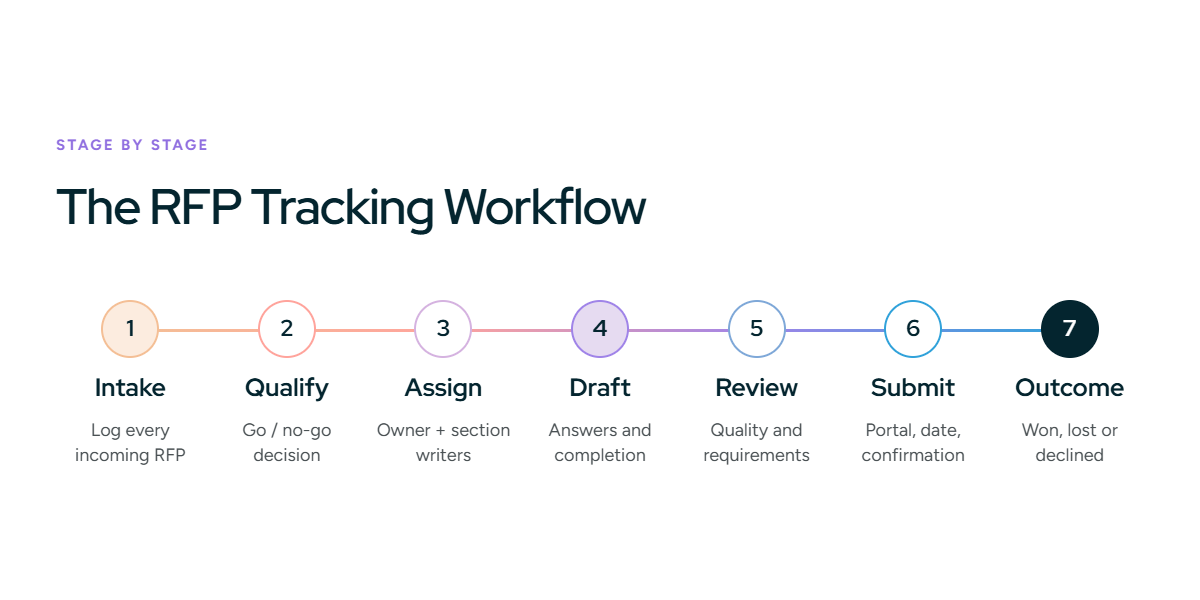
- Intake. Log every incoming RFP, RFI, or questionnaire in one place the moment it arrives. Capture the deadline, the issuing buyer, the submission format or portal, and the estimated deal value. It moves forward once the request has an owner assigned to qualify it. This stage prevents the RFP that sits in an inbox until the deadline is too close to bid well.
- Qualify (go/no-go). Decide whether the deal is worth pursuing before anyone drafts a word. Capture the go or no-go decision, the reason, and who made the call. A "go" moves it to assignment. This stage prevents two costly mistakes: chasing deals you cannot win, and a late no-go after the team has already spent hours.
- Assign. Give the proposal an owner, and assign sections to the writers and SMEs who will answer them. Capture the proposal owner, section owners, and any SMEs the response depends on. It moves forward once owners accept the work. This stage prevents unassigned sections that surface days before the deadline.
- Draft. Owners write their sections and pull in answers. Capture the drafting status, rough completion, and any questions blocked waiting on an SME. It moves to review once the draft is complete. This stage prevents a proposal stuck "in drafting" with no visibility into what is holding it up.
- Review. A reviewer checks the draft for quality and against the RFP's requirements. Capture the reviewer, approval status, and a compliance check against mandatory items. Sign-off moves it to submission. This stage prevents submitting an answer no one checked or missing a required item that disqualifies the bid.
- Submit. Send the response through the buyer's portal or by the method they specify. Capture the submission date, the method, and confirmation of receipt. Confirmed receipt closes the active work. This stage prevents a late or incomplete submission after all the effort that went in.
- Outcome. Record the result once the buyer decides. Capture won, lost, or declined, the deal value, and the reason. This closes the loop and feeds your reporting. This stage prevents the most common gap of all: no record of why you won or lost, so nothing improves next time.
Written down, the workflow does two things. It shows anyone where a proposal stands without a status meeting, and it turns each closed RFP into data you can learn from. The stages also expose where a tool needs to do more than track, which is the subject of the next two sections.
Also Read: The RFP response process, step by step
Who needs RFP tracking software?
Anyone accountable for more than one RFP at a time benefits, but three roles feel the pain first.
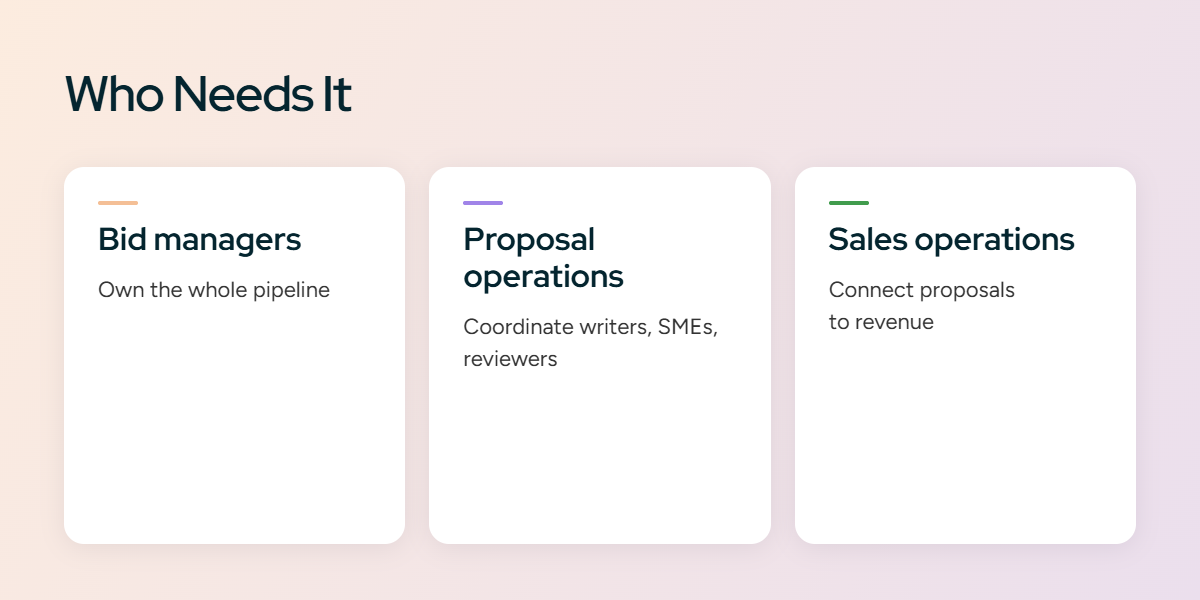
Bid managers own the whole pipeline. They need to see every active proposal, spot the ones at risk, and prove the team hits deadlines. Tracking is the tool they run the function on.
Proposal operations coordinate writers, SMEs, and reviewers across many responses. They use tracking to assign work, balance load, and keep nothing from falling through the cracks.
Sales operations care about how proposals affect revenue. They use tracking to connect proposal status to the deal, forecast accurately, and see where the response process slows the sales cycle.
Smaller teams answering the occasional RFP can manage with a shared template. The moment a dedicated bid manager exists, or volume climbs past a handful at once, tracking earns its place.
The limit of tracking-only tools
A standalone tracker tells you a proposal is due Friday and owned by your team. It cannot help your team answer it. The work still happens in another tool, and someone keeps two systems in sync by hand.
That split is the hidden cost of tracking-only software. Status lives in one place, the answers live in another, and the gap between them is where deadlines and version control break. A tracker that says "in drafting" for five days can't tell you the draft is stuck because the answer content isn't ready.
This is why tracking increasingly sits inside response software rather than beside it. When the same platform tracks the pipeline and drafts the answers, an owner assigned to a proposal is working on it in the same place its status updates, and progress reflects real work, not a manually moved status.
RFP tracking metrics that matter
Once tracking captures outcomes, a few metrics turn the data into better decisions.
- Win rate. The share of submitted proposals you win. Track it by segment to see where you're strong and where you're wasting effort.
- Cycle time. How long a proposal takes from intake to submission. Rising cycle time is an early sign of a bottleneck.
- On-time submission rate. How often you actually hit the deadline. This is the number tracking exists to protect.
- No-bid ratio. How often you decline to bid. Too low can mean you're chasing deals you can't win; a healthy rate shows disciplined qualification.
Watched over time, these turn your tracker from a status board into a record of how your team wins, and where to fix the process.
How Inventive AI approaches RFP tracking
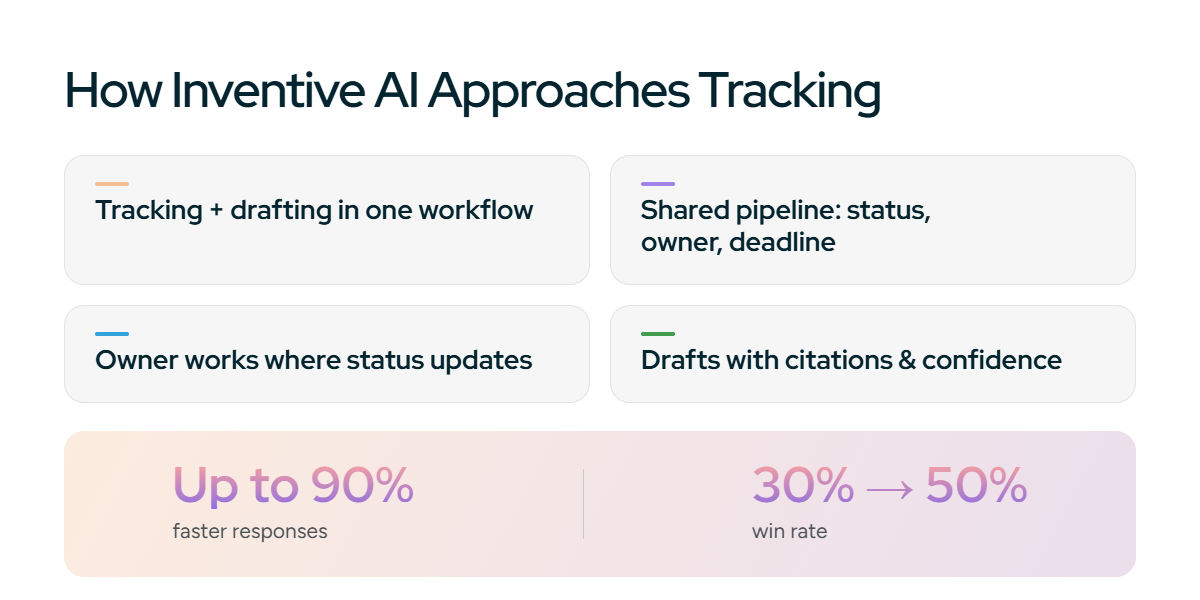
Inventive AI is an autonomous AI agent platform for RFPs, RFIs, DDQs, and security questionnaires. It treats tracking and responding as one workflow, not two tools.
Every proposal has a status, an owner, and a deadline in a shared pipeline view, so bid managers and proposal teams see where everything stands. Because the same platform also drafts the answers, the owner assigned to a proposal works on it in the same place its status updates. There's no second system to keep in sync, and progress reflects the actual draft, not a status someone moved by hand.
For the response side, it retrieves answers from your connected systems, drafts each with a citation and a confidence score, and flags anything it cannot support for review. Customers report responses up to 90% faster, and Insider raised its win rate from 30% to 50%. Tracking keeps the pipeline visible; the drafting keeps it moving.