Design RFP Template: A Vendor's Guide to Craft Winning Responses

How many times have you stared at a design RFP, struggling to understand the client's vision?
And then, you end up with a proposal that completely misses the mark. It’s frustrating, right?
But here’s the good news: A well-written design RFP template can be a breakthrough. When an RFP is clear, concise, and structured, you can focus on crafting proposals that hit every requirement. This leads to faster responses, fewer revisions, and higher-quality proposals that stand out.
In this blog, we’ll show you how a well-designed RFP template will save you time and help you submit more competitive, aligned proposals.
Key Takeaways
- Access the RFP template: A clear design RFP helps vendors submit more accurate and tailored proposals.
- Focus on key elements: Look for project overview, scope of work, evaluation criteria, deadlines, and budget details.
- Customize your response: Tailor your proposal based on the client’s specific needs and the evaluation criteria.
- Use Inventive AI: Automate drafting, ensure accuracy, and detect outdated content for faster, more relevant responses.
- Increase your chances of success: A well-structured RFP and a strong proposal response will improve your win rates.
Building a Design RFP Template that Drives Quality Proposals
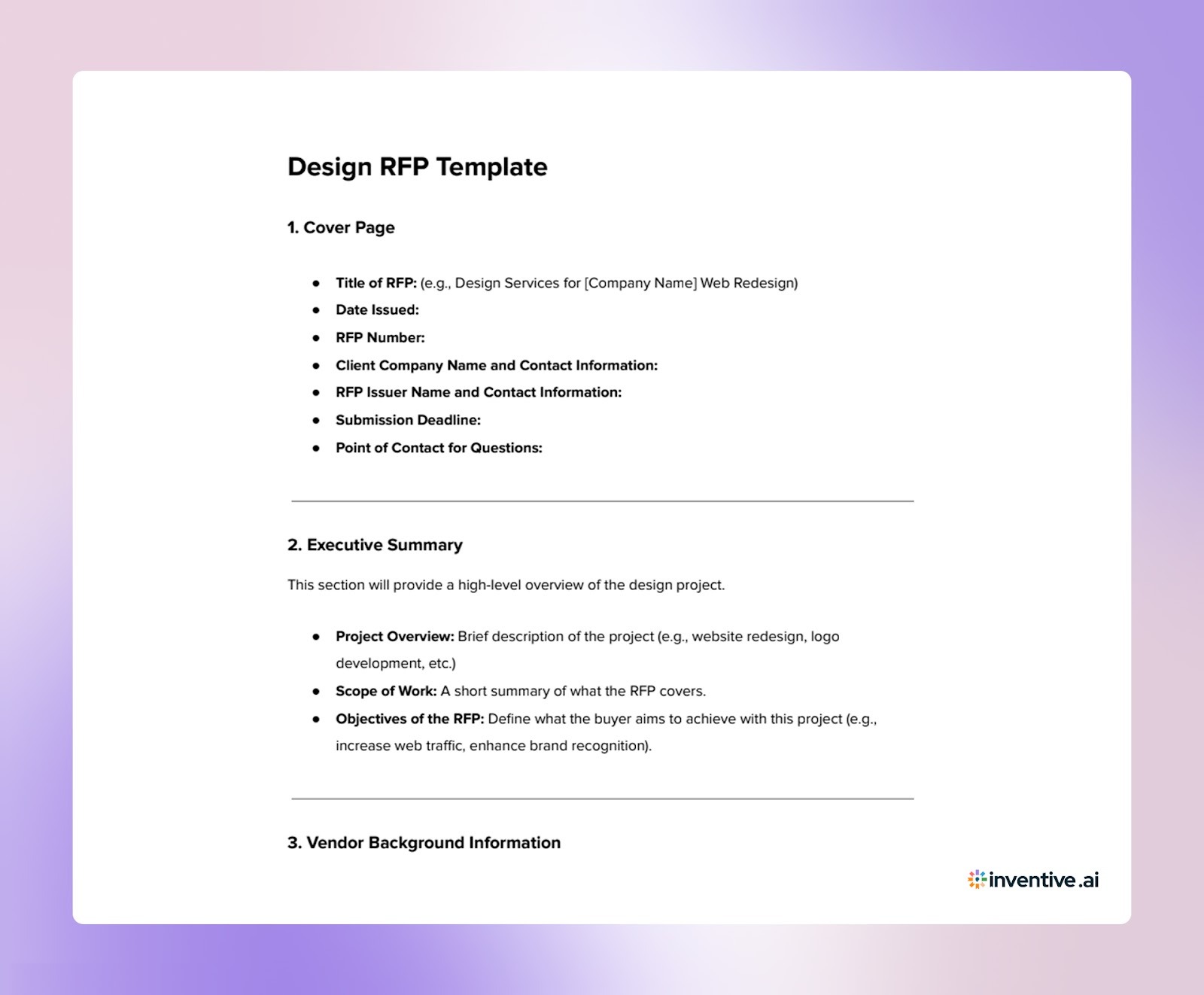

What Goes into a Strong Design RFP Template?
A well-prepared Design RFP template is a critical tool that helps you submit a more accurate and focused proposal. Here’s what makes a strong RFP template that works for you as the responder:
What's Included in this Design RFP Template?
- Project Overview & Background: A clear context of the project helps you understand the goals and scope, so you can tailor your proposal to match the client’s vision.
- Scope of Work (SOW): Outlines deliverables, tasks, and timelines, ensuring you know exactly what is expected, no guesswork involved.
- Evaluation Criteria: Specifies how the client will assess proposals, allowing you to highlight what matters most in your response.
- Proposal Submission Instructions: Clear instructions on formatting, deadlines, and required documents help you simplify your response process.
Why a Well-Designed Design RFP Template Matters to You?
- Saves Time: A clear template helps you quickly understand the scope and expectations, reducing the need for back-and-forth clarifications.
- Ensures Clarity: With a structured template, you can focus on delivering a proposal that matches the client's needs without ambiguity.
- Minimizes Misinterpretation: When templates are well-structured, there’s less chance of missing important requirements or misinterpreting the client's needs.
- Promotes Consistency: A well-crafted template ensures that you’re responding to the same criteria as other vendors, making the process more predictable.
A good design RFP template doesn’t just make it easier for the buyer; it also empowers you as a vendor to submit more focused, relevant, and tailored proposals.
Also Read: Automating Sales Proposals: A Practical Guide for RFP-Driven Sales Teams
6 Ways to Customize Your Response in a Design RFP Template for Better Results
When responding to a design RFP, customizing your response template is crucial for making a strong impression.
Here are six ways to ensure your response stands out and meets the client's needs:
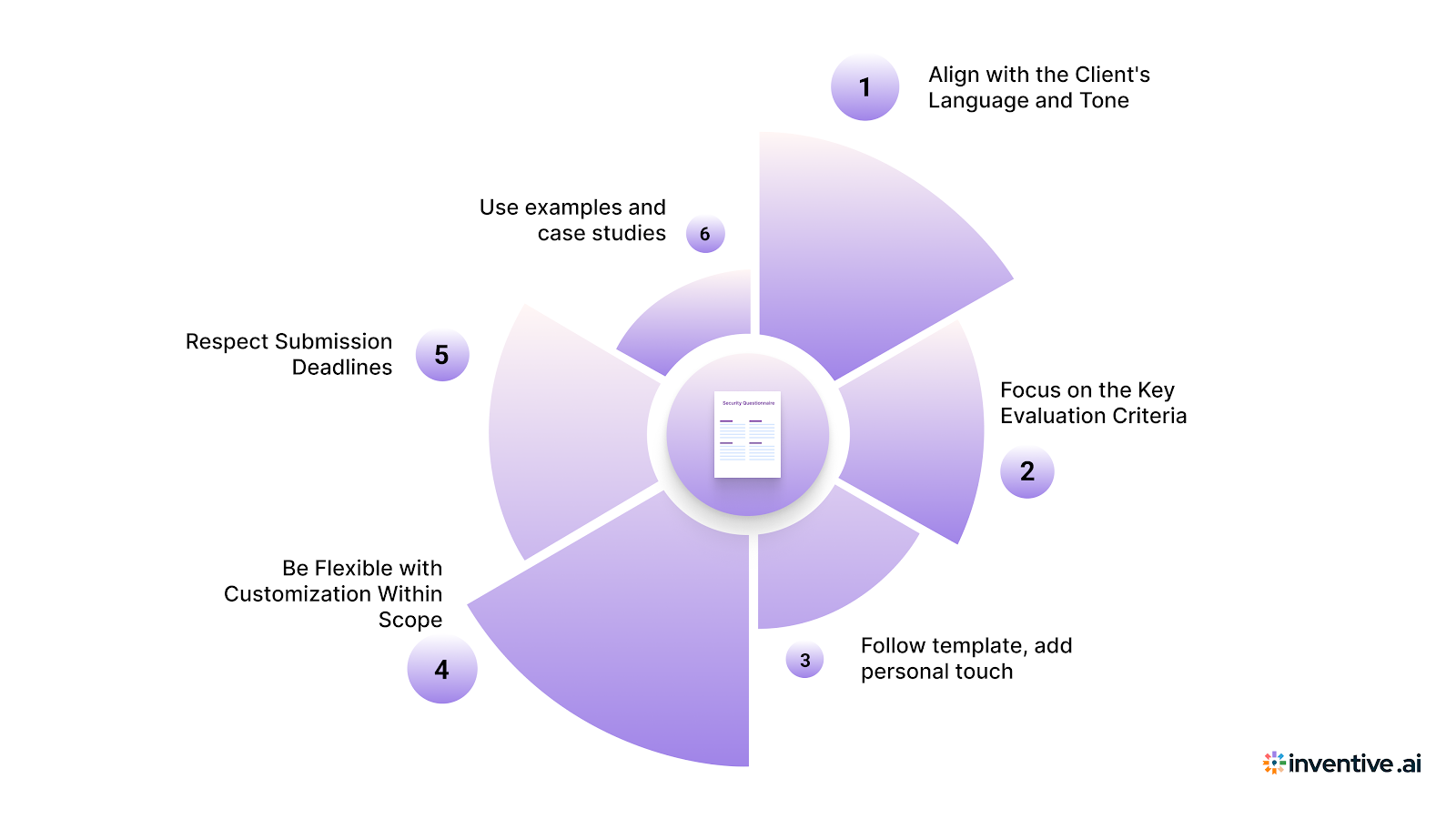
1. Align with the Client's Language and Tone
Use the same clear, concise language as the RFP. Avoid jargon, and match the tone of the template to show you understand the client's communication style and expectations.
2. Focus on the Key Evaluation Criteria
Identify the key evaluation criteria outlined in the RFP. Tailor your response to address those criteria directly, showcasing how your solution aligns with what the client values most.
3. Follow the Template’s Structure While Adding Your Personal Touch
While you should follow the template’s structure, feel free to add your creativity. Include relevant examples of past projects and how you would approach the client's needs, making your proposal more personalized and engaging.
4. Be Flexible with Customization Within Scope
Don’t be afraid to adjust your response based on the specific requirements of the RFP. For example, if the template asks for a portfolio, highlight the designs that are most relevant to the project and demonstrate flexibility in your approach.
5. Respect Submission Deadlines and Formatting Instructions
Always adhere to submission deadlines and formatting guidelines. Organize your response in the same structure as the template, ensuring it’s easy to read and professionally presented.
6. Use Examples and Case Studies for Complex Sections
For more complex sections in the RFP template, provide examples of similar work you’ve done or case studies that demonstrate your approach. This helps the client visualize how you’ll tackle their project and reassures them of your expertise.
By customizing your design RFP response template with these tips, you'll present a clear, tailored, and professional proposal that stands out to the client, increasing your chances of winning the project.
6 Key Elements Every Design RFP Template Should Have
When you receive a design RFP, it’s essential to understand the key elements of the template. These components give you the structure you need to craft a proposal that aligns with the client’s needs and expectations.
Here’s what to look for and how to use them effectively:
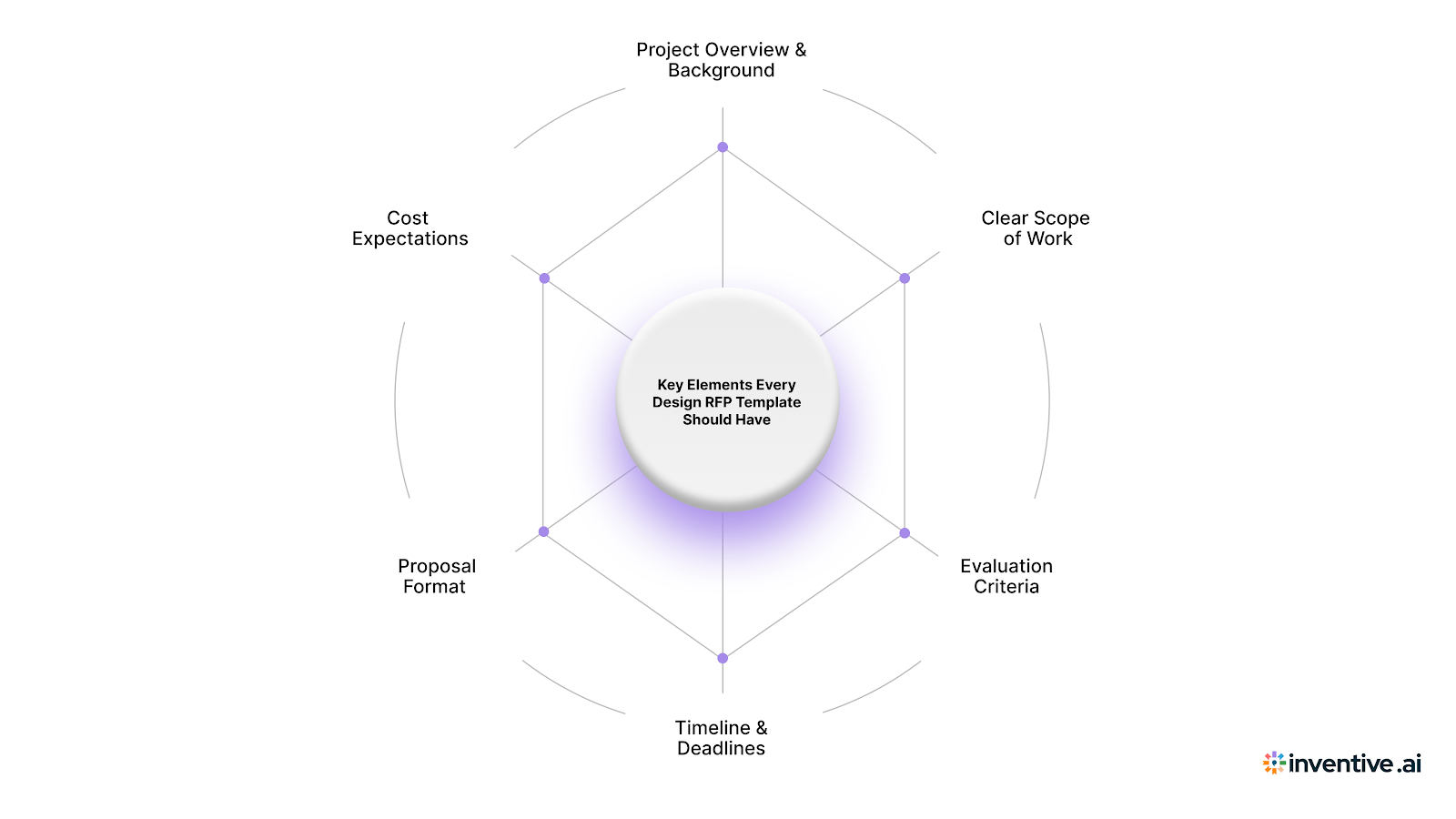
1. Project Overview & Background
This section provides the context for the project, including the client’s goals, target audience, and project objectives. Pay attention to the project’s vision to ensure your proposal aligns with their overall objectives. Ask questions if anything is unclear, and tailor your approach based on the project’s background.
2. Clear Scope of Work & Deliverables
A well-defined scope of work clearly states the tasks and deliverables required. Make sure you fully understand what’s expected in terms of the number of revisions, design elements, and specific deliverables. Clarify any vague areas before submitting your proposal to avoid misunderstandings down the line.
3. Evaluation Criteria
This section outlines the factors the client will use to evaluate proposals. Look for criteria such as design expertise, creativity, timeline, and budget alignment. Ensure your proposal addresses these points clearly, showcasing your strengths in the areas the client values most.
4. Timeline & Deadlines
The RFP will include important deadlines for each stage of the project, including submission dates and milestones. Stay organized and align your proposal timeline with the client's expectations. Be realistic about your availability and make sure you meet all deadlines without compromising quality.
5. Proposal Format and Submission Guidelines
Most RFP templates specify how proposals should be formatted and submitted. Follow these guidelines carefully, including document format, file size, and the required sections. Straying from these instructions could lead to your proposal being overlooked.
6. Budget or Cost Expectations
The budget section outlines the financial expectations for the project. Make sure the budget is clearly defined and assess whether it aligns with your pricing structure. If the budget is too low for the scope of work, be upfront about it in your proposal and offer solutions that fit within the constraints.
With these key elements clearly defined in the RFP, you’ll have the framework you need to create a proposal that is well-targeted, timely, and aligned with the client’s expectations.
Also Read: RFP Response Trends and Benchmarks: Key Insights for 2026
How to Respond to Design RFPs Using This Template?
Crafting a strong response to a design RFP is just as crucial as creating the template itself. Here’s how vendors can respond effectively to a well-structured design RFP template:
1. Understand the Project Overview: Start by reading the project overview carefully to get a solid understanding of the client's goals. Make sure your response aligns with their vision.
2. Address the Scope of Work Clearly: Break down the project deliverables and match them with your previous experience. Include timelines and any tools or methodologies you plan to use.
3. Follow the Evaluation Criteria: Align your response with the evaluation criteria provided in the RFP. Address each point and highlight how your solution stands out based on these metrics.
4. Provide Clear and Concise Information: Ensure your proposal is easy to read. Use bullet points, headers, and simple language to clearly convey your solution and how it meets the client’s needs.
5. Meet Deadlines and Formatting Requirements: Stick to the timeline and formatting instructions to show that you respect the client’s requirements and deadlines.
6. Submit a Tailored, Creative Proposal: Customize your proposal to reflect the client’s vision and your unique design solutions, ensuring it aligns with their expectations and evaluation criteria.
By following these steps, vendors can create thoughtful, competitive proposals that are well-aligned with the client’s needs, giving them a better chance of winning the project.
How Inventive AI Takes Your Design RFP Responses to the Next Level?
A good design RFP template is only one part of the equation. Inventive AI can take your RFP response process to new heights by helping vendors respond faster, more accurately, and with greater consistency.
How It Works for You:
2x Higher Quality Responses
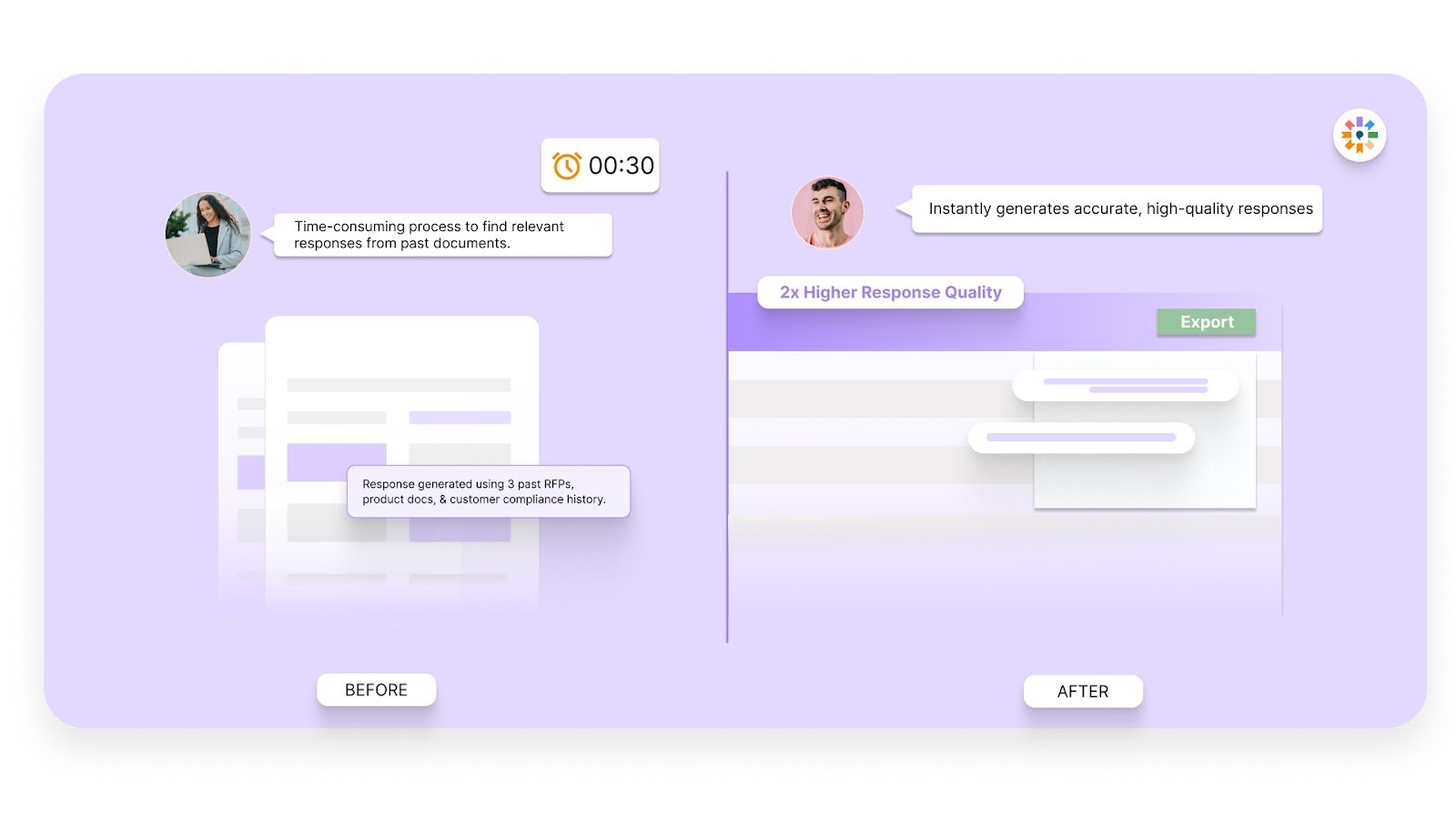
Inventive AI generates highly accurate first drafts rooted in your approved knowledge sources. Instead of rewriting previous answers or starting from scratch, your team receives responses that are ready for refinement. This reduces manual rework and improves proposal quality before submission.
Context Engine
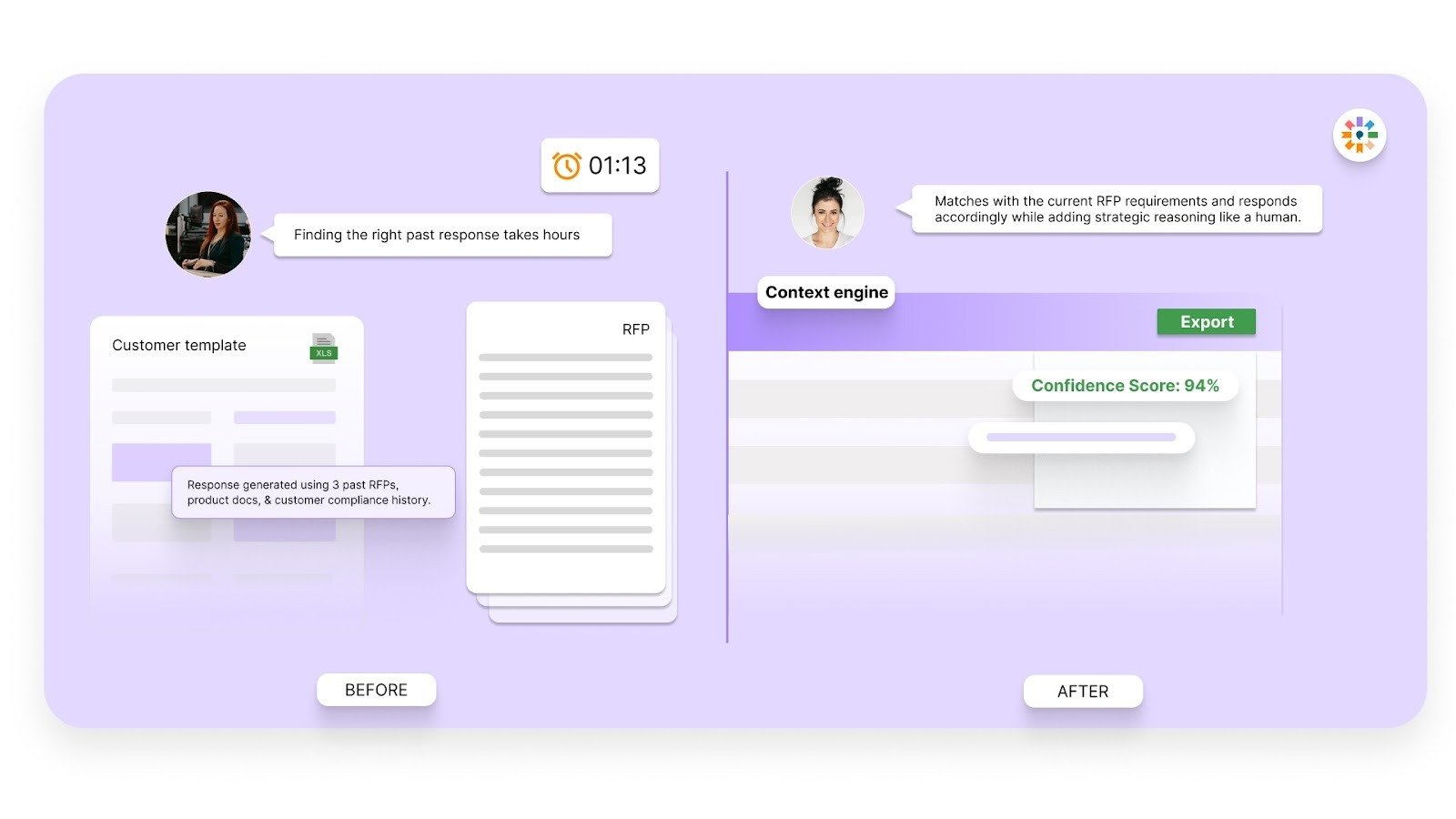
The platform analyzes your knowledge base and past submissions to ensure every answer fits the specific RFP context. Responses stay aligned with the buyer’s objectives, evaluation criteria, and industry requirements, making your proposals more relevant and cohesive.
Conflict Detection
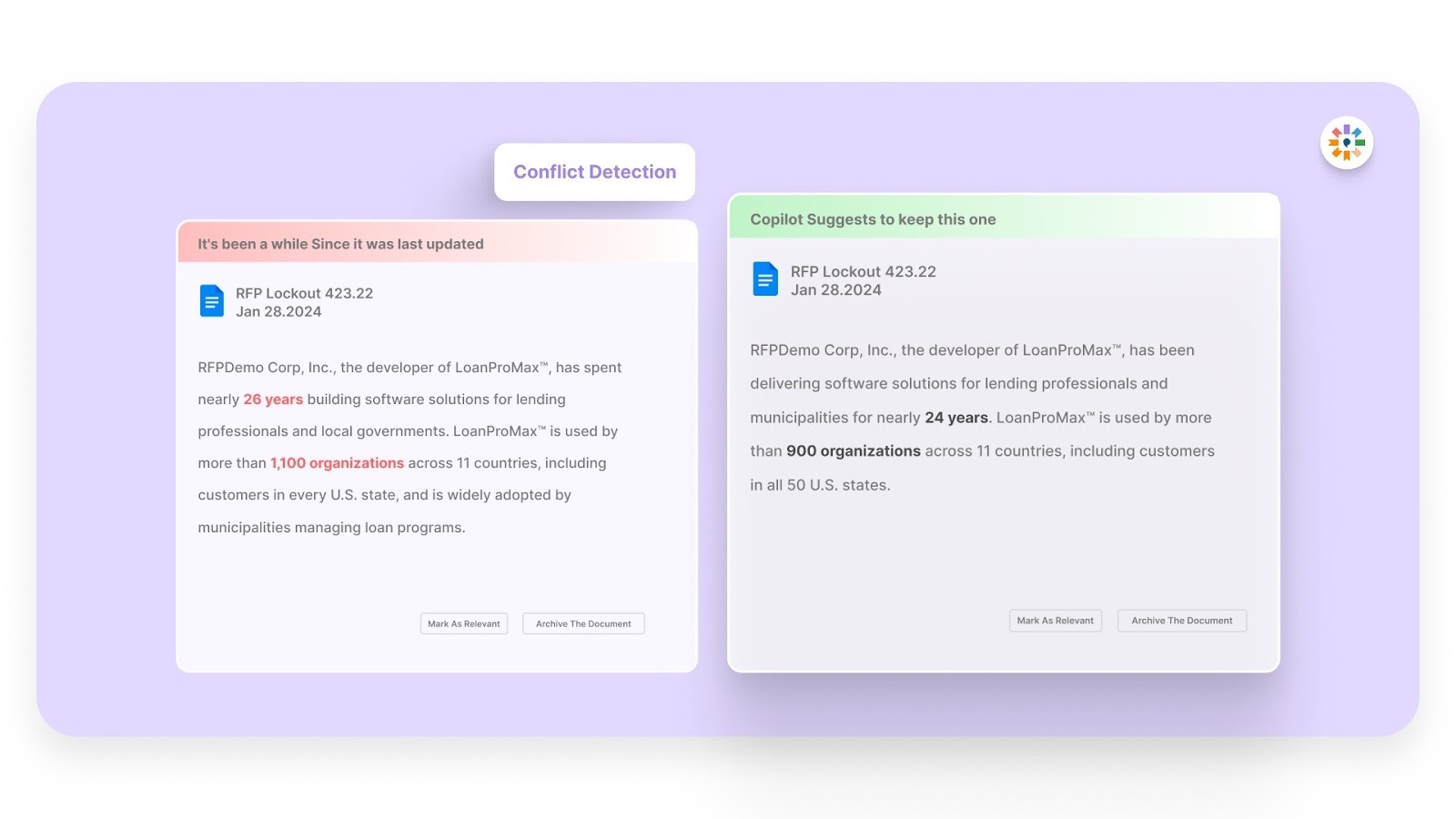
Contradictory information across proposals can weaken buyer confidence. Inventive AI flags inconsistencies across responses, ensuring your messaging remains aligned and coherent throughout the document.
Outdated Content Detection
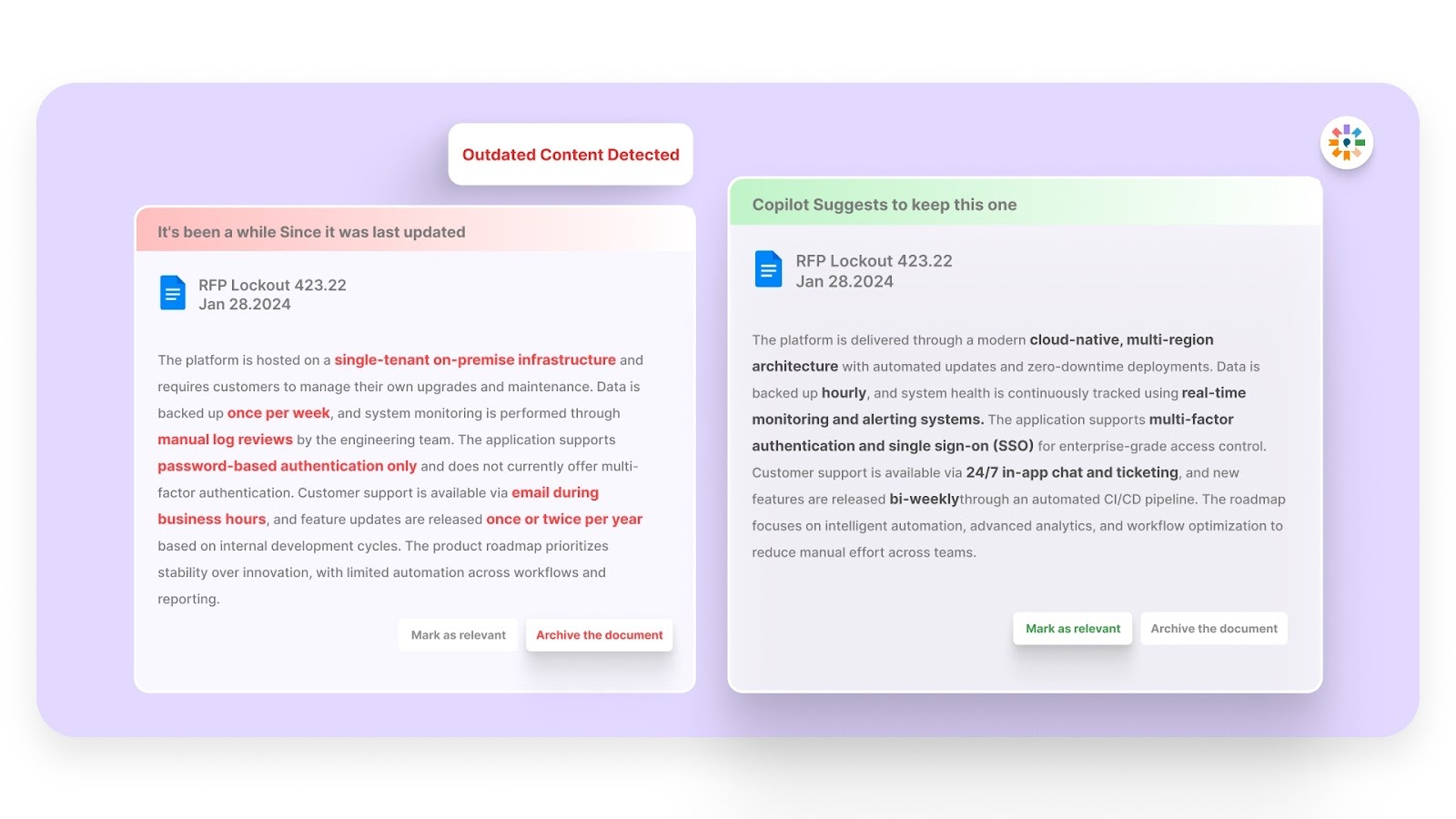
Enterprise RFPs often require updated certifications, service descriptions, and metrics. Inventive AI proactively identifies outdated content and prevents obsolete information from appearing in your submission, reducing compliance risk.
Simple, Easy-to-Use Interface
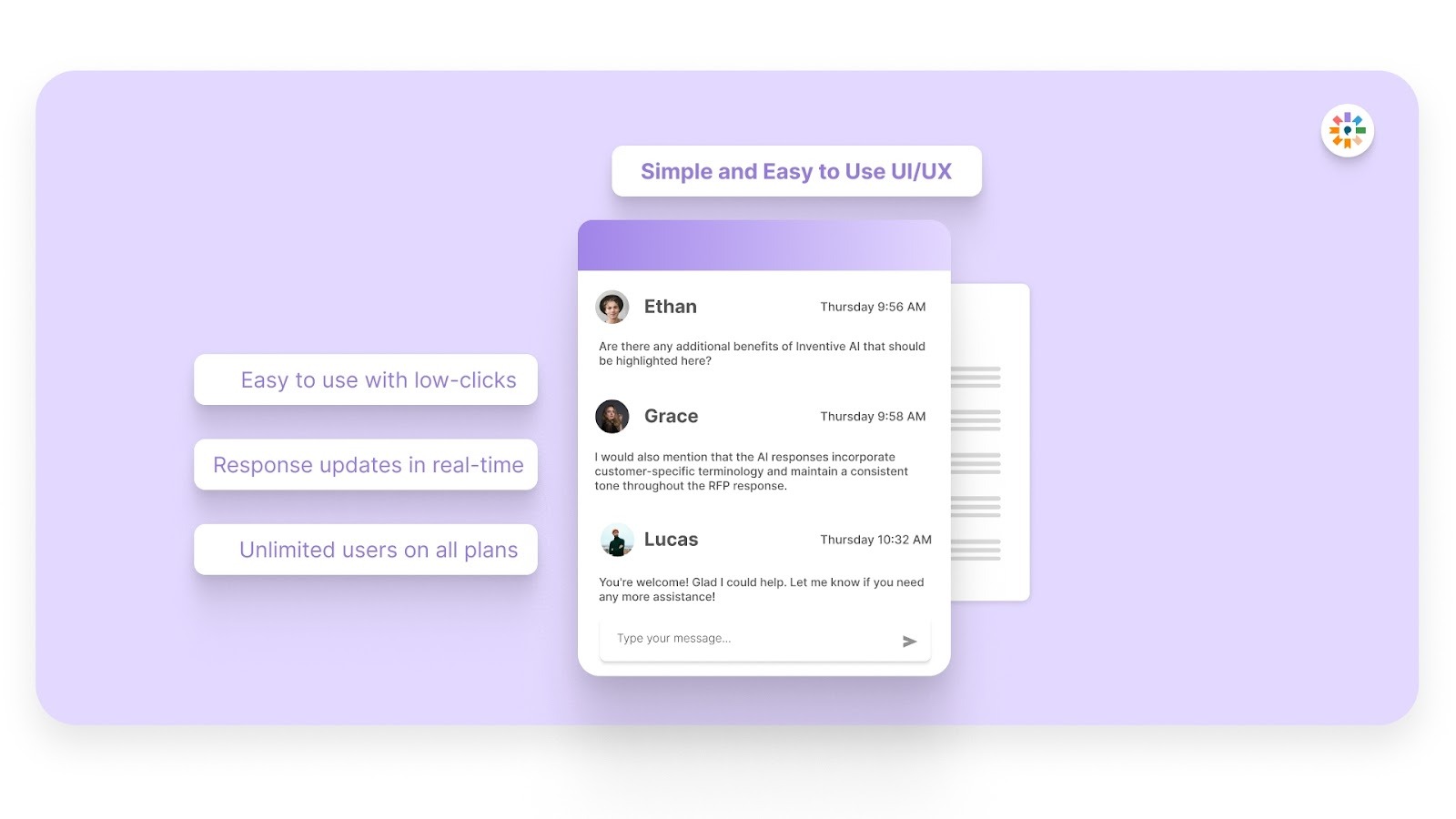
Your team can adopt Inventive AI without technical complexity. The interface is built for sales teams, proposal managers, and revenue leaders who need efficiency without added friction. Collaboration becomes faster, approvals become simpler, and submissions move forward with fewer delays.
With Inventive AI, you can craft design RFP responses that are not only faster and more accurate but also tailored to the buyer’s needs, improving your chances of success.
Frequently Asked Questions (FAQs)
1. How can I ensure my proposal stands out when responding to a Design RFP?
To make your proposal stand out, focus on tailoring your response to the client’s specific needs, as outlined in the RFP template. Use clear, concise language, and make sure your response addresses the evaluation criteria directly. Inventive AI can also help by generating highly accurate drafts that align with the client’s expectations.
2. What should I do if an RFP template doesn’t provide enough information?
If an RFP template lacks details, it’s crucial to seek clarification early in the process. Don’t hesitate to reach out to the client and ask for more specific information. Additionally, Inventive AI’s conflict detection can help you identify any inconsistencies or gaps in the RFP, giving you more confidence in your responses.
3. How can I streamline my RFP responses to meet tight deadlines?
The key to meeting tight deadlines is working smarter, not harder. Use tools like Inventive AI to quickly generate accurate drafts, allowing you to focus on refining the details. By leveraging AI, you can cut down on time spent on initial drafts, leaving you more time for customization and revisions.
4. How can I ensure my response aligns with the client’s expectations in the RFP?
Start by thoroughly reviewing the evaluation criteria and aligning your response with the client’s most important needs. Use Inventive AI’s context engine to ensure that your responses are tailored to the project’s objectives, making your proposal more relevant and appealing to the client.
5. What should I do if the RFP template is too vague?
If the RFP template lacks detail or is too vague, reach out to the client for more information. In the meantime, Inventive AI can help you fill in the gaps by ensuring your response is well-structured, coherent, and aligned with what the client is likely seeking, even if the template is unclear.




.avif)