AI in Sales Examples: 7 Real Examples for B2B Teams
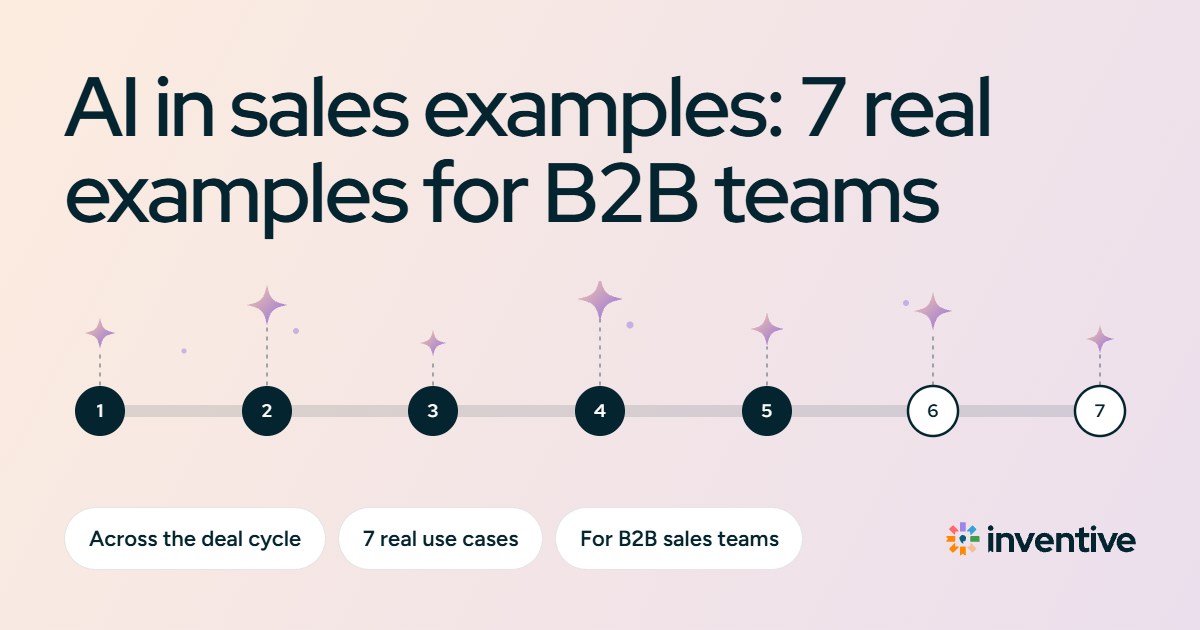
7 AI in sales examples, stage by stage: how B2B teams use generative and predictive AI for call prep, CRM updates, sales content, and deal risk
The best AI in sales does more than write content; it helps reps move deals forward. The strongest use cases now cover the work around a deal: prepping for calls, updating the CRM, building buyer-ready assets, catching stalled deals, and starting the next task.
This matters because execution usually breaks between tasks. A buyer asks for a document on a call, the request sits in the transcript, and the rep forgets to send it. The CRM still shows the old next step, so a week later the deal looks active even though nothing has moved.
AI closes those gaps by connecting what lives in calls, email, calendars, CRM records, and approved content. This guide covers 7 practical AI in sales examples: where it saves time, where it improves deal execution, and where a human still needs to stay in the loop.
TL;DR
Sales AI used to write a draft and stop there. Now it can also handle the work that comes after the call, such as updating the CRM, creating the follow-up task, and flagging deals that need attention.
- Pre-call research: Pull relevant account and deal context into a brief before a meeting.
- Deal Q&A: Ask questions about any deal in plain language and get answers from its calls and emails.
- Meeting recaps and CRM updates: Turn call outcomes into a structured recap and proposed CRM changes.
- Sales content: Create deal-specific one-pagers, presentations, and ROI materials from approved content.
- Deal blocker summaries: See what each deal is waiting on and draft the message that moves it.
- Follow-up and task execution: Turn buyer requests and seller commitments into completed work.
- RFP and questionnaire responses: Draft answers from governed knowledge and route gaps to SMEs.
What is AI in sales, and how does it work?
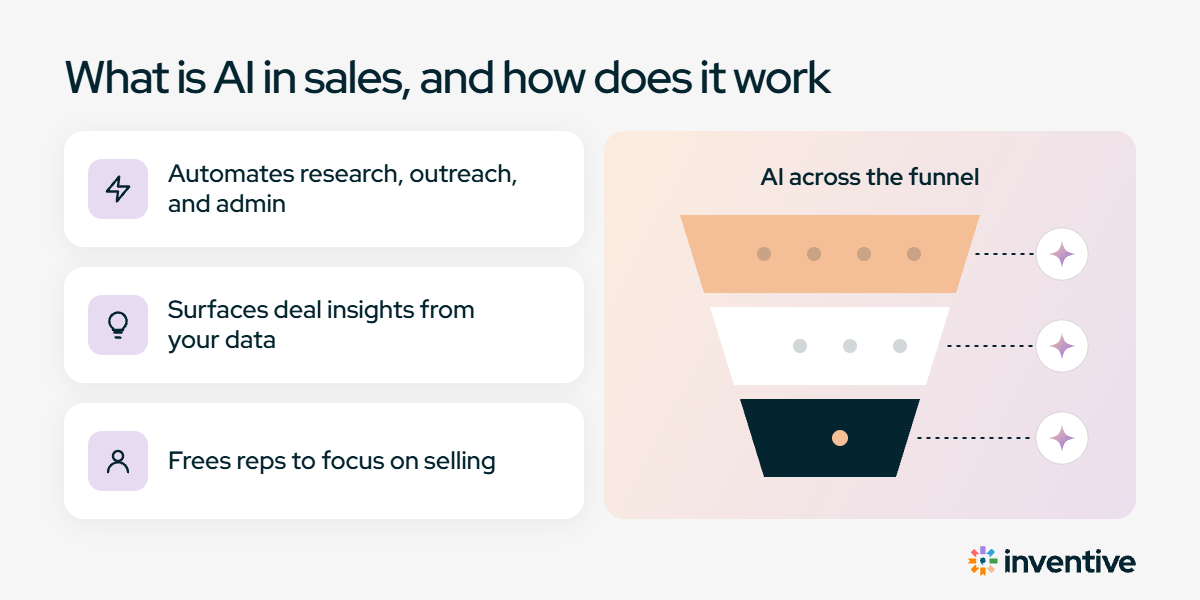
AI in sales uses customer and deal data to understand activity, predict outcomes, generate work, and take action. The main use cases fall into four areas:
- Understand: Pull context from CRM records, calls, emails, calendars, and sales content.
- Predict: Identify buying signals, deal risks, and changes in likely outcomes.
- Generate: Create emails, call summaries, presentations, one-pagers, and other sales assets.
- Act: Update CRM records, create tasks, start follow-up work, or send actions for approval.
These capabilities work best when they share the same deal context. For example, a buyer asks for an ROI analysis during a call. AI can capture the request, create a task, find the relevant sales content, prepare the asset, and update the deal record. That reduces the manual work between the meeting and the next sales action.
Generative AI in sales examples, stage by stage
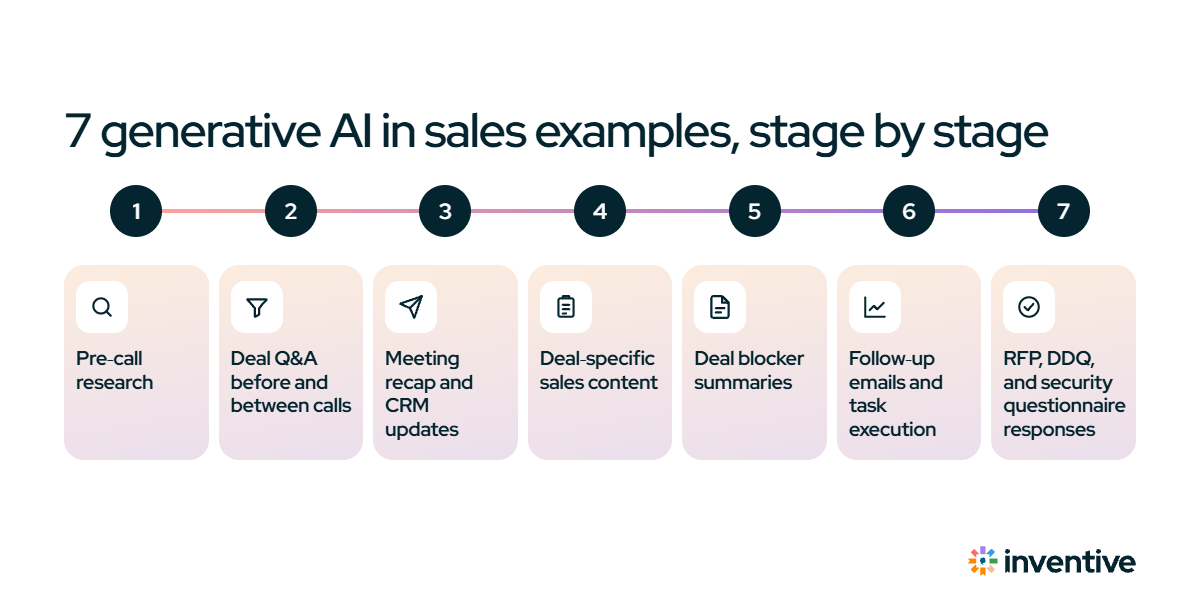
AI in B2B sales can support almost every stage of a deal, from the first account meeting to late-stage buyer requests.
1. Pre-call research and meeting prep
AI can turn scattered account information into a briefing before a sales meeting, so a rep walks in with the latest deal context instead of rebuilding it. Enterprise reps rarely have time to reread every CRM note, past call, and email thread first. AI pulls that together and summarizes what matters for the conversation:
- Previous meetings and key discussion points
- Recent changes in the opportunity
- Buyer priorities and open questions
- Previous commitments
- Stakeholders involved in the deal
- Suggested topics for the next conversation
For example, if a buyer asked about implementation requirements and then moved the meeting, the brief surfaces both before the call. For complex B2B deals, this depends on deal history, not just company research.
2. Deal Q&A before and between calls
Generative AI lets a rep ask questions about a deal in plain language instead of digging through records. Because it reads the CRM, call transcripts, and emails for that opportunity, it can answer questions such as:
- What did the buyer say about implementation timing?
- Who from their security team has joined a call?
- What did we promise to send after the last meeting?
- Which objections came up more than once?
For example, a rep about to join a pricing call can ask, “What concerns has the CFO raised?” and get a short summary drawn from every call and email on the deal, instead of rereading three transcripts.
3. Meeting recap and CRM updates
AI can turn a sales call into both a recap and the CRM updates that follow, without the rep re-entering everything by hand. That re-entry is a big part of why selling time stays low: in Salesforce’s State of Sales report, reps say they spend only 40% of their week selling, and the other 60% goes to non-selling work.
After the call, generative AI turns the transcript into a structured sales intelligence report:
- Executive summary
- Buyer pain points
- Buyer requests
- Seller commitments
- Risks
- Decision criteria
- Next actions
From the same transcript, it proposes CRM updates such as the next step, opportunity description, deal stage, account association, and related tasks. For example, a buyer agreeing to a technical review leads AI to propose a new next step and create the task; the rep approves it, edits it, or lets routine updates apply automatically. This matters beyond admin time, because CRM data feeds prioritization, forecasting, reporting, and deal-risk analysis, so better inputs improve all of them.
4. Deal-specific sales content
Generative AI can create buyer-ready sales assets from the context of an active opportunity. A complex B2B deal often needs more than an email: buyers may ask for a one-pager, business case, ROI analysis, presentation, or customer example. Building each one by hand means searching approved content, finding the right customer information, copying material into a template, and checking that the result fits the opportunity.
Generative AI brings those steps together, drawing on:
- The buyer’s request
- Meeting information
- CRM data
- Previous deal activity
- Approved company content
- Brand and document templates
For example, a buyer asking for an ROI case study after a discovery call can trigger AI to use the deal context and approved knowledge to create the first version. The important part is the source: a useful sales AI system generates from governed company information and shows where each claim came from, rather than relying on the model’s general knowledge.
The shift is already reshaping enablement: Gartner predicts that by 2029, sales organizations with AI-driven enablement will move deals through sales stages 40% faster than teams using traditional enablement.
5. Deal blocker summaries
Generative AI can read the activity around a deal and write a plain-language summary of what it is waiting on. A CRM stage rarely explains why a deal has stopped moving. The reason usually sits in an email thread, a Slack message, or the last call. AI pulls those together into a short brief, for example:
- Pricing approval waiting on finance
- A legal redline sitting in the queue with no reply
- A security review nobody has picked up
From there, AI can draft the message that moves each item, such as a note to the approver or a follow-up to the buyer. This changes the question from “why does this deal look stuck?” to “what is holding it back, and what do we send next?”
6. Follow-up emails and task execution
AI can take the next task from a conversation and start the work to complete it. One buyer request often creates several steps: remember the promise, find the source material, create the document, send the follow-up, update the CRM, and track completion.
AI connects those steps. After a call, it can detect that the rep promised a one-pager, create the task, start generating the asset, and draft the follow-up email that references what the buyer asked for, the agreed next step, and the timing, then send any buyer-facing action to an approval queue.
7. RFP, DDQ, and security questionnaire responses
Late in an enterprise deal, buyers often send an RFP, DDQ, or security questionnaire, and answering it can hold up the deal. Generative AI reads the buyer’s document, drafts answers from governed company knowledge, flags answers that need verification, and routes open questions to the right SME.
For example, a security questionnaire can come back with a first draft for every question that approved content covers, so the security team reviews the flagged items instead of writing every answer from scratch.
How can sales teams start with AI?
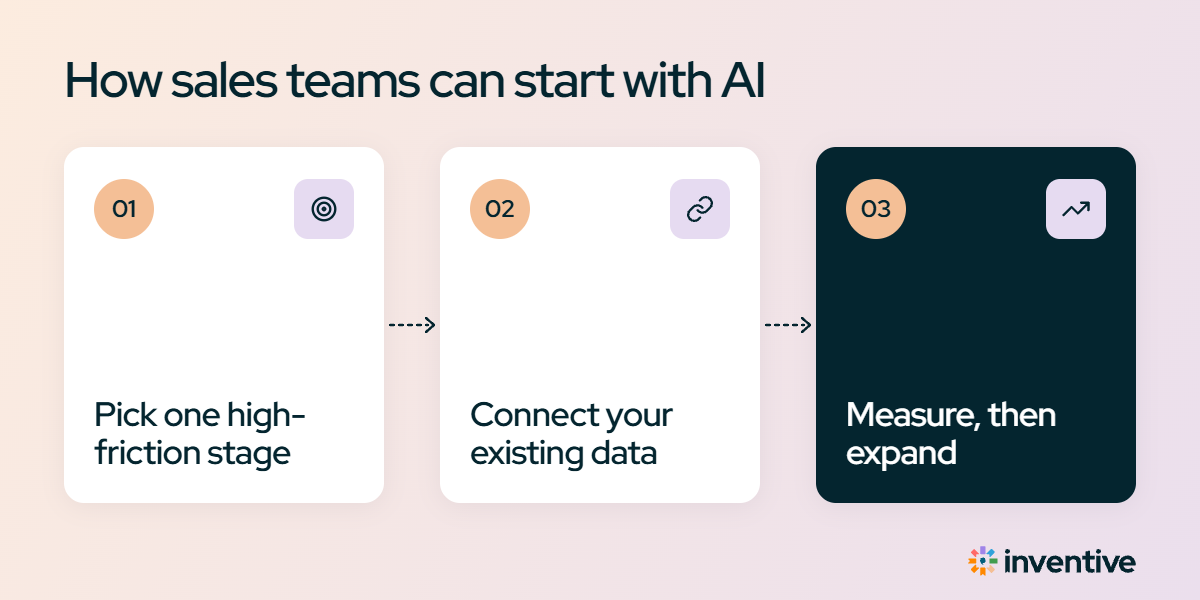
Add AI one task at a time, starting with internal work where a mistake never reaches a buyer. Teams that hand it to the whole floor at once often stall, because reps won’t trust it on a live deal until they’ve seen it work on their own admin first.
- Start with call recaps and CRM updates. The work is internal and repetitive, which makes it the safest place to let AI prove itself before it touches a buyer.
- Give the AI your CRM and call recordings. With that context, it drafts a real recap or follow-up. Without it, a rep rewrites generic text.
- Decide what AI does on its own, and what a rep approves. Let it update internal CRM fields automatically. Hold every email, one-pager, and proposal for review.
- Point it at your approved content, not the open internet. Then one-pagers and presentations carry approved numbers, and every claim traces back to a source a rep can check.
- Check results before adding more. Track hours saved and whether fewer deals go quiet, then move to the next task.
Connect every stage of the deal with Inventive AI
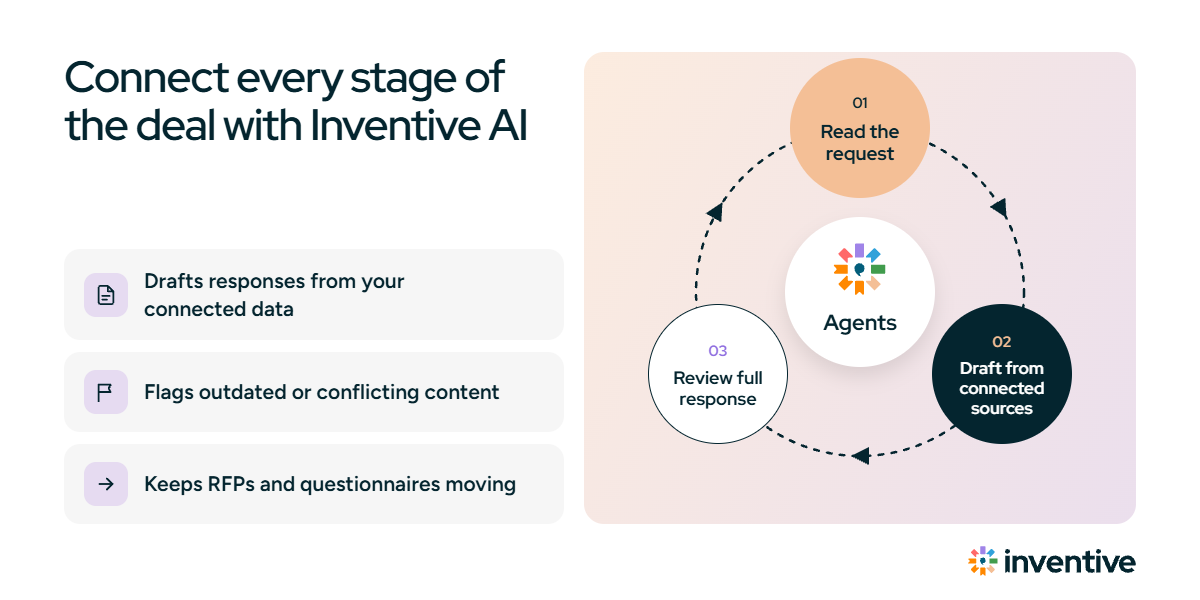
This blog walked AI through eight stages of a deal, each in a separate tool. Inventive AI runs them as one. It’s an AI revenue execution platform that connects a team’s sales data, the CRM, email, calendar, and calls, and puts AI agents to work across the deal, from pre-call prep to catching a deal before it slips.
What the platform approach changes:
- One connected view of the deal. It reads the CRM, email, calendar, and calls together, so an agent drafting a follow-up already knows what was promised on the call and what’s in the CRM.
- Proactive across the deal. It preps the call, drafts the recap, proposes CRM updates, builds the one-pager the buyer asked for, and shows what each deal is waiting on, from a pricing approval to a redline in legal.
- Governed, cited content. The assets it generates come from a company’s approved knowledge, with each claim traceable to its source, which matters most on security questionnaires and DDQs.
- A human stays in control. Teams choose which actions run quietly, which notify the owner, and which need approval. Routine CRM updates can run on their own; anything a buyer will see waits for a rep.