What Is RFP Software? A Guide for Teams That Answer RFPs
Learn what RFP software is, what it does for teams that answer RFPs, and how to choose one. Includes an evaluation checklist for sales and presales teams.
The RFP lands on a Thursday. It has 240 questions, a portal you have never seen before, and a deadline that ignores your quarter-end. Someone has to answer it, and that someone is usually a sales engineer or a proposal manager who already has a full calendar.
RFP software exists for exactly this situation. It is a category of tools built to help vendors respond to RFPs, RFIs, DDQs, and security questionnaires faster and with fewer errors. The best of these platforms now draft most of the response for you, pulling from your company's own approved knowledge.
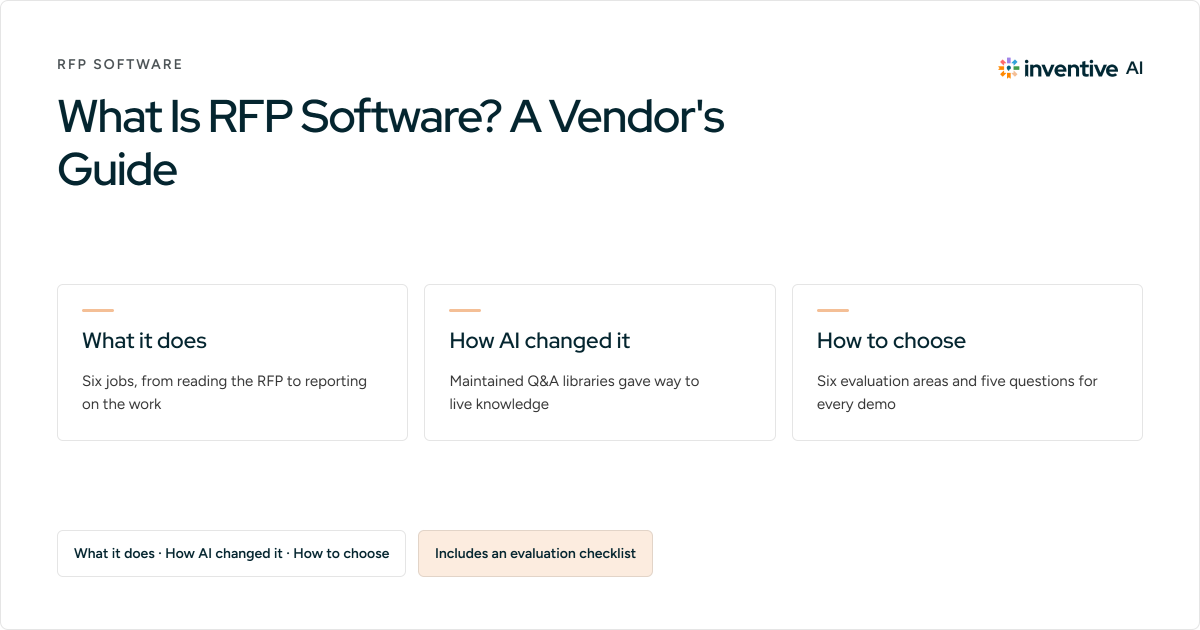
This guide explains what an RFP is, what RFP software actually does, how AI has changed the category, and how to evaluate a platform before you buy. There is a working evaluation checklist near the end. Use it in your next demo.
What is an RFP?
A request for proposal (RFP) is a formal document a buyer issues when they want to purchase a product or service. It lists requirements, asks detailed questions, and invites vendors to compete for the deal. If you sell software, insurance, healthcare services, or anything else that gets procured through a formal process, RFPs are how large deals reach you.
For the buyer, an RFP is a comparison tool. For you, the vendor, it is a sales document with legal weight. Your answers get scrutinized by procurement, security, and legal teams, and they often become part of the final contract. Accuracy matters as much as persuasion.
RFP vs. RFI vs. RFQ
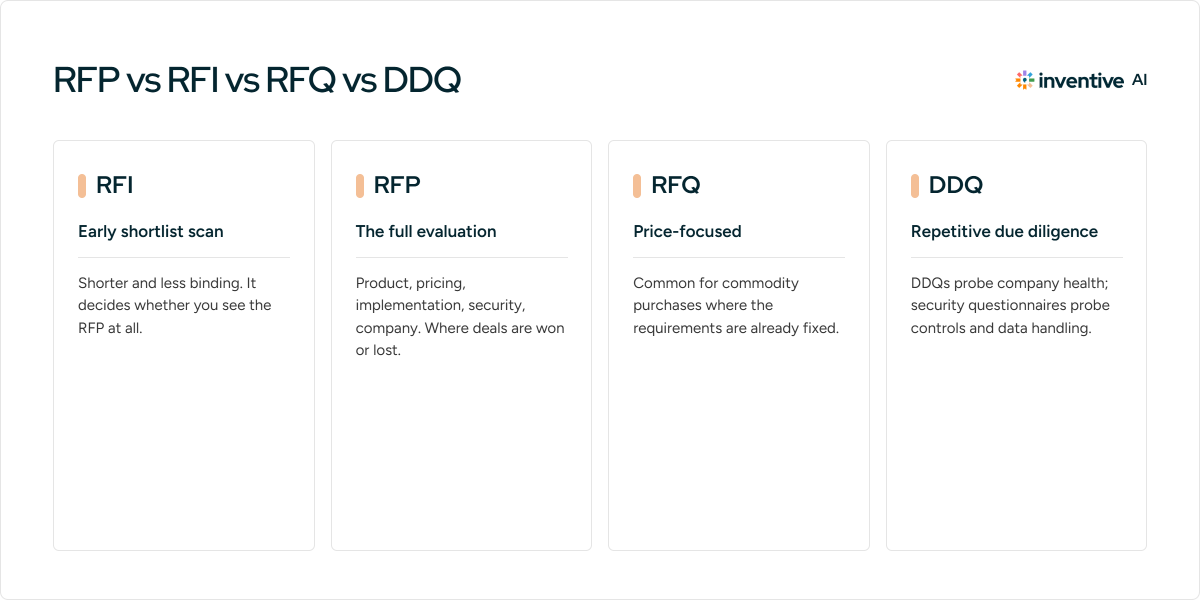
These three arrive in similar-looking documents and get confused constantly:
- RFI (request for information): An early-stage scan. The buyer is building a shortlist and wants to know who does what. Shorter, less binding, still worth answering well because it decides whether you see the RFP at all.
- RFP (request for proposal): The full evaluation. Detailed questions about your product, pricing, implementation, security, and company. This is where deals are won or lost.
- RFQ (request for quotation): Mostly about price. Common for commodity purchases where the requirements are already fixed.
DDQs and security questionnaires
Two close cousins deserve a mention because the same team usually answers them. A due diligence questionnaire (DDQ) probes your company's financial, legal, and operational health. A security questionnaire digs into your controls, certifications, and data handling, sometimes across hundreds of near-identical questions. Both are repetitive by design. Both are exactly the kind of work RFP software was built to absorb.
Also Read: DDQ vs RFP: What's the Difference and When to Use Each
What is RFP software?
RFP software is a platform that helps vendor teams manage and automate the process of responding to RFPs, RFIs, DDQs, and security questionnaires. Gartner tracks the category as RFP response management applications: tools that centralize response content, automate drafting, and coordinate the people involved in getting a proposal out the door.
The people who live in these tools are the ones carrying the response workload:
- Sales engineers and presales teams, who get pulled off demos to answer technical sections
- Proposal and bid managers, who own deadlines and formatting
- VPs of Sales and sales consultants, who decide which RFPs are worth pursuing
- Subject matter experts in security, legal, and product, who review everything
A note on scope: Some tools in this space serve buyers who issue RFPs. This guide focuses on response-side software, because that is where the daily pain sits and where the market has moved.
What does RFP software do?
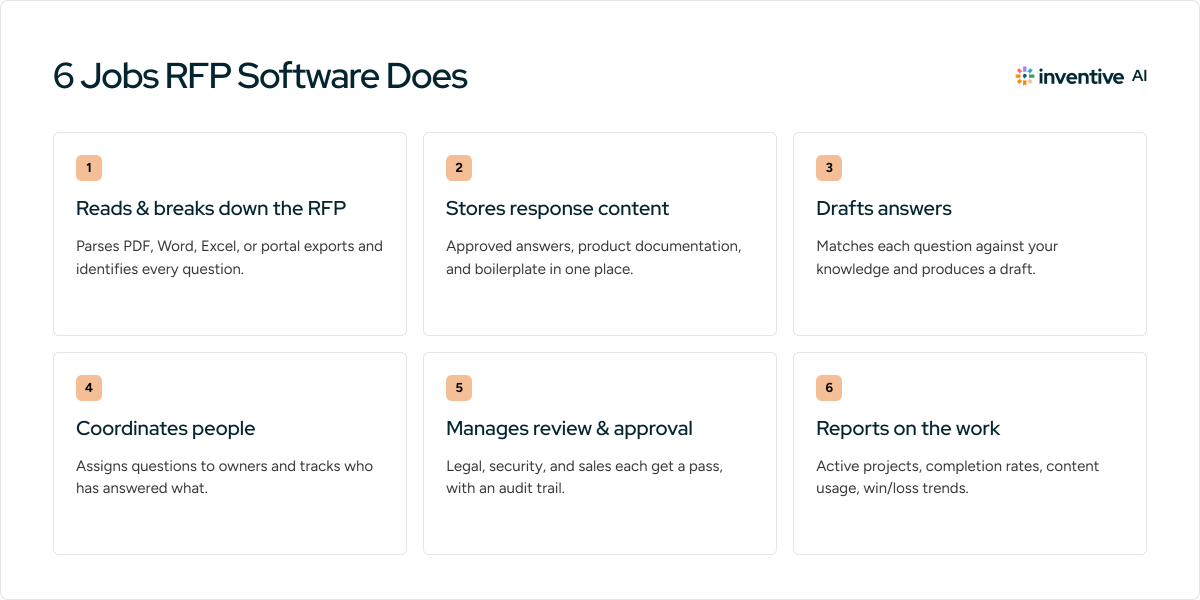
Strip away the marketing language and RFP software does six jobs.
Reads and breaks down the RFP
The document arrives as a PDF, Word file, Excel sheet, or portal export. The software parses it, identifies every question and requirement, and turns an unstructured document into a structured project. What used to be an afternoon of copy-paste becomes minutes of review.
Stores and manages your response content
Every platform has some form of knowledge library that holds your approved answers, product documentation, and boilerplate. This is the engine of reuse. It is also, historically, the biggest maintenance burden, since stale content produces wrong answers. How a platform keeps this library current is one of the sharpest differences between tools, and worth probing hard in any evaluation.
Drafts answers
The core promise. The software matches each incoming question against your knowledge and produces a draft response. Older tools did this through keyword lookup against saved Q&A pairs. Modern AI platforms generate contextual drafts and cite the sources they pulled from. The quality gap between these two approaches is wide, and it is the main reason teams switch tools.
Coordinates people
RFPs are team sports. The software assigns questions to owners, tracks who has answered what, routes drafts to reviewers, and chases the stragglers so a human does not have to. For a proposal manager juggling five open responses, this alone justifies the tool.
Manages review and approval
Legal wants a pass. Security wants a pass. Sales wants the pricing section locked. Review workflows let each stakeholder approve their piece with an audit trail, which matters when your answers carry contractual weight.
Reports on the work
Dashboards show active projects, completion rates, content usage, and win/loss trends. Over time this data answers a question every VP of Sales eventually asks: which RFPs are worth our hours, and which should we decline?
How AI changed RFP software
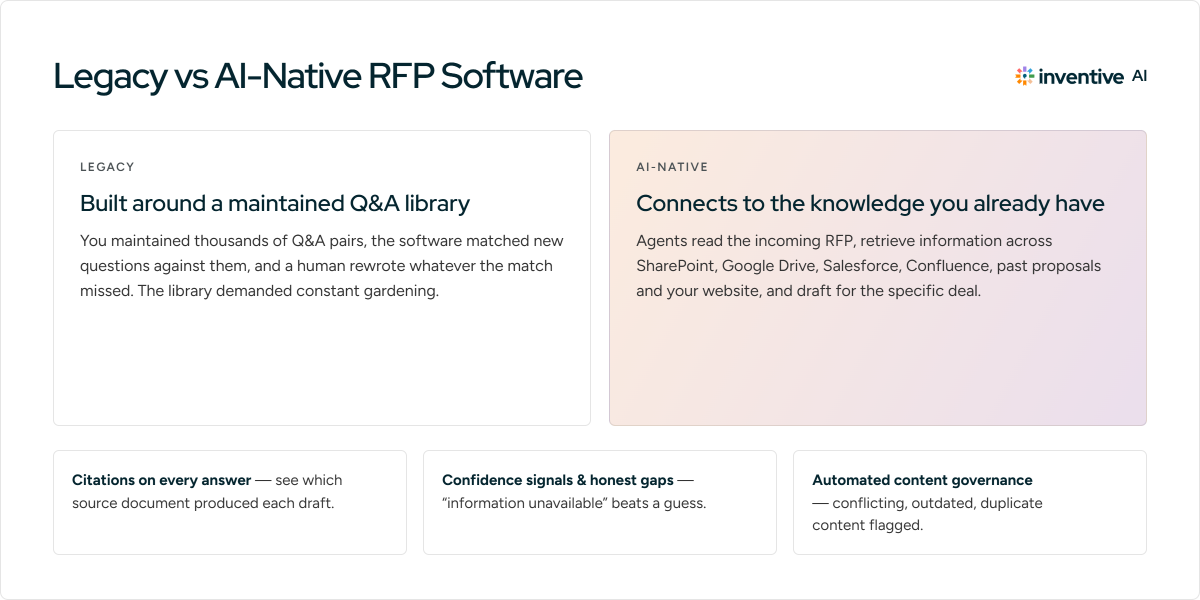
The category splits into two generations, and the split matters more than any feature list.
Legacy platforms were built around the content library. You maintained thousands of Q&A pairs, the software matched new questions against them, and a human rewrote whatever the match missed. This worked, up to a point. The library demanded constant gardening. Answers went stale. Teams told us the tooling still felt like searching a database, even after AI features were bolted on.
AI-native platforms invert the model. Instead of asking you to maintain a separate repository, they connect to the knowledge you already have: SharePoint, Google Drive, Salesforce, Confluence, past proposals, your website. Agents read the incoming RFP, retrieve relevant information across those sources, and draft responses tailored to the specific deal.
Three things separate a serious AI platform from a chatbot wrapper:
- Citations on every answer. You should be able to see exactly which source document produced each draft, question by question.
- Confidence signals and honest gaps. When the knowledge does not exist, the platform should say "information unavailable" instead of inventing something plausible. In a document with legal weight, a confident hallucination is worse than a blank.
- Automated content governance. The platform should detect conflicting answers, flag outdated material, and surface duplicates on its own, because no proposal team has spare hours to babysit a library.
Ask about all three in any demo. Vendors who have solved these problems will show you. Vendors who have not will change the subject.
What are the benefits of RFP software for sales teams?
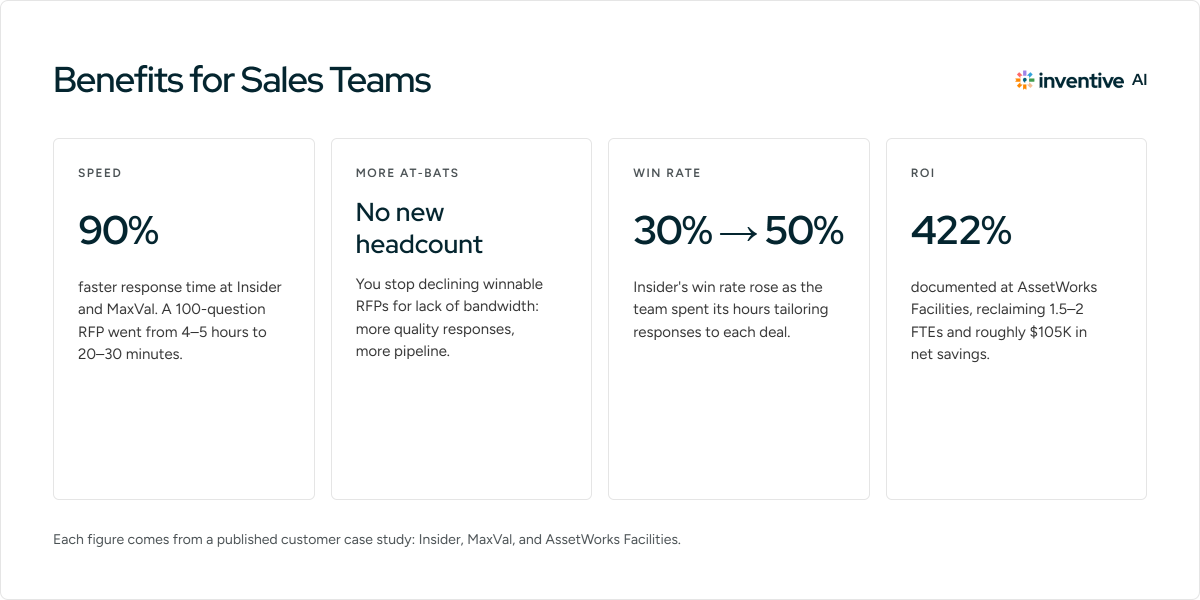
The case for RFP software rests on four outcomes. Each of these numbers comes from a published customer case study, linked so you can check the math.
Speed. Insider, a marketing technology company with a 25-person RFP team, cut response time by 90% after adopting Inventive AI. A 100-question RFP that took 4 to 5 hours now takes 20 to 30 minutes. MaxVal saw a similar 90% reduction, and their solutions consulting team stopped losing weekends to RFP work.
More at-bats. When a response takes days instead of weeks, you stop declining winnable RFPs for lack of bandwidth. The math is blunt: more quality responses, more pipeline, no new headcount.
Higher win rates. Speed buys time for strategy. Insider's win rate rose from 30% to 50% because the team could spend its hours tailoring responses to each deal instead of hunting for old answers.
Measurable ROI. AssetWorks Facilities documented a 422% return, reclaiming the equivalent of 1.5 to 2 full-time employees and roughly $105K in net savings. For a leader who has to defend the line item, that is the kind of number that survives a budget review.
There is a quieter benefit underneath all four: your senior people get their time back. Sales engineers answer the 5% of questions that genuinely need them and skip the 95% that a well-governed knowledge base can handle.
Also Read: Key Features of RFP Software for Maximum ROI
How to choose RFP software: an evaluation checklist
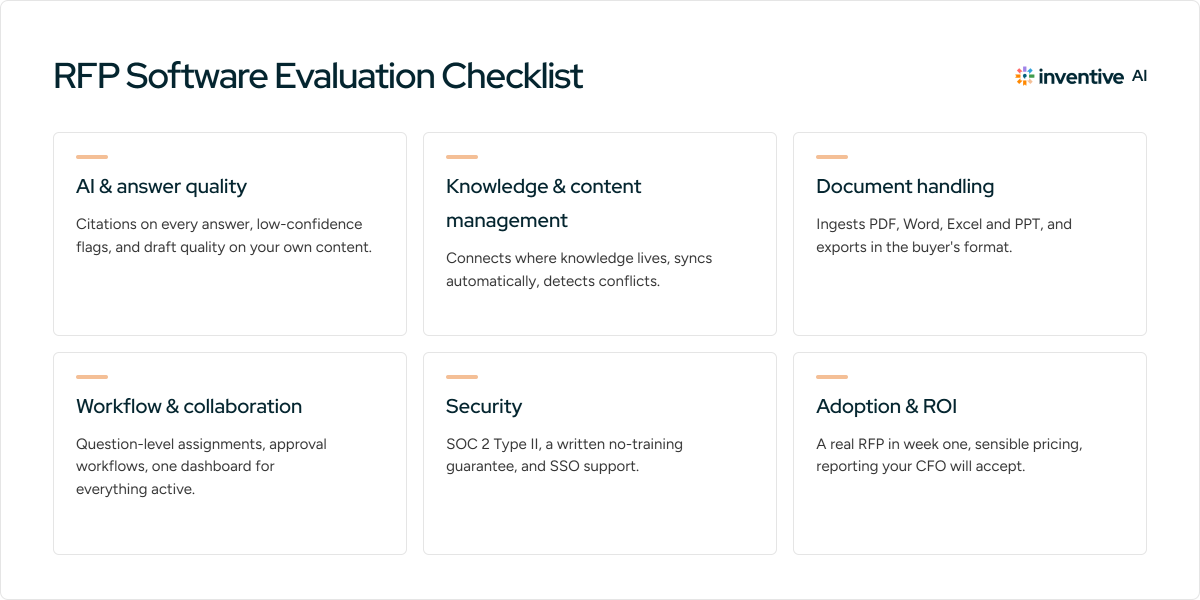
Most buying guides in this category tell you to "look for AI features." That is not advice. Here is a checklist you can actually run a vendor evaluation against. Score each item pass or fail during your demo and trial.
AI and answer quality
☐ Drafts include citations to source documents on every single answer
☐ The platform flags low-confidence answers instead of guessing
☐ It answers "information unavailable" when your knowledge genuinely lacks the answer
☐ Draft quality holds up on YOUR content in a trial, beyond the vendor's scripted demo
☐ Responses adapt to deal context (industry, customer priorities, deal notes) instead of falling back on generic reuse
Knowledge and content management
☐ Connects directly to where your knowledge already lives (SharePoint, Google Drive, Salesforce, Confluence, Notion, your website)
☐ Syncs automatically when source documents change, with no manual re-import
☐ Detects conflicting and outdated content on its own
☐ Completed responses flow back into the knowledge base without manual filing
Document handling
☐ Ingests PDF, Word, Excel, and PPT without breaking structure
☐ Auto-identifies questions, sections, and requirements accurately on a real RFP you bring.
☐ Exports clean, client-ready documents in the buyer's required format
Workflow and collaboration
☐ Question-level assignments with owners, deadlines, and progress tracking
☐ Review and approval workflows with an audit trail
☐ A dashboard covering all active RFPs, DDQs, and questionnaires in one view
Security
☐ SOC 2 Type II certification, with the report available on request
☐ A written guarantee that your data never trains public models
☐ SSO support (Okta, Microsoft Entra, Google Workspace)
Adoption and ROI
☐ Your team can run a real RFP through it in the first week without formal training
☐ Pricing scales sensibly with your actual volume
☐ Reporting is strong enough to prove time savings to your CFO two quarters in
Five questions to ask in every demo
- "Show me an answer's citation trail. Where did this exact sentence come from?"
- "What happens when the knowledge base has two conflicting answers to the same question?"
- "Upload this RFP we brought. Parse it live."
- "What does your platform do when it does not know an answer?"
- "How much library maintenance does this require per month, in hours, from my team?"
RFP response best practices using RFP software
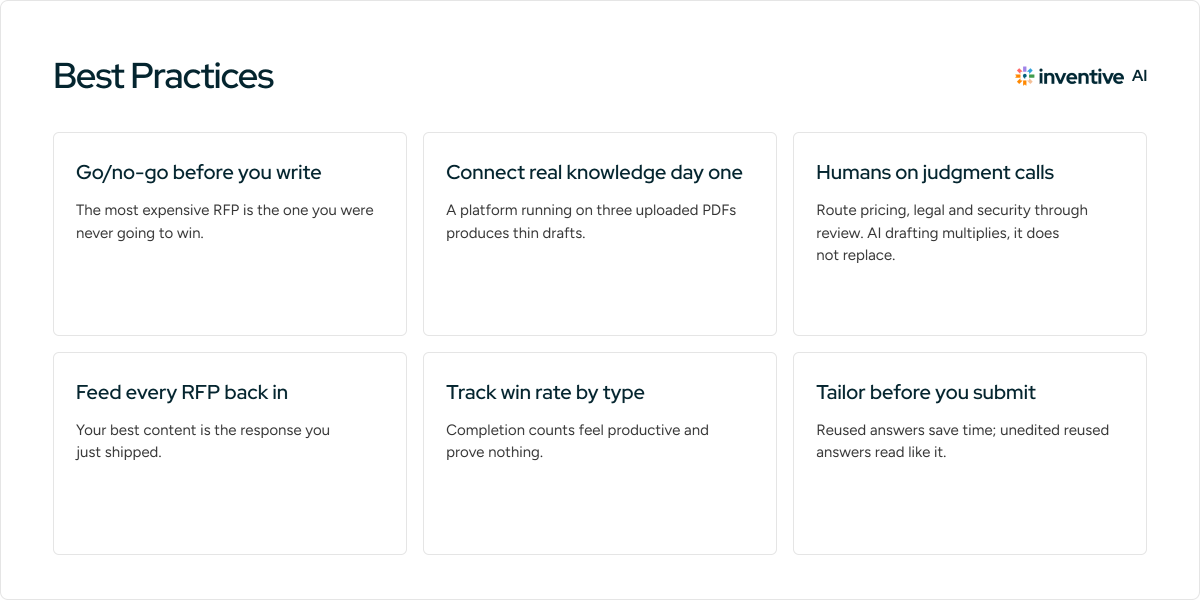
Buying the tool is the easy part. Teams that get the full return follow a handful of operating habits.
Run a go/no-go review before you write a word. The most expensive RFP is the one you were never going to win. Score each opportunity against fit, incumbency, and requirements before committing team hours. Some platforms now automate this early screen, which keeps the discipline honest when the pipeline gets loud.
Connect your real knowledge sources on day one. A platform running on three uploaded PDFs will produce thin drafts and your team will quietly abandon it. Wire in the systems where your answers actually live before the first project, then let the software prove itself on a real response.
Keep humans on the judgment calls. AI drafting is a force multiplier, not a substitute for review. Route pricing, legal commitments, and security claims through named approvers every time. The goal is to spend human hours on the 5% of answers that need judgment, with an audit trail on all of it.
Feed every completed RFP back into the system. Your best content is the response you just shipped. Teams that close this loop compound their knowledge with every deal. Teams that skip it rebuild the same answers quarter after quarter. Pick a platform that does this automatically and verify it happens.
Track win rates by RFP type, and treat volume as a vanity metric. Completion counts feel productive and prove nothing. Segment wins by deal size, industry, and source, then use that data to sharpen your go/no-go criteria. This turns the software from a typing accelerator into a revenue instrument.
Tailor before you submit. Reused answers save time; unedited reused answers read like it. Have the deal owner pass through the draft to sharpen positioning against the specific competitor and the specific customer's priorities. Evaluators read dozens of responses. Generic ones lose.
Also Read: How to Create an Effective RFP Response
How much does RFP software cost, and is it worth it?
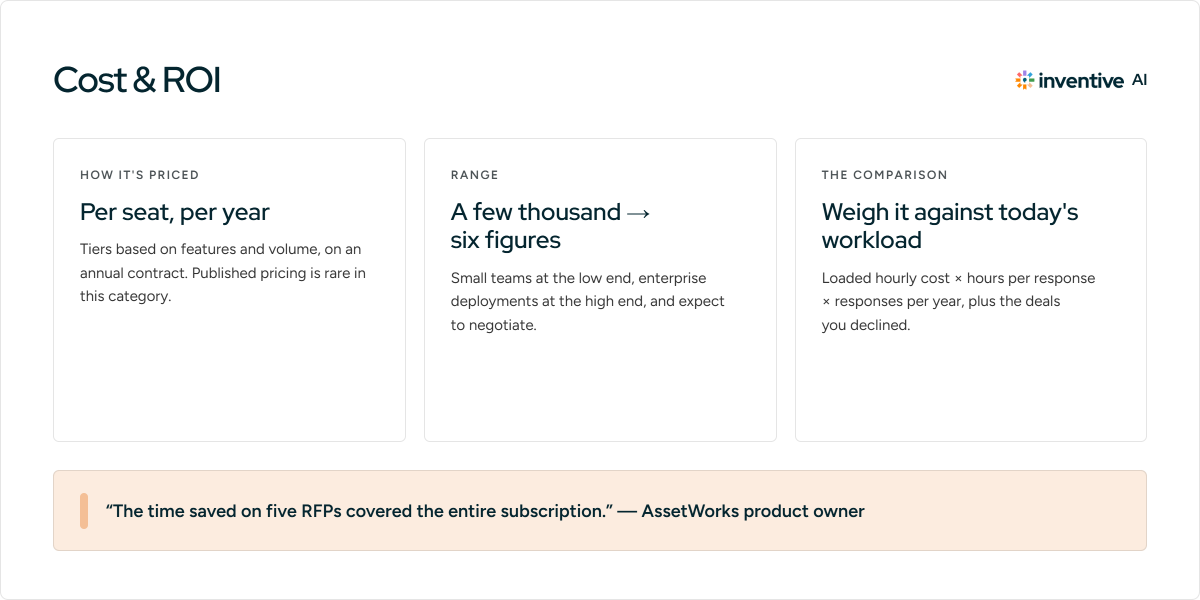
Most vendors price per seat, per year, with tiers based on features and volume. Published pricing is rare in this category. Expect an annual contract that runs from a few thousand dollars for small teams to six figures for enterprise deployments, and expect to negotiate.
The better question is what the workload costs you now. Tally the loaded hourly cost of every person who touches an RFP, multiply by hours per response, then by responses per year. Add the deals you declined because nobody had bandwidth. For most mid-market teams that number lands well into six figures before the software conversation even starts.
Against that baseline, the published results above (a 90% time reduction at Insider and MaxVal, 422% ROI at AssetWorks) explain why one AssetWorks product owner put it plainly: the time saved on five RFPs covered the entire subscription.
If your team answers fewer than a handful of RFPs a year, a disciplined folder of past responses may honestly be enough. Past that threshold, the manual process costs more than the software.
Why teams choose Inventive AI
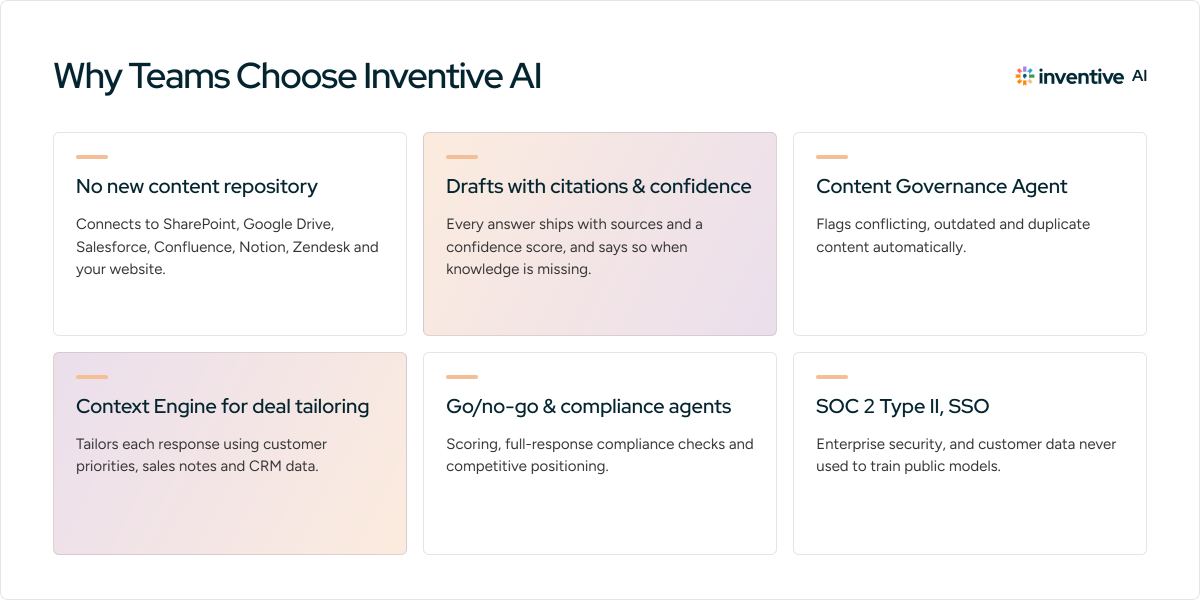
Inventive AI is an AI-native platform where autonomous agents run the RFP response process end to end, with humans in the loop for approvals. It was built for the response side from the start: RFPs, RFIs, DDQs, and security questionnaires.
What that looks like in practice:
- No new content repository. Inventive AI connects to SharePoint, Google Drive, Salesforce, Confluence, Notion, Zendesk, and your website, and stays in sync when those sources change.
- Drafts with receipts. Every answer ships with citations and a confidence score. When the knowledge is missing, it says so instead of guessing.
- A Content Governance Agent that flags conflicting, outdated, and duplicate content automatically, so nobody babysits a library.
- A Context Engine that tailors each response to the specific deal using customer priorities, sales notes, and CRM data.
- AI agents for go/no-go scoring, full-response compliance checks, and competitive positioning.
- Enterprise security: SOC 2 Type II, SSO, and customer data never used to train public models.
It is the approach behind the results cited throughout this guide, from Insider's 50% win rate to RAD AI measuring answers twice as accurate as other AI RFP tools they tested.
Frequently asked questions
What is the difference between RFP software and proposal management software?
RFP software is built for responding to structured requests that buyers issue: RFPs, RFIs, DDQs, and security questionnaires, usually in the buyer's format. Proposal management software leans toward proactive documents you create yourself, like quotes and pitch decks, in your own format. The categories overlap, and many teams need the response side far more than they realize.
Do small sales teams need RFP software?
Below roughly five RFPs a year, probably not; a well-organized archive of past responses can carry you. The tipping point comes when responses start colliding with each other or with quota-carrying work. Teams of two or three who answer RFPs monthly often see a faster payback than large teams, since there is no slack to absorb the load.
How long does it take to implement RFP software?
For modern AI-native platforms, connecting knowledge sources takes days, and most teams complete their first real response inside the first week or two. Legacy tools that require building and curating a Q&A library from scratch can take months to reach useful accuracy. Ask every vendor for time-to-first-RFP, in writing.
Can RFP software handle security questionnaires and DDQs?
Yes, and for many teams that is the highest-volume use case. Security questionnaires are long, repetitive, and near-identical across customers, which makes them ideal for AI drafting from approved security documentation. Check that the platform handles portal formats and spreadsheet questionnaires, since many security reviews arrive as Excel files with rigid structures.
Is it safe to use AI on confidential RFP content?
It depends on the vendor, so verify rather than assume. Look for SOC 2 Type II certification, a contractual commitment that your data never trains public or shared models, and SSO with role-based access. Citations matter for safety too: an answer you can trace to a source document is an answer you can defend in a legal review.
How do teams keep RFP answers up to date?
The old way was scheduled content audits, where someone reviews the library quarterly and prunes stale entries. It works only as long as that person has time, which is rarely. The newer approach is automated governance: the platform syncs with source systems, flags conflicts and outdated content on its own, and folds each completed RFP back into the knowledge base. If you are evaluating tools, ask exactly who has to do what to keep answers current, and how many hours it takes.

.avif)