12 Best AI Agents for Security Questionnaires in 2026
Compare 12 best AI agents for security questionnaires in 2026 by features, pricing, reviews, and use cases to find the right tool.
Security questionnaires now arrive earlier in the sales cycle, grow longer every year, and consume valuable time across security, sales, and compliance teams.
Many organizations still rely on manual searches, static content libraries, or AI copilots that suggest answers without verifying the source. The result is outdated, inconsistent, or unsupported responses.
The latest generation of autonomous AI agents changes this. Instead of searching a content library, they retrieve information from your connected policies, compliance documents, knowledge bases, and past responses, generate evidence-backed answers, detect conflicting information, and escalate gaps for human review instead of guessing.
In this guide, we compare the 12 best AI security questionnaire automation tools based on AI capabilities, response quality, knowledge retrieval, governance, integrations, pricing, and best-fit use cases.
Key Takeaways
- Inventive AI: An autonomous AI agentic platform that generates security questionnaire responses from connected company knowledge, detects conflicting information, cites sources, and follows a zero-hallucination approach by routing unsupported answers for human review.
- Conveyor: Automates security questionnaires with AI, a customer-facing Trust Center, and a browser extension for completing questionnaires inside vendor portals.
- Vanta: Compliance platform that generates questionnaire responses using continuously monitored security controls and compliance evidence.
- Skypher: Agentic AI platform that retrieves answers with source citations and confidence scores across Excel, Word, PDF, and web-based questionnaires.
- SecurityPal: Combines AI-generated drafts with certified security analysts who review and finalize every response.
- Responsive: Enterprise response management platform that uses AI recommendations built on a centralized content library with human review.
- Other platforms: Loopio relies on a curated content library, Drata generates responses from compliance evidence and Trust Center data, while Sprinto drafts answers from continuously monitored controls rather than static content.
| Tool | Architecture | Best Known For | Pricing | Gartner/G2 Review |
|---|---|---|---|---|
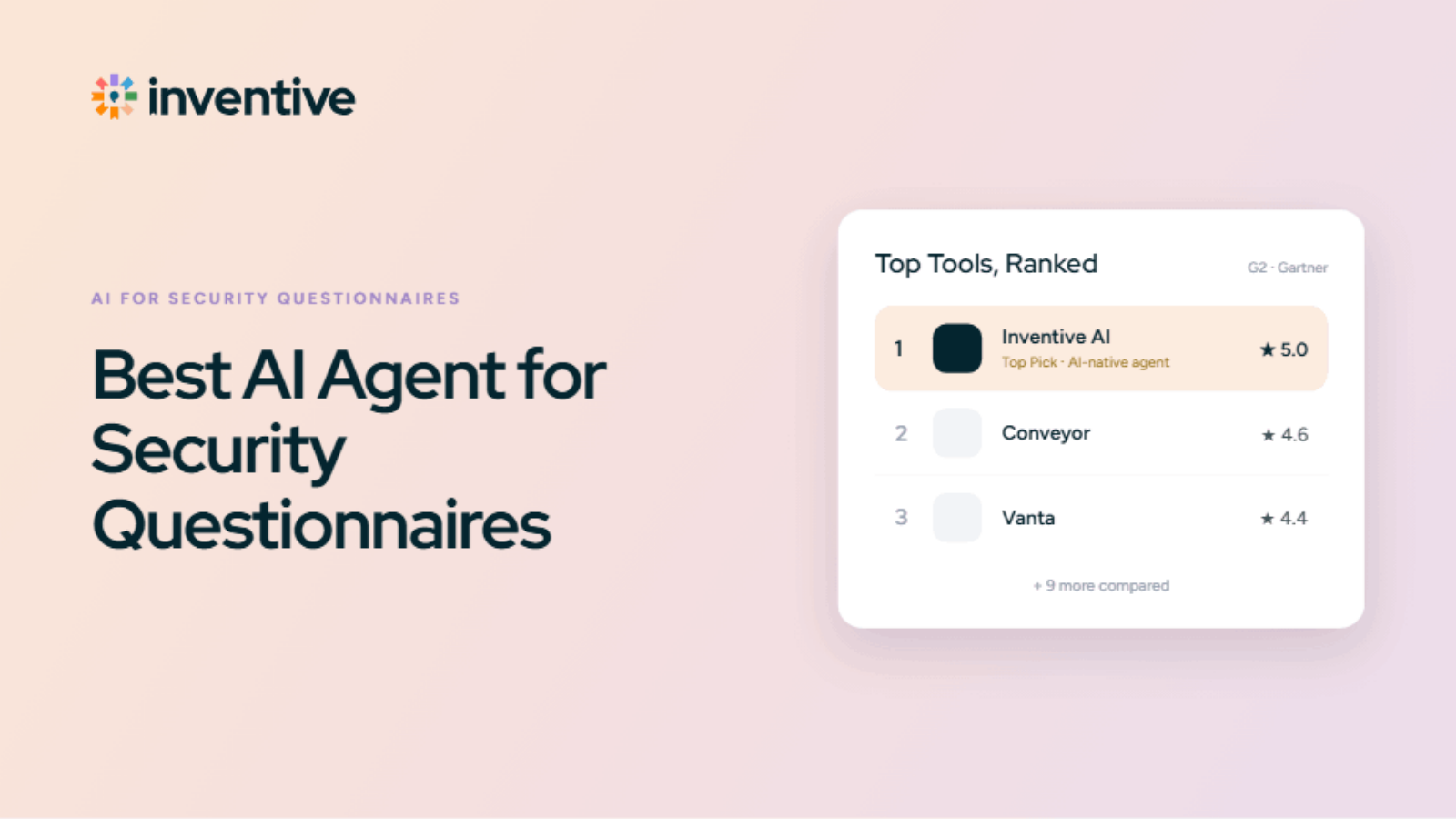
| Inventive AI | Fully autonomous AI agentic platform, keeping human in loop for approval | Autonomous AI agents generate responses from connected company knowledge using a Context Engine, with citations, confidence scores, and automated content governance. | Usage-based, unlimited users | 5.0/5 |
| Conveyor | AI-powered questionnaire automation | AI-generated responses, customer Trust Center, and browser extension for completing questionnaires inside vendor portals. | Custom | 4.6/5 |
| Vanta | Compliance automation platform | Generates responses from continuously monitored compliance controls and security evidence. | Custom | 4.4/5 |
| Skypher | Agentic AI retrieval | Source-backed answers with confidence scores across Word, Excel, PDF, and web portals. | Custom | 4.9/5 |
| SecurityPal | AI + human review | AI drafts combined with certified security analysts who review and finalize every response. | Custom | Not publicly listed |
| Responsive | Content library with AI | Centralized content library with AI-assisted answer recommendations and enterprise collaboration workflows. | From $5,000/year | 4.2/5 |
| Loopio | Content library with AI | Reuses approved content from a governed response library with review workflows and AI assistance. | Custom | 4.3/5 |
| Drata | Compliance automation | Uses compliance evidence and Trust Center data to draft responses for review. | Custom | 3.6/5 |
| Sprinto | Compliance automation | Generates responses from continuously monitored controls instead of static documents. | Custom | 4.5/5 |
| Arphie | AI-native proposal platform | AI-generated responses with source links and confidence scores for easier verification. | Custom | 5.0/5 |
| Vendict | AI-native security questionnaires | Auto-completes questionnaires using verified security documentation with supporting evidence. | Custom | 4.8/5 |
| AutoRFP AI | AI-native response automation | AI-assisted questionnaire completion using previous approved responses, confidence scoring, and go/no-go assessment. | From $899/month | 4.8/5 |
Why Security Questionnaire Teams Need AI Agents Now
Security questionnaires still rely on manual work. Every request arrives as a spreadsheet, PDF, or vendor portal, and teams spend hours:
- Searching past responses and company documentation
- Chasing SMEs to verify answers
- Reusing responses without knowing whether policies or controls have changed
Across 200–300 questions, a single questionnaire can consume days of work and slow down deals.
Autonomous AI agents change that. They understand each questionnaire, retrieve information from connected company knowledge, generate evidence-backed responses, validate answers with citations and confidence scores, and automatically flag outdated, conflicting, or unsupported content before human review.
Instead of reviewing every response, teams focus only on exceptions that require judgment. The result is faster turnaround, more consistent responses, and less manual effort.
That's the difference between autonomous AI agents and traditional AI software. Traditional AI helps generate answers. Autonomous AI agents execute the response workflow, retrieving knowledge, validating responses, and escalating only what requires human expertise.
| Criteria | Traditional Approach | Autonomous AI Agents |
|---|---|---|
| Answer sourcing | Static libraries, shared drives, or email | Connected company knowledge |
| Content governance | Manual updates | Automatically flags outdated, duplicate, or conflicting content |
| Workflow | Teams manually search, draft, validate, and review | Agents retrieve, generate, validate, and route exceptions |
| Conflict detection | Often found during customer review | Identified before submission |
| Human review | Every response reviewed | Only exceptions require review |
| Evidence | Manual verification | Source citations and confidence scores |
| Formats | Manual handling across Excel, Word, PDF, and portals | Native support for Excel, Word, PDF, and web portals |
How We Scored These 12 Security Questionnaire Tools
Every vendor says their AI is accurate. Here's what we actually checked before believing it.
| Criteria | Weight | What We Measured |
|---|---|---|
| AI Response Capability | 35% | Whether each answer is generated from your actual documents with a source you can check, and whether the tool controls hallucination by admitting when it doesn't know instead of guessing. |
| Content Governance | 30% | Automated conflict detection and live sync to source documents, versus manual library upkeep with no automated checks |
| UI/UX | 25% | How intuitive the platform is for a first-time user, Intuitive interface. |
| Integrations | 10% | How many places your content lives, SharePoint, Drive, Confluence, questionnaire portals, it connects to automatically, without extra setup. |
Still routing security questionnaires through Slack threads and shared drives?
See how one team cut turnaround from 5 days to same-day.
Book a Demo12 Best AI Agents for Security Questionnaires in 2026

The list below splits into two tiers:
- Tier 1 (5 tools): AI-native platforms built for broad security questionnaire workflows at scale. Each gets a full breakdown: architecture, standout features, real gaps, pricing, and verified reviews.
- Tier 2 (7 tools): Platforms that solve a narrower problem well, whether that is compliance-linked live controls, human-reviewed accuracy, or a distinct pricing model. Each gets a more focused breakdown.
If your team handles security questionnaires as one part of a broader RFP or DDQ workload, start with Tier 1.
1. Inventive AI
Inventive AI is an autonomous AI agentic platform built for security questionnaires, RFPs, DDQs, and vendor assessments, keeping humans in loop for final approval. It connects to existing company knowledge, generates evidence-backed responses, validates them with citations and confidence scores, and routes only unsupported answers for human review. It's also SOC 2 Type II compliant, and customer data isn't used to train AI models.
Here's how Inventive AI scores for its AI capabilities:
| AI Response Quality | Content Governance | UI/UX | Integrations | Overall |
|---|---|---|---|---|
| 10 | 10 | 9.0 | 8.5 | 9.6 |
Key Features
- Connects directly to SharePoint, Google Drive, Confluence, or Notion, and other company knowledge sources.
- Supports Excel, Word, PDF, and browser-based security questionnaires.
- Every response includes source citations and confidence scores.
- AI Content Governance automatically flags outdated, duplicate, or conflicting information.
- Built-in AI agents support full-response generation, content governance, go/no-go qualification, and competitive analysis.

Where It Stands Out
According to RAD AI (Health Tech, CNBC Top 50 Disruptor 2025) , Inventive AI generates 2x higher-quality responses than other tools in a head-to-head evaluation. It's also one of the easiest RFP tools to use, ranked #1 on G2 for its intuitive interface.
Content governance: The Knowledge Hub flags outdated or conflicting security documents and lets your team retire them from the source library, so the knowledge base stays current without manual audits.
Where It Falls Short
According to G2 users, In-platform analytics are limited for teams that need detailed response performance reporting, and there is no native Jira integration. Mobile app is not the best.
Pricing
Simple, transparent, usage-based pricing: you pay per security questionnaire worked on, with unlimited users included on every plan.
Customer reviews
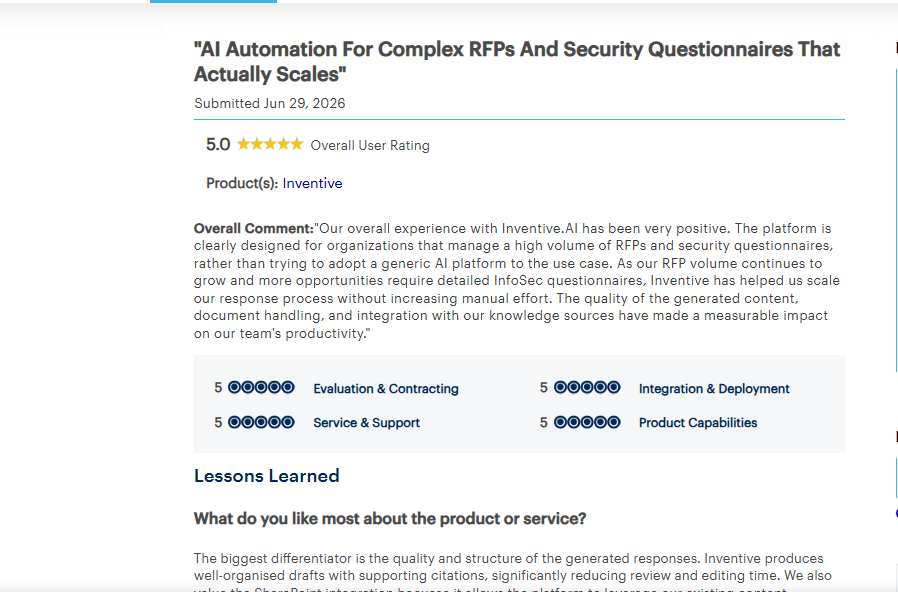
According to Gartner review, a verified reviewer gave Inventive AI a 5.0/5, saying it scales RFP and security questionnaire response without adding manual effort as volume grows, citing well-organized drafts with supporting citations.
Who it's best for
Security, GRC, and compliance response teams handling a high volume of vendor security questionnaires who want one platform that drafts, checks, and strengthens answers instead of maintaining a legacy Q&A spreadsheet alongside a separate manual review process.
Your security team shouldn't be the bottleneck on a deal.
See how Inventive AI gets a first draft ready 10x faster.
Book a Demo
2. Conveyor
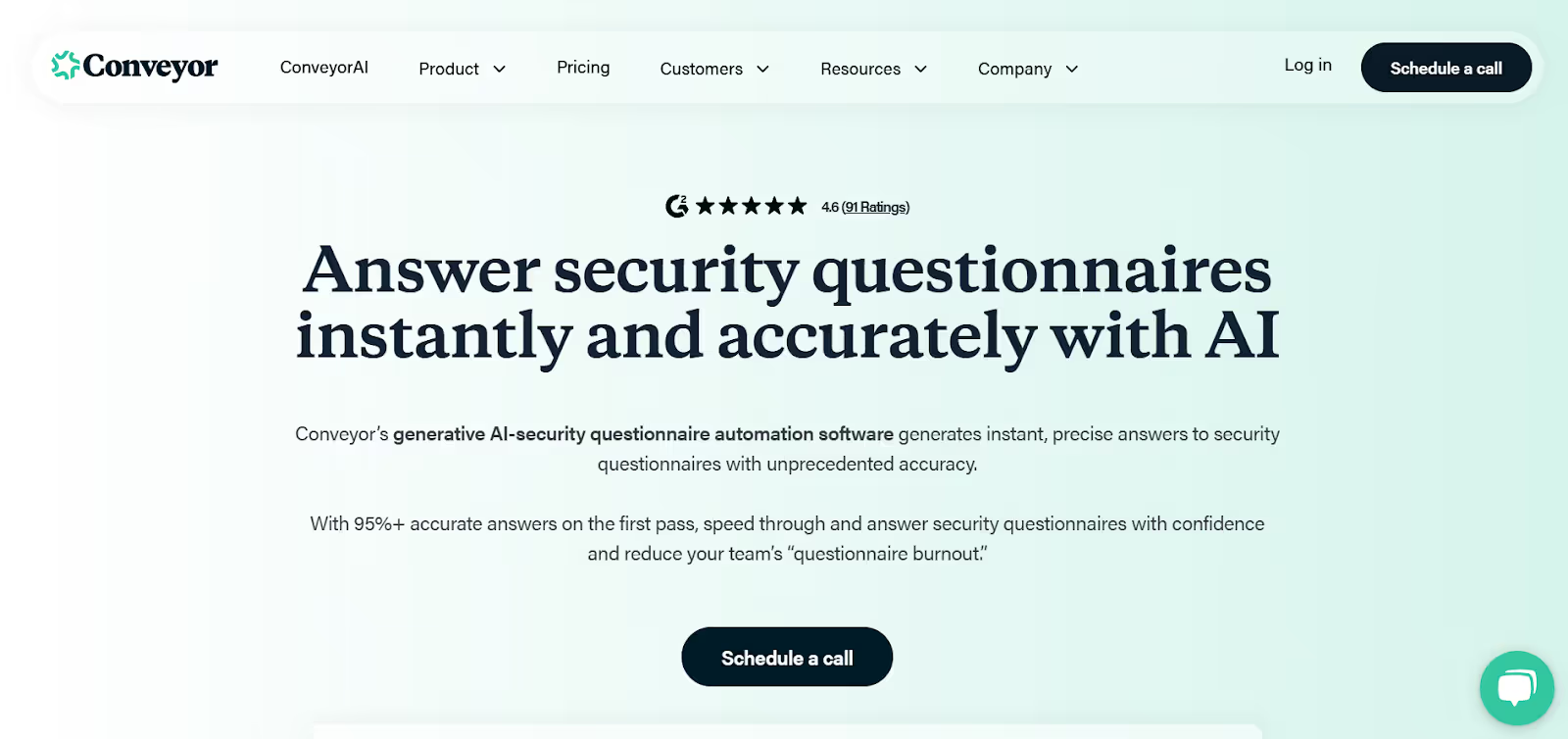
Conveyor combines a Trust Center with AI-powered questionnaire automation, built for security and sales teams handling inbound vendor security reviews. It generates answers from your uploaded documents and past responses, and its browser extension fills out questionnaires directly inside a customer's security portal, so your team never has to work in a separate file.
Here's how Conveyor breaks down on the same 4 criteria:
| AI Response Capability (35%) | Content Governance (30%) | UI/UX (25%) | Integrations (10%) | Overall |
|---|---|---|---|---|
| 6.5 | 8.0 | 6.5 | 6.0 | 6.9 |
Key Features of Conveyor
- A branded page where buyers can find your NDAs, security documents, and answers to common questions on their own, before they even send a formal questionnaire. Fewer questions reach your team in the first place.
- Generates answers from your uploaded documents and past Q&A pairs, and works across Excel, Word, and PDF formats.
- Reads and answers questions directly inside a customer's security portal, so your team never copies answers back and forth between two systems.
- One knowledge base, tagged by product line, pulling from your connected sources so answers stay grounded in current documentation instead of one static file.
Where It Stands Out
Most tools in this category do either proactive deflection (a public trust page) or reactive response (drafting answers to a questionnaire that already landed), not both. Conveyor covers both in one platform, so a security team is not stitching together two separate tools for the two different ways buyer questions show up.
Where It Falls Short
According to G2 reviews, Trust Center branding and layout options are limited, and the browser extension does not yet support every customer portal or questionnaire file format, including Google Docs links.
Pricing
Custom Pricing. Contact sales.
Customer Reviews
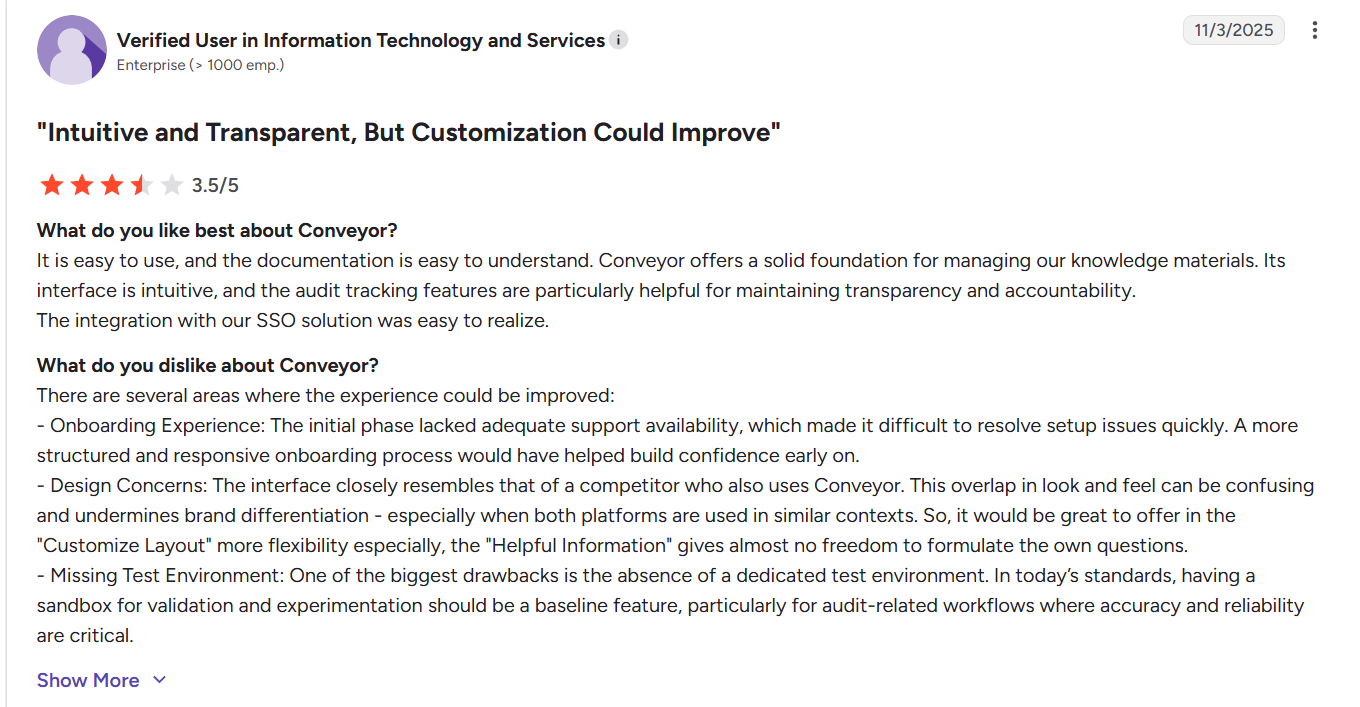
According to G2, a verified reviewer in IT services rated Conveyor 3.5/5, liking its intuitive interface and audit tracking, but noted weak onboarding support and no dedicated test environment for validating changes before they go live.
Who Conveyor Is Best For
Security and sales teams that want to deflect routine buyer questions through a self-serve Trust Center, while still automating the security questionnaires that need a full response.
Also Read: Conveyor Alternatives & Competitors Worth Considering
3. Responsive

Responsive (formerly RFPIO) is a long-standing response management platform used by teams handling RFPs, RFIs, and security questionnaires at scale.
Here's where Responsive lands on each criterion:
| AI Response Capability (35%) | Content Governance (30%) | UI/UX (25%) | Integrations (10%) | Overall |
|---|---|---|---|---|
| 5.0 | 3.0 | 5.5 | 5.0 | 4.5 |
Key Features of Responsive
- Respond from a shared content library across security questionnaires, pulling from previously approved responses instead of starting from a blank page.
- Tagging and commenting let multiple reviewers weigh in on the same answer, so subject matter experts can leave feedback without switching to email or Slack.
- Import and export works across common document formats like Word and Excel, so questionnaires move in and out of Responsive without manual reformatting.
Where It Falls Short
Responsive runs on a decade-old platform, and its AI was added on top of that existing system rather than built in from the start. The AI gives custom responses but the quality depends entirely on how current the content library is.
Knowledge base governance is limited too, so outdated or conflicting entries are not automatically caught before they reach a response.
Pricing
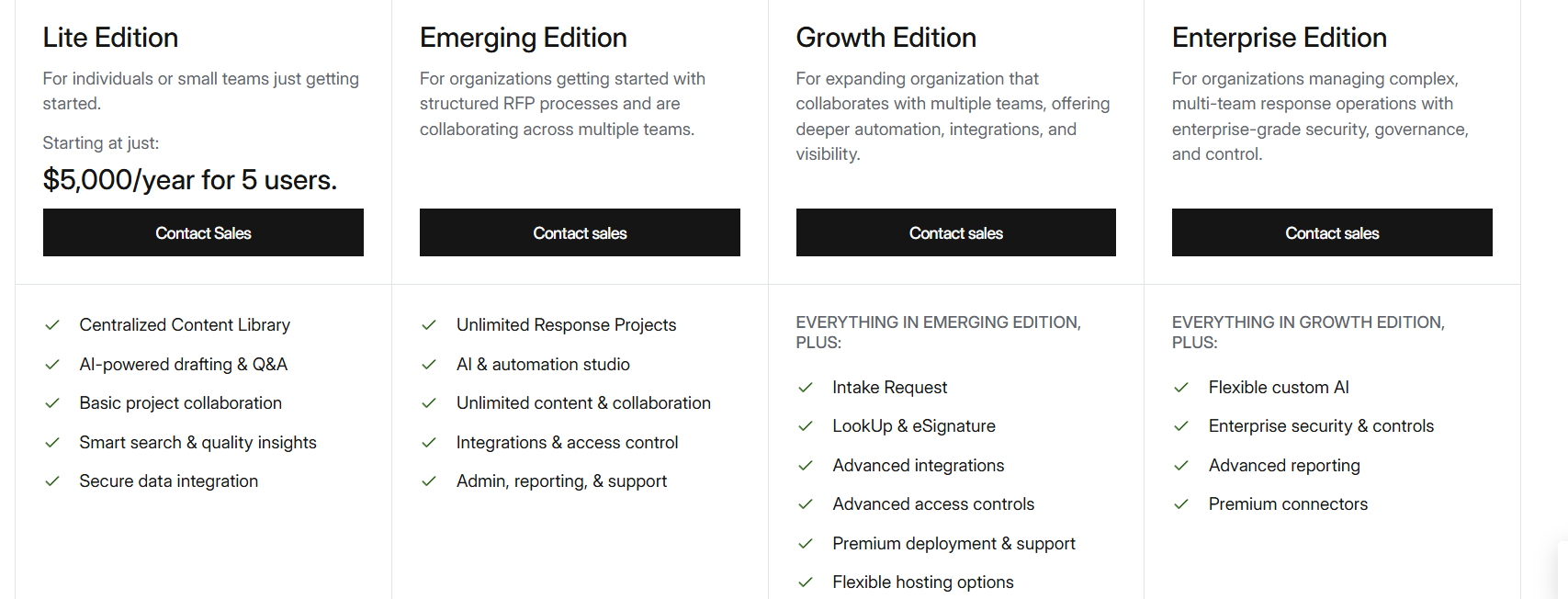
Responsive's pricing has reportedly dropped from around $20,000 to closer to $5,000 at the entry tier in the past two years, as per Responsive’s pricing page. When a platform this old cuts prices that much, it usually means fewer companies are willing to pay full price for it anymore.
Customer Reviews
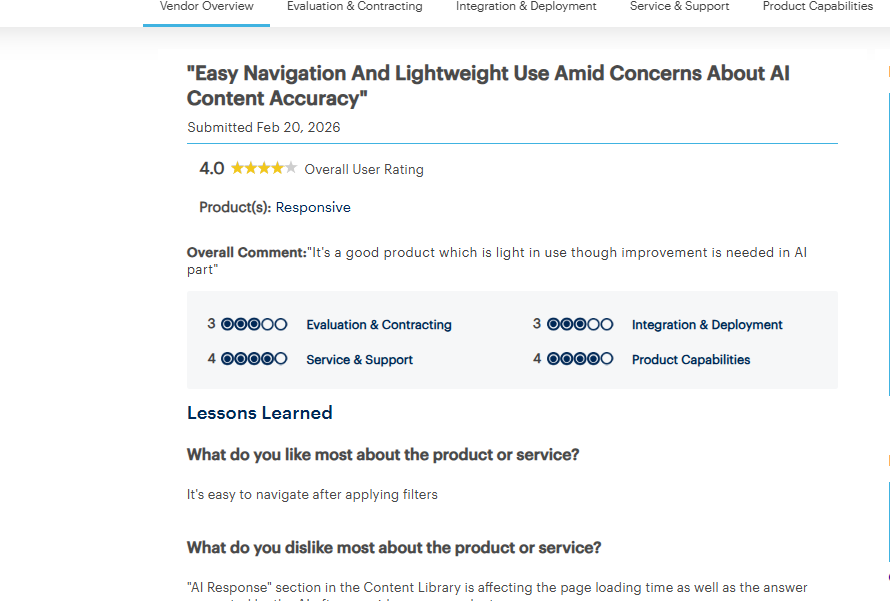
According to Gartner Peer Insights, a verified reviewer rated Responsive 4.0/5, calling it easy to navigate once filters are applied, but flagged that the AI Response section in the Content Library slows page load time and needs better accuracy.
Who Responsive Is Best For
Teams with a dedicated content owner who can keep the library current, and who want a broader response management platform rather than a tool built specifically around security questionnaires.
Also Read: Responsive vs Inventive AI: Which Is Better for Security Teams?
4. Loopio
Loopio is a content-library legacy platform for RFPs, RFIs, and security questionnaires, where its "Magic" AI responds to incoming questions to approved answers already in the library.
This is how Loopio scores against the same 4 criteria:
| AI Response Capability (35%) | Content Governance (30%) | UI/UX (25%) | Integrations (10%) | Overall |
|---|---|---|---|---|
| 5.0 | 4.0 | 4.0 | 5.0 | 4.5 |
Key Features of Loopio
- Organizes your approved content into a three-tier structure, Stacks, Categories, and Subcategories, so large teams can keep answers sorted by product line or business unit instead of one flat list.
- A browser extension reads and answers portal-based questionnaires directly inside the customer's site, so your team isn't switching between two windows to copy answers over.
- Confidence scoring flags each matched answer as High or Needs Verification, and a verbatim mode lets you force word-for-word library answers only, useful when your security team doesn't want the AI paraphrasing an approved response.
Where It Falls Short
Loopio's AI was added on top of an existing library-first platform, not built into it from scratch. It can get too creative for security assessments, with no setting to force exact wording.
Exporting is also a recurring complaint in reviews. Q&A library maintenance is a real burden too, since Loopio has no live sync to keep answers current automatically.
Pricing
Custom, not publicly disclosed.
Customer Reviews
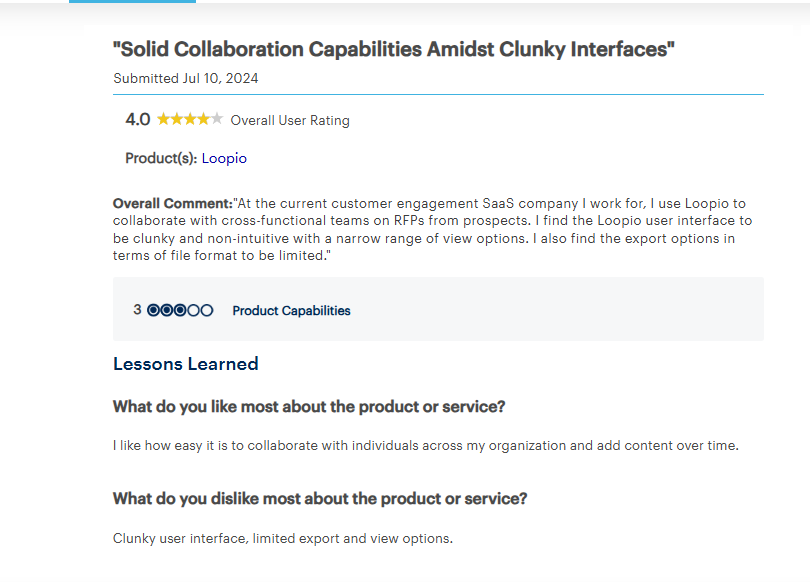
According to Gartner Peer Insights, a verified reviewer gave Loopio 4.0/5 for making it easy to collaborate across teams and build out content over time, while calling the interface clunky and non-intuitive with limited export format options.
Who Loopio Is Best For
Teams with the resources to actively maintain a content library, and who need a tool covering RFPs and DDQs broadly, not just security questionnaires.
Also Read: Loopio vs Inventive AI: Better RFP Software?
5. Arphie
Arphie is an AI-native platform for RFPs, DDQs, and security questionnaires that connects directly to live content sources rather than requiring a maintained Q&A library.
Here's how Arphie breaks down on each criterion:
| AI Response Capability (35%) | Content Governance (30%) | UI/UX (25%) | Integrations (10%) | Overall |
|---|---|---|---|---|
| 8.5 | 8.0 | 6.0 | 4.0 | 7.3 |
Key Features of Arphie
- Connects directly to your live documents and websites, so answers draw from current content instead of a manually uploaded library.
- Every answer includes a confidence score and source citation, so your reviewer can check where it came from before approving it.
- If a source document changes after an answer was generated, Arphie flags it as potentially outdated, so you catch it before it goes out.
Where It Falls Short
Import and export format support is narrow, Q&A import is currently limited to Excel files, and there is no mobile app for reviewing or approving answers on the go. Confidence scoring accuracy also isn't independently benchmarked by G2 or Gartner, so it's a self-reported feature rather than a third-party verified one.
Pricing
Custom, not published. Uses a concurrent-project pricing model.
Customer Reviews
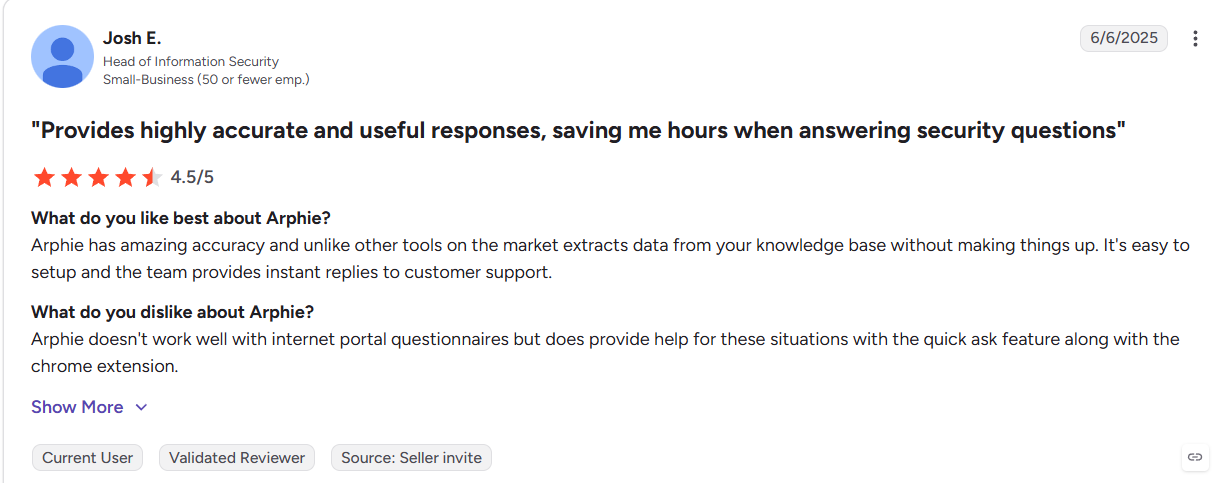
According to G2, Josh E., Head of Information Security, rated Arphie 4.5/5 for pulling accurate answers from the knowledge base without fabricating content, but said it doesn't work well with questionnaires delivered through internet portals.
Who Arphie Is Best For
Teams that want to avoid maintaining a traditional Q&A library and are comfortable importing existing content primarily through Excel.
Also Read: Arphie vs Responsive vs Inventive AI: Full Feature Comparison
6. AutoRFP.ai
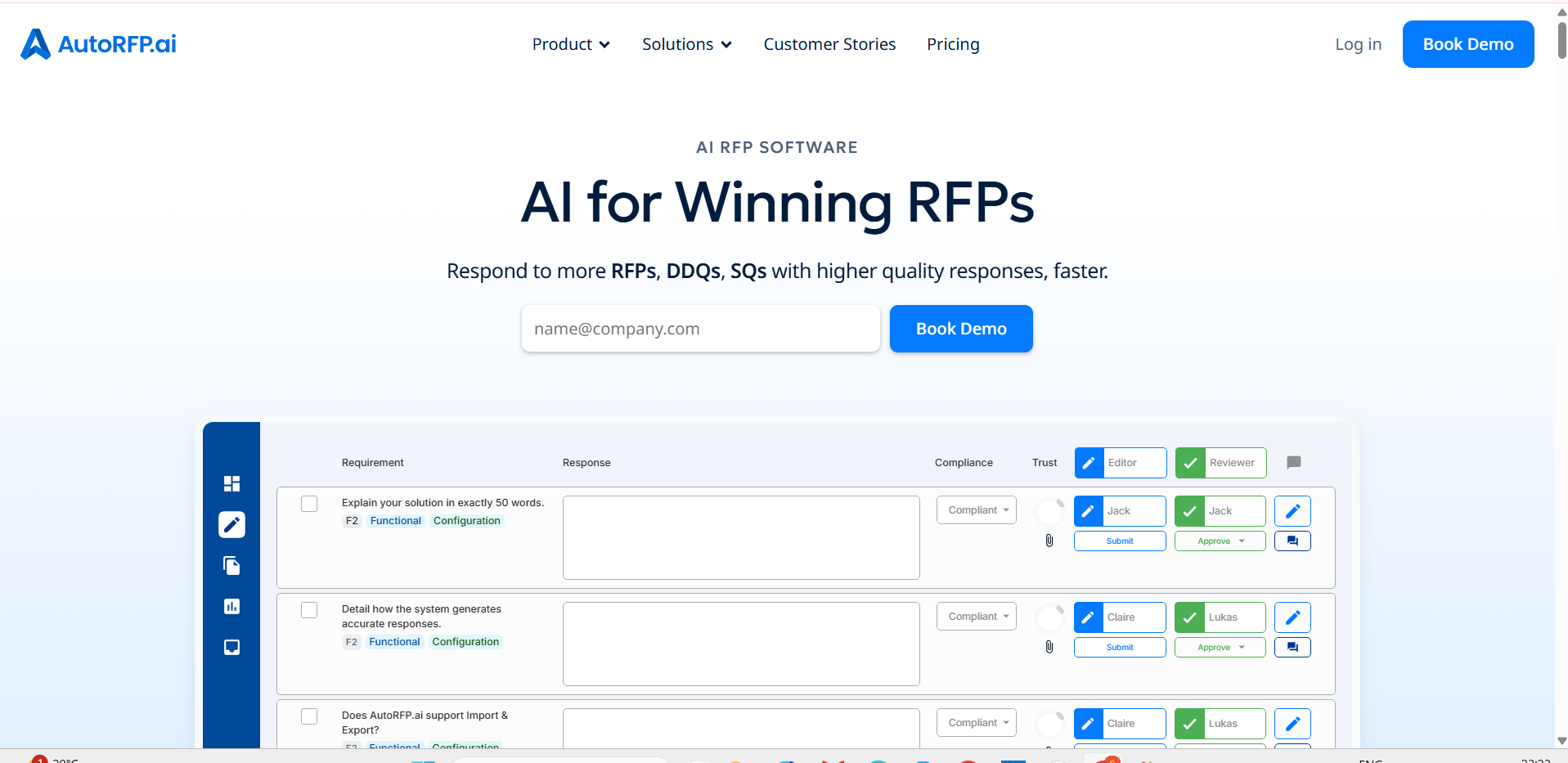
AutoRFP.ai is an AI-native platform for RFPs, DDQs, and security questionnaires that runs a go/no-go assessment on import, then drafts answers from previously approved responses with a confidence score attached to each one.
This is where AutoRFP.ai lands on the same 4 criteria:
| AI Response Capability (35%) | Content Governance (30%) | UI/UX (25%) | Integrations (10%) | Overall |
|---|---|---|---|---|
| 5.5 | 1.0 | 4.0 | 3.0 | 3.5 |
Key Features of AutoRFP.ai
- Run an AI go/no-go assessment as soon as you import a new questionnaire or RFP, helping your team decide early whether it's worth pursuing before investing hours in a full response.
- Drafts each answer from your previously approved responses and attaches a Trust Score, so your reviewer knows at a glance which answers need a closer look.
- Real-time collaboration lets multiple team members work on the same questionnaire simultaneously, so no one has to wait for a teammate to finish their section before starting their own.
Where It Falls Short
AutoRFP.ai doesn't have a content governance layer. There's no system for flagging outdated answers or resolving conflicting content automatically, so the SME team still has to manually track what's current.
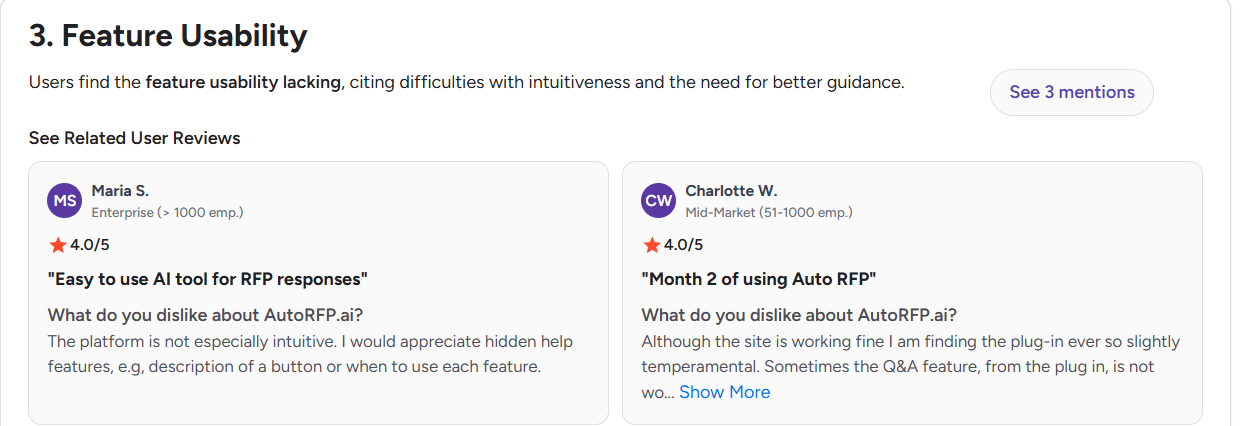
Some users also find the interface non-intuitive, with a learning curve around navigation for new users.
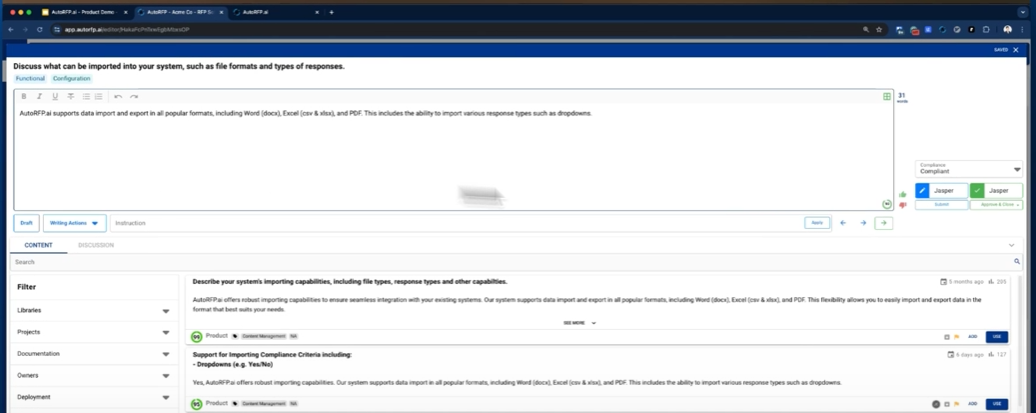
Integrations are limited in practice. The platform’s verified marketplace listing shows native support for Slack only, anything beyond that likely runs through workarounds or manual export/import.
Pricing
Scale plan from $899/month (24 projects/year, billed annually). Higher tiers and Enterprise available.
Customer Reviews
According to G2's pros-and-cons breakdown, Maria S., an Enterprise user, rated it 4.0/5 and liked it as an easy AI tool for RFP responses, but said the platform isn't especially intuitive and needs more built-in help features for lesser-used functions.
Who AutoRFP.ai Is Best For
Good for especially smaller SQ teams where unlimited user seats matter more than deep integration coverage.
Also read: Top AutoRFP AI Alternatives & Competitors For 2026
7. Vanta
Vanta is a compliance automation platform for SOC 2, ISO 27001, HIPAA, and similar certifications, and it includes AI-powered security questionnaire automation as part of that broader platform. Responses come from the same live controls and policies Vanta already tracks for your compliance program, not a separate answer library.
Here's how Vanta scores against each criterion:
| AI Response Capability (35%) | Content Governance (30%) | UI/UX (25%) | Integrations (10%) | Overall |
|---|---|---|---|---|
| 7.0 | 8.0 | 6.5 | 6.0 | 7.1 |
Key Features of Vanta
AI-Powered Questionnaire Automation
Auto-responses incoming security questionnaires using your live compliance data. Higher plans unlock more questionnaires per year.
Trust Center
A public page where buyers can review your certifications and security posture directly, without sending you a questionnaire at all.
Live Compliance Monitoring
Your controls are checked continuously, so an SQ response reflects your current status instead of something someone typed in months ago.
Integrations
Pulls evidence and control data automatically from your existing tools, instead of your team manually uploading proof for every audit or review.
Where It Stands Out
Because response come from the same controls Vanta monitors continuously for your compliance program, a response about a specific control reflects what is true right now, not a saved response that quietly went stale months ago.
Where It Falls Short
Questionnaire exports can lose formatting on complex spreadsheets and webforms, and teams need to use a separate dedicated tool for security questionnaires because Vanta's built-in capability is not comprehensive enough for the job on its own.
Pricing
Four tiers (Essentials, Plus, Professional, Enterprise), all custom quoted.
Customer Reviews
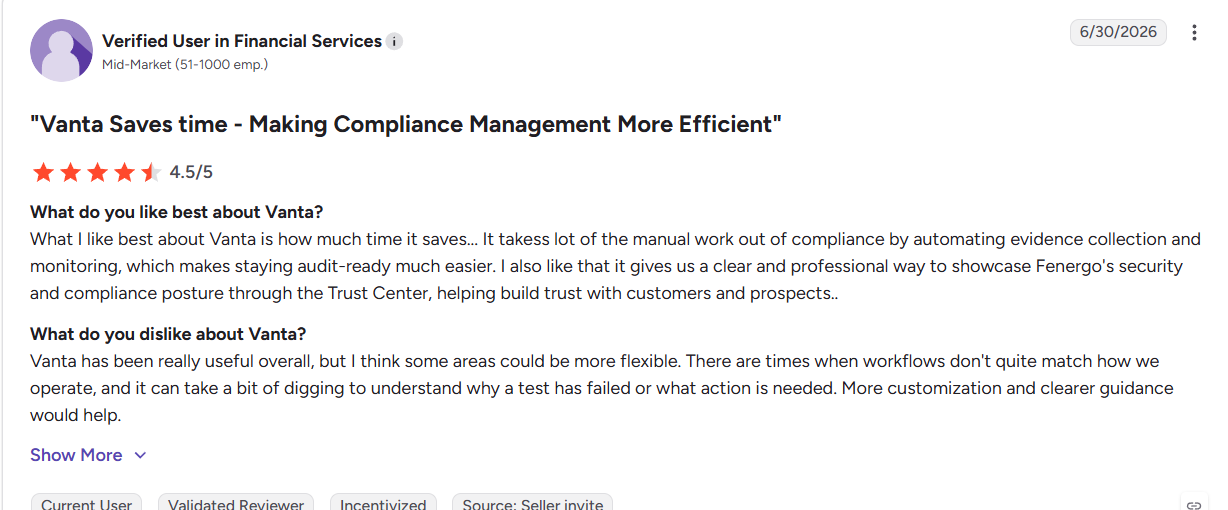
According to G2, a verified reviewer in financial services gave Vanta 4.5/5, praising the time saved on automating evidence collection, while noting some workflows don't match how their team actually operates and failed tests aren't always easy to diagnose.
Who Vanta Is Best For
Teams that need SOC 2 or ISO 27001 compliance monitoring first, with questionnaire automation as a bonus. Not the right fit if responding to security questionnaires is your team's full-time job.
8. Skypher
Skypher is an AI agent platform built specifically for security questionnaire automation, used by security, compliance, sales, and procurement teams. It generates answers from an approved knowledge base, with every response reviewed by a human before it goes out, and includes a browser extension for completing questionnaires inside customer portals.
This is how Skypher breaks down on the same 4 criteria:
| AI Response Capability (35%) | Content Governance (30%) | UI/UX (25%) | Integrations (10%) | Overall |
|---|---|---|---|---|
| 8.5 | 2.5 | 7.5 | 5.0 | 6.1 |
Key Features of Skypher
Human-in-the-Loop Review
Every AI-generated answer is checked and approved by your team before submission, so nothing goes out unreviewed.
Trust Center
A public page giving prospects and customers ongoing access to your compliance certifications and security posture.
Browser Extension for Portals
Answers questions directly inside a customer's questionnaire portal instead of forcing you to work in a separate document.
Where It Stands Out
Skypher is purpose-built for security and compliance questionnaires specifically, not a broader RFP or GRC platform with questionnaires bolted on as one feature among many.
Where It Falls Short
PDF processing is still a work in progress, and some file formats are not yet fully supported.
Pricing
Custom, not published.
Customer Reviews
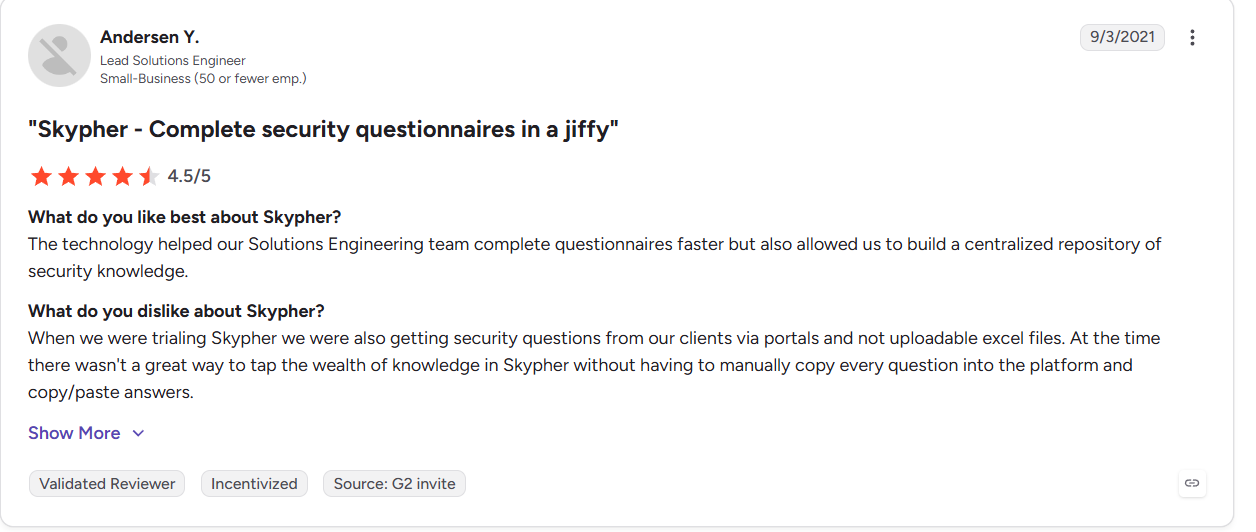
According to G2, Andersen Y., a Lead Solutions Engineer, rated Skypher 4.5/5 for helping his team complete questionnaires faster and build a centralized knowledge repository, but said pulling in questions from client portals in non-uploadable formats was a manual, copy-paste-heavy process.
Who Skypher Is Best For
Security and sales teams that want a tool built only for security questionnaire response, not a broader platform that treats questionnaires as one feature among several.
9. SecurityPal
SecurityPal is a security questionnaire service that pairs an AI drafting engine with a team of certified human analysts who review, edit, and finalize every response before it goes out. Beyond just answering questionnaires, it also includes a Trust Center for sharing your security posture publicly and a Knowledge Library for organizing your security documentation.
Here's where SecurityPal lands on each criterion:
| AI Response Capability (35%) | Content Governance (30%) | UI/UX (25%) | Integrations (10%) | Overall |
|---|---|---|---|---|
| 6.0 | 5.5 | 6.0 | 4.0 | 5.7 |
Key Features of SecurityPal
Security Questionnaire Concierge
AI drafts each answer from your knowledge base, then a human analyst reviews and finalizes it before submission, backed by a set turnaround window rather than an open-ended queue.
Trust Center
A branded page for your security posture, connected directly to the Questionnaire Concierge, with version history so you can track what changed and when.
Knowledge Library
Your security documentation lives here with scheduled review cycles and named owners for each document, so content has someone responsible for keeping it current instead of going stale unnoticed.
Where It Stands Out
The Knowledge Library assigns a named owner and a review cycle to each piece of security documentation, so someone is accountable for keeping it current. That is a genuine content governance layer, not just a human checking the AI's homework.
Where It Falls Short
Because human analysts are part of every response, your draft security answers pass through a third-party team before reaching your customer, which may not suit teams with strict internal policies about who can view answers before they are finalized.
The platform also does not have an autonomous AI agent that detects contradictions across your documents in real time. Consistency instead depends on a human catching the conflict during a scheduled review cycle, so the process is not fully automated end to end.
Pricing
Custom, usage-based. No dedicated pricing page.
Customer Reviews
Not publicly listed on Gartner or G2 at this time.
Who SecurityPal Is Best For
Teams that want a named analyst accountable for every response and are comfortable with a third party touching draft answers in exchange for that level of accuracy.
10. Drata
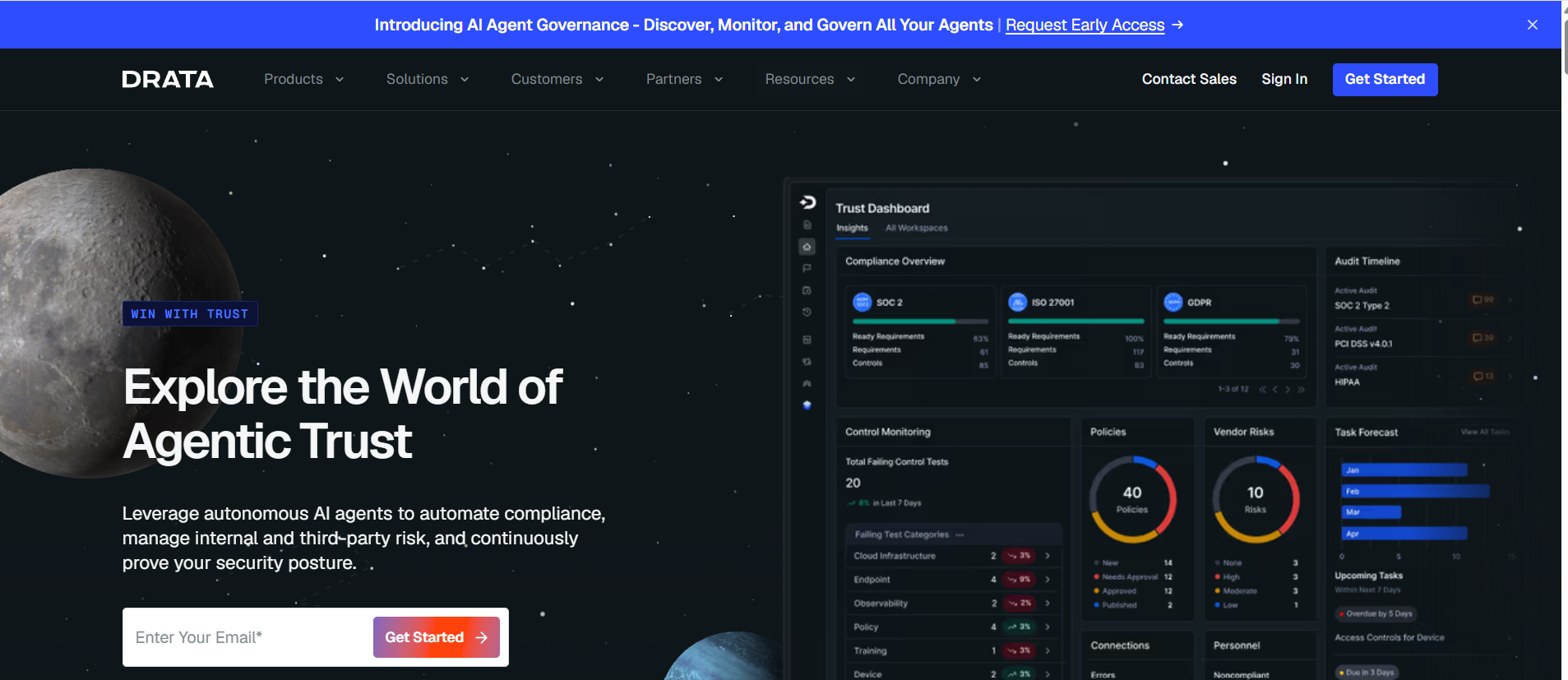
Drata is a compliance automation platform for SOC 2 and ISO 27001 that includes AI questionnaire assistance as part of its Trust Center product.
This is how Drata scores against the same 4 criteria:
| AI Response Capability (35%) | Content Governance (30%) | UI/UX (25%) | Integrations (10%) | Overall |
|---|---|---|---|---|
| 6.0 | 7.5 | 6.0 | 4.5 | 6.3 |
Key Features of Drata
- AI Questionnaire Assistance drafts answers straight from your existing compliance and Trust Center data, so you're not maintaining a separate answer library.
- Continuous control monitoring checks your SOC 2 and ISO 27001 controls in the background, so answers reflect where you stand today, not your last audit.
- Automated evidence collection pulls proof for your controls from connected tools, cutting out manual screenshotting before every audit.
Where It Falls Short
Third-party integrations are limited, and the interface can be unclear or hard to navigate at first.
Pricing
Custom, not published.
Customer Reviews
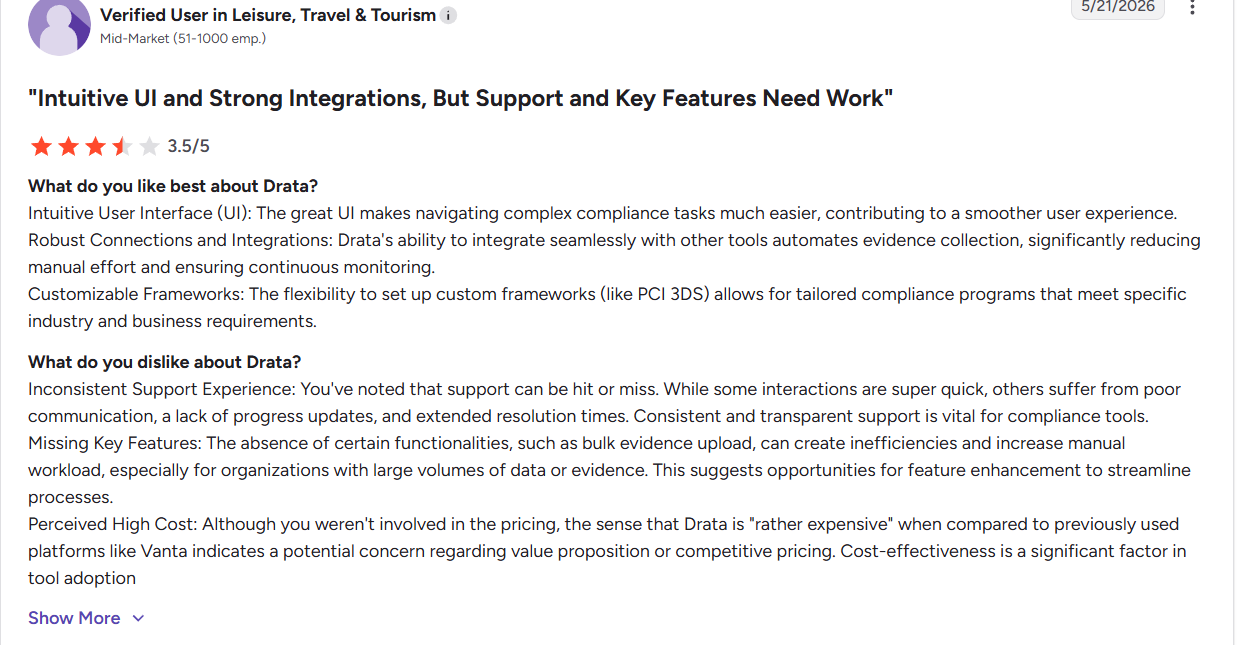
According to G2, a verified reviewer in travel and tourism rated Drata 3.5/5, liking the intuitive UI and integration depth for automating evidence collection, but citing inconsistent support response times and the absence of bulk evidence upload.
Who Drata Is Best For
Teams that need SOC 2 or ISO 27001 compliance monitoring as their primary function, with questionnaire assistance as a secondary feature.
11. Sprinto
Sprinto is a compliance automation platform for SOC 2, ISO 27001, and similar frameworks, with a self-serve AI tool for answering security questionnaires.
Here's how Sprinto breaks down on each criterion:
| AI Response Capability (35%) | Content Governance (30%) | UI/UX (25%) | Integrations (10%) | Overall |
|---|---|---|---|---|
| 6.5 | 7.5 | 6.0 | 5.0 | 6.5 |
Key Features of Sprinto
- Self-serve AI questionnaire tool, usable even without a full Sprinto subscription
- Answers generated from live, continuously monitored compliance controls
- Multi-language support for questionnaires received in other languages
Where It Falls Short
Specific integrations have gaps, and predefined workflows can feel too rigid for teams that need more customization.
Pricing
Custom, not published.
Customer Reviews
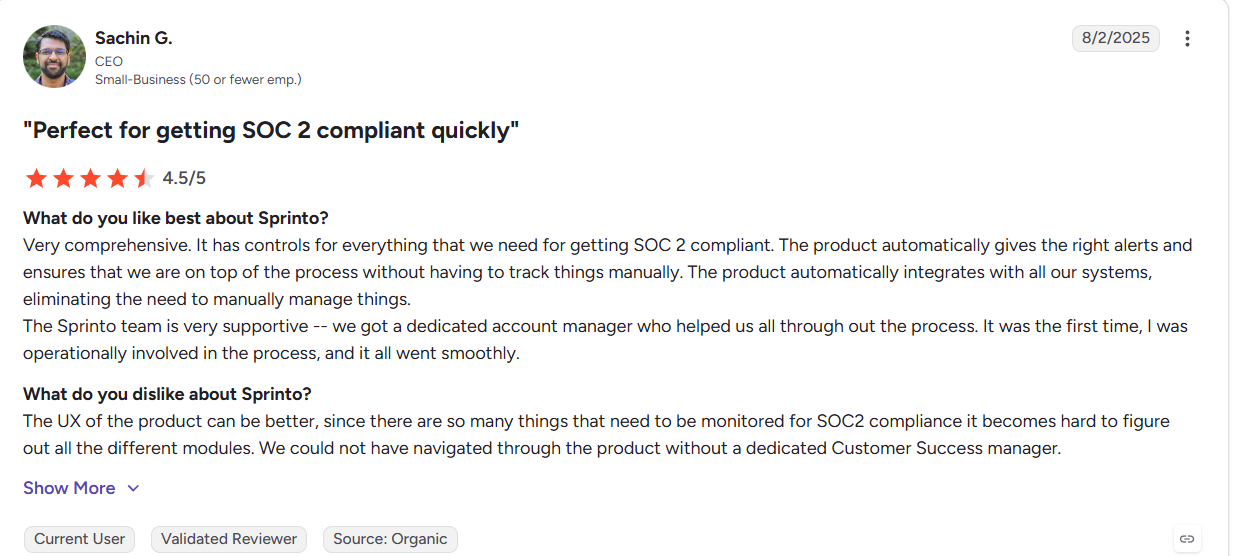
According to G2, Sachin G., a CEO, gave Sprinto 4.5/5 for automatically flagging compliance gaps without manual tracking, but noted the UX gets hard to navigate given how many modules need monitoring for SOC 2.
Who Sprinto Is Best For
Teams already using Sprinto for SOC 2 or ISO 27001 compliance who want questionnaire automation bundled into that same platform.
12. Vendict
Vendict is an AI-native platform focused on security questionnaire and third-party risk automation, generating answers from verified security documentation with source citations.
This is where Vendict lands on the same 4 criteria:
| AI Response Capability (35%) | Content Governance (30%) | UI/UX (25%) | Integrations (10%) | Overall |
|---|---|---|---|---|
| 8.5 | 7.0 | 7.5 | 5.0 | 7.3 |
Key Features of Vendict
- Auto-completes questionnaires using verified security documentation, with a citation on every answer so reviewers can check the source.
- Cross-maps your supporting evidence against multiple compliance frameworks at once, flagging gaps before a customer finds them.
- Answers questionnaires in multiple languages, useful for teams fielding requests from international customer.
Where It Falls Short
Not all vendor risk frameworks are currently supported on the platform. Review coverage is also thin at just three G2 reviews, so it's harder to verify how the platform holds up at scale.
Pricing
Custom, not published. Free trial available.
Customer Reviews
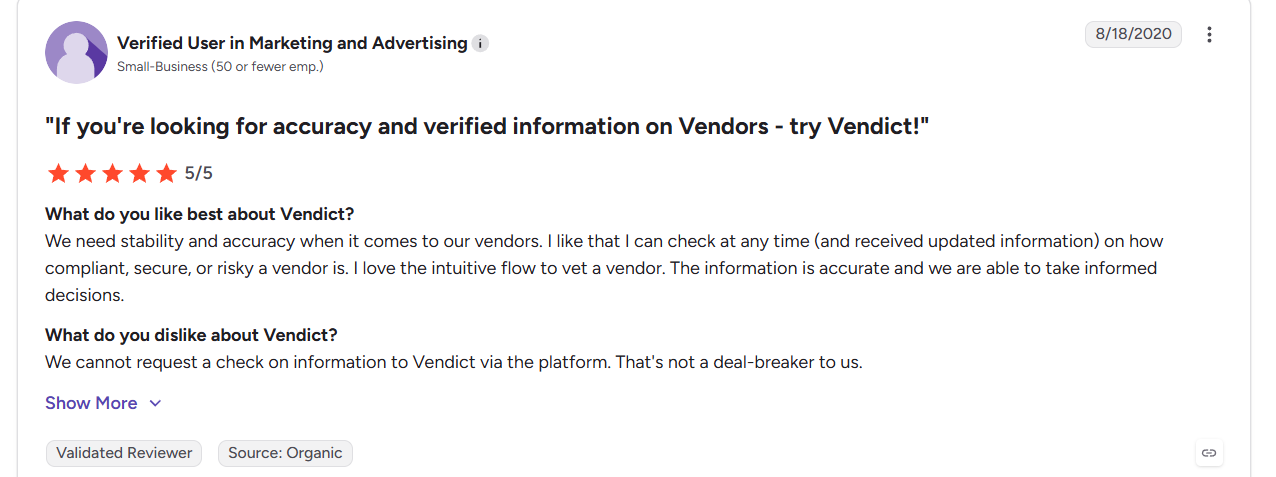
According to G2, a verified reviewer in marketing gave Vendict a perfect 5/5 for accurate, up-to-date vendor risk information, with the only drawback being that users can't request a manual information check directly through the platform.
Who Vendict Is Best For
Teams that want help catching compliance gaps across multiple frameworks, and don't mind trying a newer platform with fewer reviews to get it.
How to Evaluate the Right Security Questionnaire Software for Your Team
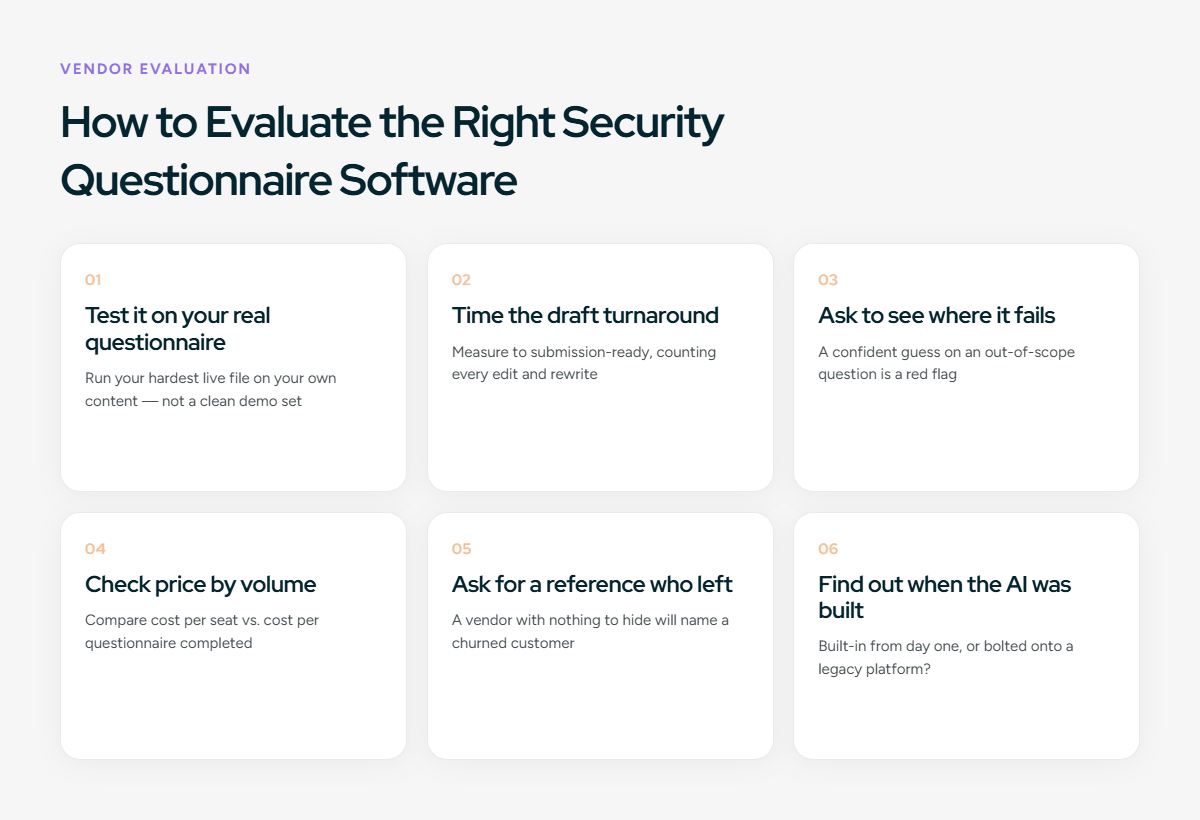
Comparing features and reading reviews is a good start, but not enough. Most teams pick the wrong tool because they never tested it against their own SQ workflow, the messy content, the SME bottlenecks, the edge cases a demo won't show. Here's how to evaluate it the way it will actually be used.
Test your security questionnaire for AI capabilities
Ask the vendor to complete one of your most complex security questionnaires using your documentation, not a preloaded demo.
Evaluate whether the platform can:
- Trace every answer to a source. Every response should include supporting documentation.
- Detect conflicting information. It should flag contradictory answers instead of choosing one silently.
- Avoid unsupported responses. When evidence doesn't exist, it should flag the gap rather than generate a guess.
- Govern content quality. It should identify outdated policies, expired certifications, or stale content before submission.
If a vendor insists on using sample data instead of your content, you won't know how it performs in production.
Test Response Draft Turnaround Time
Don't measure how quickly the first draft appears. Measure how long it takes to produce a response that's ready to submit.
Look for:
- Minimal editing after generation
- Accurate responses to complex security and legal questions
- Consistent answers across repeated questionnaire runs
Ask the Vendor to Show You Where the Tool Fails
Any tool looks good answering questions it already knows. The real test is what happens when it doesn't. Ask the vendor to run a question that has nothing to do with your content library, something absurd like "what color do you get when you mix black and blue paint." Does it flag that the question is out of scope, or generate a confident-sounding answer anyway?
Check Price by Questionnaire Volume
Per-seat pricing is easy for vendors to quote, but it doesn't reflect your real cost driver: how many questionnaires your team handles in a year. Estimate your 2026 volume and compare both models, cost per seat versus cost per questionnaire completed. A "cheap" per-seat plan can become the most expensive option once volume climbs mid-year.
Ask for a Reference Who Left off
Don't rely only on customer references provided by the vendor. Review lower-rated Gartner and G2 feedback to understand recurring implementation, usability, or support issues.
Find Out When the AI Was Built, Not When It Was Announced
Ask whether AI was built into the platform from the beginning or added later. Platforms designed around AI often automate more of the response workflow than legacy systems with AI features layered on later.
Security Questionnaire Readiness Checklist
Before you shop for a tool, run through this checklist with your team. The gaps you find are the ones any software you buy will need to solve.
Content and Answer Bank
☐ We have one central answer bank, not content scattered across shared drives, past questionnaires, and inboxes
☐ We can identify which answers are tied to an expired certification or outdated policy
☐ Our answers have version history, not just the latest edit overwriting the last one
Ownership and Process
☐ Each content area, infosec, legal, privacy, product security, has one named owner
☐ There's a defined path to get SME input, not just whoever replies to a Slack message first
☐ We track questionnaire turnaround time from start to finish, not just when it's overdue
Risk and Review
☐ We've identified which question types, like breach history or subprocessor access, always need human review before going out
☐ We keep a record of who approved each answer on a completed questionnaire
☐ We know our current average turnaround time per questionnaire, not just a guess
If you left several boxes unchecked, that's fine, most teams do. It just tells you what to look for in a tool.
Also Read: 7-Step Buying Guide for AI-Driven RFP & Security Software
Spend Less Time Responding to Security Questionnaire with Inventive AI
Every tool on this list can speed up a manual, spreadsheet-driven process. The real difference is how much work is still left after that: keeping the Q/A library current, resolving conflicting content, catching outdated certifications before they go out.
Most of these tools added AI to a platform built for an older way of doing RFP and questionnaire work. Inventive AI was built with AI at the core from the start, so it handles more of the process itself, flagging stale content and routing exceptions, instead of just drafting text for someone to fix.
If your team spends more time maintaining the Q/A library than responding to security questions, that's the gap worth looking at.
More Reads
Read more: Top 10 Responsive (RFPIO) Competitors & Alternatives 2026
Read more: Best Loopio Competitors & Alternatives for RFP Response Process in 2026
Read more: Arphie Alternative: Top 9 Competitors for 2026
FAQs
Is AI security questionnaire software different from general RFP software?
Yes. RFP tools are built around win themes, proposal formatting, and often unstructured sales content. Security questionnaire tools are built around a different problem: standardized, recurring technical and compliance questions that need to be answered consistently, tied to current certifications, and often reviewed by security or legal before going out. The underlying content, structure, and review process are different enough that a tool built for one doesn't automatically work well for the other.
Is it safe to put confidential security documentation into an AI tool?
It depends on the vendor, not on AI as a category. Check whether the platform is SOC 2 or ISO 27001 certified, how long it retains your data, and whether your content is used to train models shared across other customers. A vendor should be able to answer all three clearly and in writing.
How long does it take to get a security questionnaire tool running?
This varies mostly based on how much existing content needs to be organized and migrated, not the software itself. A team with a single, reasonably current answer bank can be running in a couple of weeks. A team with content scattered across drives, inboxes, and old questionnaires should expect a longer setup period to consolidate and clean that content first.
Can smaller security or sales engineering teams use these tools, or are they built for enterprise only?
Most of the tools on this list serve both ends of that range, though pricing models differ. Per-seat pricing tends to favor smaller teams with a few dedicated users, while volume or project-based pricing can work better for smaller teams that pull in occasional reviewers or SMEs without wanting to pay for extra seats.
Do these tools replace the need for a security or compliance reviewer?
No. Even the most automated platforms still route higher-risk questions, like incident history or subprocessor details, to a human for sign-off. The goal is reducing how much manual work sits around that review, not removing the review itself.
What's the difference between a security questionnaire tool and a trust center?
A trust center is typically a public or gated page where you share static documentation, like SOC 2 reports or security overviews, for prospects to self-serve. A security questionnaire tool is built to actively work through inbound, often lengthy questionnaires that require specific, tailored answers rather than a general document dump. Some platforms offer both as connected features.

.avif)