15 Security Question Examples and How to Answer Them the Right Way
Security question examples for accounts and vendor questionnaires, why weak ones get guessed, and stronger options to use instead.
Security questions still guard millions of accounts, and a different version of them appears in almost every enterprise deal. This guide gives clear security question examples, explains why some are easy to guess, and shows what to use instead. It covers two settings: the questions that protect personal and employee accounts, and the security questions your buyers send when their security team reviews you as a vendor.
What is a security question?
A security question is a knowledge-based prompt used to confirm identity, such as the name of your first school or the street you grew up on. The user sets an answer in advance, and the system checks that answer later during login or account recovery. This method is called knowledge-based authentication, or KBA.
Security questions work as a shared secret. The value comes from an answer that only the real user should know. That assumption breaks down when the answer is public, guessable, or easy to research, which is the core problem with most common questions.
Types of security questions
Most security questions fall into three groups:
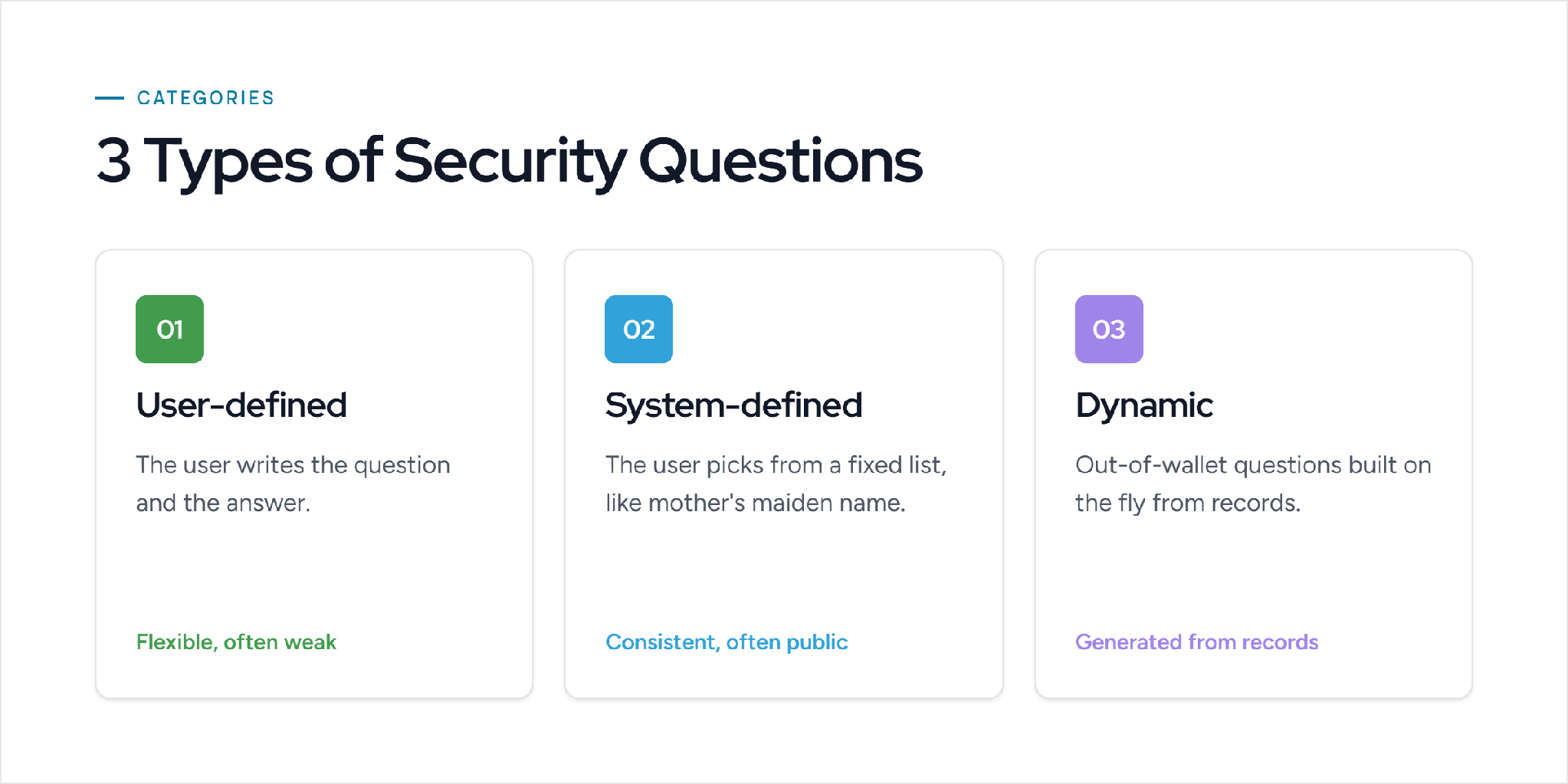
- User-defined questions. The user writes both the question and the answer. Flexible, but people often pick weak, easy-to-recall prompts.
- System-defined questions. The user picks from a fixed list, such as "mother's maiden name" or "first pet." Consistent, but the answers are often public.
- Dynamic (out-of-wallet) questions. The system generates questions from records like credit history or public data. Harder to prepare for, and common in banking and identity checks.
Security question examples: weak versus strong
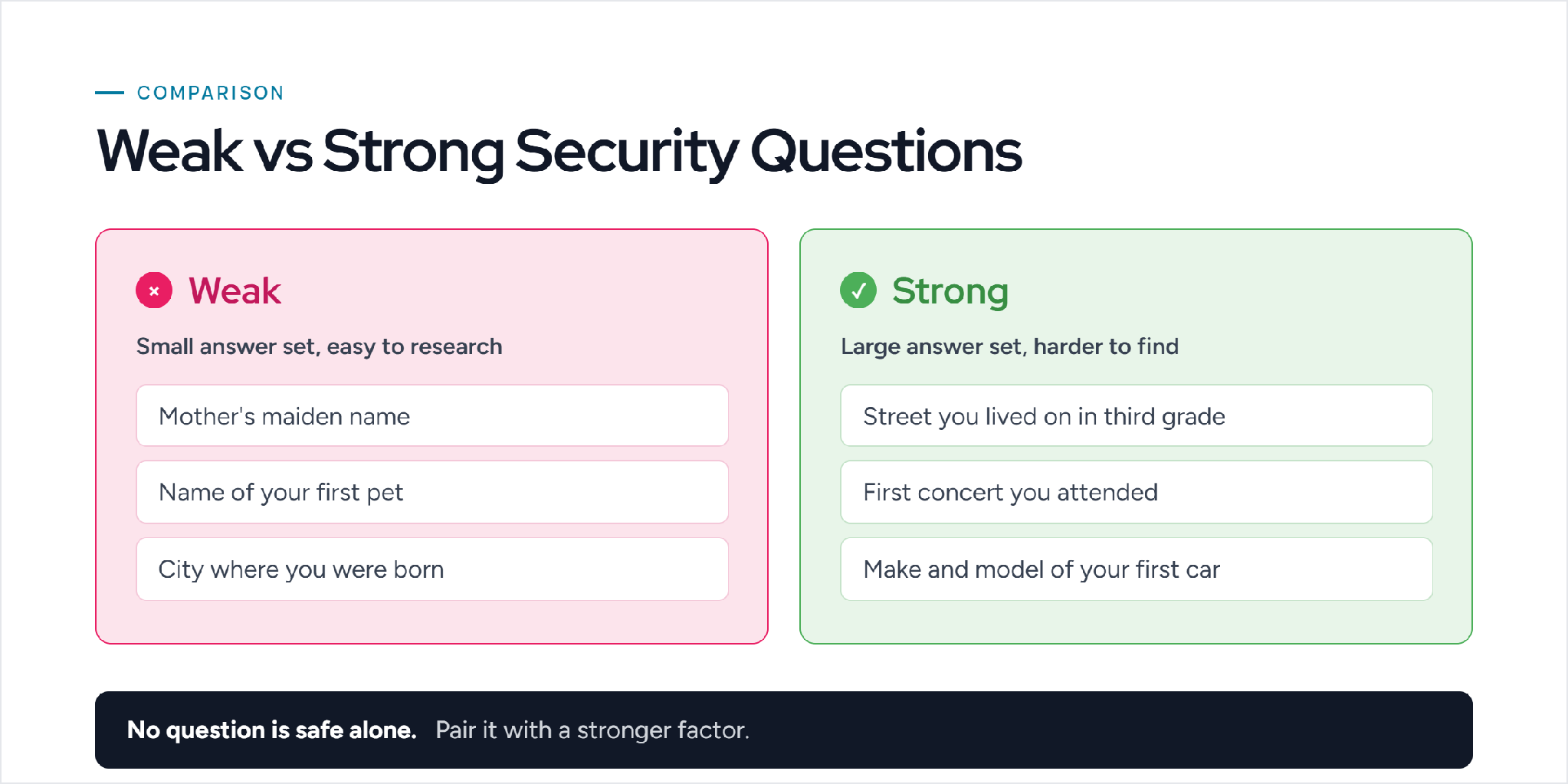
Not every question offers the same protection. The best security question examples have answers that are specific to one person, hard to find online, and easy for that person to remember. The weakest ones fail on all three.
Weak security question examples
These questions have small answer sets or answers that are easy to research:
Stronger security question examples
These questions have larger answer sets and are harder to find online, though no security question is fully safe on its own:
- What was the name of the street you lived on in third grade?
- What was the first concert you attended?
- What was the make and model of your first car?
- What was the first dish you learned to cook?
- What was the name of your childhood best friend?
- What was the number of the house you lived in as a child?
- What was the name of the first company you worked for?
Even strong questions have a weakness. If the answer is truthful and someone knows the person, it can be guessed or found. The fix is to treat the answer like a second password, which is covered in the best practices below.
Are security questions safe?
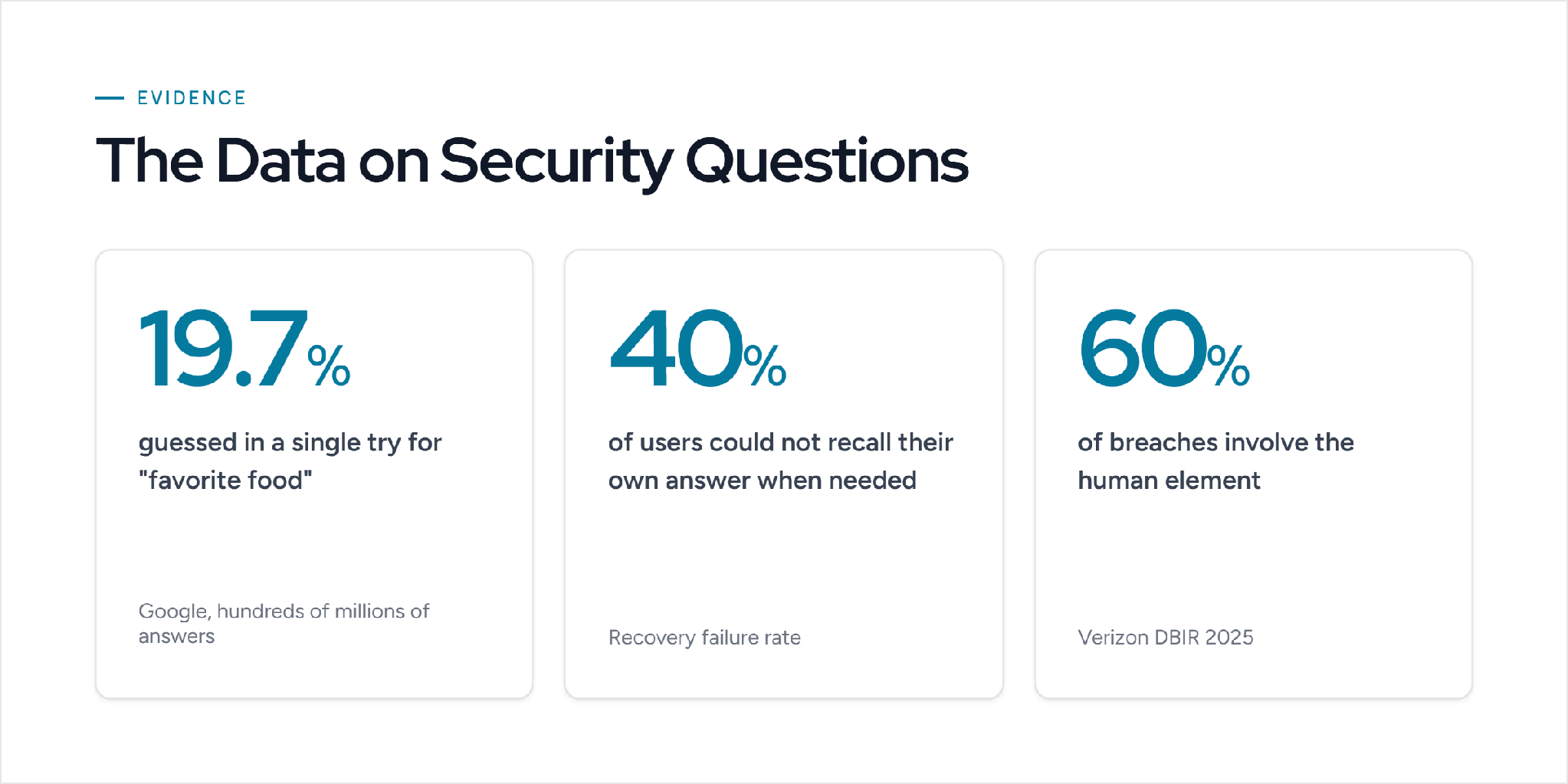
Security questions are weak when used on their own. They fail on both security and memorability, and the data is clear on this point.
In a study of hundreds of millions of answers, Google found that with a single guess an attacker had a 19.7% chance of matching an English-speaking user's answer to "What is your favorite food?" The same Google research found that 40% of English-speaking US users could not recall their own security question answers when they needed them. So the questions are easy for attackers and hard for real users.
Stolen credentials remain the main way attackers get in. Verizon's 2025 Data Breach Investigations Report found the human element was involved in 60% of breaches. A security question is one more human-memory secret that can be phished, guessed, or researched, which is why it should be a backup step and never the only gate on an account.
Security question examples in vendor security questionnaires
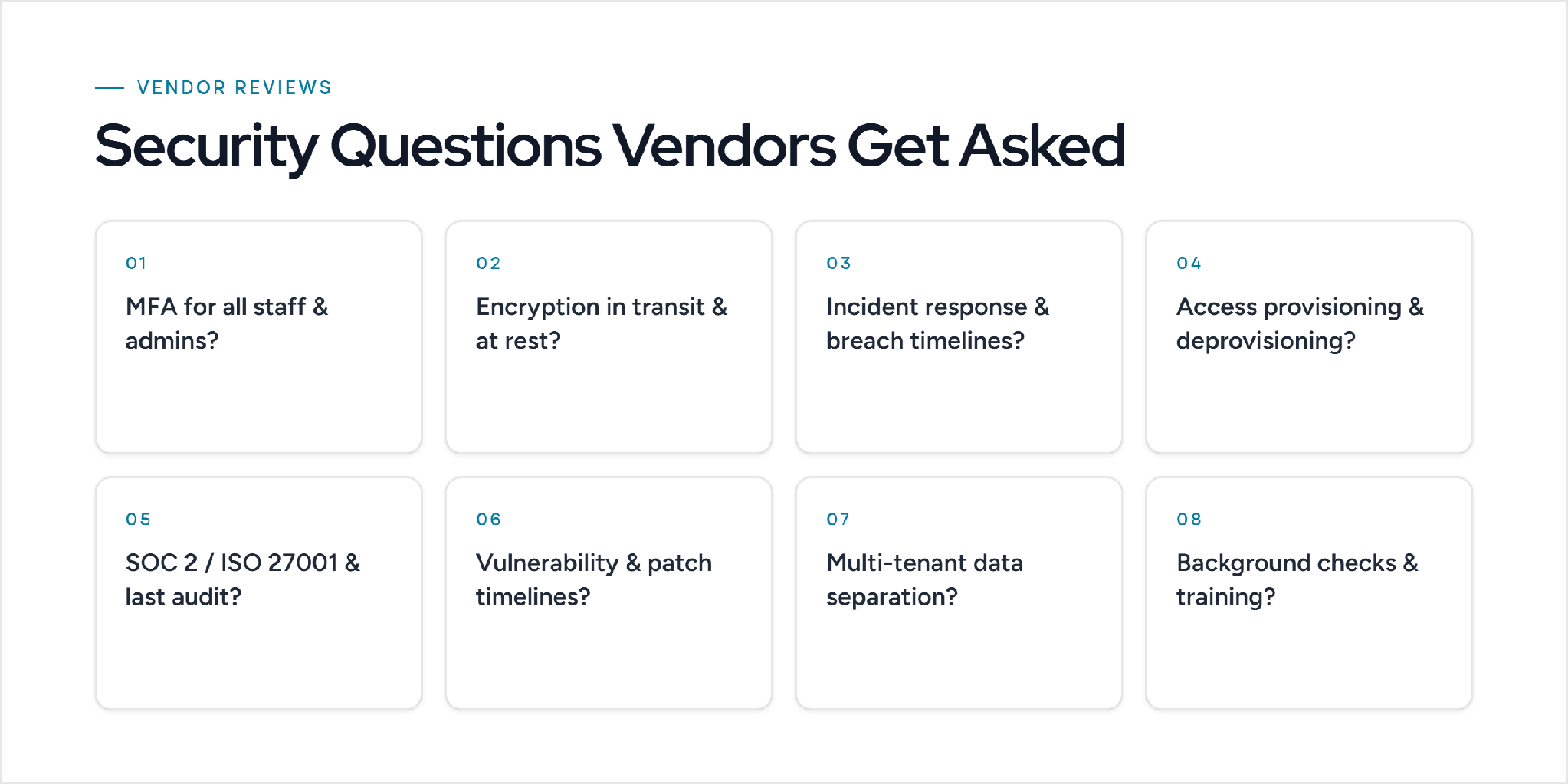
If you sell to mid-market or enterprise buyers, security questions show up in a very different form. Before signing, the buyer's security or GRC team sends a security questionnaire that asks how your company protects data. These are not personal-recall questions. They are control questions, and your answers can decide whether the deal moves forward.
Here are common security question examples you will be asked to answer as a vendor:
- Do you enforce multi-factor authentication for all employees and administrators?
- How is customer data encrypted in transit and at rest?
- What is your incident response process, and what are your breach notification timelines?
- How do you provision and remove user access when employees join or leave?
- Do you hold SOC 2 Type II or ISO 27001, and when was your last audit?
- How do you identify and patch vulnerabilities, and what are your remediation timelines?
- How is customer data separated in a multi-tenant environment?
- Do you run background checks and security awareness training for staff?
How to answer security questions the right way
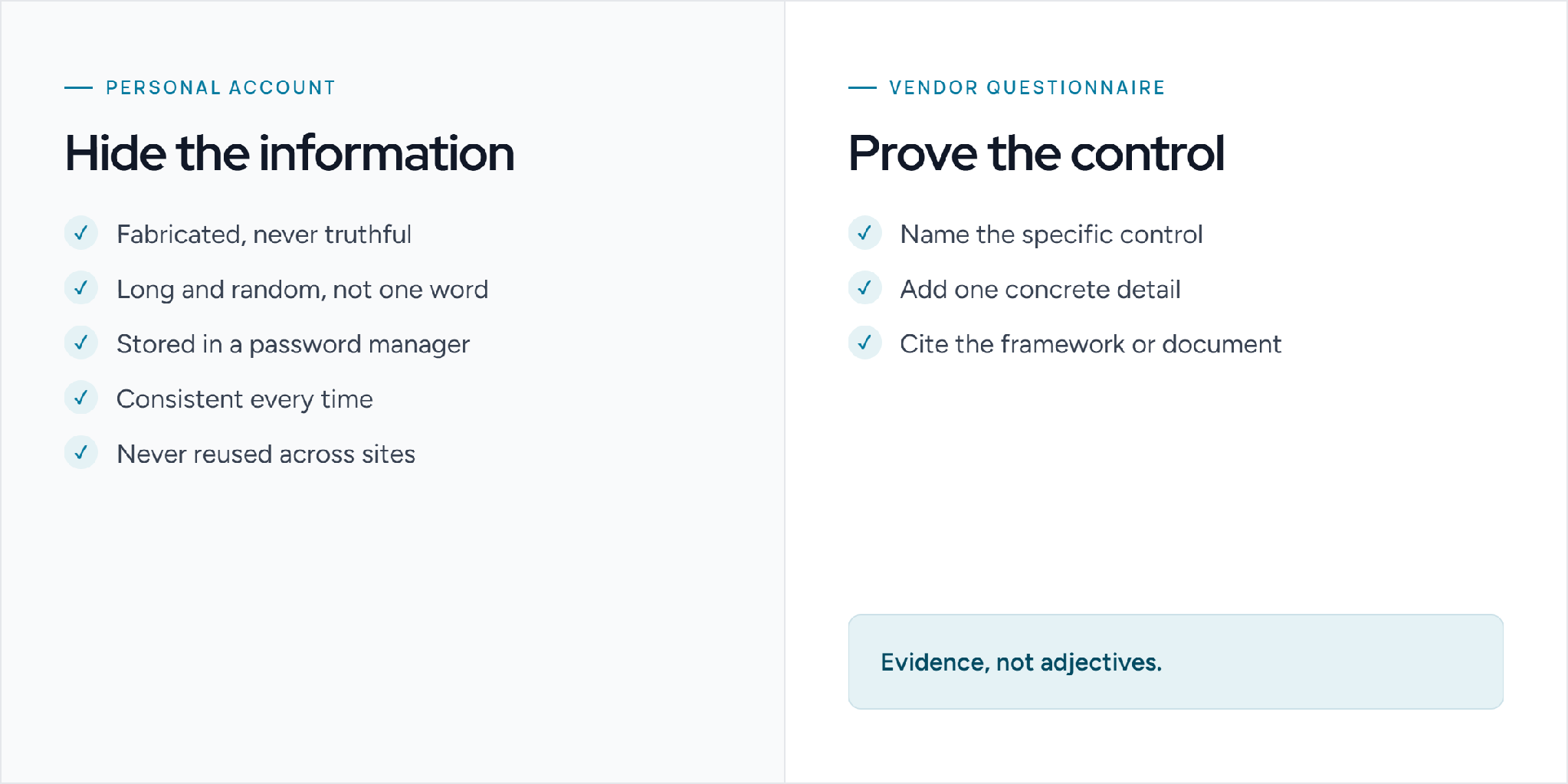
The right way to answer depends on which security question you face. A personal account question and a vendor questionnaire question call for opposite approaches. One hides information, the other proves it.
Answering personal account questions
Answer a personal security question the way you would set a second password: with a fabricated value that has nothing to do with the real fact. A truthful answer can be researched or guessed. A random one cannot.
- Do not answer truthfully. Your real hometown or pet name can be found online. A false answer removes that risk.
- Make it long and random. Use a passphrase or a string, not a single common word.
- Store it in a password manager. Save the fake answer next to the login so you can retrieve it during recovery.
- Keep it consistent. Use the exact stored answer every time, or recovery will fail when you need it most.
- Never reuse an answer across sites. One breach should not unlock several accounts.
Worked example. For "What city were you born in?", a weak truthful answer is "Chicago." A strong answer is a stored value like "velvet-harbor-42" that no one can research.
Answering vendor security questionnaire questions
These questionnaires ask how your company protects data before a deal closes, so a strong response names the specific control, gives a concrete detail, and points to a document or framework.
- MFA question. Weak: "Yes, we use MFA." Strong: "MFA is enforced for all employees and administrators, with phishing-resistant methods required for privileged accounts. See our access control policy and SOC 2 report, section 4."
- Encryption question. Weak: "Data is encrypted." Strong: "Customer data is encrypted in transit with TLS 1.2 or higher and at rest with AES-256. Keys are managed in a dedicated key management service. See our encryption policy."
- Incident response question. Weak: "We have a plan." Strong: "We follow a documented incident response plan with defined severity levels, tested annually, and notify affected customers within 72 hours of confirming a breach. See our IR policy and last tabletop test date."
The rule for vendors: answer with evidence, not adjectives. Name the control, add one specific detail, and cite the framework or document.
Security question best practices
The practices differ depending on whether you are protecting accounts or answering a questionnaire.
For protecting accounts
- Use them as a backup factor, never the only one. Pair them with multi-factor authentication so a guessed answer cannot unlock the account by itself.
- Store fabricated answers in a password manager. Treat each answer like a second password. A random value cannot be researched or guessed.
- Avoid answers that are public. Skip questions whose answers appear on social media, resumes, or public records.
- Prefer questions with large answer sets. Specific, detailed prompts are harder to guess than yes/no or short-list questions.
For responding to security questionnaires
- Keep approved answers in one place. A single source of current answers keeps responses consistent across deals and reviewers.
- Cite evidence and map to frameworks. Tie each answer to SOC 2, ISO 27001, or GDPR controls, and link the supporting document.
- Route only unsupported answers to experts. Send new or changed questions to the right subject matter expert, and reuse approved answers for the rest.
- Use AI security questionnaire software once volume grows. A manual answer library stops scaling when questionnaires arrive weekly. Security questionnaire software extracts the questions, drafts answers from your approved content, tracks review, and keeps responses current, so the practices above run automatically instead of manually.
Also Read: Best AI Agents for Security Questionnaires
Should you use a security question? A quick decision guide
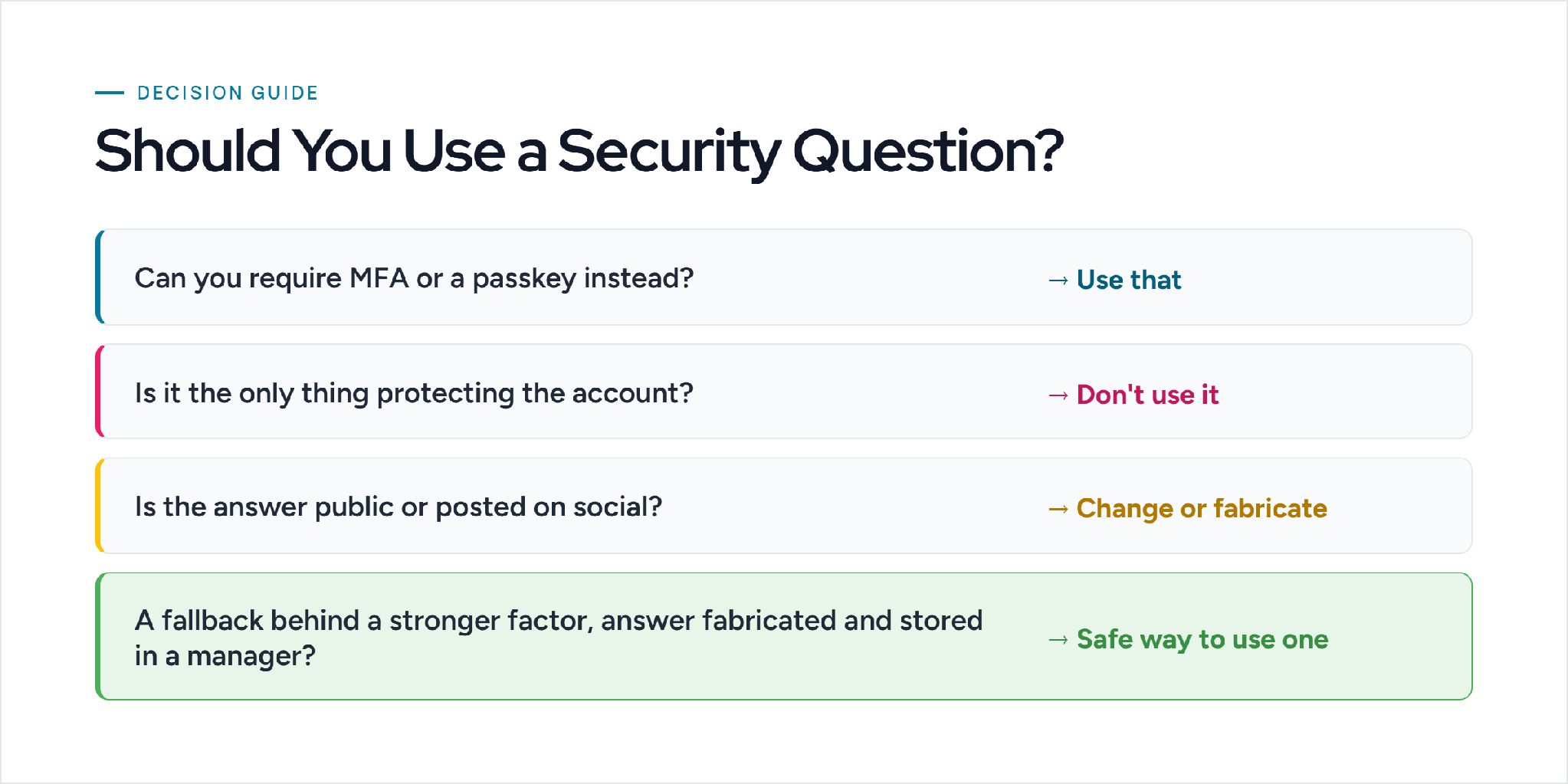
Before you add a security question anywhere, walk through these four checks in order. Stop at the first one that applies.
Decision guide
- Can you require MFA or a passkey instead? → Use that. Skip the security question.
- Will the question be the only thing protecting the account? → Do not use it. It is too weak to stand alone.
- Is the answer public or posted on social media? → Pick a different question, or fabricate the answer.
- Is it a fallback behind a stronger factor, with a fabricated answer stored in a password manager? → This is the only safe way to use one.
Better alternatives to security questions
Most identity providers now recommend stronger factors instead of security questions. Good alternatives include:
- Authenticator apps and MFA. A time-based code from an app is far harder to steal than a memorized answer.
- Passkeys and FIDO2 security keys. These use cryptographic keys tied to the device, so there is no shared secret to guess.
- One-time codes by email or push. Google's own data found these recover accounts more reliably than security questions.
US guidance points the same way. NIST's digital identity guidelines (SP 800-63B) no longer allow knowledge-based questions as a standalone way to recover an account, and recommend stronger authenticators instead.
How Inventive AI helps teams answer security questionnaires
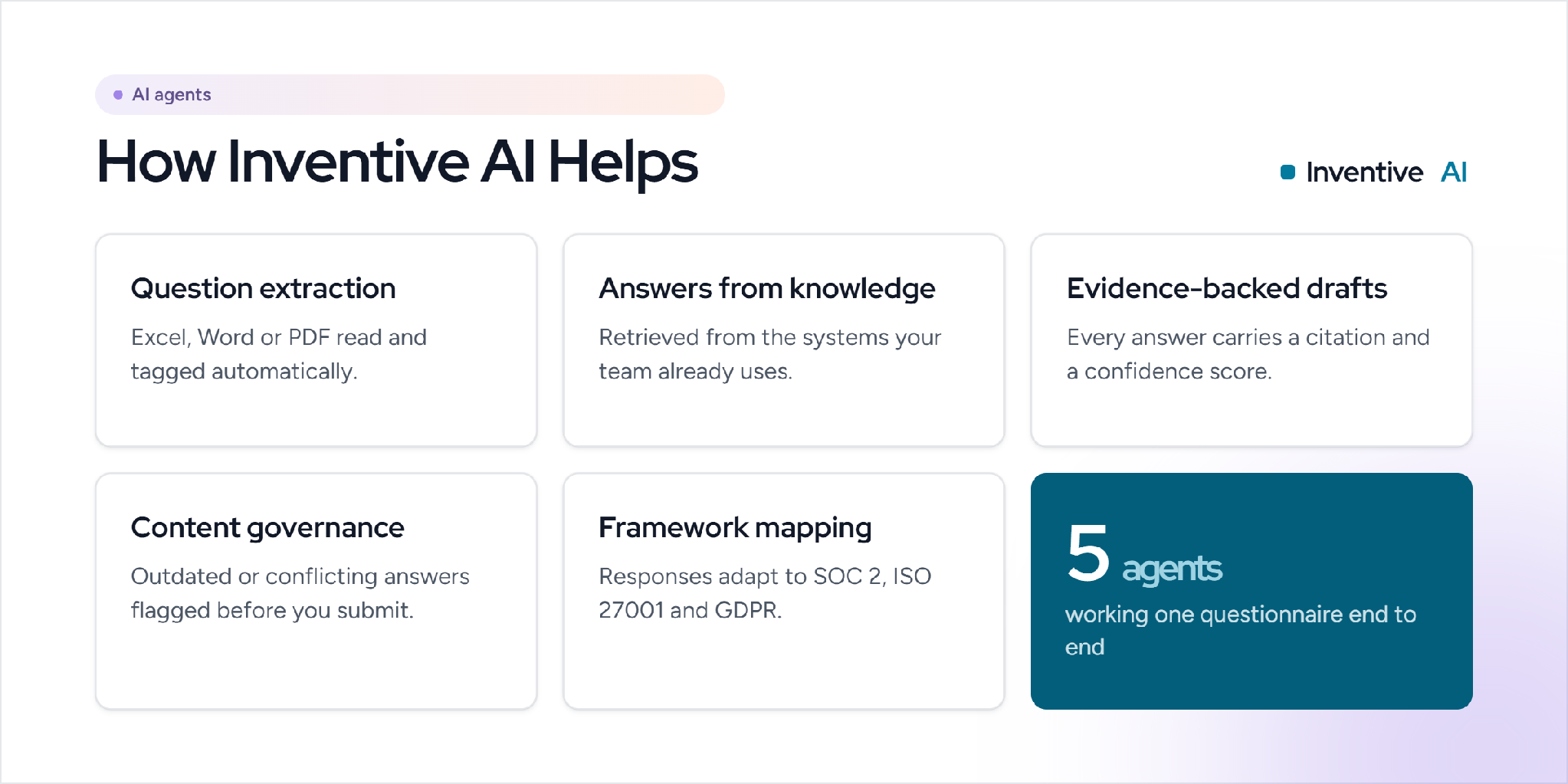
Vendor security questionnaires are long and repetitive. The same questions return with small wording changes for every deal, and proposal, InfoSec, and GRC teams spend hours re-answering them by hand. Inventive AI is an AI agent platform that responds to RFPs, RFIs, DDQs, and security questionnaires, with humans in the loop for approvals.
Here is how that helps a response team:
- Question extraction. Upload the questionnaire in Excel, Word, or PDF, and an agent reads the file and tags every question, so you skip manual sorting.
- Answers from connected knowledge. The platform retrieves responses from systems you already use, such as SharePoint, Google Drive, Confluence, and past questionnaires, instead of a separate library you have to maintain.
- Evidence-backed drafts. Each answer ships with a source citation and a confidence score, and the agent flags "information unavailable" rather than guessing.
- Content governance. The Content Governance Agent flags outdated or conflicting answers before you submit, so a stale control statement does not reach the buyer.
- Framework mapping and review. Responses adapt to SOC 2, ISO 27001, and GDPR, and only unsupported answers route to subject matter experts.
Must Reads
- SaaS Security Questionnaires: A Complete Guide
- 12 Best AI Agents for Security Questionnaires in 2026
- Common AI and Compliance Questionnaire Questions
Frequently asked questions
What is the most common security question?
"What is your mother's maiden name?" is one of the most common, along with "What was the name of your first pet?" and "What city were you born in?" All three are widely used and, unfortunately, often easy to research.
Should security question answers be truthful?
No. A truthful answer can be researched or guessed. Security experts recommend using a fabricated, random answer and storing it in a password manager, which treats the answer like a second password.
Are security questions the same as two-factor authentication?
No. A security question is still a knowledge factor, the same category as a password. True two-factor authentication adds a different factor, such as a code from an app or a hardware key, which is why it is stronger.
What is an out-of-wallet security question?
An out-of-wallet question is a dynamic question generated from records like credit or public data, rather than one the user set in advance. Banks and identity services use them because the answers are harder to prepare for.
What are security questions in a vendor questionnaire?
In a vendor security questionnaire, security questions ask how your company protects data, such as whether you enforce MFA, how you encrypt data, and whether you hold SOC 2 or ISO 27001. Buyers use the answers to assess risk before they sign.
Also Read: SaaS Security Questionnaires: A Complete Guide
.avif)




%20That%20Gets%20Shortlisted.png)